How to remove a coach from organisation
Remove a coach when they stop working with the organisation.
Written by Sumit Kapoor
Introduction
Removing a coach from an organisation is a controlled administrative action.
It ensures that only active, relevant coaches retain access to organisational batches, sessions, and students.
When a Coach Should Be Removed
A coach may need to be removed when:
They stop working with the organisation
Their role or contract ends
They should no longer access organisational batches or students
Removing a coach helps maintain clean access control and accurate operational data.
Types of Coaches You Can Remove
There are two categories of coaches visible under an organisation:
1. Invited Coaches (Not Accepted)
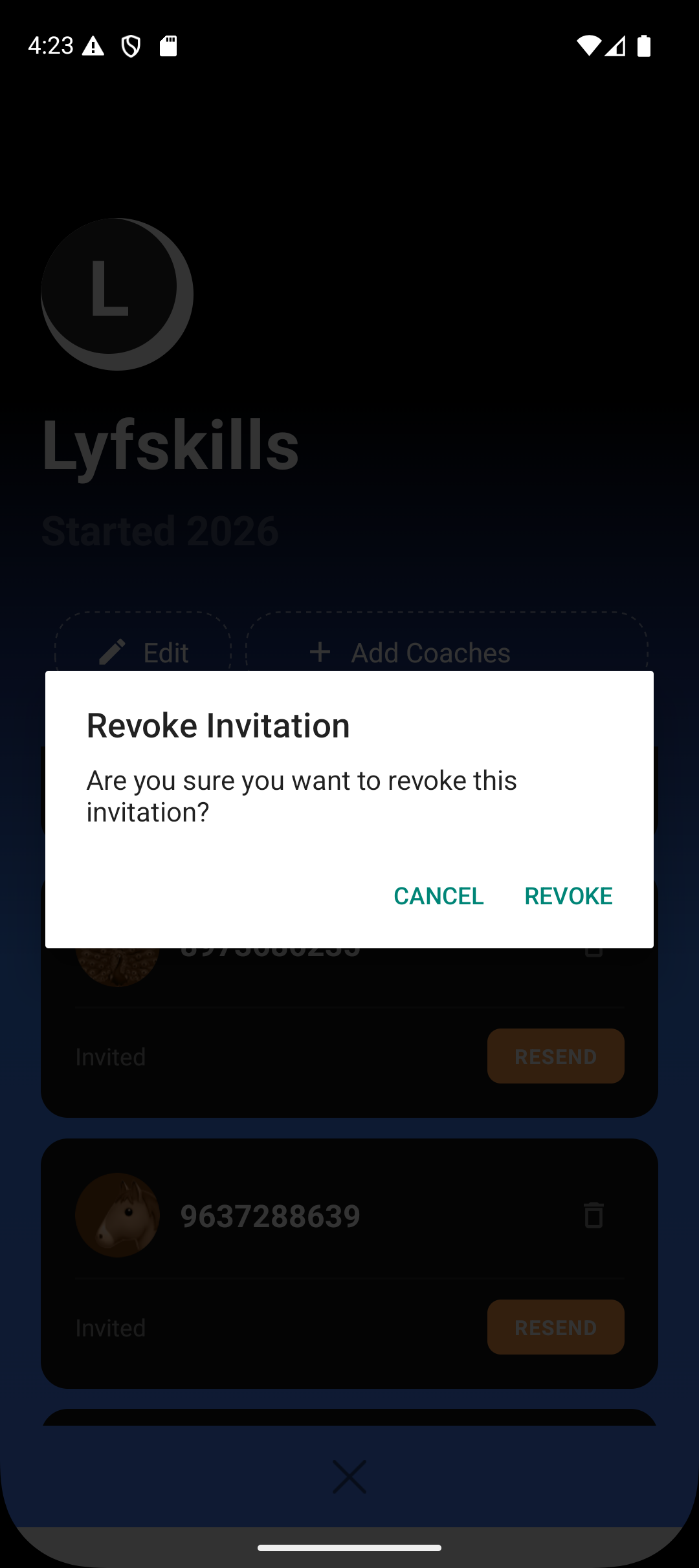
These are coaches who:
Have been invited
Have not yet accepted the invitation
They do not have access to batches or sessions.
2. Active Coaches (Accepted)
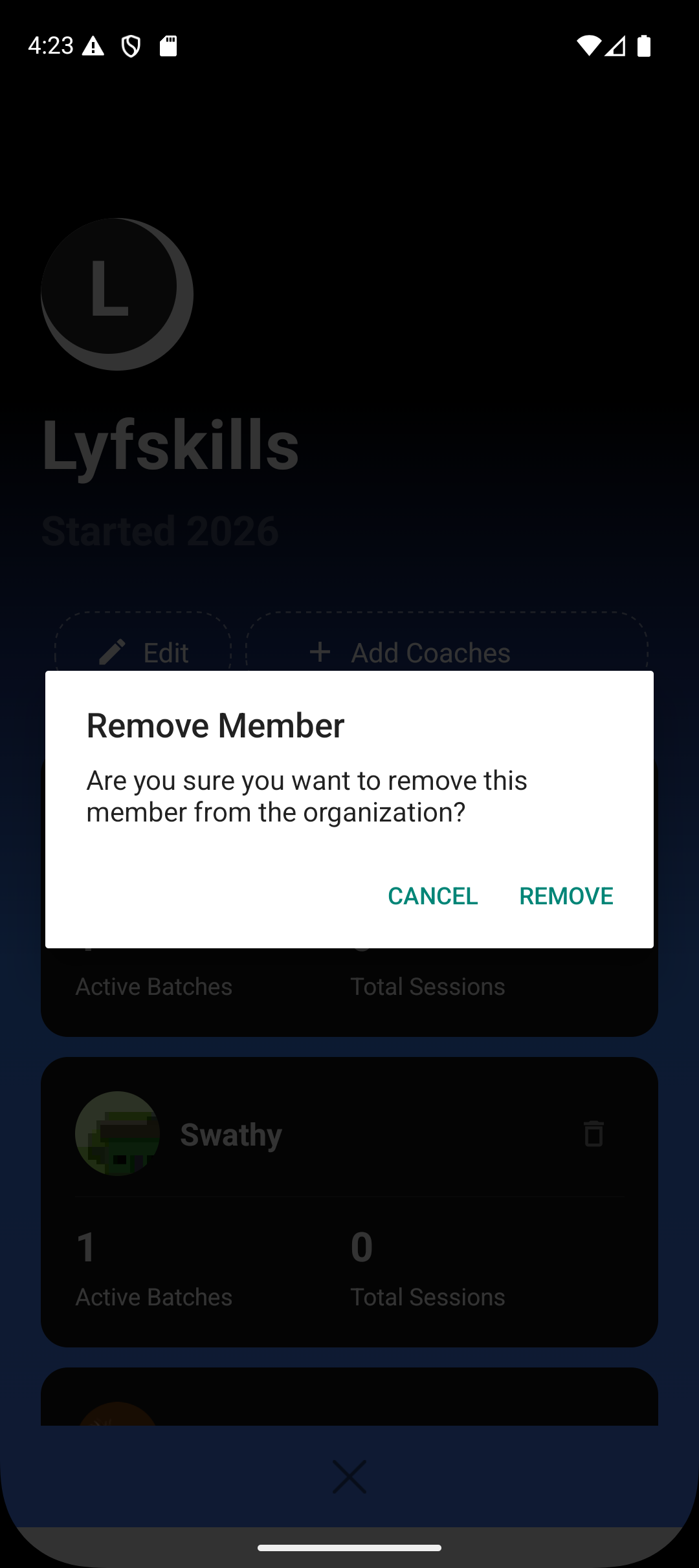
These are coaches who:
Have accepted the invite
May have batches assigned
Can run sessions and manage students
The removal flow differs slightly based on this status.
Steps to Remove a Coach
Step 1: Open Organisation Settings
Go to Profile
Select Organisation
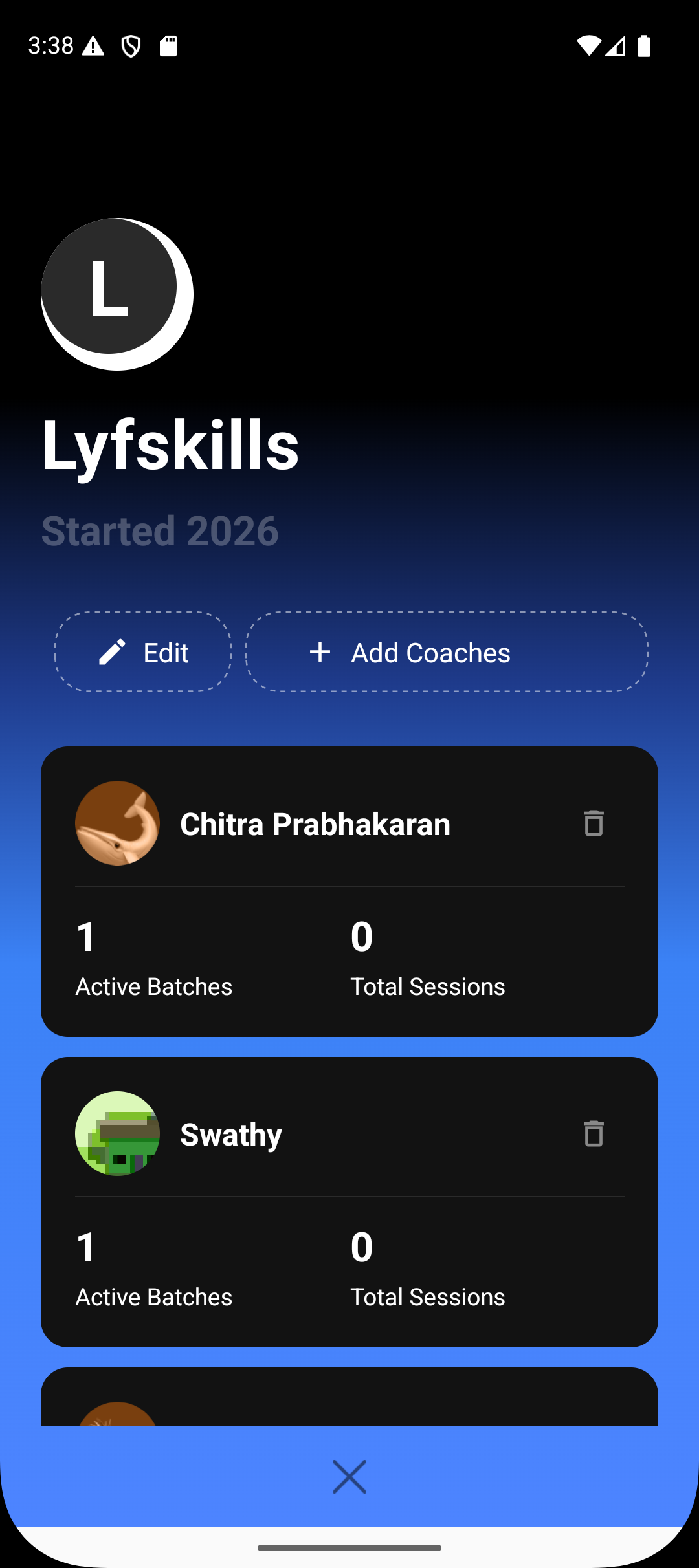
View the list of all coaches under the organisation
Step 2: Select the Coach
Scroll through the coach list
Open the coach profile you want to remove
Each coach card shows their activity status and assigned batches.
Step 3: Use the Delete Option
Tap the delete icon (top-right corner)
Confirm the removal action
If the coach is an invited (not accepted) user, the invitation will be revoked immediately.
Important: Reassign Batches Before Removal
If the coach is active and has accepted the invitation, you must first:
Reassign all batches linked to that coach
Assign those batches to another coach within the organisation
This ensures:
No batch is left without a coach
Sessions and student workflows continue uninterrupted
The system expects all assigned batches to be reassigned before final removal.
What Happens After Removal
Once a coach is removed:
They lose access to the organisation
They can no longer view or run organisation batches
Their session and attendance permissions are revoked
Organisation data, batches, and students remain intact.
Access Control and Safety
Only organisation admins can:
Remove coaches
Reassign batches
Manage coach access
This prevents accidental loss of data or disruption to ongoing batches.
Summary
Removing a coach is a deliberate, admin-only action designed to keep organisational operations clean and secure.
Invited coaches can be revoked instantly
Active coaches must have batches reassigned before removal
Removal revokes all organisational access
Batches and students remain unaffected
Following this process ensures smooth transitions when team members change.