How to add a coach to an organisation
Organisations on Lynk are designed to scale beyond a single coach. Adding coaches allows an organisation admin to distribute workload, run multiple batches in parallel, and maintain operational oversight while sessions are delivered by individual coaches.
Written by Sumit Kapoor
Why Adding Coaches Matters
An organisation acts as a management layer, while coaches are the execution layer.
By adding coaches to an organisation, you can:
Delegate session delivery to multiple coaches
Assign different coaches to different batches
Maintain a single organisational structure for students, payments, and reporting
Scale operations without duplicating setup or workflows
Only added coaches can be assigned to organisation-managed batches.
Where Coach Management Lives
Coach management is handled within the Organisation profile.
From the organisation dashboard, the admin can:
View existing coaches
Invite new coaches
Track invitation status
Remove coaches if required
Steps to Add a Coach to an Organisation
Step 1: Open the Organisation Profile
Navigate to your Organisation from the profile page
Open the organisation you want to manage
Tap Add Coaches
This opens the coach invitation flow.
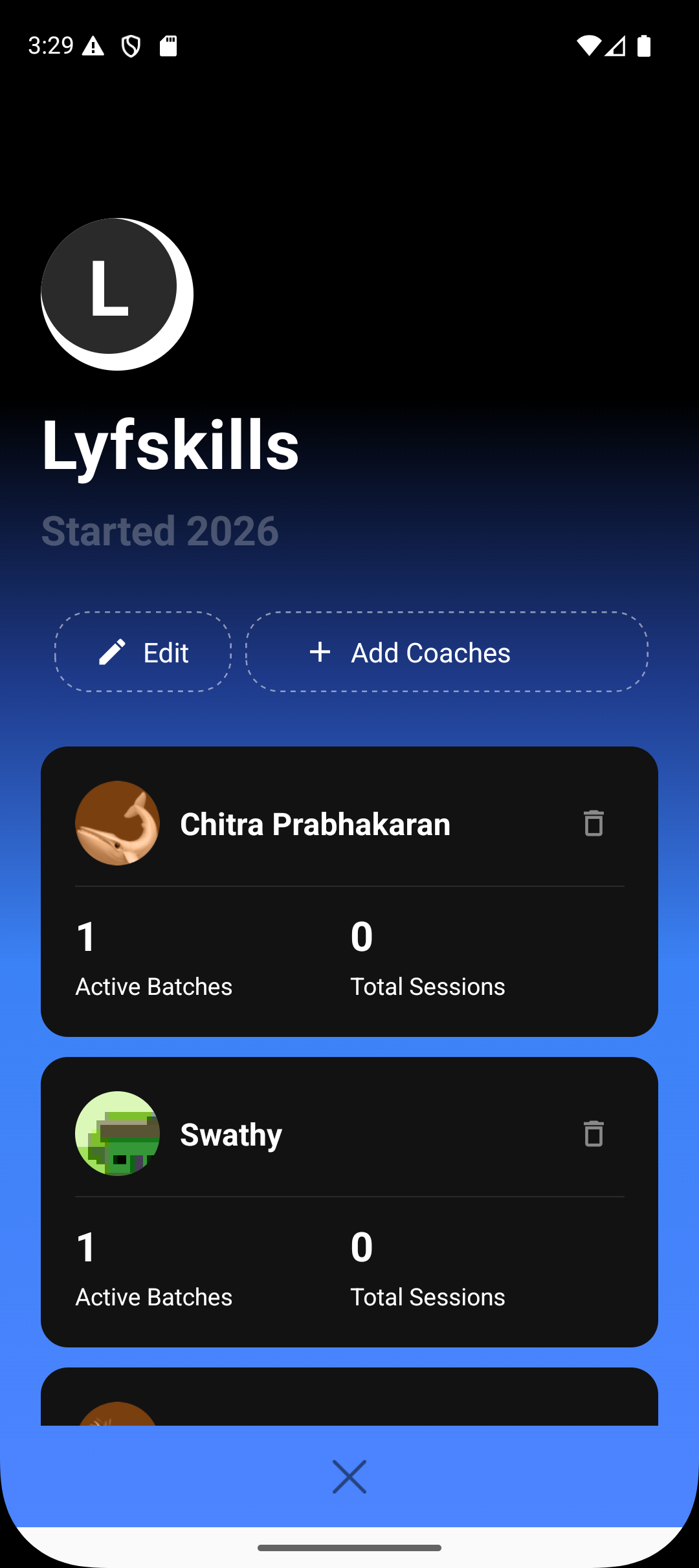
Step 2: Enter or Select Coach Details
You can add a coach in two ways:
Enter phone number manually
Select a contact from your phone’s contact book
The system uses the phone number to identify or create the coach profile.
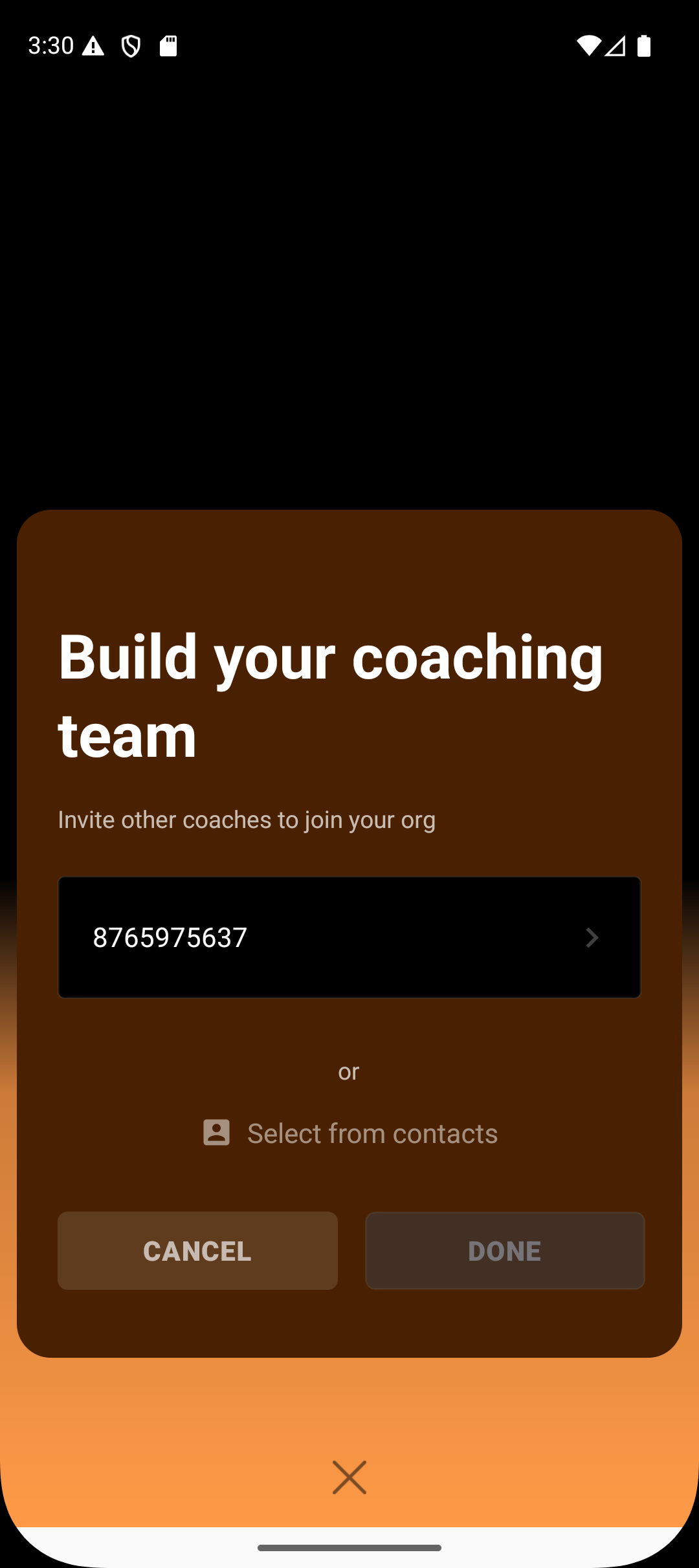

Step 3: Send the Invitation
After entering the coach’s phone number, tap the right arrow
Review the details
Tap Done to confirm
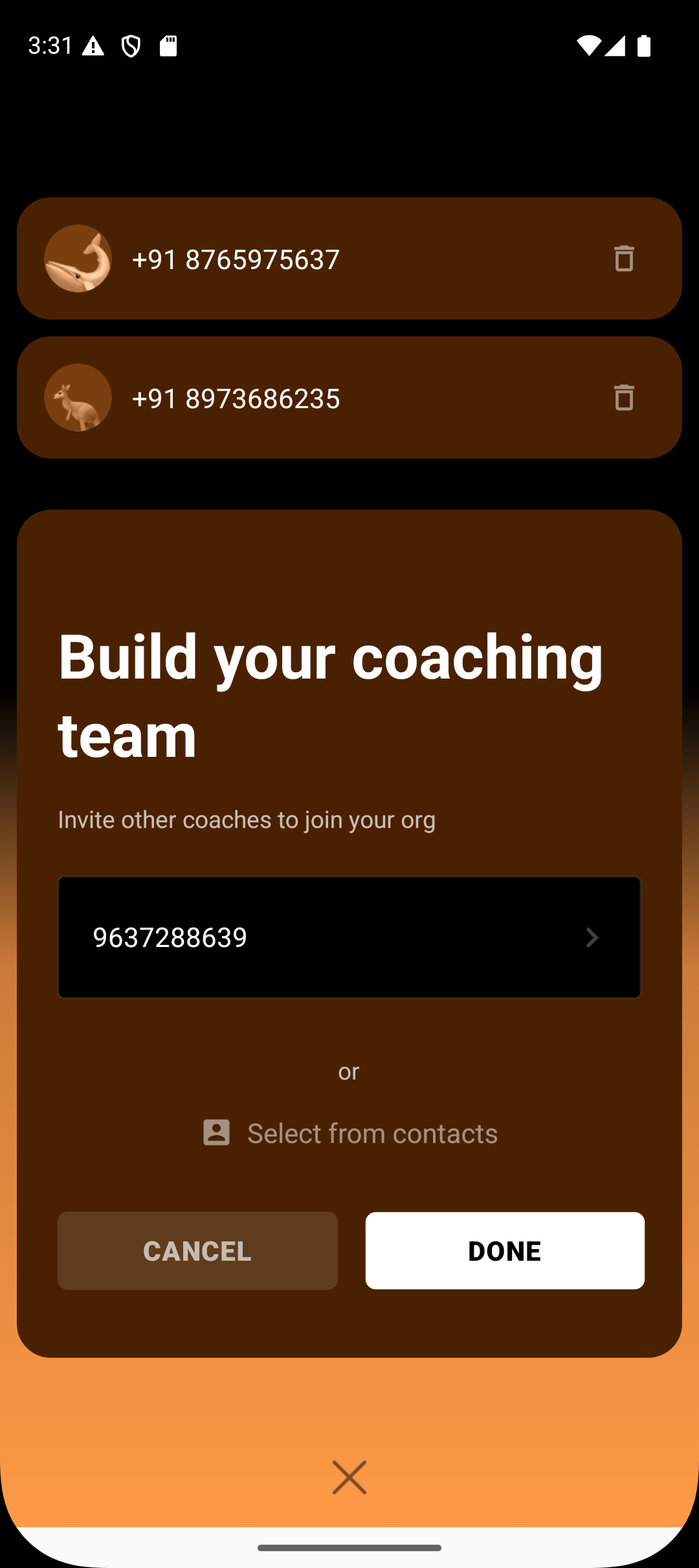
At this point:
An invitation is sent to the coach
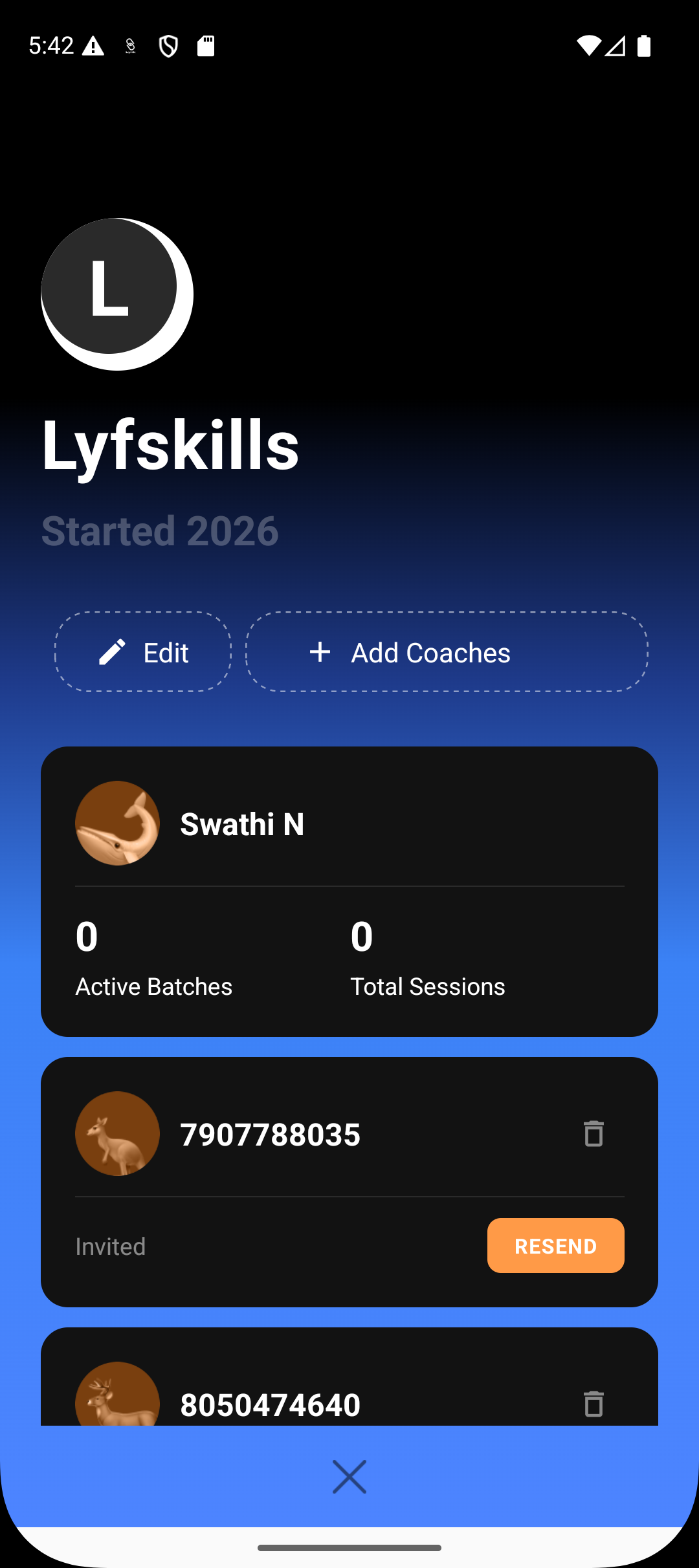
The coach appears in the organisation list with an Invited status
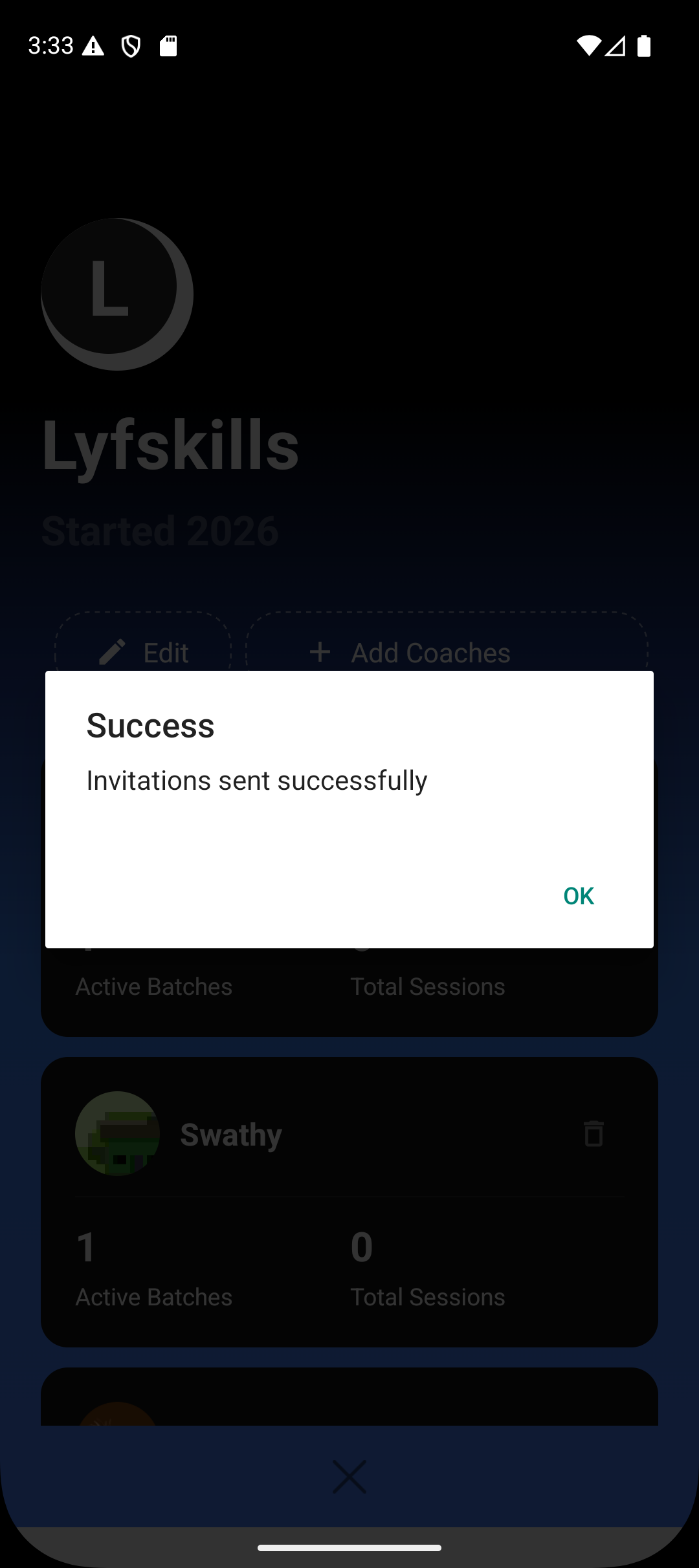
What Happens After the Invitation Is Sent
Invitation Pending
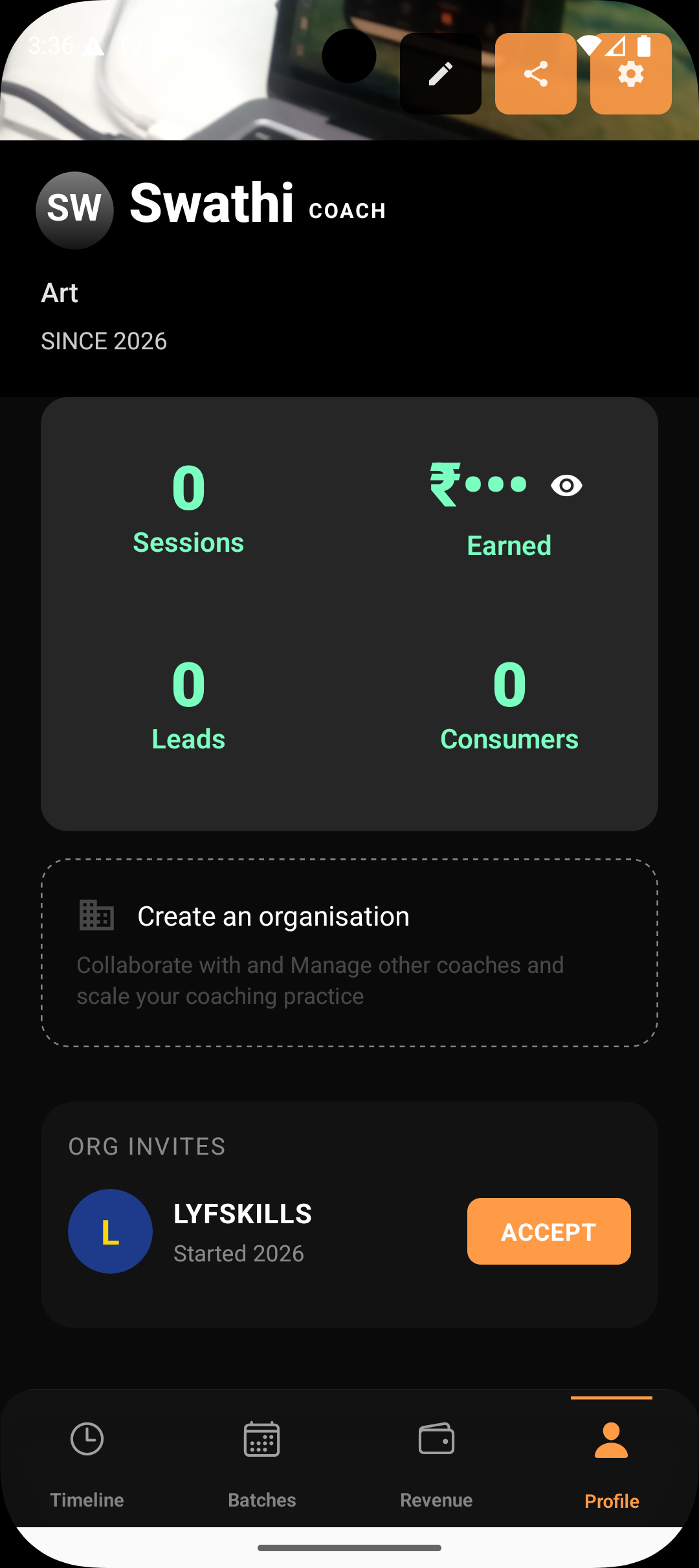
The coach receives an invitation on their Lynk profile
Until accepted, the coach cannot be assigned to any batches
The admin can see the pending status and resend the invite if required
Invitation Accepted
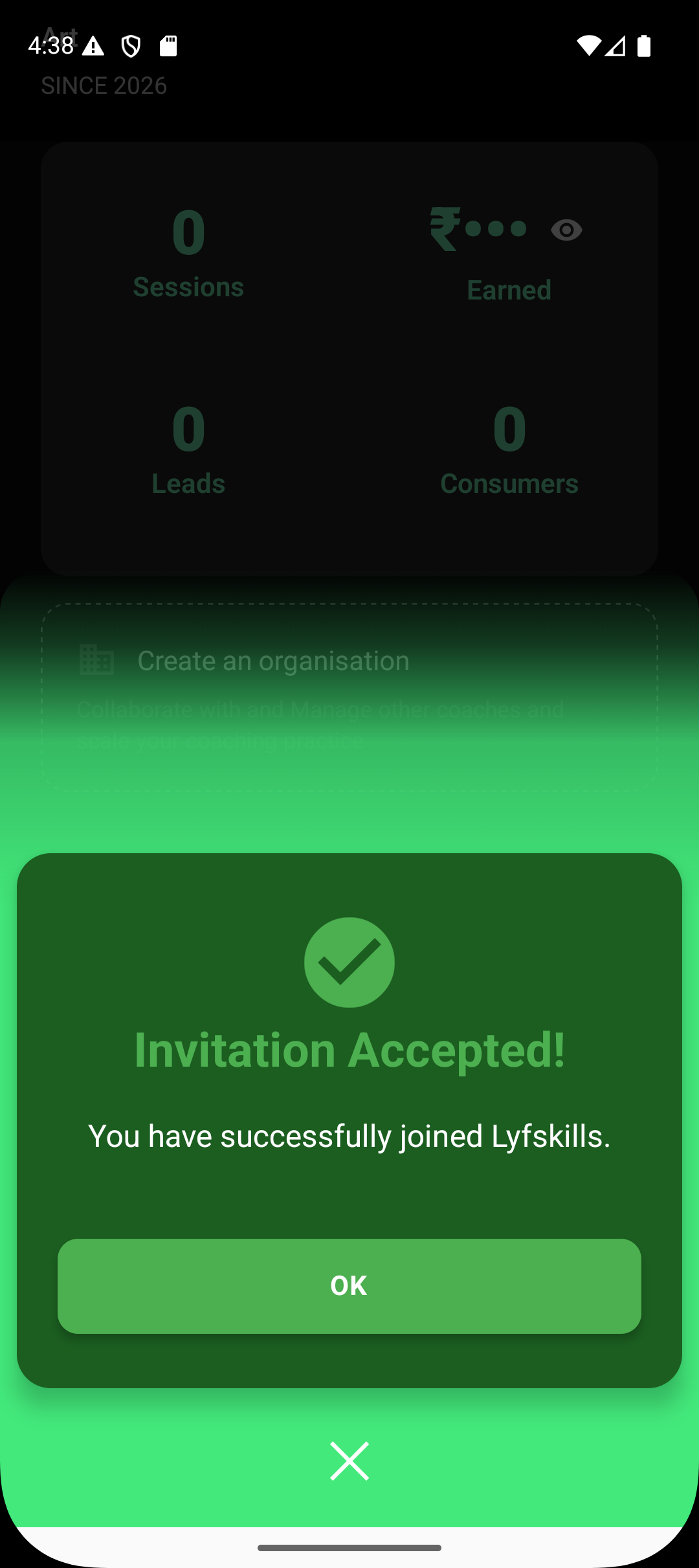
Once the coach accepts the invitation:
The coach becomes part of the organisation
The coach is now visible as an assignable option during batch creation
The coach can run sessions assigned to them
Key Things to Remember
Coaches must accept the invite before they can be assigned batches
Invitations are tied to phone numbers
Organisation admins retain full control over coach assignment and removal
Coaches operate within the organisation but do not manage it
Summary
Adding coaches to an organisation enables scalable delivery while keeping operations structured.
The flow is simple:
Open organisation
Add coach via phone number or contacts
Send invite
Coach accepts
Coach becomes available for batch assignment
This ensures organisations can grow without losing clarity or control.