How to create an organisation
Create an organisation to centrally manage coaches, batches, and coaching operations.
Written by Sumit Kapoor
Introduction
An organisation in Lynk allows you to move beyond individual coaching and manage your academy or coaching business from a single, centralized setup. By creating an organisation, you gain access to admin-level controls that help you manage coaches, assign batches, and oversee operations efficiently.
Once created, you become the Admin of the organisation.
Why Create an Organisation
Creating an organisation is ideal if you:
Work with multiple coaches
Run multiple batches or locations
Want structured operational control
Need clear separation between teaching and management roles
An organisation introduces role-based access, ensuring coaches focus on sessions while admins handle operations.
Step-by-Step: Creating an Organisation
Step 1: Go to Your Profile
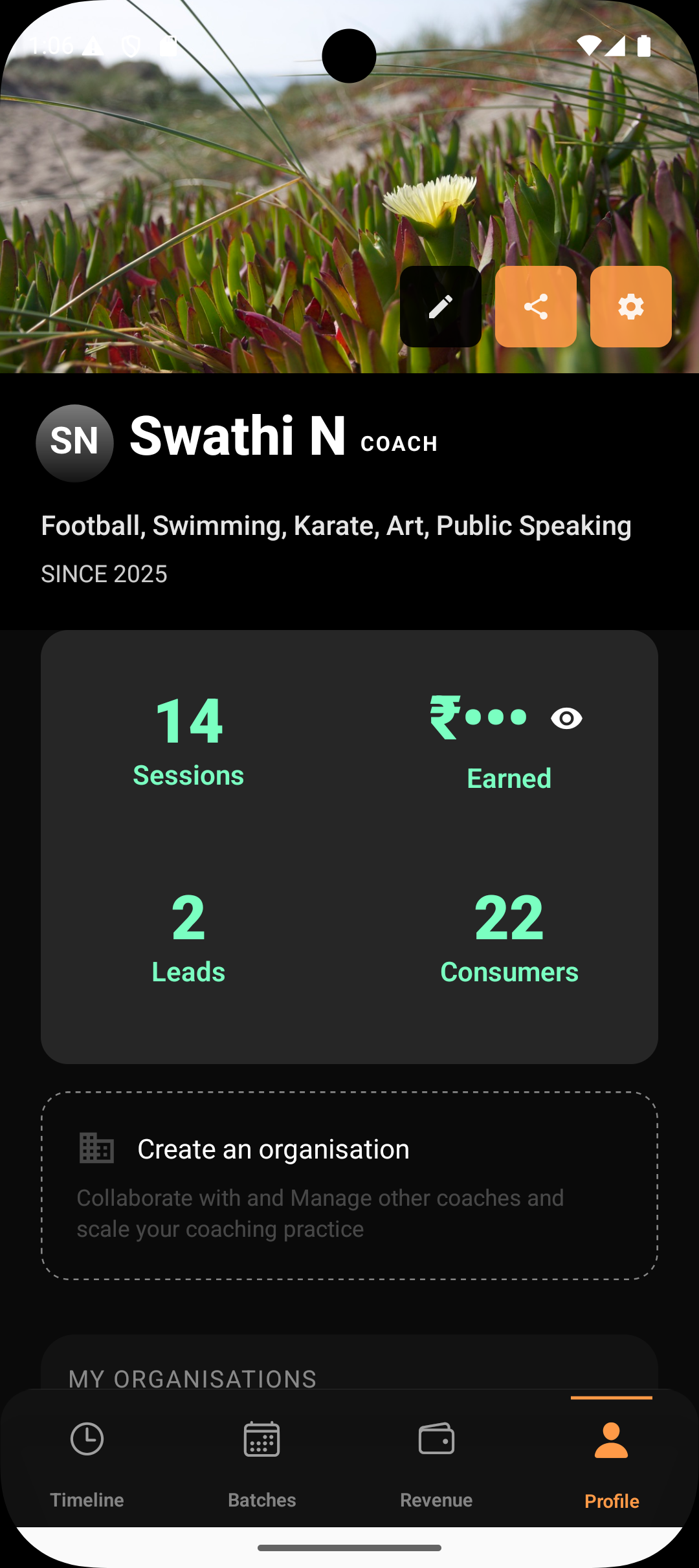
Open the Lynk app and navigate to your Profile page.
Step 2: Select “Create Organisation”
Under your profile options, you will see an option to Create an Organisation. Tap on it to begin setup.
Step 3: Add Organisation Details
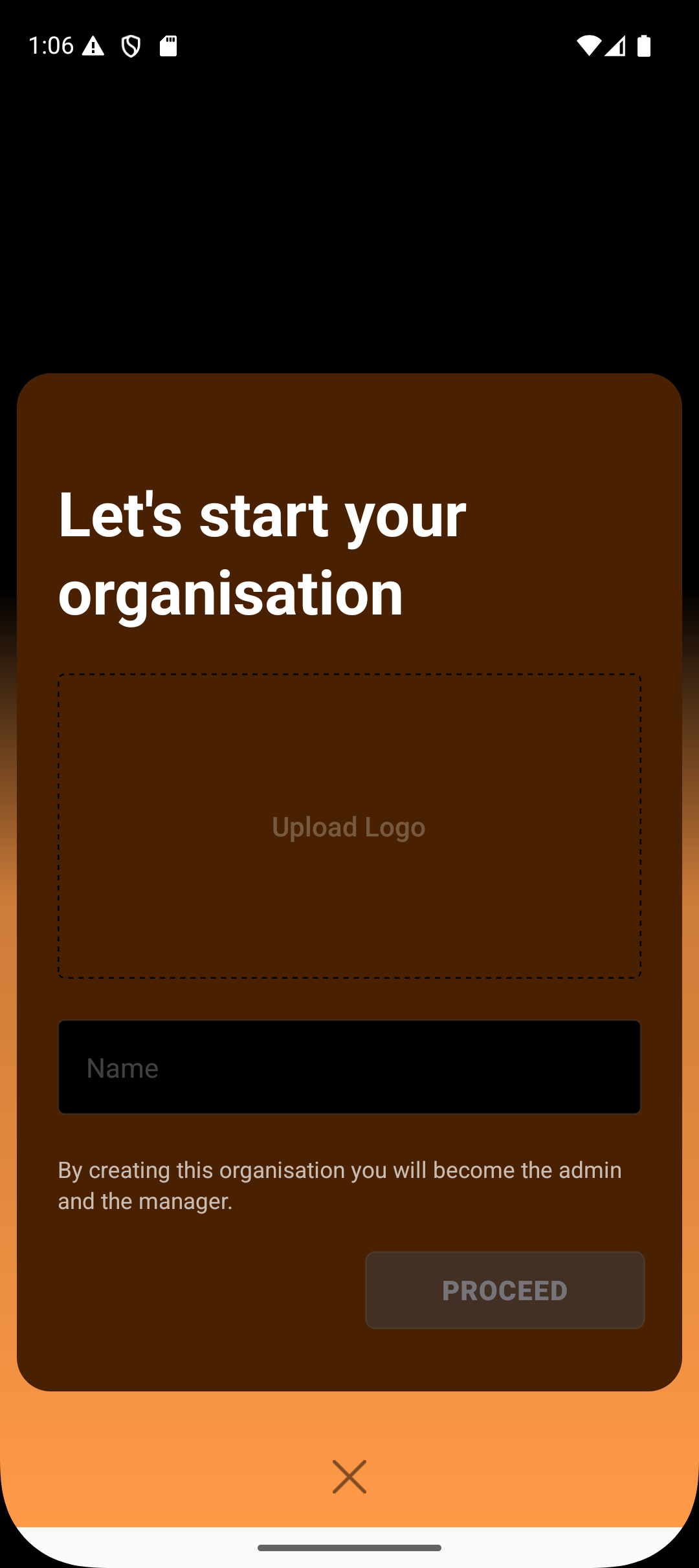
Provide the basic details for your organisation:
Organisation Name
Organisation Logo (optional but recommended)
These details represent your academy identity across Lynk.
Step 4: Confirm Admin Role
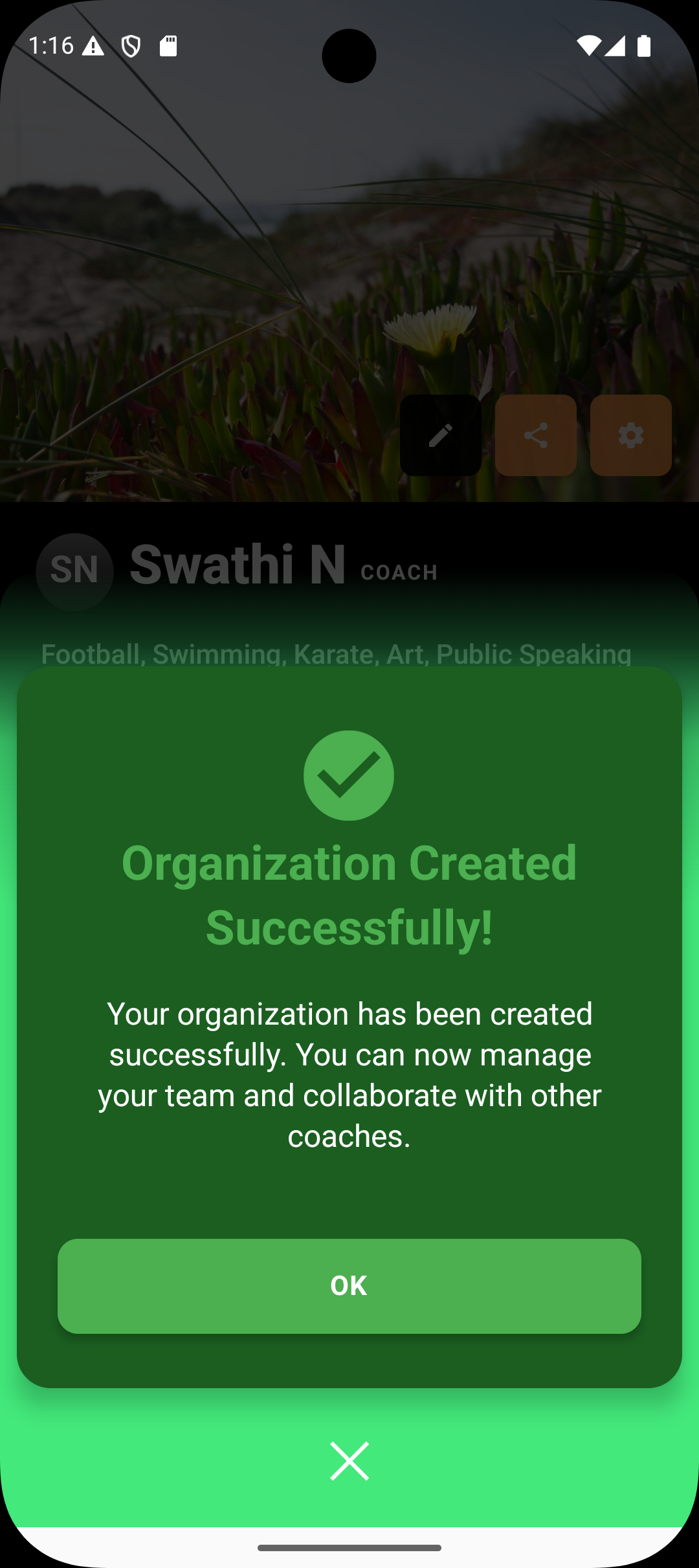
Once you create the organisation:
You automatically become the Admin
You gain manager-level access to all organisation features
This role gives you full operational control.
Adding Coaches to Your Organisation
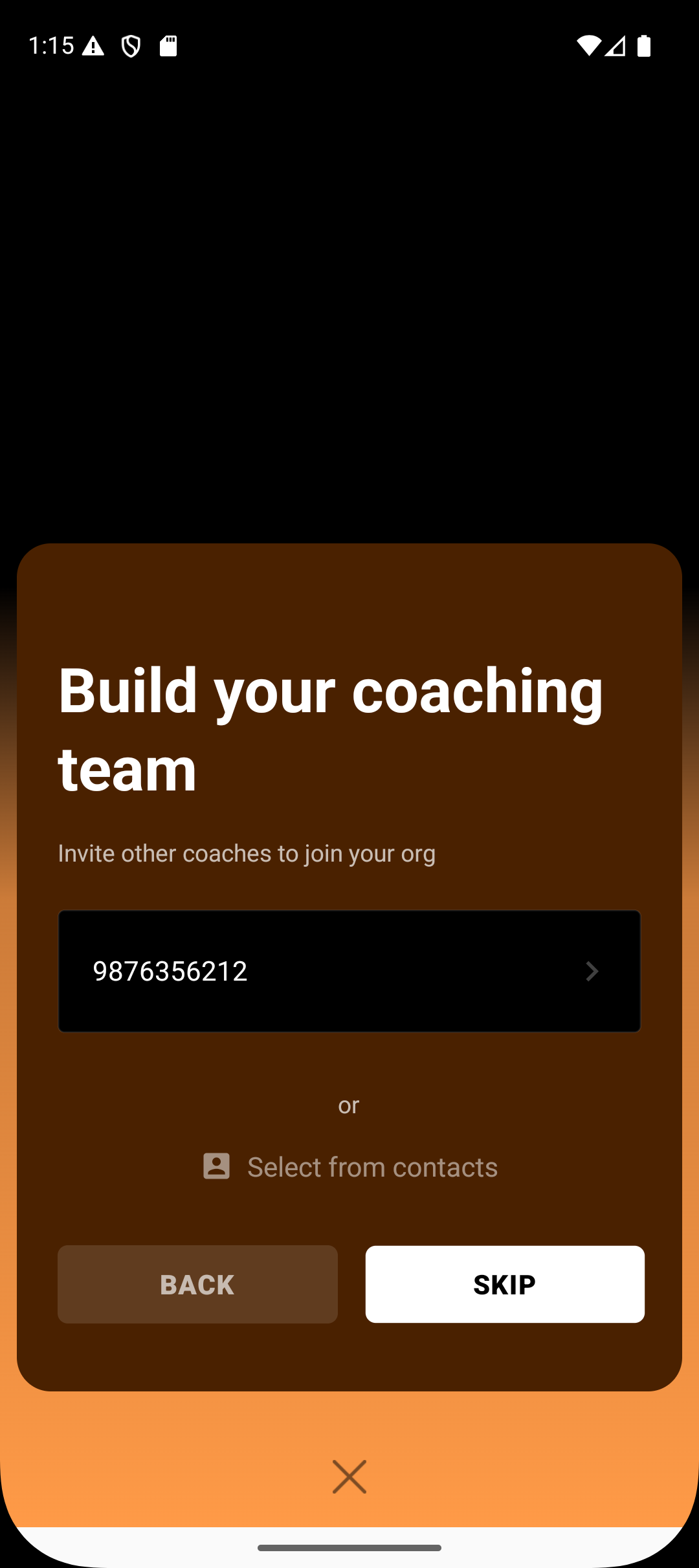
After setting up the organisation, Lynk allows you to build your coaching team.
How Coach Invitations Work
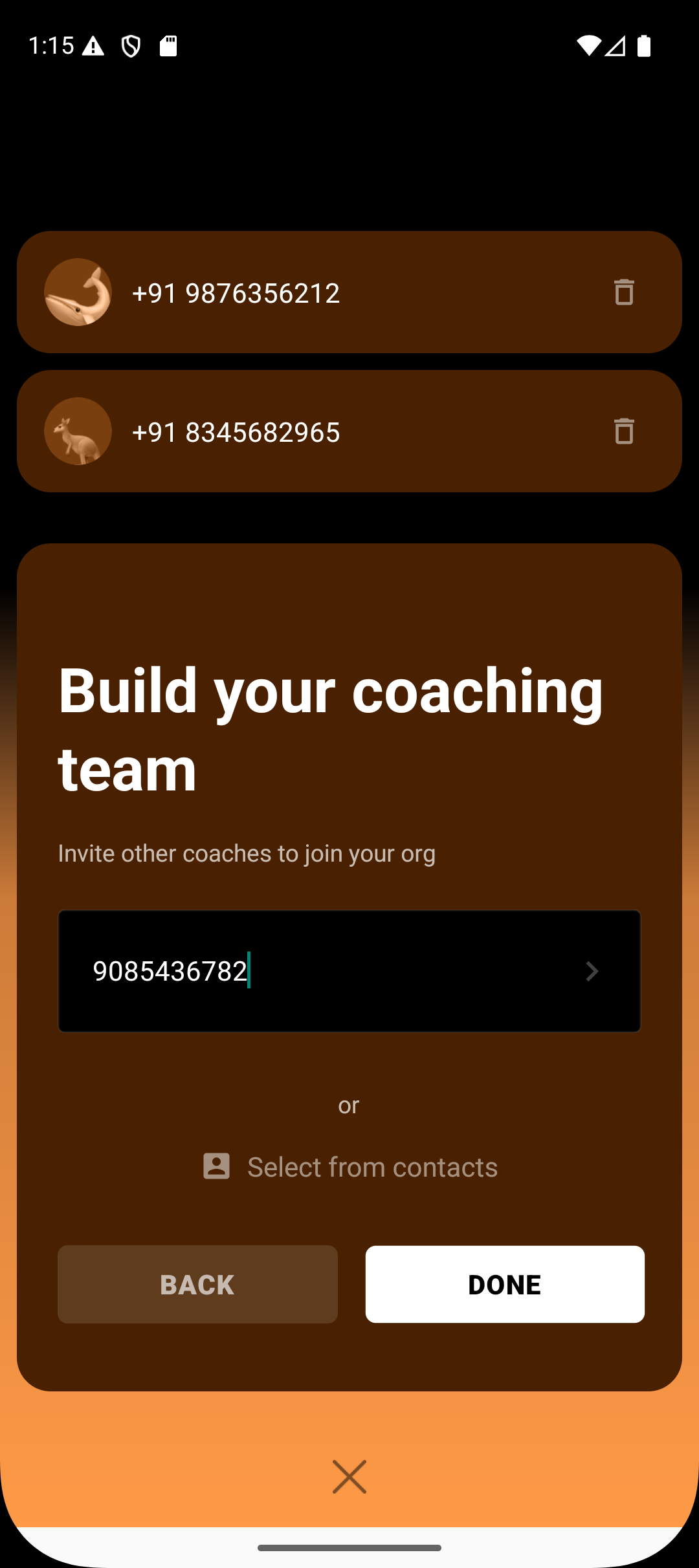
Enter the coach’s mobile number
Or select directly from your contacts
Send an invite for them to join your organisation

Optional Step
You can also skip adding coaches during setup and invite them later at any time.
This flexibility lets you start immediately without blocking setup.
What Happens After Organisation Creation
Once your organisation is created:
Admin-level features become available
You can add and manage coaches
Coaches can be assigned to batches
Operational controls are enabled
Coaching delivery and management are clearly separated
Your organisation becomes the central structure for all future growth.
Best Practices
Upload a logo to make your organisation easily recognisable
Add coaches only when they are ready to be assigned batches
Use admin access for operations, not session delivery
Scale gradually by adding batches and coaches as needed
Summary
Creating an organisation in Lynk enables you to manage coaching operations centrally through an admin account. From the profile page, you can create an organisation by adding its name and logo, after which you become the admin and manager. You can invite coaches immediately or skip this step and add them later. Once set up, the organisation provides structured control over coaches, batches, and overall operations.