What happens after an organisation is created
Once created, an organisation becomes a structured management layer for coaches, batches, and operational control.
Written by Sumit Kapoor
Introduction
Creating an organisation in Lynk marks the transition from individual coaching to structured, multi-coach management. An organisation does not replace a coach account—instead, it sits above individual coaches and batches, enabling coordinated operations, clear role assignment, and scalable growth.
After an organisation is created, all future actions—such as adding coaches, creating batches, and assigning responsibilities—can be managed centrally while still allowing coaches to focus on delivery.
Organisation as a Management Layer
Once active, the organisation functions as a control layer that connects:
Coaches who deliver sessions
Batches that group students
Administrative actions that maintain structure and accountability
Rather than managing everything in isolation, organisations allow batches and coaches to be logically grouped under a single operational umbrella.
This makes it easier to:
Track who is responsible for each batch
Maintain consistency across multiple coaches
Scale operations without losing visibility
Adding Coaches to the Organisation
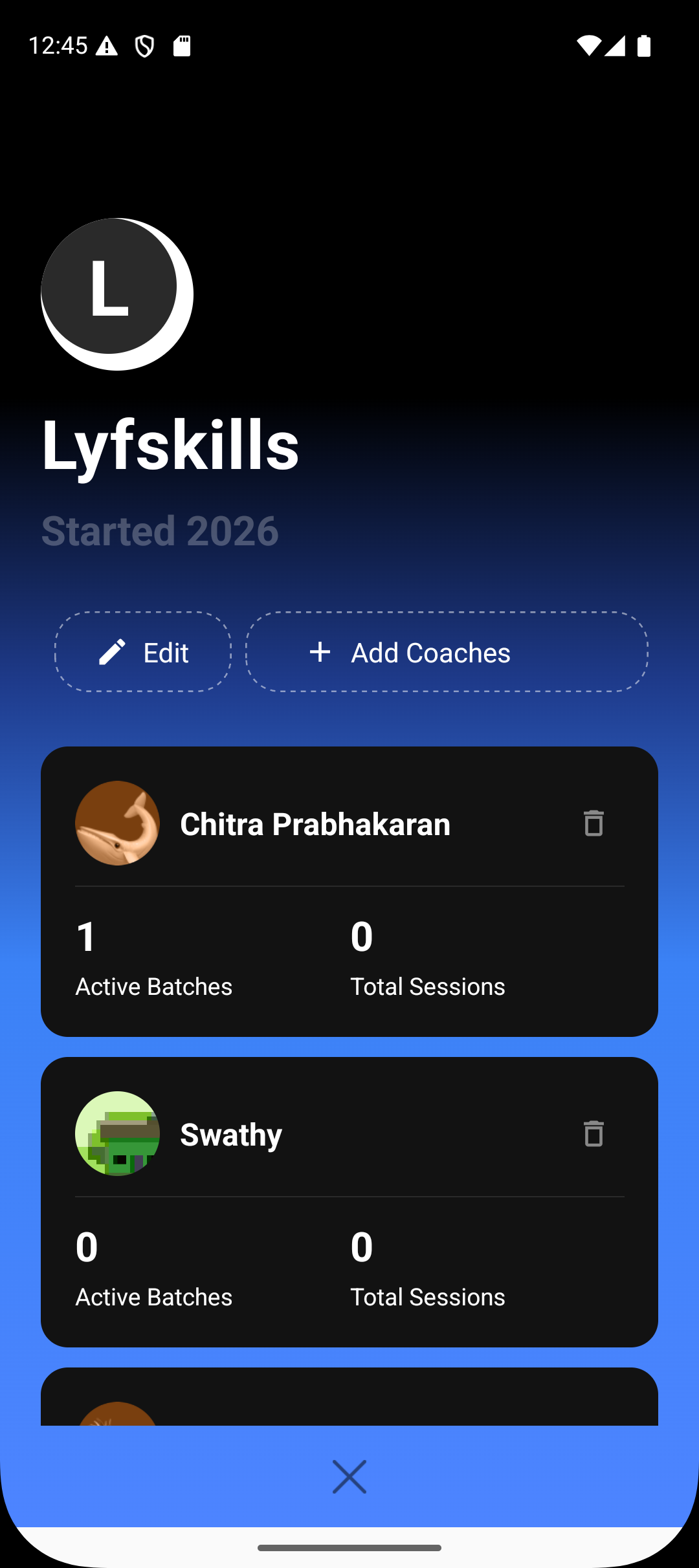
After the organisation is created, you can invite and add coaches to it.
Coaches added to an organisation:
Continue using their own coach accounts
Can be assigned to one or more organisation-owned batches
Focus on session delivery while the organisation handles structure
This separation ensures that coaches teach, while administration stays centralised.
Creating Batches Under an Organisation
All new batches intended to run under the organisation can be created directly from the Manage tab.
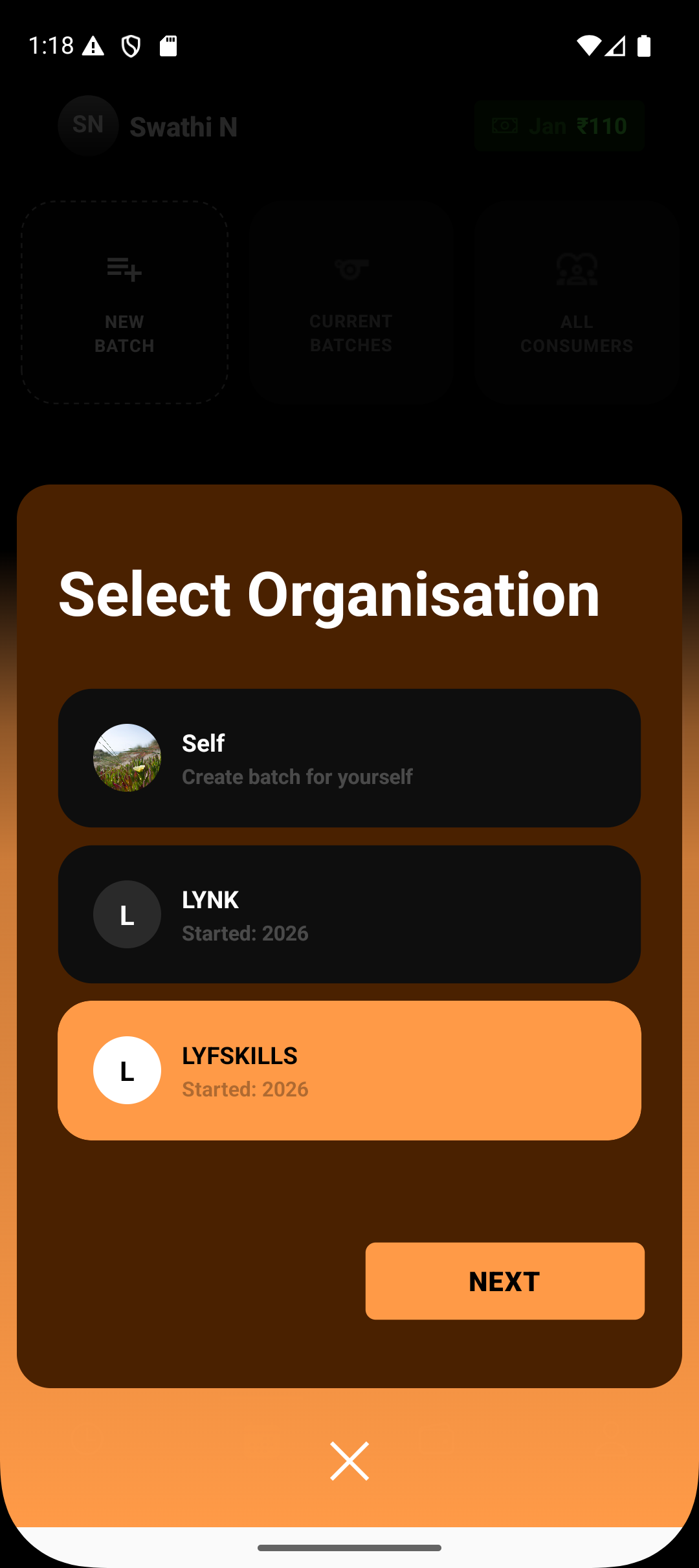
Batch creation flow under an organisation:
Go to the Manage tab
Click New Batch
Select the organisation
Assign a coach
Continue with the standard batch setup flow
The remaining steps—batch details, schedules, and student management—remain the same as regular batch creation. The difference is that the batch now belongs to the organisation and has a clearly assigned coach.
Assigning Coaches to Batches
Each batch created under an organisation must have a designated coach.
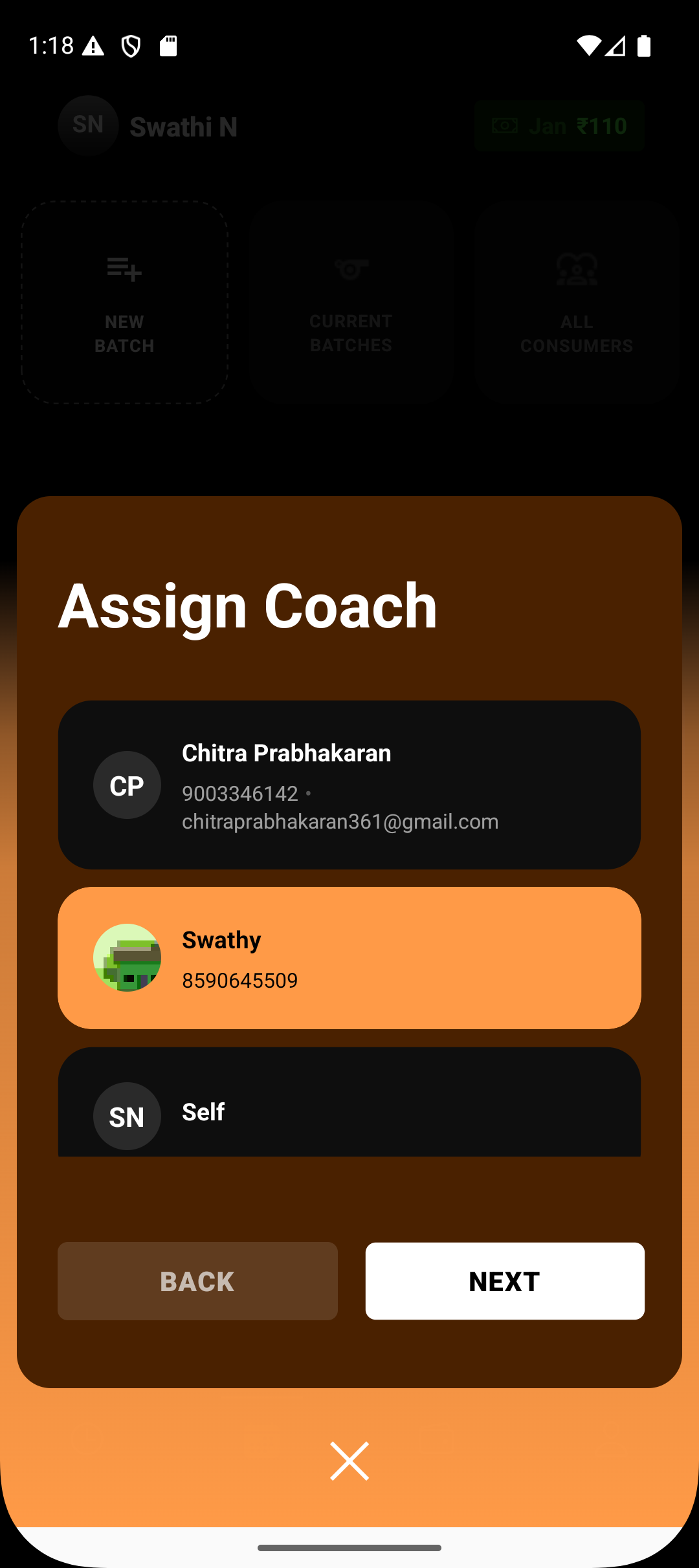
This ensures:
Clear ownership of session delivery
Accurate tracking of attendance and notes
Accountability for student outcomes
While the organisation owns the batch structurally, the assigned coach manages day-to-day execution.
Operational Control and Visibility
With batches and coaches organised under one structure, organisations provide:
Better oversight of active batches
Clear visibility into which coach handles what
A scalable way to manage growing operations
This model supports academies, institutes, and multi-coach setups where coordination is essential.
What Stays the Same
Even with an organisation in place:
Batch creation flow remains familiar
Coaches continue delivering sessions as usual
Students experience no disruption
The organisation enhances management, not complexity.
Summary
Once an organisation is created in Lynk, it becomes the central management layer for your coaching operations. You can add coaches, create batches under the organisation, assign coaches to those batches, and manage everything from the Manage tab using the same familiar batch creation flow—now with added structure, clarity, and scalability.