How to Record Offline and Cash Payments
Learn how to record cash and bank transfer payments by marking pending requests as received, so collections stay accurate and enrollments are updated automatically.
Written by Swathi N
While UPI Direct makes online fee collection simple, some students and parents may prefer to pay using cash, direct bank transfer, or other offline methods.
Lynk allows you to manually record these payments so your financial records remain accurate and the student’s enrollment is updated automatically.
When to Use This Feature
Use this option when a student has paid you outside the platform through:
Cash
Direct bank transfer
IMPS/NEFT
Any other offline payment method
By marking the payment as received, you can complete the payment cycle without requiring the student to pay online.
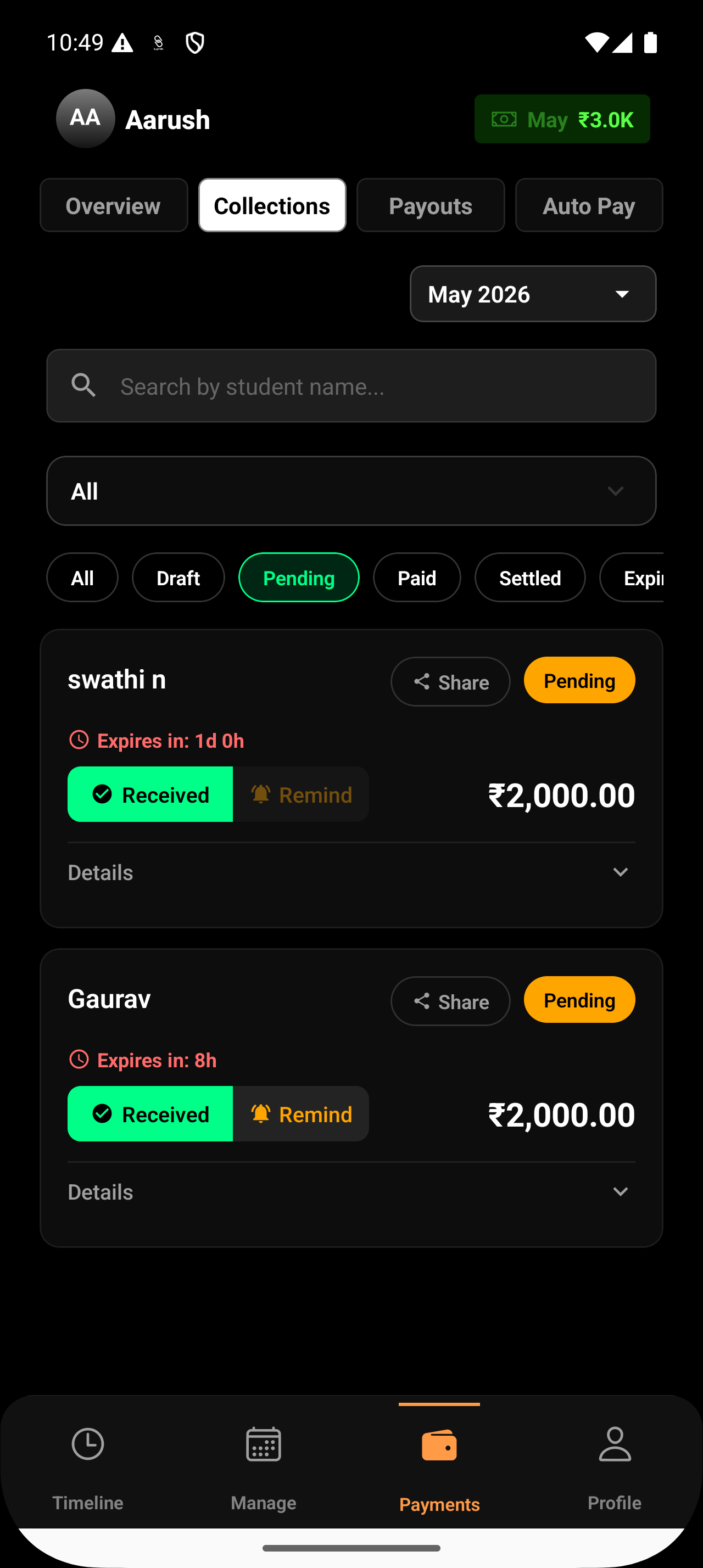
Step 1: Open the Pending Tab
Navigate to the Collections section in your Lynk dashboard.
Tap the Pending filter to view all payment requests that have been sent but are still awaiting payment.
Step 2: Find the Student
Locate the student who has already paid you offline.
You can:
Scroll through the list, or
Use the search bar to find the payment request quickly
Step 3: Tap “Received”
On the student’s payment card, tap the Received button.
This indicates that you have already collected the payment outside the platform.
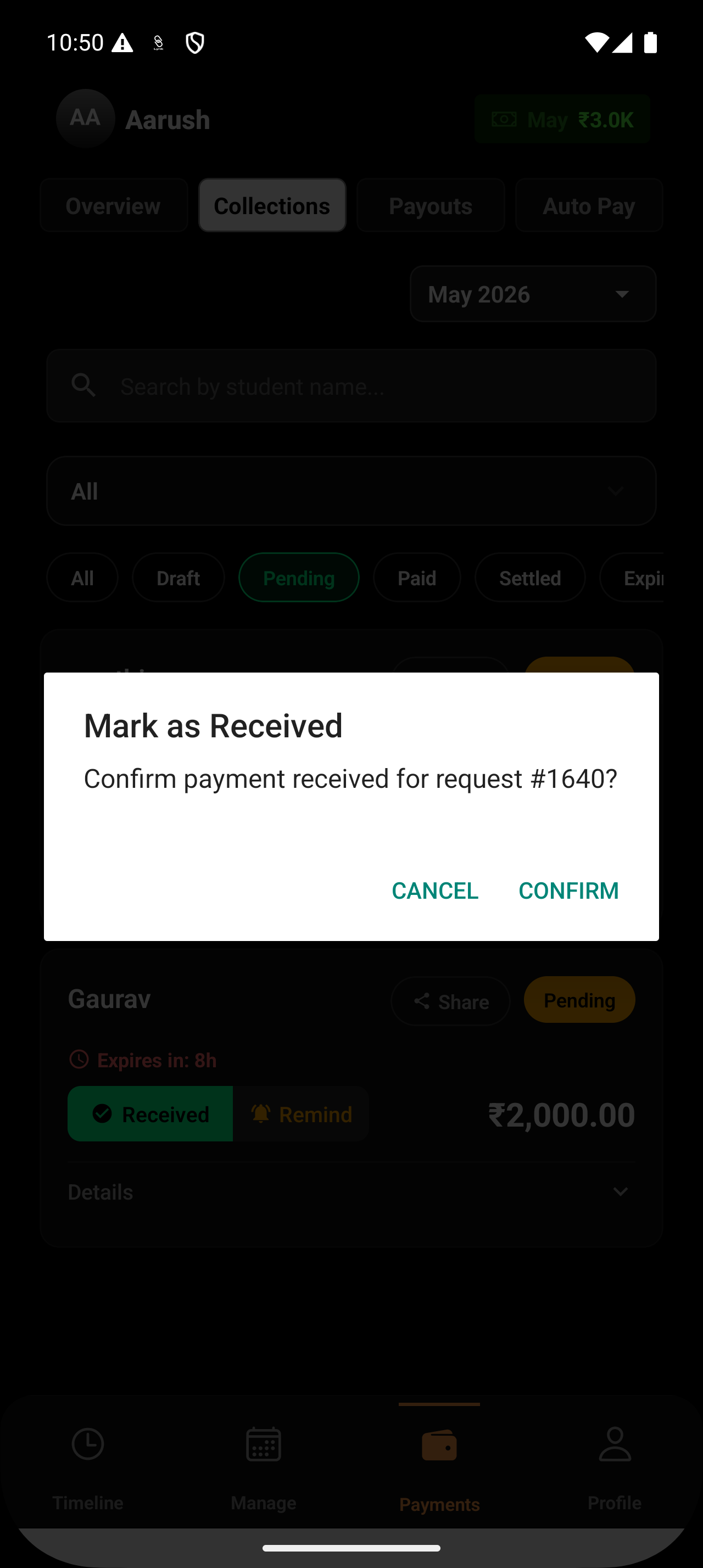
Step 4: Confirm the Action
A confirmation popup may appear.
Tap Confirm to finalize the payment.
What Happens After You Mark as Received?
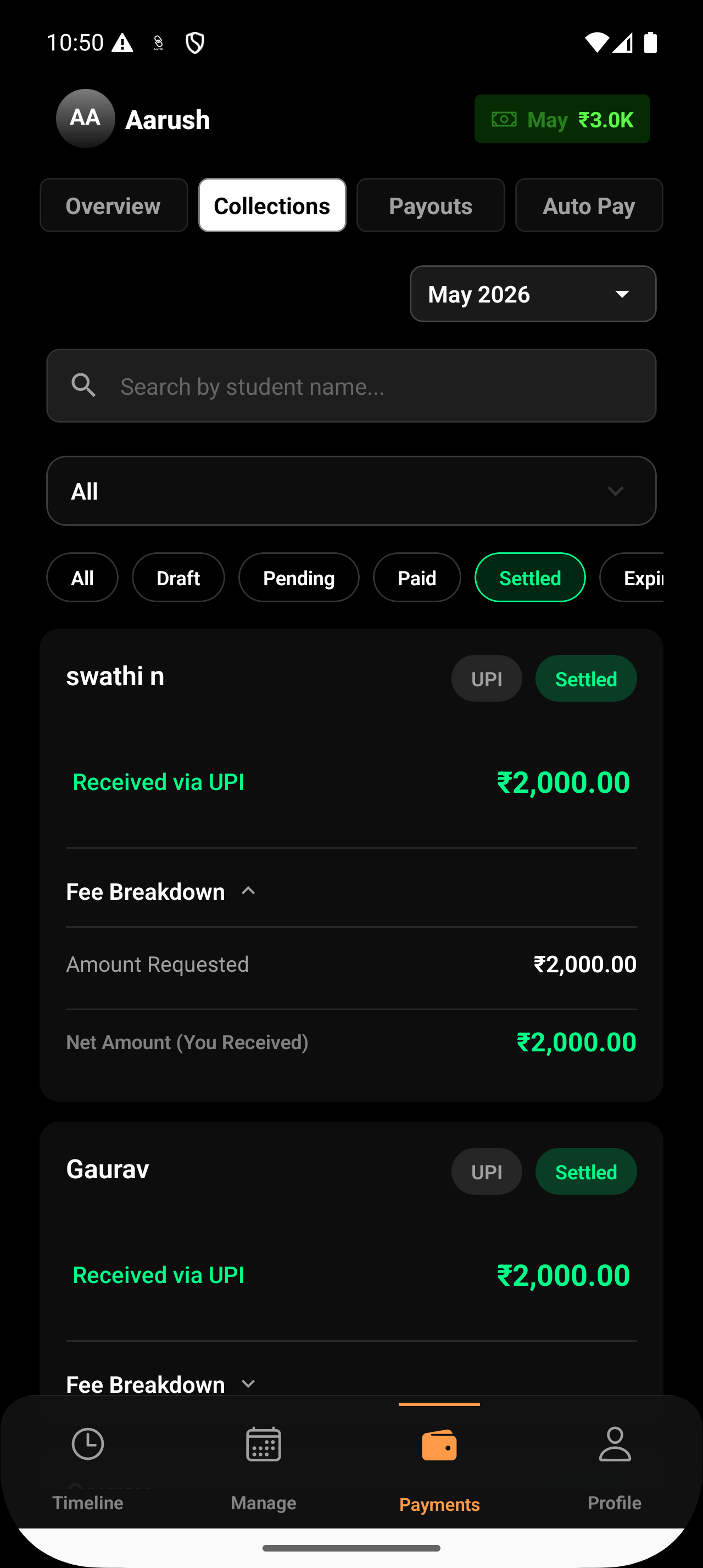
When you manually confirm an offline payment:
The request skips the Paid status
The payment moves directly to the Settled tab
The payment is treated as fully completed
The student’s enrollment is updated automatically
This ensures the student remains active and your revenue records stay synchronized.
Why Recording Offline Payments Matters
Manually recording offline payments helps you:
Keep all collections in one place
Maintain accurate financial reports
Update student enrollments automatically
Avoid tracking payments manually outside the system
Conclusion
If a student pays you through cash or bank transfer, simply mark the pending request as Received. Lynk will immediately settle the payment and update the student’s enrollment, keeping your collections and records fully up to date.