What each payment status means
Understand exactly where a payment stands — from request creation to bank settlement
Written by Sumit Kapoor
Every payment request on Lynk moves through a clear lifecycle. The payment status shows exactly where the money is in this journey — whether the request is awaiting payment, already paid, being processed, successfully settled, or no longer valid.
These statuses help you track collections, follow up correctly, and understand when funds are expected to reach your bank account.
Where Payment Status Appears
Payment status is visible in the Payments→ Requests section and is shown on each payment card.
You can also filter requests by status to quickly view Draft, Pending, Paid, Settled, or Expired payments.
Each status reflects a specific stage in the payment and payout flow.
Draft
What Draft Means
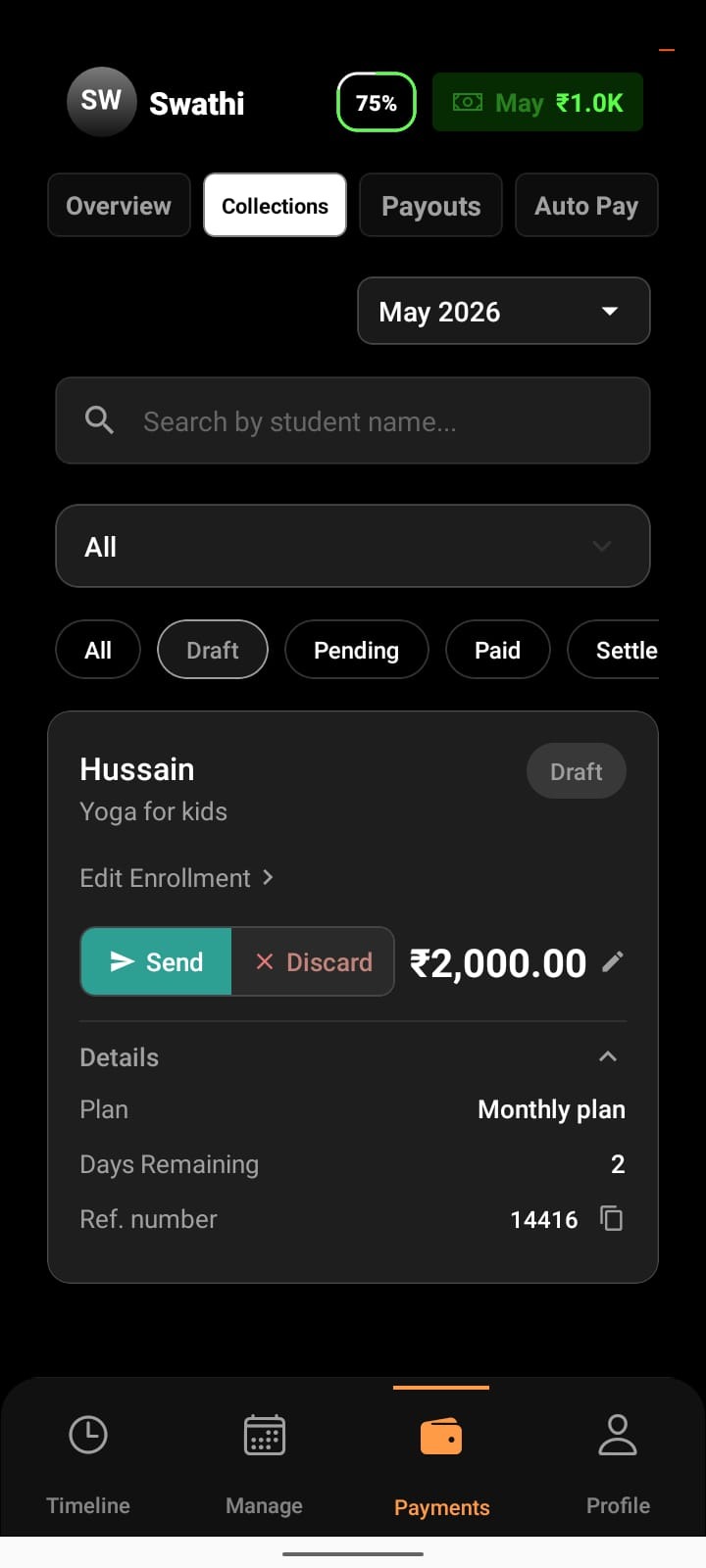
A payment request has been created but not yet sent to the student. This is Auto-generated by the system based on enrollment timelines
Auto-drafts are typically created:
7 days before the enrollment ends, or
Before the final 2 sessions of a batch
What’s Happening in the Background
The request is not visible to the student yet
No payment link has been shared
No reminders or actions are triggered
What You Can Do
Review and edit the request details
Tap Send to share it with the student
Discard the draft if it’s not needed
Draft is a preparation stage — the payment journey hasn’t started yet.
Pending
What Pending Means
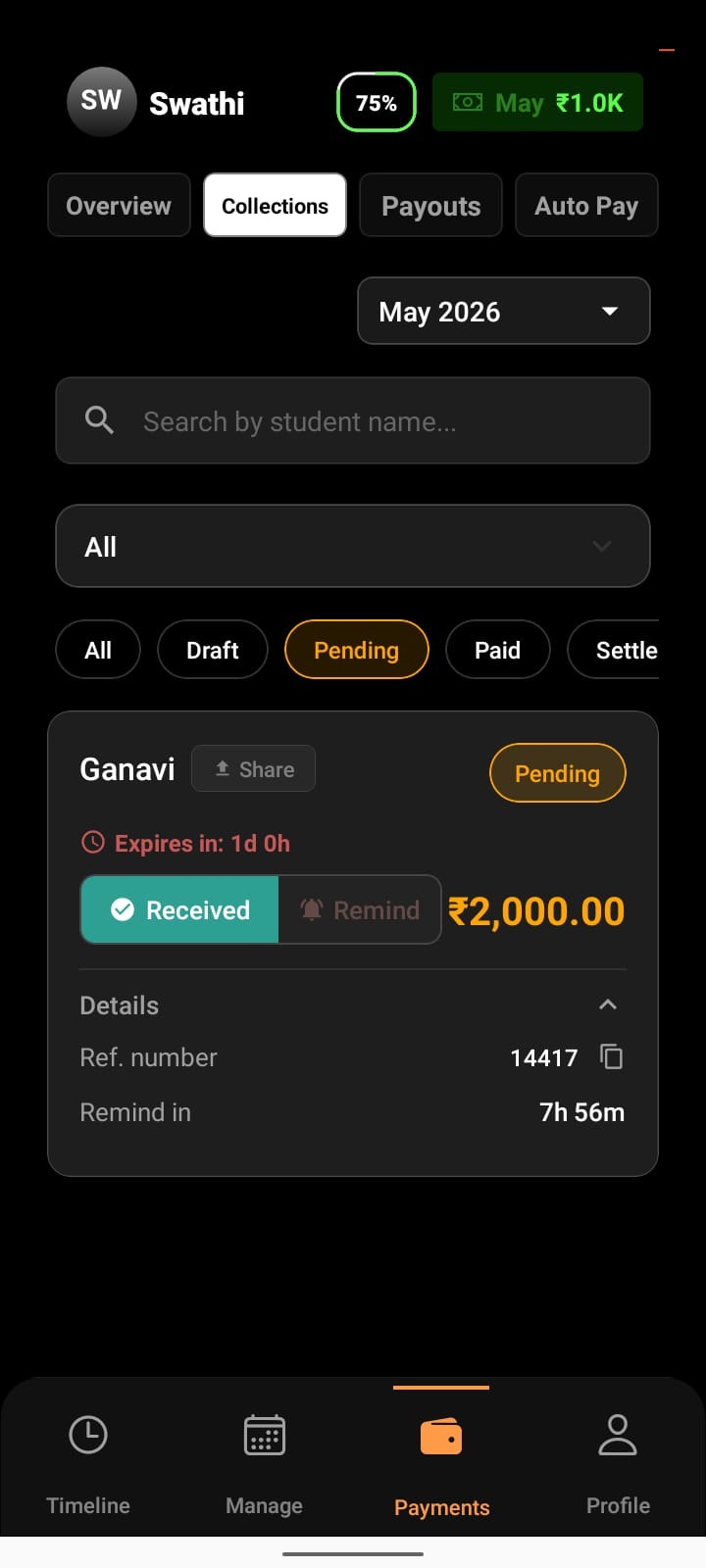
A payment request has been created and shared with the student, but the payment has not been completed yet.
What’s Happening in the Background
The payment link is active and valid
The student can still pay using the link
Reminder messages (manual) can be sent before expiry
What You Can Do
Share the payment link again
Send reminders (up to the 2 times)
Wait for the student to complete the payment
Pending does not mean failed — it simply means payment is awaited.
Paid
What Paid Means
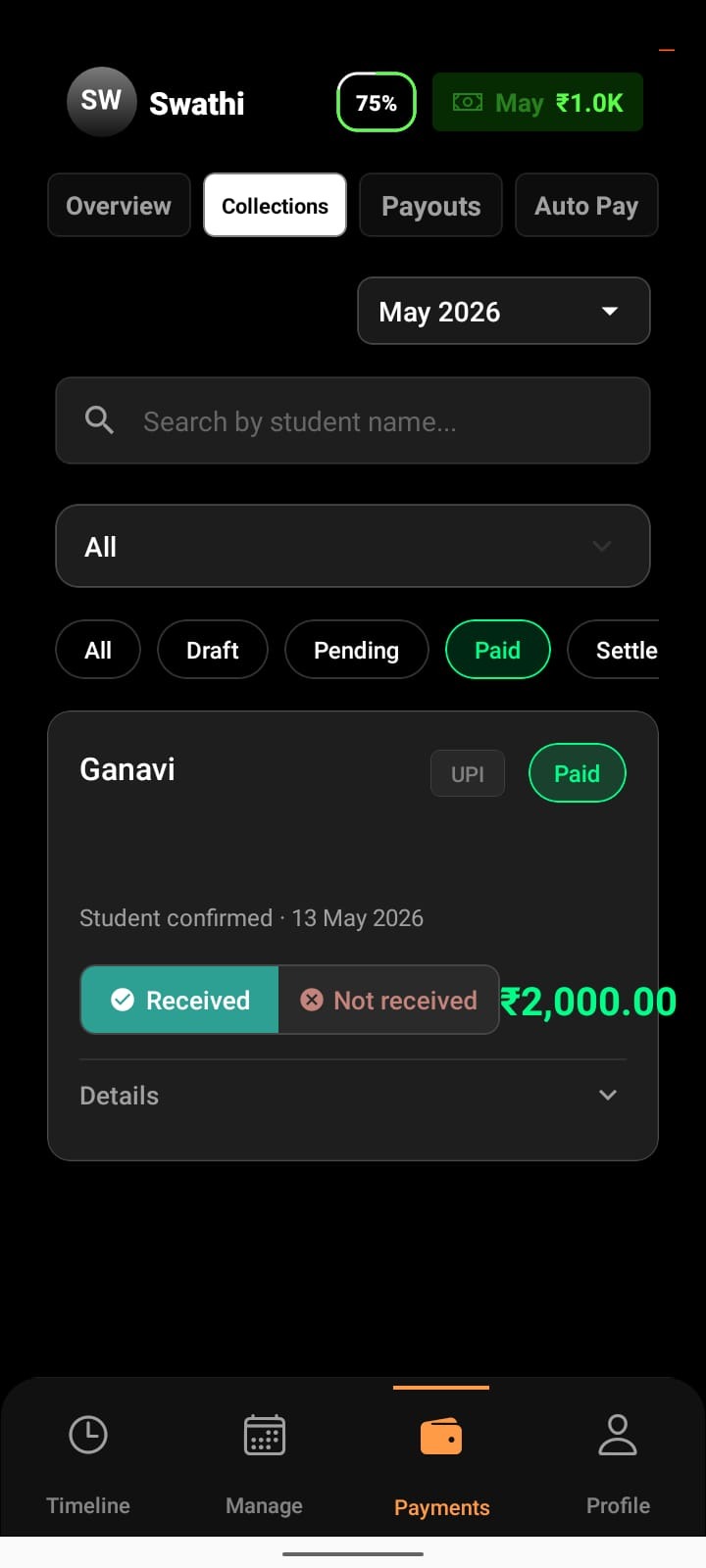
The student has successfully completed the payment.
What’s Happening in the Background
Money has been collected via the payment gateway
Settlement processing has started
Gateway checks and payout preparation are underway
At this stage, the money is no longer with the student, but it hasn’t reached your bank account yet.
What You Can Do
No action is required
Track the expected settlement time shown in the request
Paid confirms collection — settlement is the next step.
Settled
What Settled Means
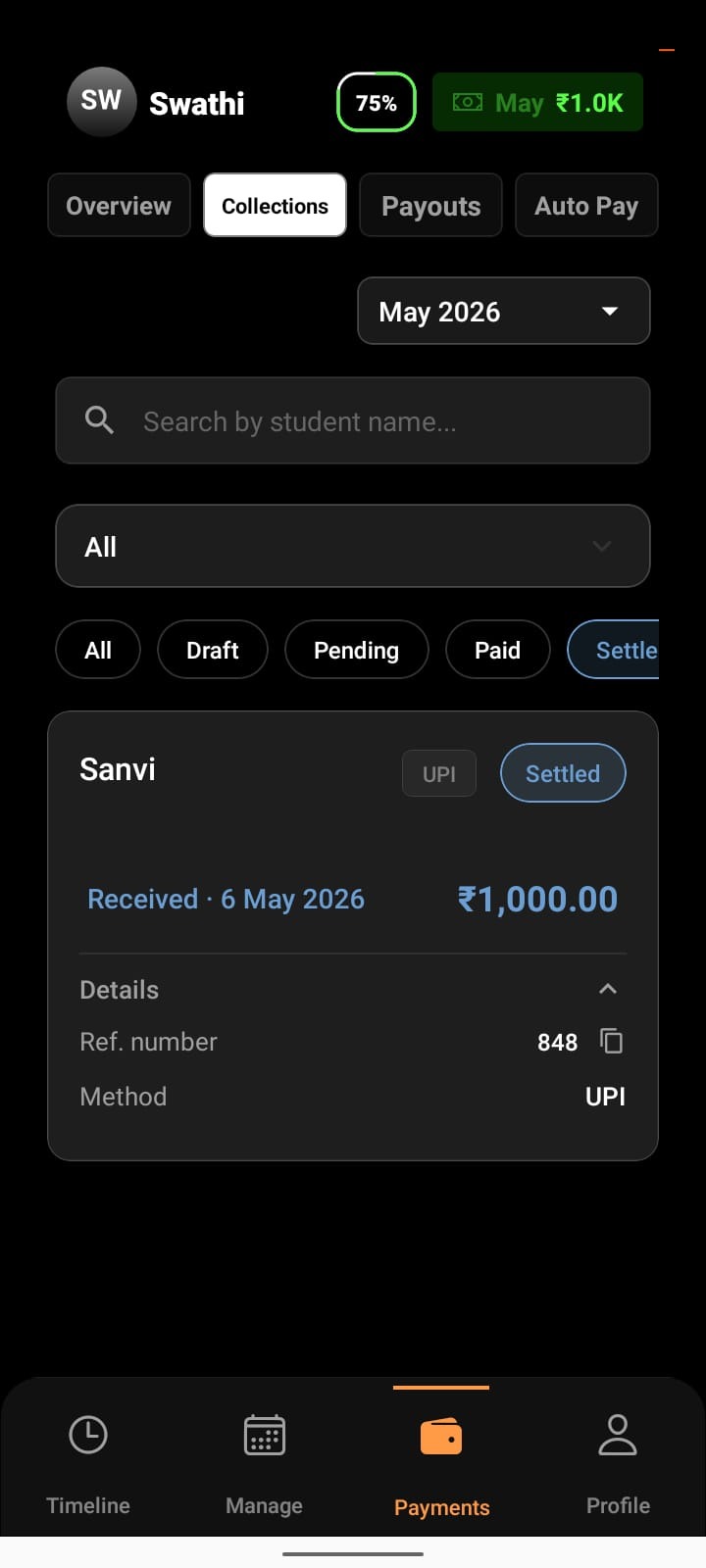
The payment amount has been successfully deposited into your bank account.
What’s Happening in the Background
Settlement processing is complete
Funds have moved from Lynk to your registered payout account
The payment lifecycle is finished
What You Can Do
View settlement confirmation
Use the record for reconciliation or reporting
Settled is the final and completed state of a payment.
Expired
What Expired Means
The payment link was not used within its validity period and can no longer be paid.
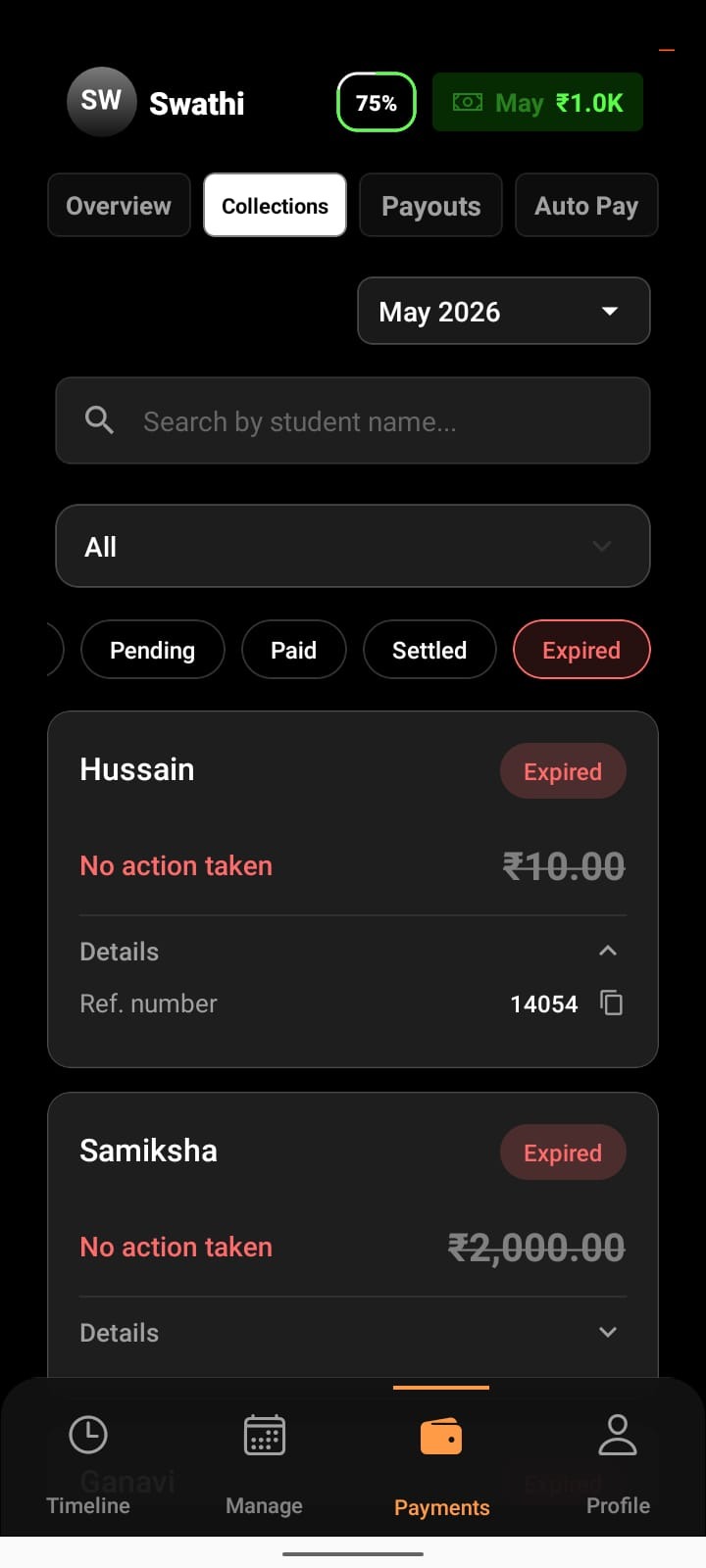
What’s Happening in the Background
The link automatically becomes inactive after expiry
No payment can be made using the same request
What You Can Do
Create a new payment request for the same student
Share the new link for payment
Expired requests cannot be revived — a fresh request is required.
How Status Helps You Manage Payments
Payment statuses remove ambiguity from collections by clearly showing:
Whether a request is ready to be sent
Whether a student still needs to pay
Whether money has been collected
Whether settlement is in progress or complete
Whether a request needs to be recreated
This allows you to follow up confidently without manual tracking or guesswork.
Conclusion
Payment statuses on Lynk give you a transparent, end-to-end view of every transaction — from the moment a request is sent to the moment funds reach your bank. By understanding each status, you can manage collections, reminders, and settlements with complete clarity and control.