Payout lifecycle after payment
How collected payments move through calculation, scheduling, and bank settlement.
Written by Sumit Kapoor
Introduction
Once a student completes a payment, the amount does not reach your bank immediately. Every payment goes through a defined payout lifecycle in Lynk that ensures accurate calculation, reconciliation, and bank settlement.
Lynk follows a T+1 payout cycle, meaning payments collected on a given day are processed and settled on the next working day. This lifecycle is clearly reflected in the Payouts tab, allowing you to track each stage until the amount is deposited into your bank account.
When the Payout Lifecycle Begins
The payout lifecycle starts after a payment is marked as “Paid.”
Paid confirms that the student has successfully completed the transaction.
At this stage, the money is collected but not yet transferred to your bank.
All payments completed before 12:00 AM (midnight) are eligible for the next payout cycle.
Payout Lifecycle Explained
Each payout moves through three clear states during the day. These states are reflected in payouts
State 1: Payout Calculating
Time window: 12:00 AM – 9:00 AM
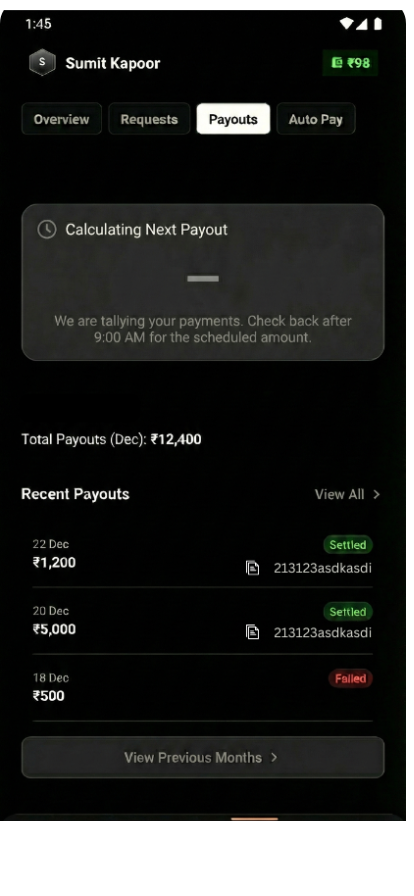
During this period:
Lynk aggregates all payments collected the previous day
Gateway fees and adjustments are applied
The final payout amount is computed
What you’ll see in the app:
A “Calculating next payout” status
No amount shown yet
This is a background reconciliation phase—no action is required from you.
State 2: Scheduled for Today’s Payout
Time window: From 9:00 AM onwards
Once calculation is complete, Lynk shows the payout status for the day.
There are two possible outcomes:
2.1 Non-Zero Payout
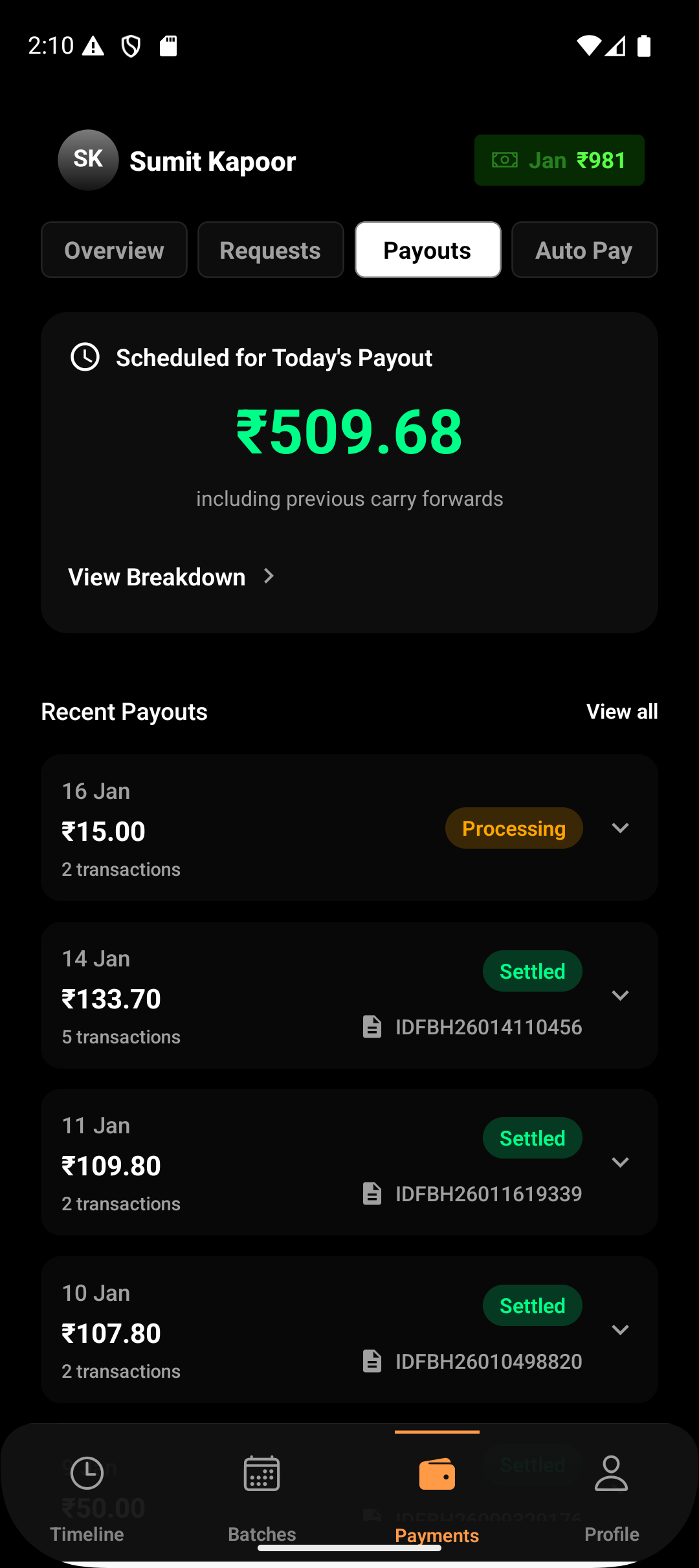
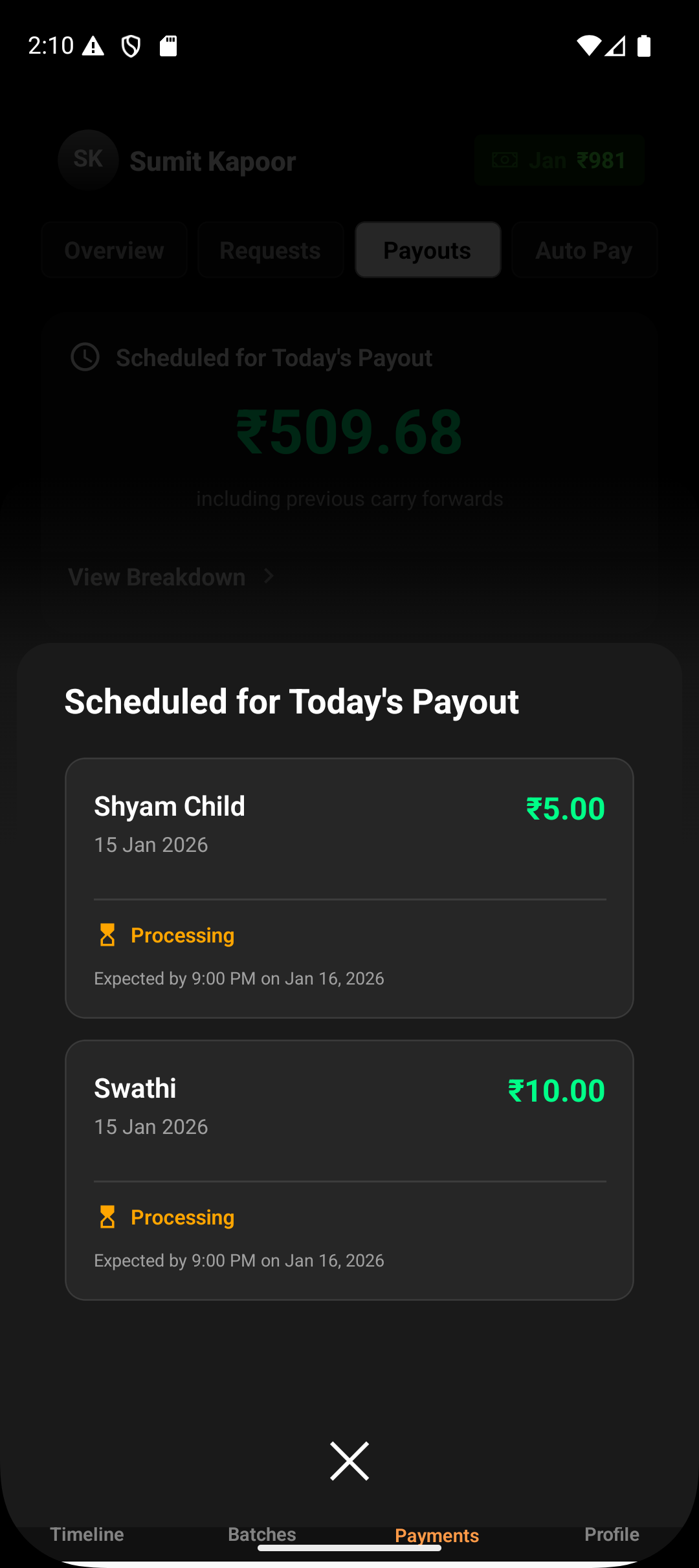
You’ll see an amount labeled “Scheduled for today’s payout”
This represents the total net amount that will be transferred to your bank later in the day
2.2 Zero Payout
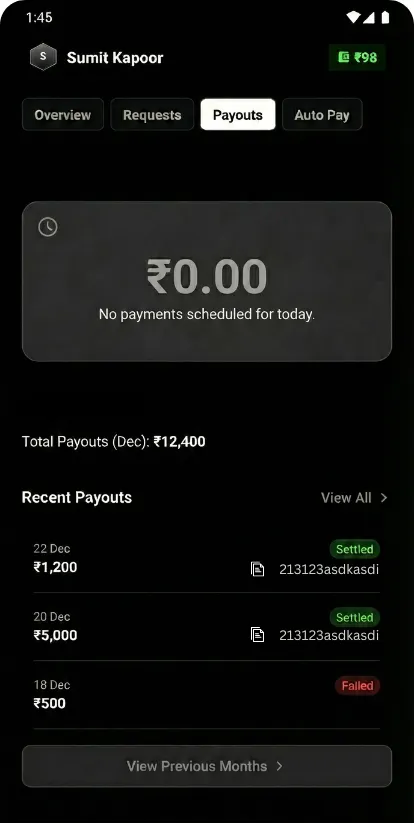
If no payments were collected in the previous cycle, the payout amount shows ₹0
The status indicates that no payout is scheduled for the day
Both scenarios are transparently displayed in the Payouts tab.
State 3: Deposited
Time window: 6:00 PM – 12:00 AM
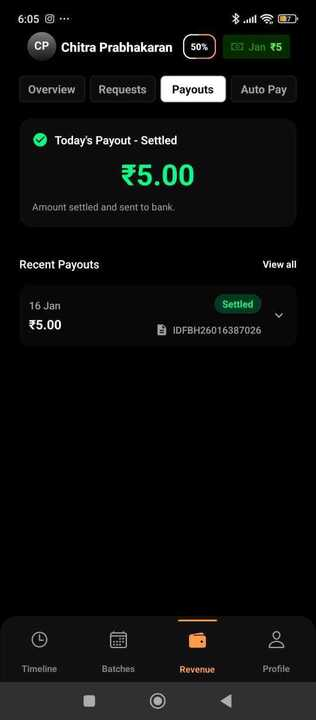
For non-zero payouts, Lynk initiates the bank transfer:
Payout is triggered at 6:00 PM via NEFT
The amount is marked as “Deposited”
NEFT settlement typically takes 2–3 hours to reflect in your bank account
Once deposited, the payout is considered fully settled.
How the Lifecycle Appears in Lynk
You can track every stage from:
Payments → Payouts
The Payouts tab shows:
Current day payout status
Scheduled or deposited amounts
Historical payout records for previous days and months
Each payout card reflects the lifecycle stage clearly, helping you reconcile collections with settlements.
Summary
Every payment collected on Lynk follows a predictable, time-bound payout lifecycle—from calculation after midnight, to scheduling in the morning, and bank settlement by evening. This structured flow ensures transparency, accuracy, and confidence in how and when your earnings reach your bank account.