How to view upcoming and completed payouts
Track scheduled and deposited payouts from a single view.
Written by Sumit Kapoor
Introduction
Lynk provides a dedicated Payouts tab that allows you to track all your earnings—both upcoming payouts and completed (deposited) payouts—in one place. This view helps you stay informed about when money is scheduled to reach your bank and verify payouts that have already been settled.
The payouts list is designed to give you daily-level visibility into your payout lifecycle without needing to manually calculate or reconcile transactions.
Where to Access Payouts
You can view all payout-related information from:
Payments → Payouts
This section acts as the central dashboard for:
Today’s scheduled payout
Previously completed payouts
Payout history across days and months
Viewing Upcoming (Scheduled) Payouts
Upcoming payouts are amounts that have been calculated and are scheduled for bank transfer but have not yet been deposited.
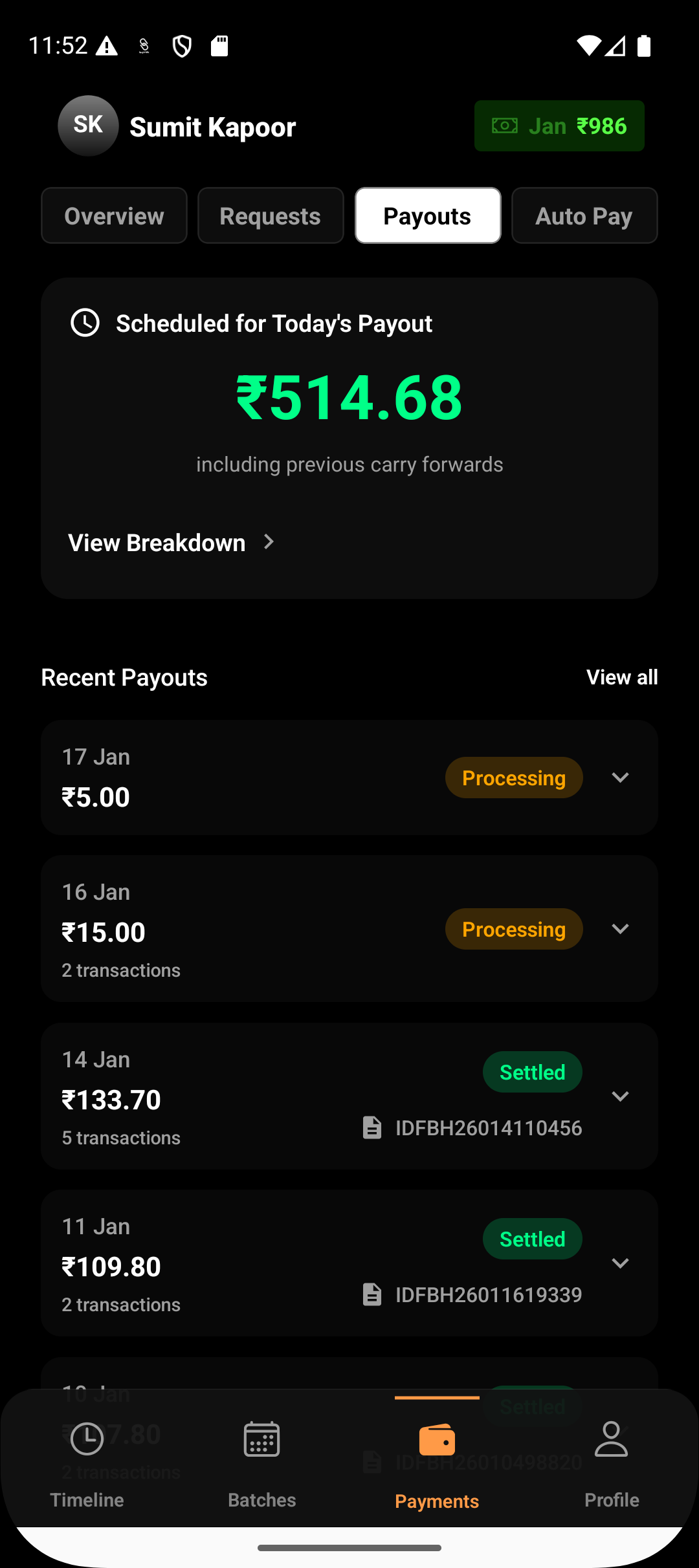
In the Payouts tab, upcoming payouts appear as:
Scheduled for Today’s Payout
Showing the expected payout amount
Reflecting the current payout date
This helps you confirm:
Whether a payout will occur today
The exact amount that is queued for settlement
If the payout amount is zero, it indicates that no eligible payments were collected for that payout cycle.
Viewing Completed (Deposited) Payouts
Completed payouts are amounts that have already been transferred to your bank account.
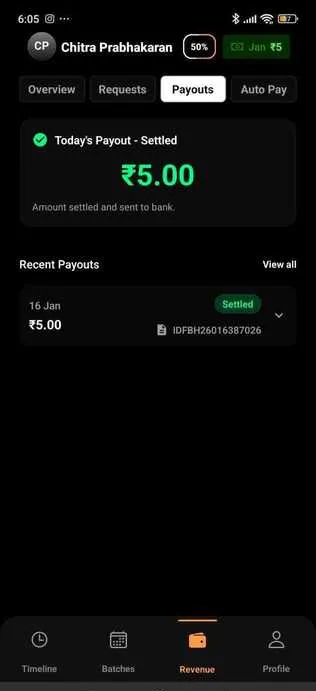
In the Payouts tab, deposited payouts:
Are marked as Settled along with the bank utr number for your reference.
Appear under Recent payouts
Represent payouts where the transfer has already been initiated and completed
These entries help you:
Verify that funds have been settled. You can use UTR number for the same.
Match payouts with your bank statements
Track earnings over time
Understanding the Payouts List
Each entry in the payouts list corresponds to one payout cycle and includes:
Payout date
Payout status (Processing or settled)
Net payout amount
This structure allows you to quickly scan and understand the flow of money without diving into individual payment transactions.
Why This View Matters
The Payouts tab ensures:
Transparency in how and when earnings are settled
Clear separation between upcoming and completed payouts
Easy reconciliation between Lynk and your bank account
By centralizing payout information, Lynk removes guesswork and gives you confidence in your revenue flow.
Summary
The Payouts tab under Payments provides a complete view of your payout activity—showing what is scheduled next and what has already been deposited. This makes it easy to monitor your earnings lifecycle and stay on top of your financial operations without manual tracking.