What is Payments Setup in Lynk
Setup payments with your bank details on profile tab to start automating requesting payments from your students and receiving it via payouts.
Written by Sumit Kapoor
Introduction
Payments Setup in Lynk is the one-time configuration required before you can start receiving payouts for payments collected from students.
It ensures that money collected through Lynk can be settled securely into your bank account.
Why Payments Setup Is Required
Lynk handles real money movement. To do this safely, the platform must know:
Where payouts should be sent
Who is receiving the funds
Whether required tax and compliance details are provided
Payments Setup creates this foundation so settlements can happen without delays or errors.
What Payments Setup Includes
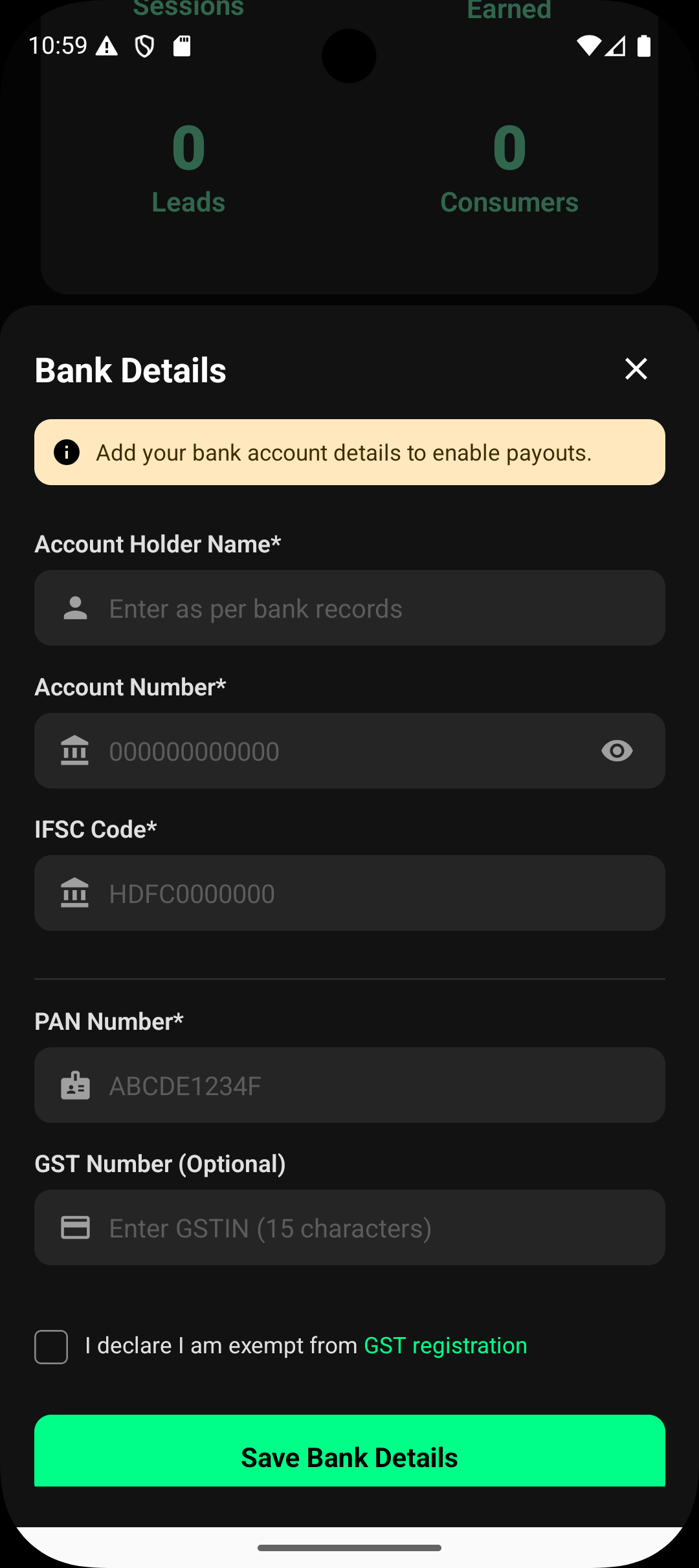
Payments Setup typically involves adding the following details:
Bank Account Details
Account holder name
Account number
IFSC / bank routing information
This is where payouts from Lynk will be deposited.
Tax & Compliance Details
Depending on your setup, this may include:
PAN details
GST details (if applicable)
GST declaration if GST is not provided
These details are required to comply with financial and tax regulations.
When Payments Setup Needs to Be Done
Payments Setup is done once, before you start requesting and receiving your payouts
You can update details later if required
Payouts will only be processed after valid details are in place
This ensures uninterrupted settlements as payments are collected.
What Happens After Payments Setup Is Completed
Once setup is complete:
Payment requests can be raised and settle successfully
Payouts are credited to your bank account
Settlement timelines begin after payments are received
You can track payout status inside Lynk
The system is now fully ready for collections.
Summary
Payments Setup in Lynk:
Is a one-time configuration
Is required to receive payouts
Includes bank and tax/compliance details
Ensures safe and compliant settlements
Does not affect sessions or batches
Completing Payments Setup ensures your earnings flow smoothly from students to your bank account.