How to edit payout details
Update your bank and compliance details if your payout destination changes.
Written by Sumit Kapoor
Introduction
Lynk allows you to update your payout bank destination if your bank account changes. To maintain data accuracy and payment security, payout details are edited by removing the existing bank details and adding new ones.
This ensures that all future settlements are routed correctly and compliantly.
When You May Need to Edit Payout Details
You may need to update payout details if, you change your bank account. Editing payout details applies only to future settlements.
Where to Edit Payout Details
Payout details are managed from:
Profile → Bank Details
This section shows your currently linked bank account and compliance information.
How to Edit Payout Details
To update your payout destination:
Step 1. Go to the Profile page in the Lynk app
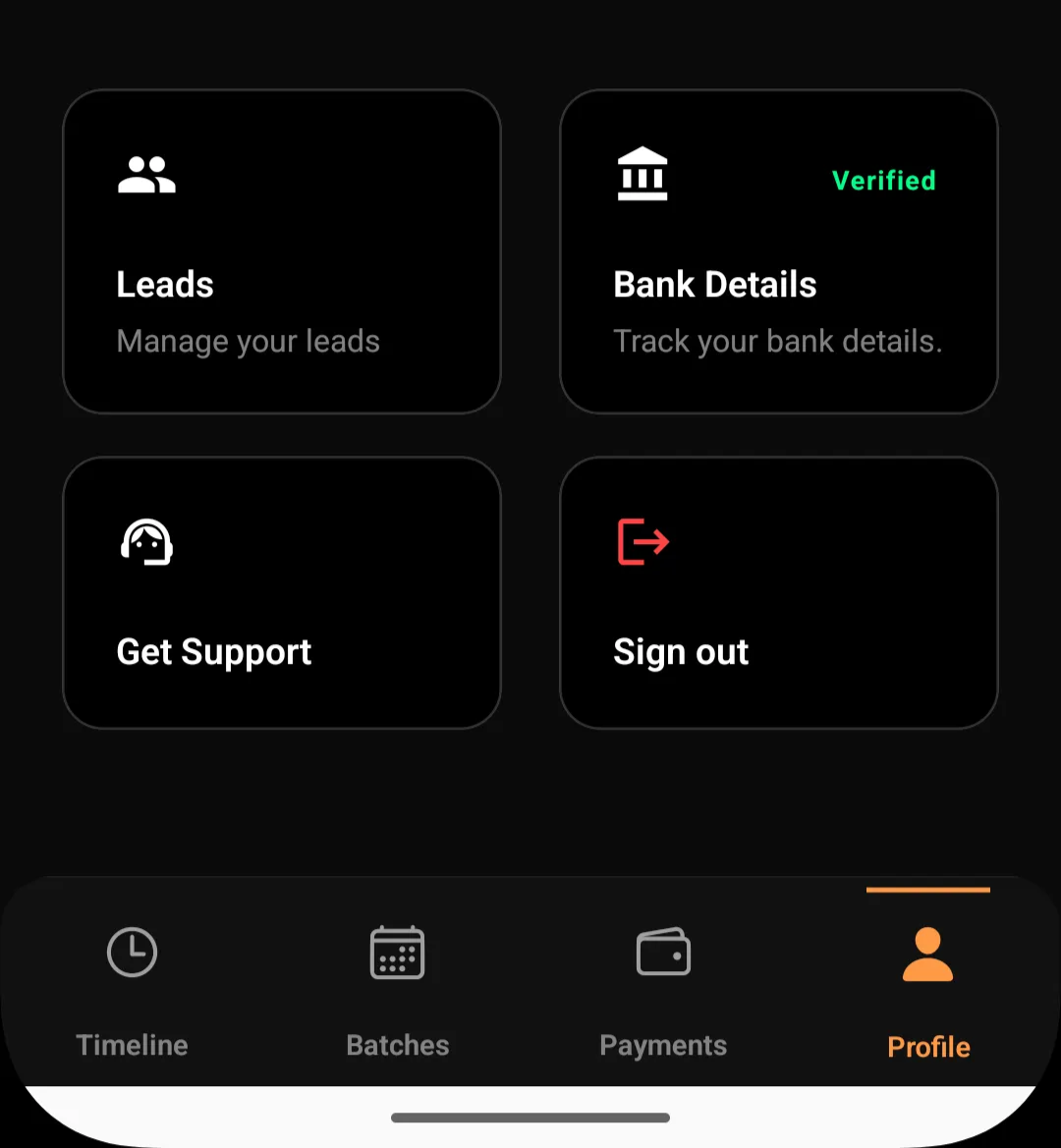
Open Bank Details
View the currently saved bank account
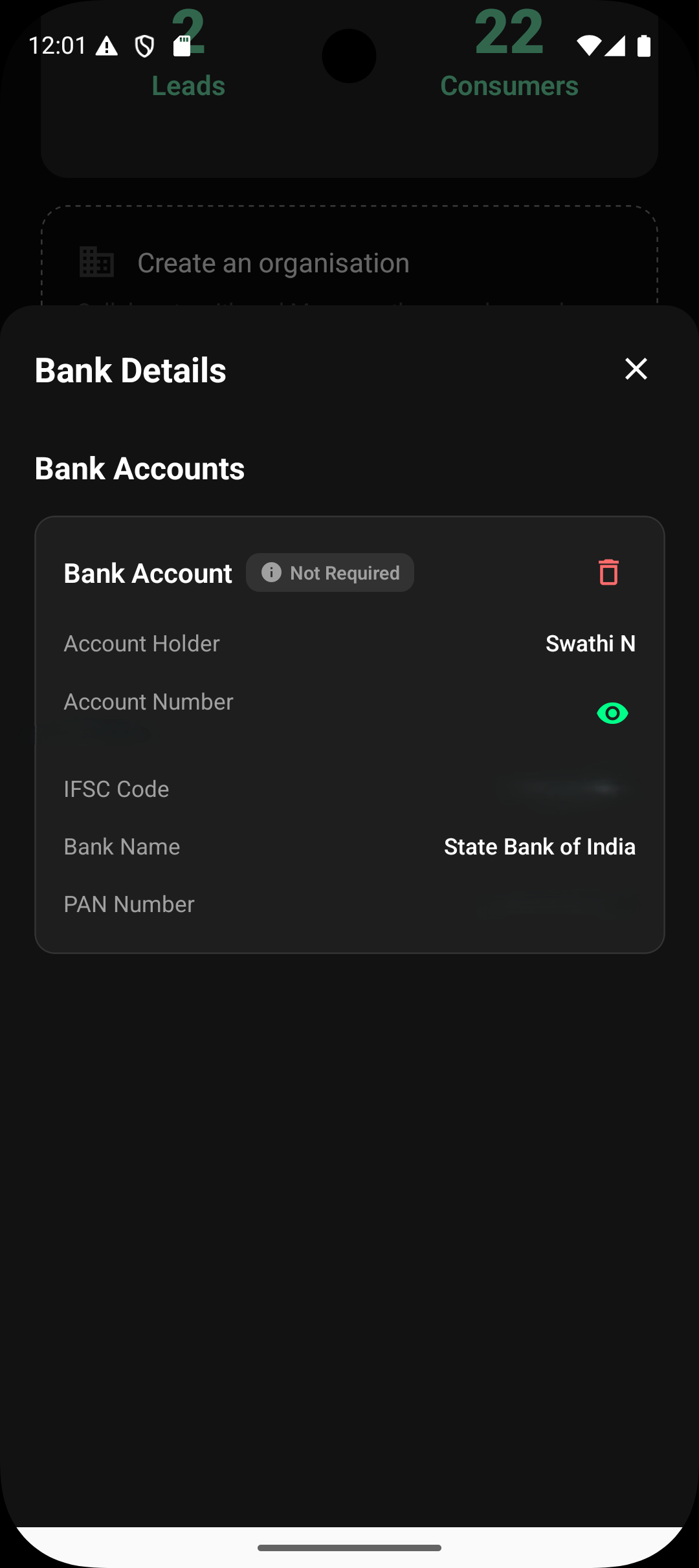
Step 2.Tap the delete/remove option to remove existing bank details
Confirm deletion
Step3. Add new bank account details
Enter required compliance information (PAN, GST or GST declaration)
Save the new details
Once saved, the new account becomes your active payout destination.
Why Deleting Is Required Before Editing
For security and compliance reasons:
Bank account details cannot be partially edited
A full delete-and-add flow prevents mismatched or stale data
Compliance details remain consistent with the payout account
This approach ensures clean settlement routing.
What Happens After Updating Payout Details
New payouts are routed to the updated bank account
Old bank details are permanently removed
Previously settled payouts remain unchanged
No impact on historical transactions or records
Only future settlements use the new payout information.
Important Notes
You must complete all required fields while adding new details
PAN is mandatory for payouts
GST number or GST declaration is required
Ensure details match official bank and tax records.
Summary
To edit payout details in Lynk, you need to delete your existing bank account information and add a new payout destination from the Profile → Bank Details section. This ensures secure, compliant, and accurate settlement processing for all future payouts.