How to add PAN details
PAN is required for compliance and settlement processing and can be added via Bank details form on profile tab
Written by Sumit Kapoor
Introduction
PAN (Permanent Account Number) is a mandatory compliance requirement on Lynk. It is used for identity verification, tax reporting, and settlement processing.
PAN details are collected as part of the bank account setup flow and cannot be skipped. Without a valid PAN, Lynk is unable to process payouts.
Why PAN Is Required
Lynk requires PAN details to:
Comply with financial and regulatory requirements
Verify the identity of the account holder
Enable payout settlements to your bank account
Providing PAN ensures that all payment flows remain compliant and uninterrupted.
When You Add PAN Details
PAN details are added during the bank account setup process.
There is no separate PAN-only setup screen. PAN is a required field while adding bank details.
Where to Add PAN Details
You can add your PAN by navigating to:
Profile → Bank Details
While filling in your bank account information, you will be prompted to enter your PAN number before saving.
Step-by-Step: How to Add PAN Details
Open the Profile section in the Lynk app
Tap on Bank Details
Enter your bank account information
Add your PAN number in the PAN field
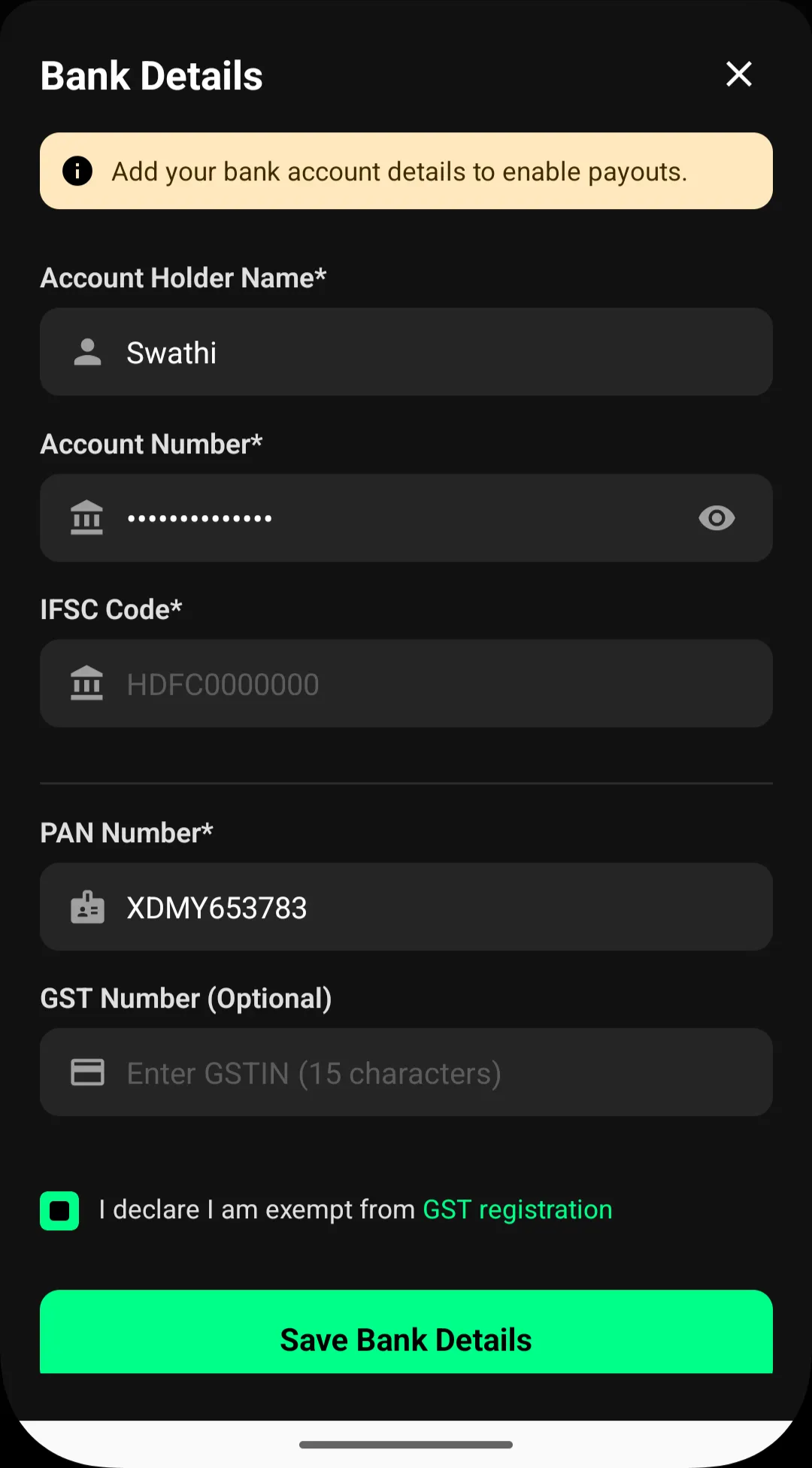
Complete the remaining required details
Tap Save Bank Details
PAN validation happens as part of the overall bank detail submission.
Important Rules About PAN Details
PAN is mandatory for all accounts receiving payouts
PAN must belong to the account holder
PAN cannot be skipped or added later independently
If PAN information needs to be changed, bank details must be updated accordingly.
What Happens After PAN Is Added
Your PAN is securely stored for compliance purposes
Settlement eligibility is enabled once verification completes
Payouts can be processed without manual intervention
Until PAN details are provided, payments will remain disabled.
Summary
PAN details in Lynk are a required part of bank account setup. You add your PAN while entering bank details in the Profile section, and it must be completed before payouts can be processed. This ensures compliance, verification, and smooth settlement of student payments.