How to add bank account details
Add your bank account details so Lynk can settle payments to your bank.
Written by Sumit Kapoor
Introduction
To receive payouts on Lynk, you must complete a one-time bank account setup. This step enables Lynk to process settlements for payments collected from students and transfer funds directly to your registered bank account.
Bank details are added from your Profile section and are securely stored for compliance, verification, and payout processing.
Until this setup is completed, payments remain disabled.
Why Bank Account Setup Is Required
Lynk handles payments at the student level, but settlements are routed to the account holder’s bank account. Adding bank details ensures:
Payments collected from students can be settled
Accurate attribution of payouts to the right account
Smooth and timely fund transfers without manual follow-ups
This setup is mandatory before any payouts can be processed.
Where to Add Bank Account Details
You can add or update your bank details from:
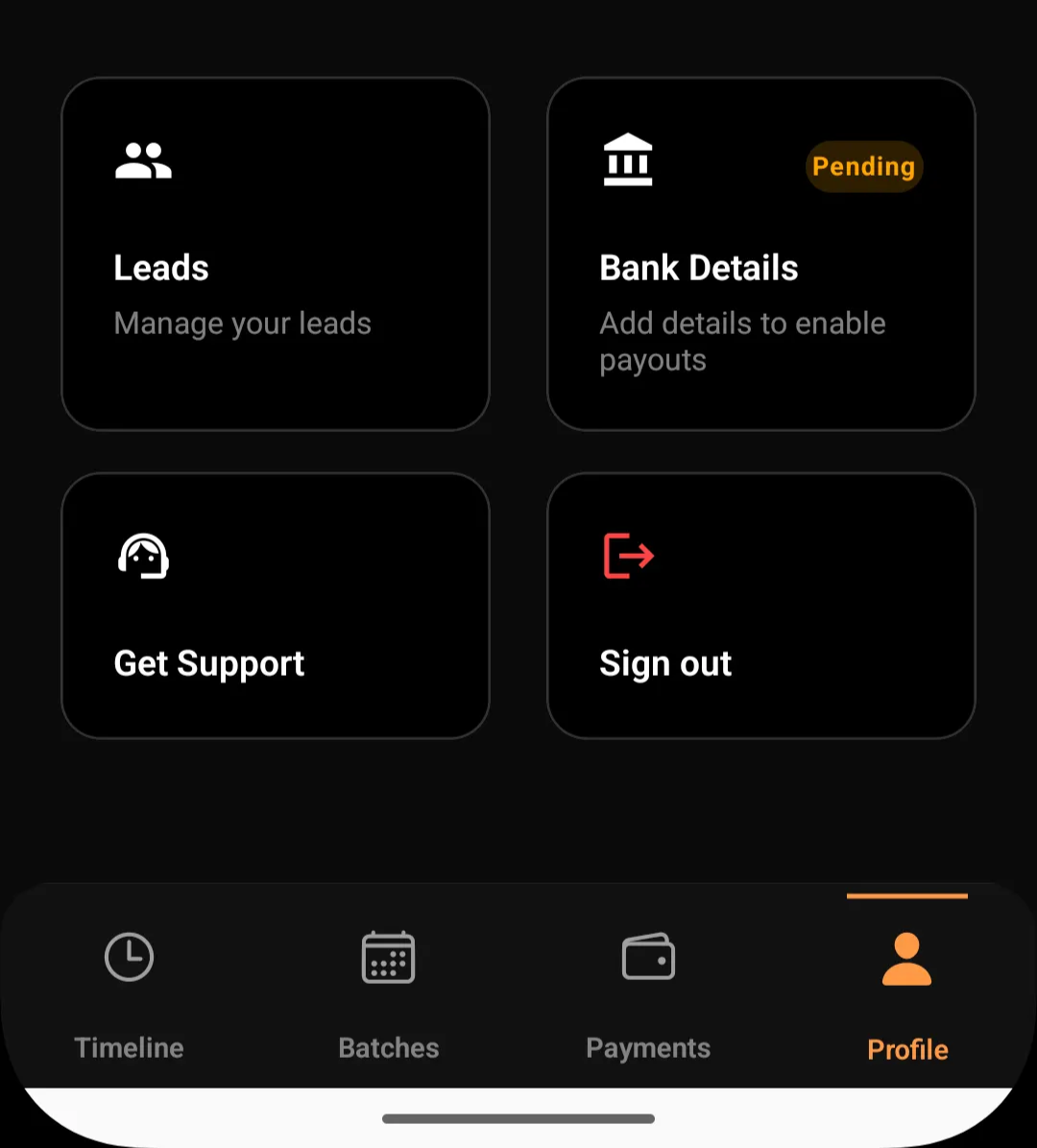
Profile → Bank Details
The Bank Details card will indicate a Pending status until all required information is saved successfully.
Bank information You Need to Provide
During setup, Lynk will ask for the following details:
1. Account Holder Name
Must match the name as per bank records
Helps prevent settlement failures due to mismatched details
2. Bank Account Number
Enter your active bank account number
Used for direct payout transfers
3. IFSC Code
Identifies your bank branch
Required for accurate routing of funds
4. PAN Number
Mandatory for tax and compliance purposes
Used for reporting and regulatory verification
5. GST Number (Optional)
Required only if you are GST-registered
If not registered, you can declare GST exemption
Step-by-Step: How to Add Bank Details
Open the Profile tab in the Lynk app
Tap on Bank Details
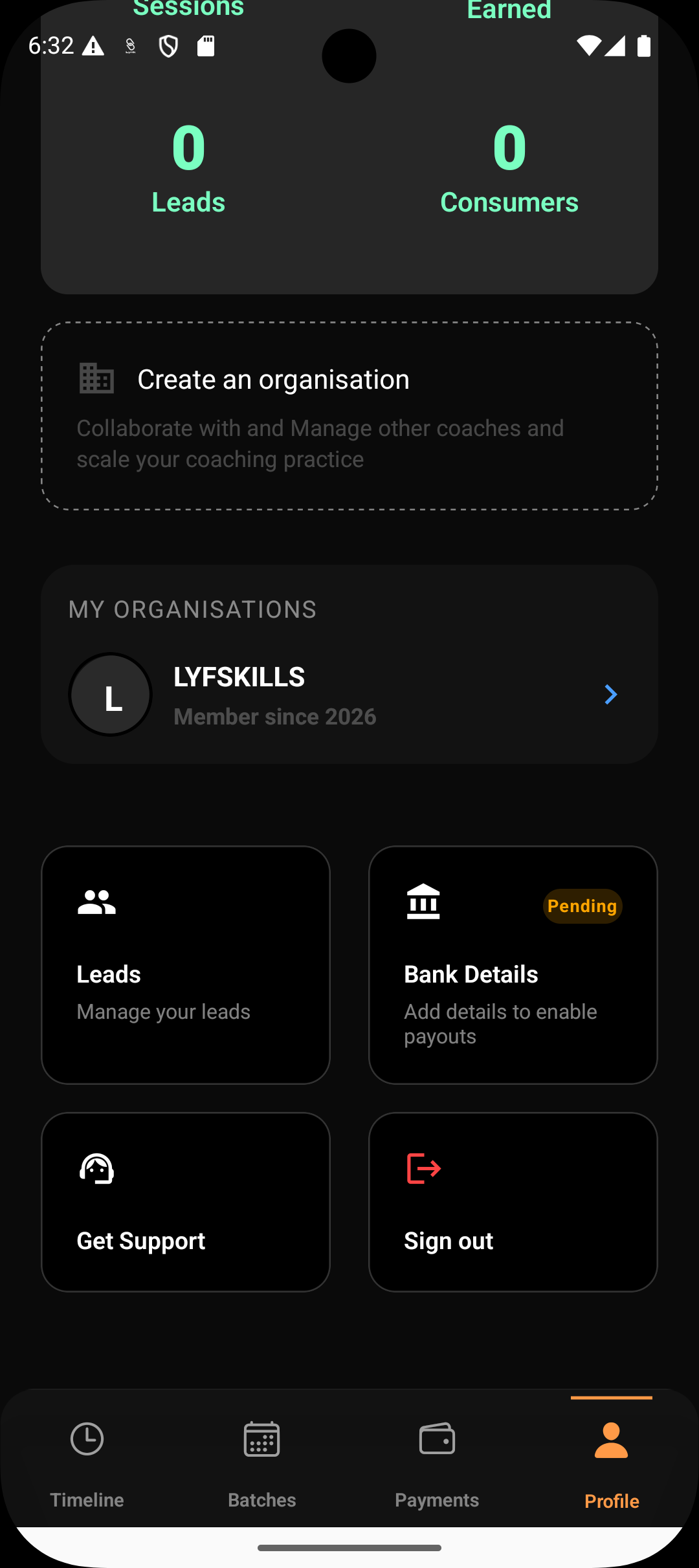
Enter all required fields:
Account holder name
Account number
IFSC code
PAN number
GST number (if applicable)
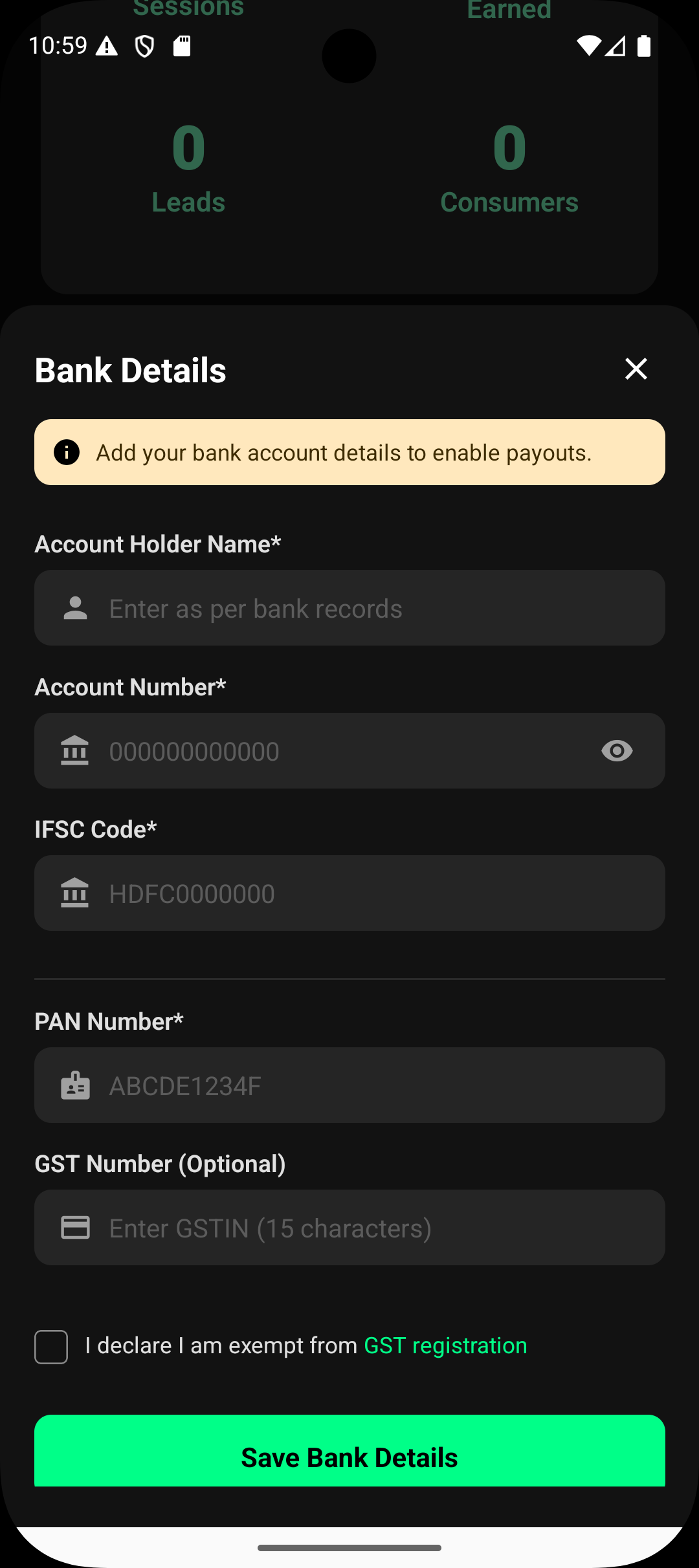
Confirm GST exemption if you are not registered
Tap Save Bank Details
Once saved, Lynk records your details and initiates internal verification.
What Happens After You Save Bank Details
Your bank details are securely stored
Payout eligibility is enabled
Future settlements can be processed automatically
The Pending status is removed once verification is complete
You do not need to repeat this step unless your bank or tax details change.
Important Things to Know
Bank details are added once per account
Payments remain blocked until setup is completed
Incorrect details may delay or fail payouts
Only authorized account holders should update banking information
For security reasons, always ensure the information entered is accurate and up to date.
Summary
Adding bank account details in Lynk is a required one-time setup that enables payouts. By providing your bank, PAN, and optional GST information through the Profile → Bank Details section, you allow Lynk to securely settle student payments directly to your account and ensure smooth financial operations going forward.