What actions are available in each payment state
Each payment state unlocks only the actions that make sense — helping you avoid errors and follow up correctly
Written by Sumit Kapoor
Every payment request on Lynk moves through clearly defined states. Along with visibility, each state also controls what actions are available at that point in the payment lifecycle.
By enabling only relevant actions at each stage, Lynk helps prevent mistakes such as duplicate collections, unnecessary reminders, or incorrect follow-ups.
Understanding what you can (and cannot) do in each state ensures smooth collections and accurate tracking.
Why Actions Change by State
Payment actions are tightly linked to the status of the request.
This ensures that:
Students are not reminded after payment is completed
Settled payments are not modified
Expired links are not reused
Drafts are reviewed before being sent
Each state supports only the actions that are operationally valid at that moment.
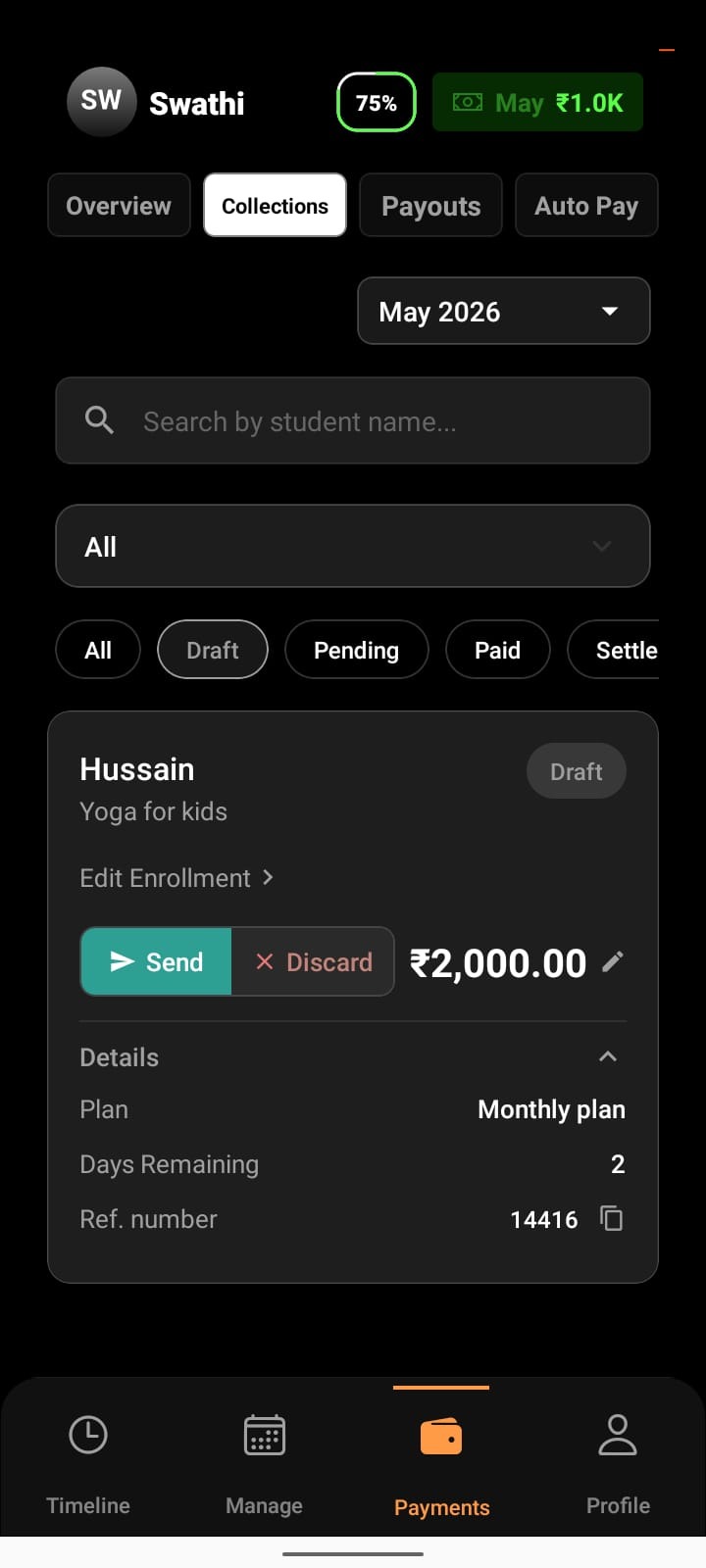
Draft
Available Actions
Edit payment details
Send payment request
Discard draft
What This Allows
Draft means the payment request is still being prepared and has not been shared with the student yet.
At this stage:
The request is internal and not visible to the student
You can review or update details before sending
No reminders or payment actions are triggered
This ensures accuracy before initiating the payment flow.
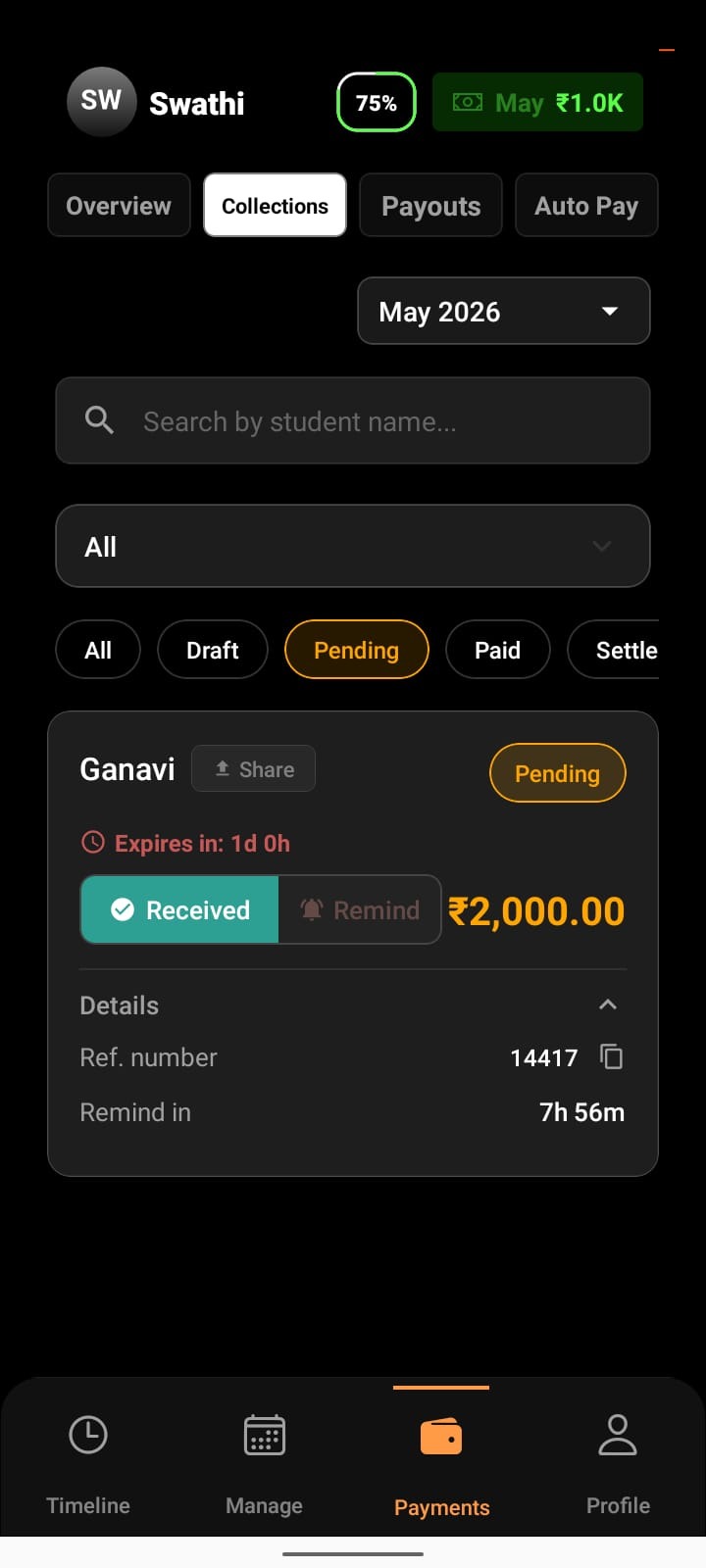
Pending
Available Actions
Reshare payment link
Send payment reminders (before link expiry)
Mark as Received (for offline payments like cash)
What This Allows
Pending indicates that the payment link is active but unpaid.
At this stage, your focus is on follow-up and collection.
You can:
Re-share the link manually
Send reminders to nudge the student before expiry
Confirm payment manually if received offline
Track how much time is left before the link expires
No payment has been collected yet, so follow-up actions are enabled.
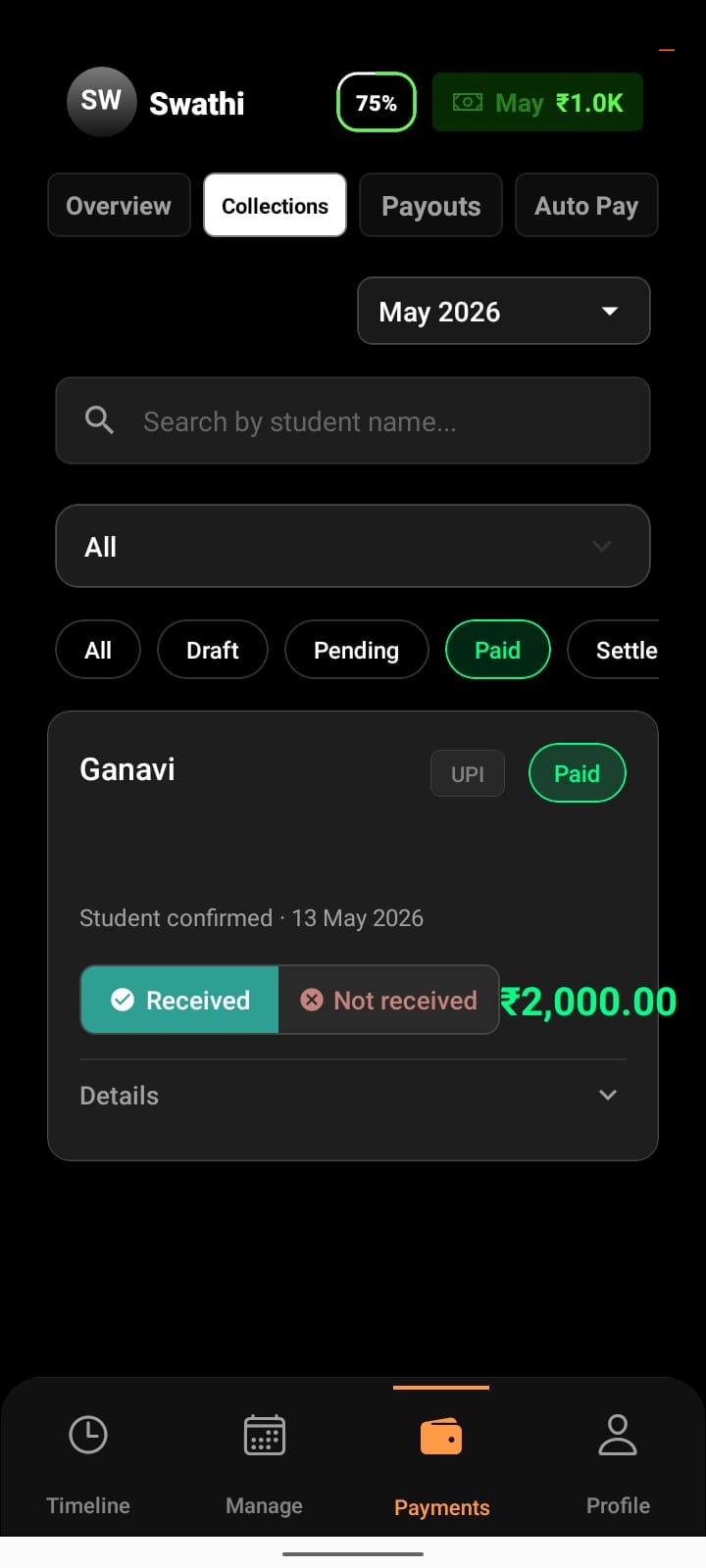
Paid
Available Actions
Track settlement progress
Mark as Received
Mark as Not Received
What This Allows
Once a payment is marked as Paid, the collection is complete and settlement is in progress.
At this stage:
Reminders and re-sharing are disabled
You verify whether the payment has reached your account
You can confirm or dispute the payment
You can view the expected settlement timeline
This prevents duplicate communication after payment is already completed.
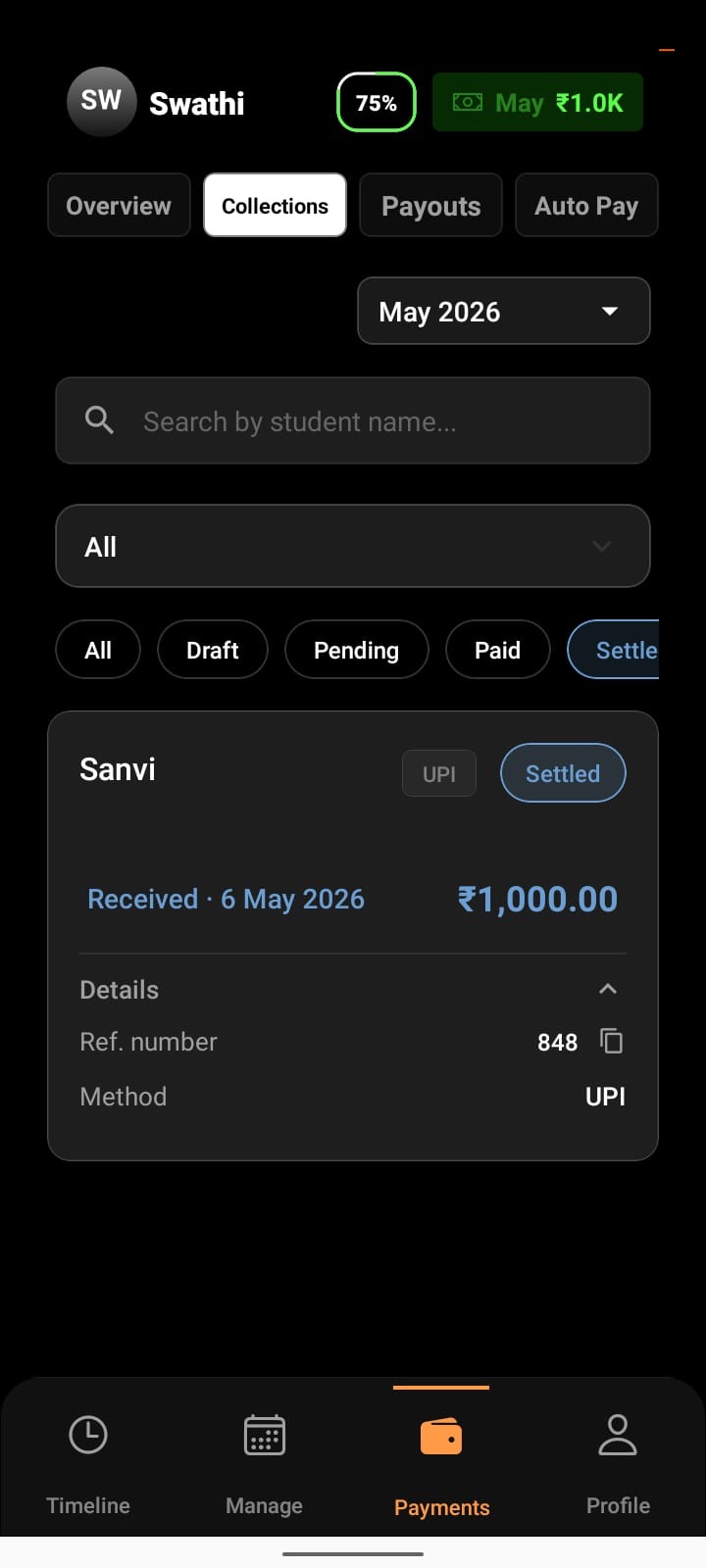
Settled
Available Actions
View payout record
What This Allows
Settled means the money has reached your bank account.
At this stage:
The transaction is closed
No further actions are required
You can review payout details for reconciliation or reporting
This ensures completed payments remain stable and auditable.
Expired
Available Actions
Create a new payment request
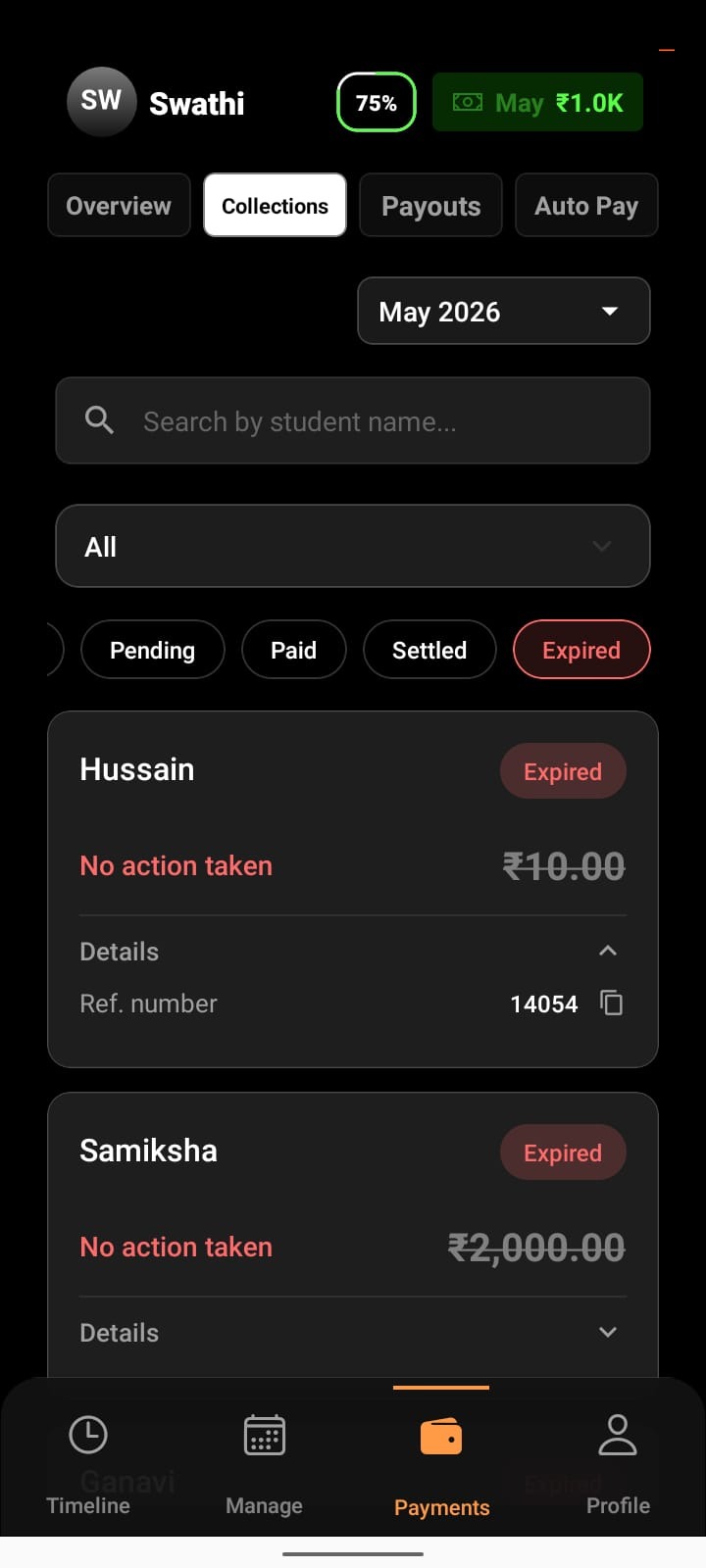
What This Allows
Expired requests can no longer be paid.
At this stage:
Re-sharing and reminders are disabled
The old link cannot be reused
A fresh payment request must be created for the same student
This avoids confusion and ensures only valid links are used for collection.
How This Prevents Errors
By limiting actions based on payment state, Lynk:
Prevents sending requests before reviewing
Reduces accidental double charging
Prevents reminders after payment
Keeps completed payments tamper-proof
Ensures expired links are never reused
Each action is available only when it is safe and meaningful to perform.
Conclusion
Action availability on Lynk is intentionally tied to payment status. This design keeps collections clean, follow-ups accurate, and payouts reliable — ensuring every step in the payment flow is handled at the right time, with the right action.