What happens when a payment request expires
Expired payment requests cannot be used and need a fresh request.
Written by Sumit Kapoor
Introduction
Payment links in Lynk are time-bound by design to ensure security, prevent misuse, and keep payment tracking clean.
When a payment link is not used within its validity window, it automatically expires and becomes unusable.
An expired payment link does not affect past payments but does require action if payment is still pending.
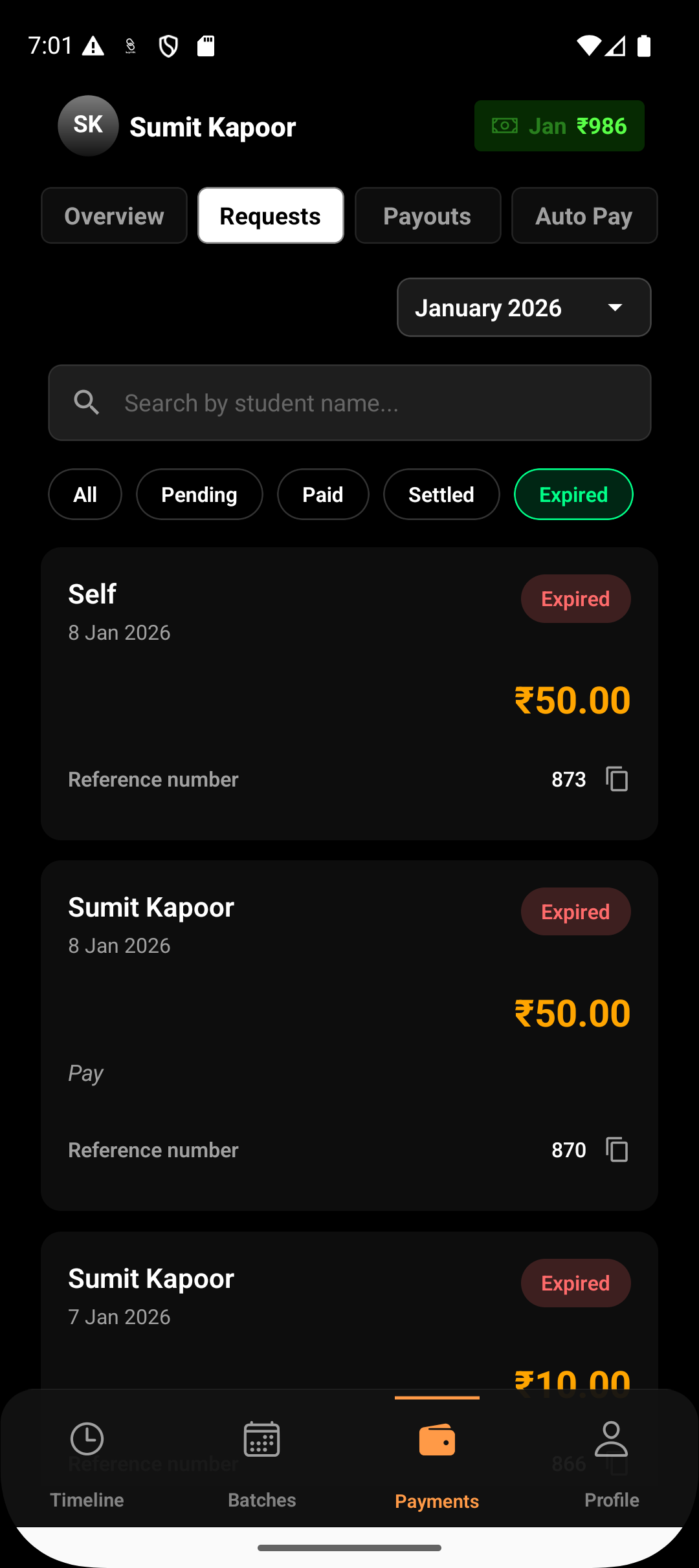
How Payment request expiry Works
Each payment request in Lynk has a fixed validity period of 24 hours.
If the student does not complete payment within this window:
The payment link expires automatically
The request status updates to Expired
The link can no longer be opened or paid through
Expiry happens automatically—no manual action is required.
What You See After a Link Expires
Once a payment link expires:
The request status clearly shows Expired
The payment amount is no longer payable through that link
Sharing the old link will not work
Reminder options are disabled
This ensures there is no confusion or accidental payment against an outdated request.
What You Should Do Next
If payment is still required after expiry:
Open the Payments section
Go to Request Payment
Select the same student
Create a new payment request
The new request generates a fresh payment link with a new 24-hour validity window.
Each payment request is treated as a separate, traceable transaction.
What Does Not Happen on Expiry
When a payment link expires:
No payment is collected
No amount is auto-retried
No new link is generated automatically
Previous requests are not modified
Expiry only affects the specific request that timed out.
Why Lynk Uses Expiring Payment Links
Time-bound links help Lynk:
Reduce payment fraud and misuse
Prevent accidental late payments
Keep payment tracking accurate
Ensure students always pay against an active, valid request
This keeps both payment records and settlements clean.
Summary
When a payment link expires in Lynk:
Status changes to Expired
The link can no longer be used
Reminders are disabled
A new payment request must be created for the same student
Expired links are final and cannot be reactivated, ensuring a secure and controlled payment flow.