How to share a payment request link
Ways to deliver a payment request to students for quick and secure collection
Written by Sumit Kapoor
Introduction
Once a payment request is created in Lynk, the system ensures that the payment link reaches the student without any manual follow-up required.
Lynk supports both automatic delivery and manual sharing, giving you flexibility based on how you communicate with your students.
Every payment link shared is secure, trackable, and time-bound.
Automatic Sharing via Lynk
By default, Lynk automatically shares the payment link as soon as the request is created.
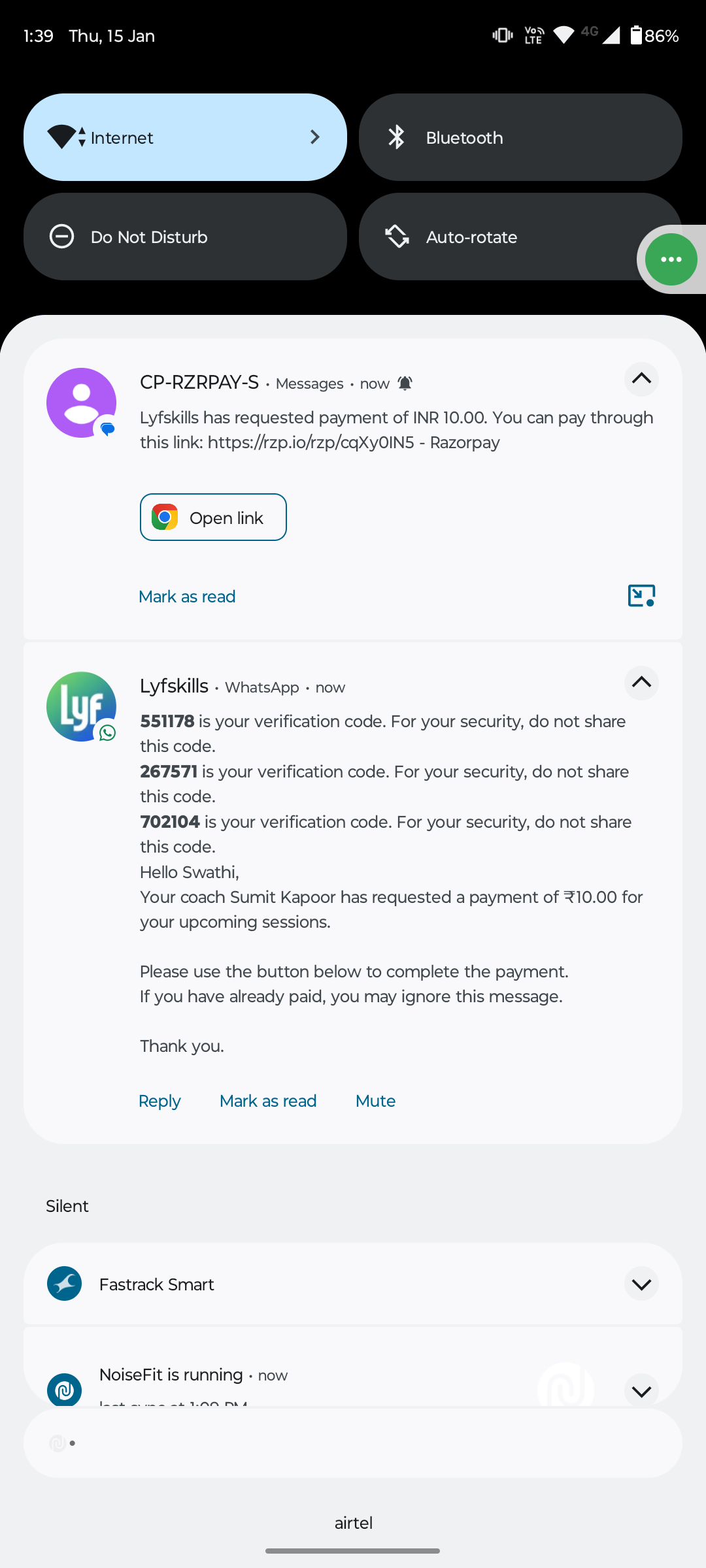
What happens automatically:
The payment link is sent to the student’s registered mobile number
The message is delivered via:
WhatsApp
SMS
No additional action is required from you
This ensures students receive the request instantly and can complete the payment without delays.
Manual Sharing Using Copy Link
In cases where you want to share the payment link yourself, Lynk allows you to copy the link directly from the request screen.
Steps to manually share:
Open the payment request from the Requests section
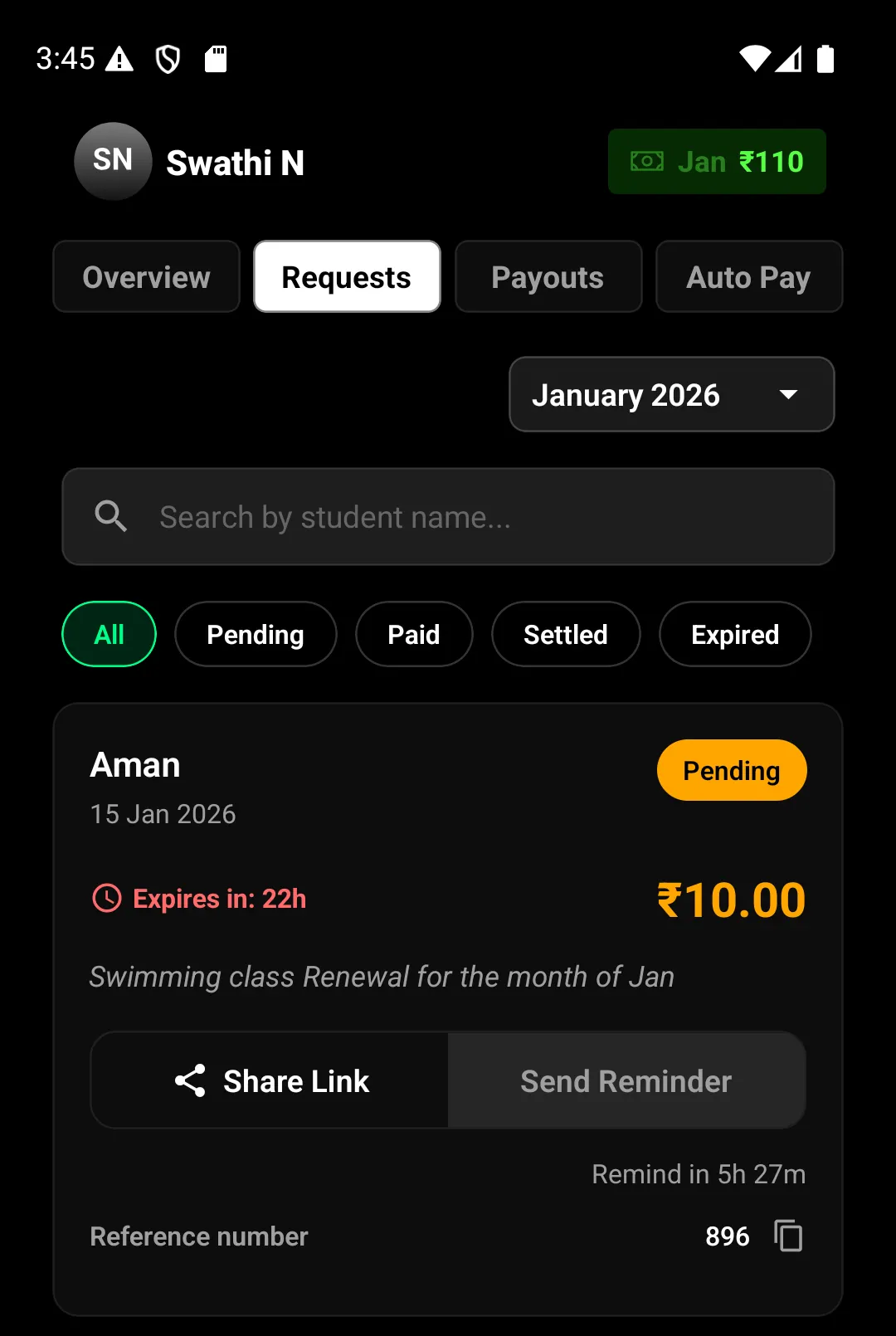
Tap Share Link, the link gets copied
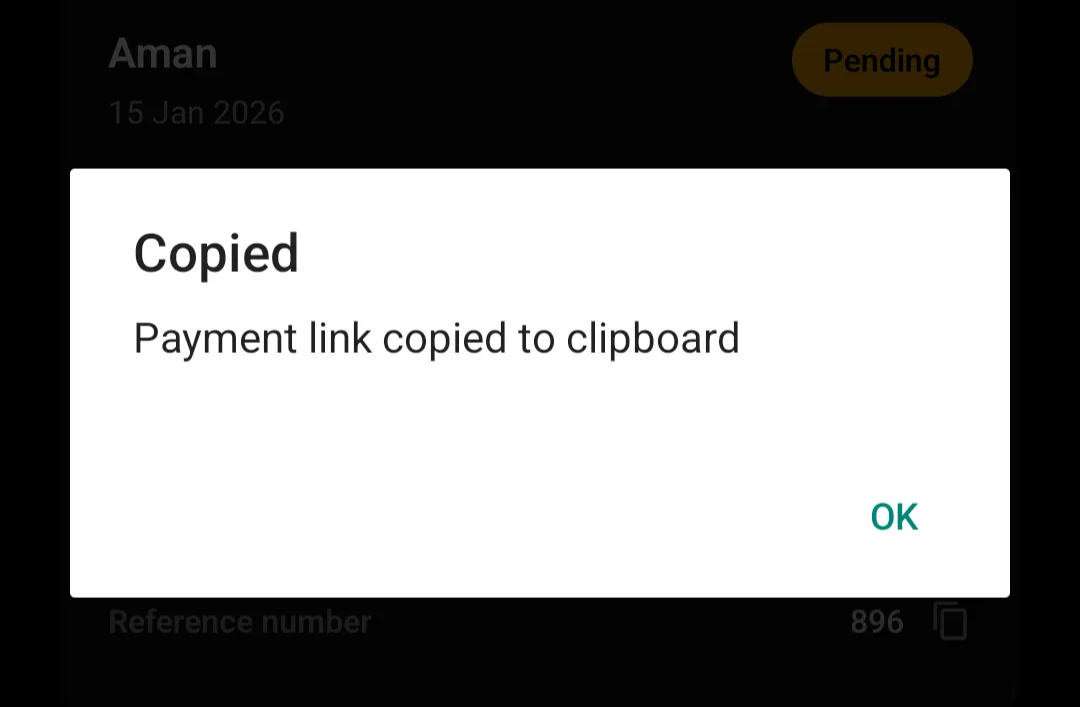
Paste and send the link to the student through your preferred channel
Manual sharing is useful when:
You want to resend the link in a personal conversation
The student asks for the link again
You are following up outside of automated reminders
Where the Payment Link Can Be Shared
Copied payment links can be shared through:
WhatsApp chats
SMS
Email
Any messaging platform used to communicate with students
Regardless of how it is shared, the link behavior remains the same.
Important Things to Know
Each payment link is valid for 24 hours from creation
Expired links cannot be used for payment
Payment status updates automatically once the student completes the payment
All activity is tracked under the same payment request
Sharing the link multiple times does not create duplicate requests.
Summary
Lynk makes sharing payment links simple and flexible:
Payment links are automatically sent via WhatsApp and SMS
Links can also be manually copied and shared anytime
All links are secure, time-bound, and trackable
Payment status updates without manual reconciliation
This ensures smooth payment collection while giving you full control over follow-ups and communication.