How to send payment reminders
Reminders help when a student hasn’t made a payment yet despite raising a payment request
Written by Sumit Kapoor
Introduction
Payment reminders in Lynk help you follow up when a student has not completed a payment request yet.
Instead of creating a new request or manually messaging the student, Lynk allows you to send a system-triggered reminder tied to the existing payment link.
Reminders are designed to be non-intrusive, controlled, and time-based to avoid over-notifying students.
Where to Send Reminders From
Payment reminders are sent from the Payment section of the app.
Path to access reminders:
Open Payments
Go to the Requests tab
Select the pending payment request for the student
Inside the request details screen, you’ll see the Send Reminder option.
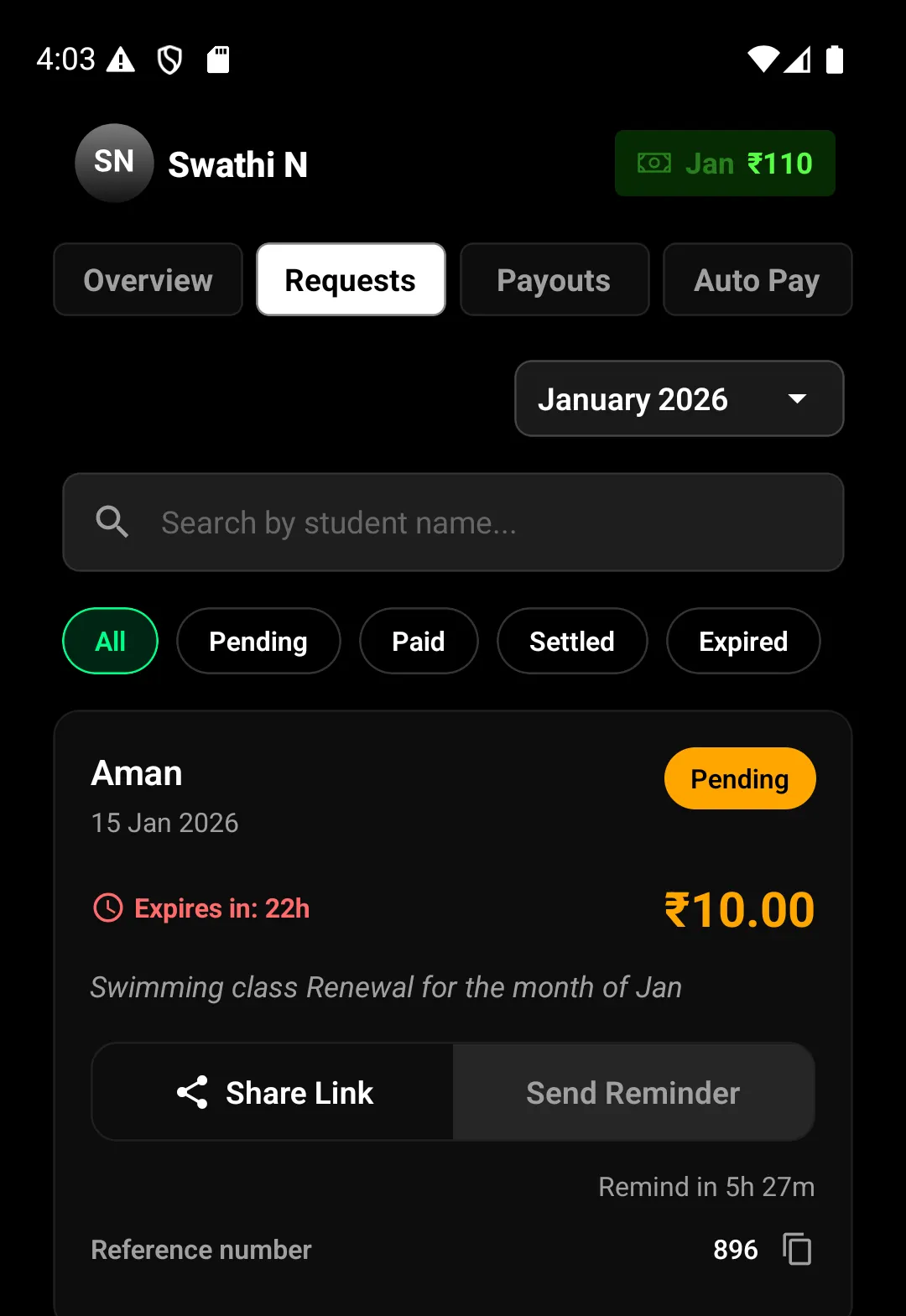
When a Reminder Can Be Sent
Payment reminders follow strict timing rules:
A reminder can be sent only after 8 hours from the time the payment request is created
After the first reminder, the second reminder becomes available after another 8-hour gap
Maximum of 2 reminders can be sent for a single payment request
Both reminders must be sent before the payment link expires
If the request expires, reminders can no longer be sent.
How to Send a Reminder
Once the reminder window is active:
Open the pending payment request
Tap Send Reminder
Lynk sends a reminder message to the student automatically
The reminder is delivered to the student’s registered mobile number via:
WhatsApp
SMS
No new payment link is created—the reminder points to the same active request.
What Happens After a Reminder Is Sent
The payment status remains Pending until the student pays
The reminder activity is tracked within the request
If the student completes the payment, the request updates automatically to Paid
If the request expires, reminders can no longer be sent
Sending a reminder does not extend the payment link’s validity.
Important Things to Know
Reminders are available only for pending requests
A maximum of 2 reminders per request
Each reminder requires an 8-hour gap
You cannot send reminders for:
Paid requests
Expired requests
Multiple reminders are rate-limited to prevent spam
All reminders are system-generated and logged
Summary
Payment reminders in Lynk help you follow up efficiently:
Reminders are sent from Payments → Requests
Available only 8 hours after request creation
Maximum 2 reminders per payment request
Delivered automatically via WhatsApp and SMS
Linked to the same payment request
No duplicate or new requests are created
This keeps payment follow-ups structured, professional, and easy to manage—without manual tracking or repeated messaging.