How to create a one-time payment request
A one-time payment request allows you to collect a specific amount from a single student using a secure, shareable payment link. This method is ideal for admissions fees, renewals, trial conversions, or any ad-hoc collections that are not recurring.
Written by Sumit Kapoor
Introduction
Once created, Lynk automatically sends the payment link to the student via WhatsApp and SMS, ensuring quick and reliable delivery.
When to Use a One-Time Payment Request
One-time payment requests are best suited for situations such as:
Admission or enrollment fees
Monthly or short-term renewals
Trial-to-paid conversions
Equipment, material, or special session charges
Any custom or non-recurring collection
Each request is tagged to a specific student and does not affect other students or future payments.
How One-Time Payment Requests Work
When you create a one-time payment request:
A unique payment link is generated for the selected student
The link is automatically sent to the student’s registered WhatsApp number and via SMS
The student can complete payment using online methods
The payment is credited to your configured payout destination
The link remains active for 24 hours, after which it expires if unpaid.
Steps to Create a One-Time Payment Request
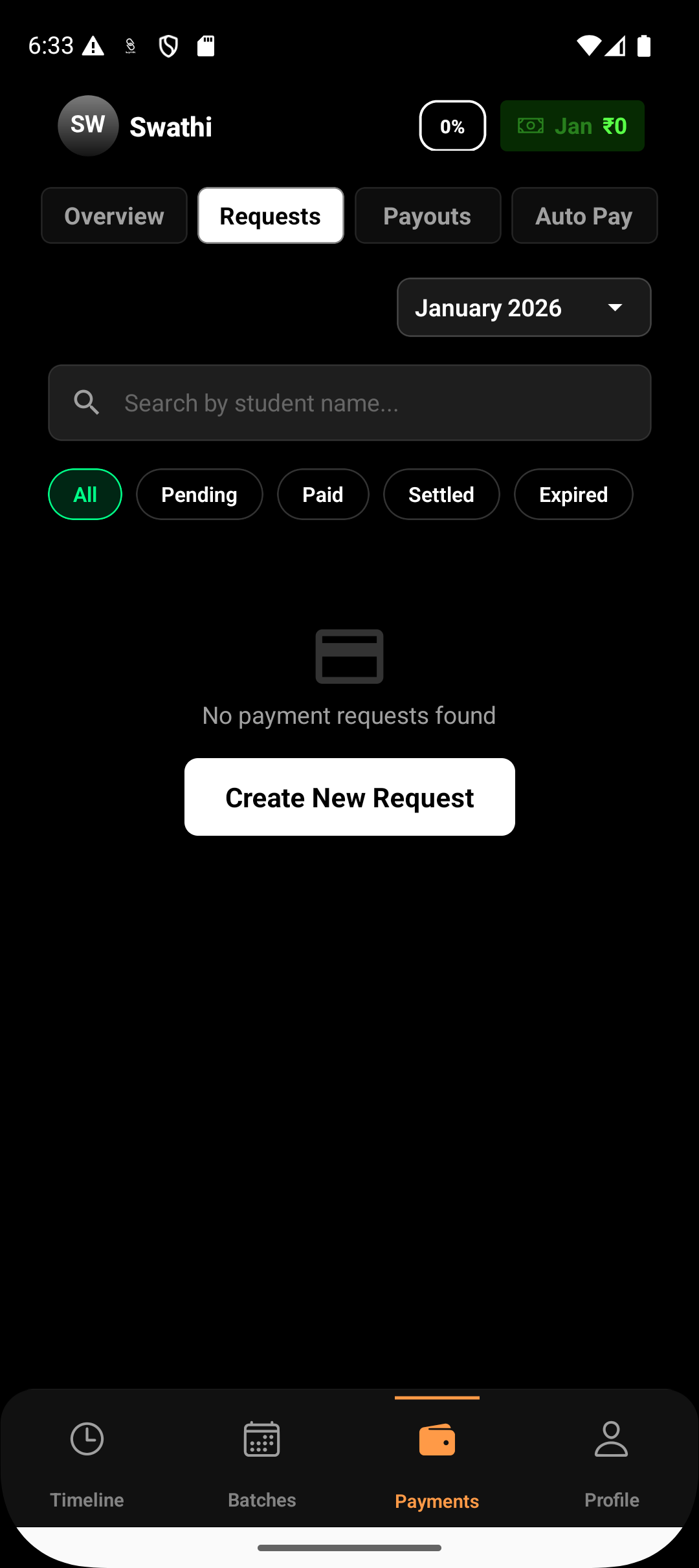
Step 1: Go to Request Payment
Navigate to:
Payments → Request Payment
This opens the payment request creation screen.
Step 2: Select the Student
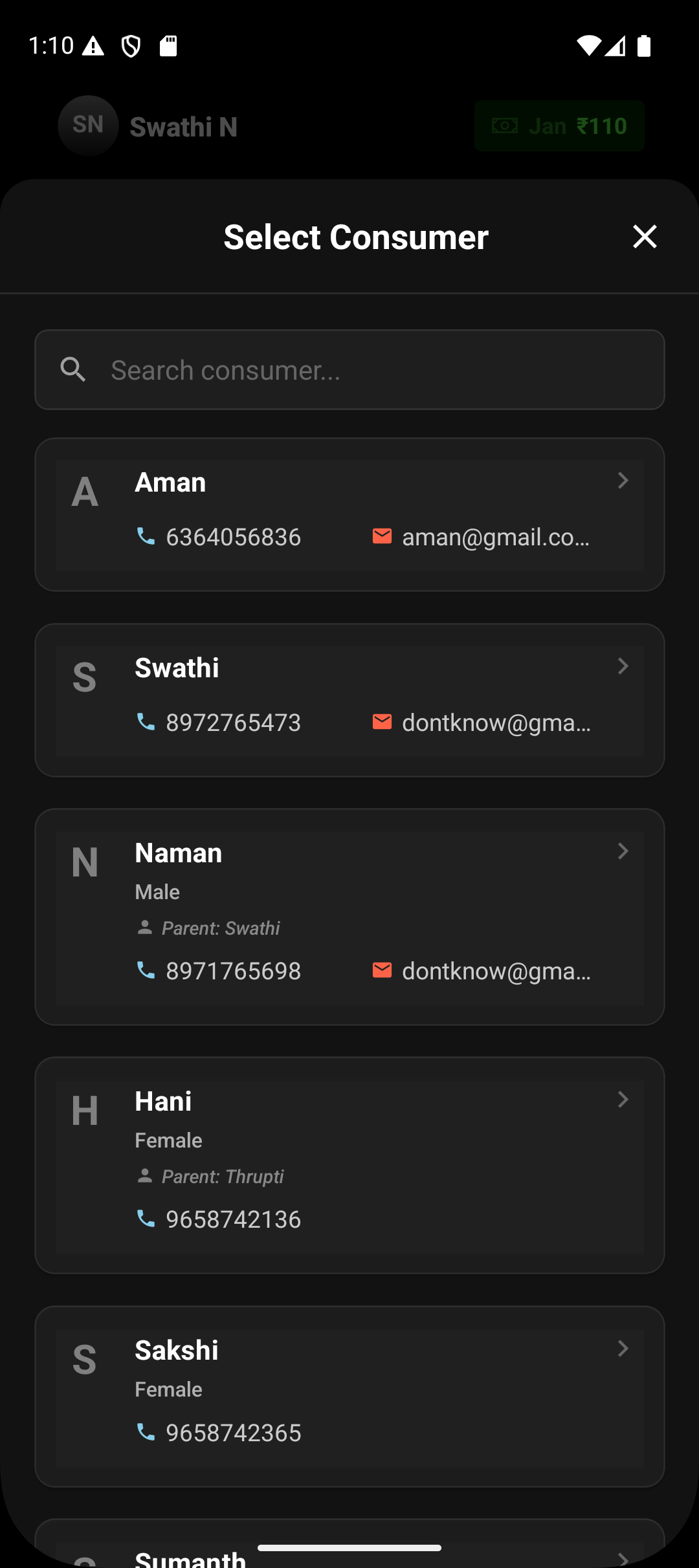
Choose the student you want to request payment from.
Each payment request can be created for one student at a time.
Step 3: Enter Payment Amount
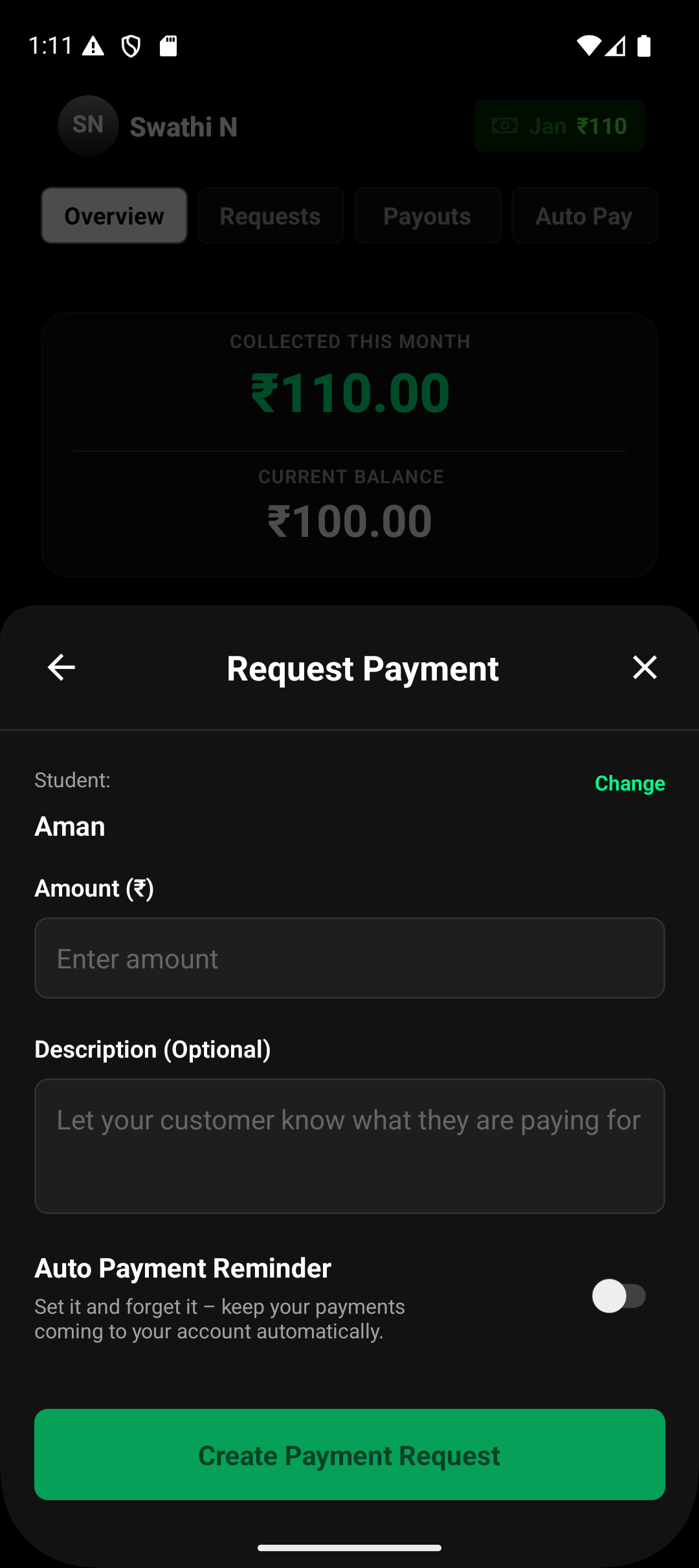
Enter the amount you want to collect.
This is the net amount you intend to receive, before any gateway fee adjustments.
Step 4: Add Description (Optional)
You may add a short description such as:
“January renewal fee”
“Admission charges”
“Swimming class – special session”
This helps the student understand what the payment is for.
Step 5: Choose Gateway Fee Handling
Select who bears the payment gateway fee:
You pay the fee, or
Pass the fee to the student
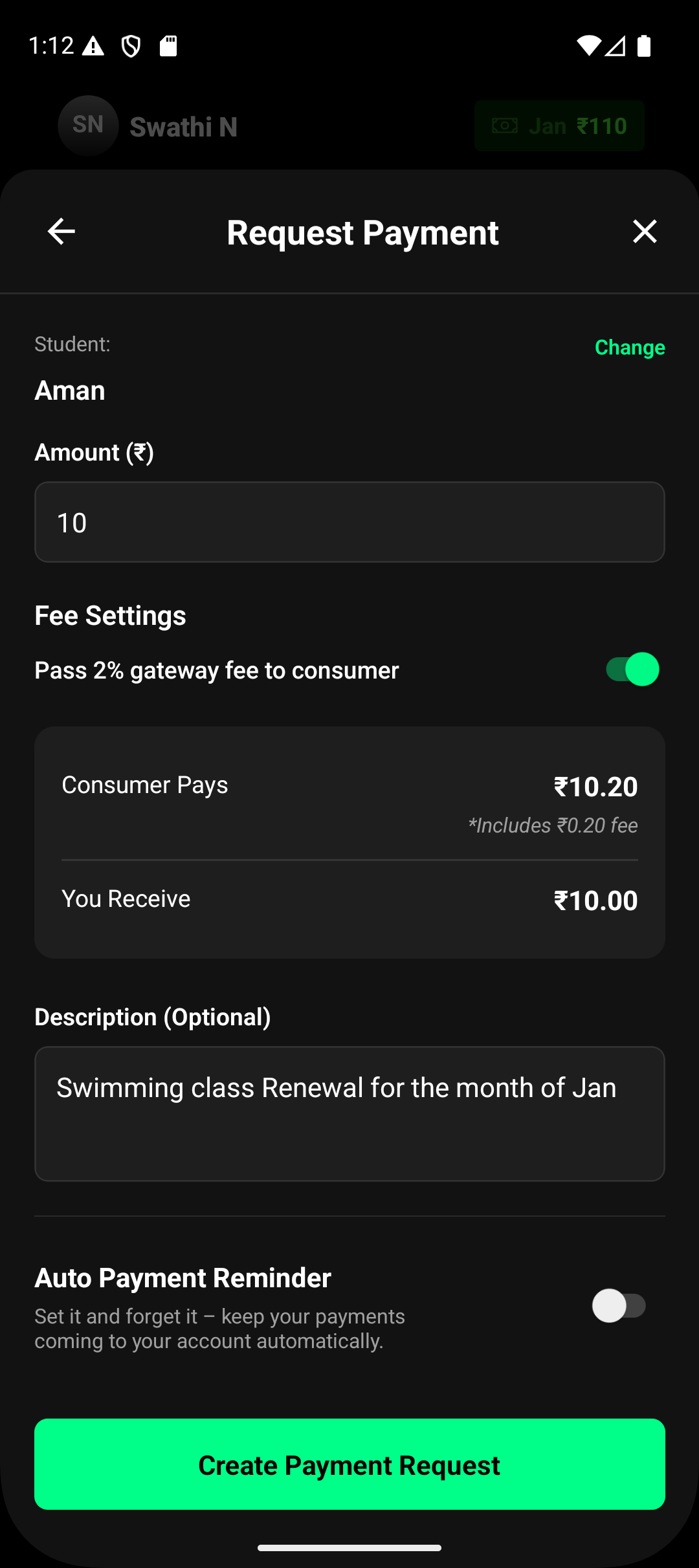
Lynk clearly shows:
What the student pays
What you receive
before you create the request.
Step 6: Create the Payment Request
Tap Create Payment Request.
Once created:
The payment link is generated instantly
The link is automatically sent via WhatsApp and SMS to the student
You can also copy the link and share it manually if needed
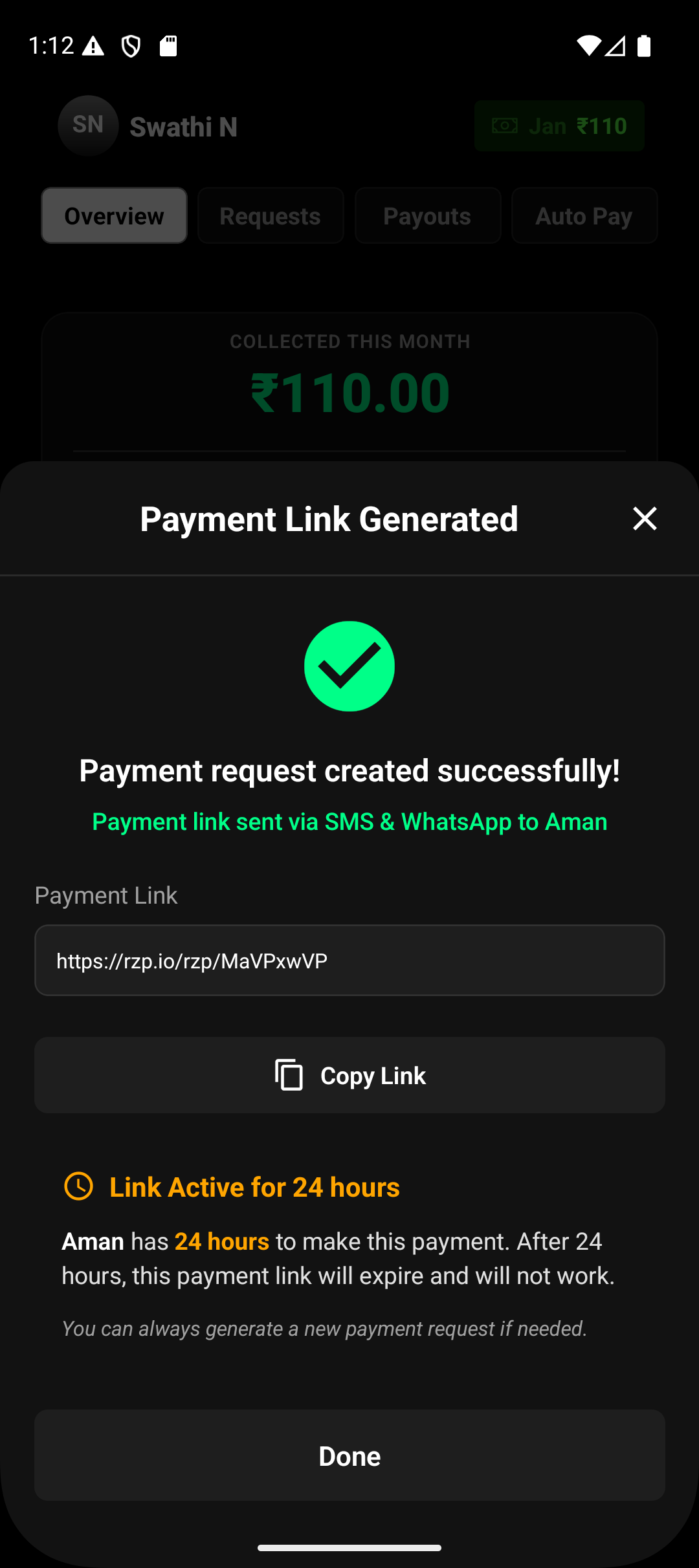
What Happens After the Request Is Created
The student receives the payment link immediately
The link remains active for 24 hours
If unpaid after expiry, the link stops working
You can generate a new payment request at any time
Successful payments are reflected in your payments section.
Key Things to Know
One-time payment requests are student-specific
Each request is independent and does not recur until auto payments reminder are set
Payment links are time-bound for security
Payouts depend on completed bank and compliance setup
Summary
One-time payment requests in Lynk provide a fast, flexible, and secure way to collect payments for individual needs.
With automated notifications, clear fee visibility, and simple tracking, they are ideal for handling non-recurring collections without friction.