How to Confirm a Student's UPI Payment?
Learn how to verify student payments in the Paid tab, confirm that funds have reached your bank account, and finalize enrollment updates by marking payments as received.
Written by Swathi N
When a student completes a payment through UPI Direct and confirms it on their device, the payment request moves to the Paid status in your Collections dashboard.
At this stage, the payment is awaiting your verification. By confirming that the funds have been received in your bank account, you complete the payment process and finalize the student’s enrollment update.
Step 1: Open the Paid Tab
Navigate to the Collections section in your Lynk dashboard.
Tap the Paid filter to view all payment requests that students have marked as completed.
These are payments that require your review.
Step 2: Verify the Funds in Your Bank Account
Before confirming the payment, open your bank or UPI app and check whether:
The payment amount matches the requested amount
The funds have been successfully credited to your account
This step ensures that only valid payments are finalized.
Step 3: Choose the Appropriate Action
On the payment card, you will see two options:
Received
Select this if the funds are visible in your bank account.
Not Received
Select this if:
The payment has not reached your account
The amount is incorrect
You are unable to verify the transaction
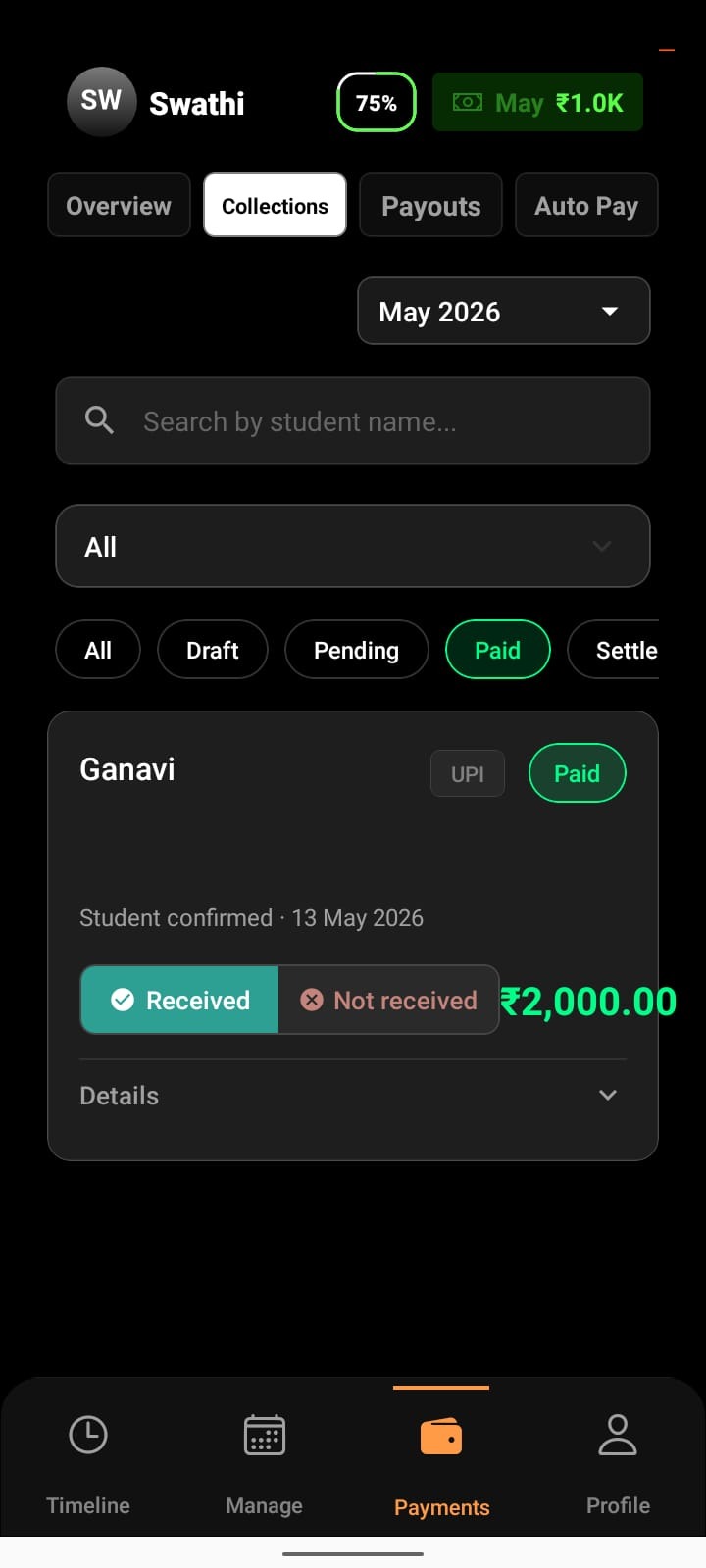
Step 4: Confirm Your Action
After tapping Received, a confirmation popup appears.
Tap Confirm to finalize the payment.
The request is immediately processed and moved to the next status.
What Happens After Confirmation?
If You Mark as Received
The payment moves to the Settled tab
The transaction is finalized
The student’s enrollment records are updated automatically
If You Mark as Not Received
The payment is moved back to the Pending tab
The student can attempt payment again or share proof of transfer
Automatic Settlement After 7 Days
If a payment remains in the Paid tab and no action is taken, Lynk will automatically mark it as Settled after 7 days.
To maintain accurate records, it is recommended to review the Paid tab regularly and confirm payments as soon as funds are received.
Why Payment Confirmation Matters
Manual verification helps ensure that:
Only genuine payments are finalized
Enrollment records stay accurate
Payment disputes are handled correctly
Your collections remain organized and reliable
Conclusion
Confirming student payments is the final step in the UPI Direct flow. Once you verify the funds and mark the payment as received, Lynk automatically settles the transaction and updates the student’s enrollment, keeping your payment records accurate and up to date.