How does students/parents pay Using UPI Direct?
Learn how students and parents complete UPI Direct payments using apps like Google Pay, PhonePe, and Paytm, and how payment confirmation updates enrollment records in Lynk.
Written by Swathi N
UPI Direct on Lynk makes fee collection fast, simple, and hassle-free for both coaches and parents. Students can securely complete payments using familiar UPI apps like Google Pay, PhonePe, Paytm, or BHIM — without needing to download anything new.
Understanding how the payment experience works helps coaches guide parents better, reduce payment confusion, and ensure enrollments are completed smoothly and on time.
Step 1: Student Receives the Payment Link
Once a payment request is sent from Lynk:
The student and parent automatically receive:
An SMS
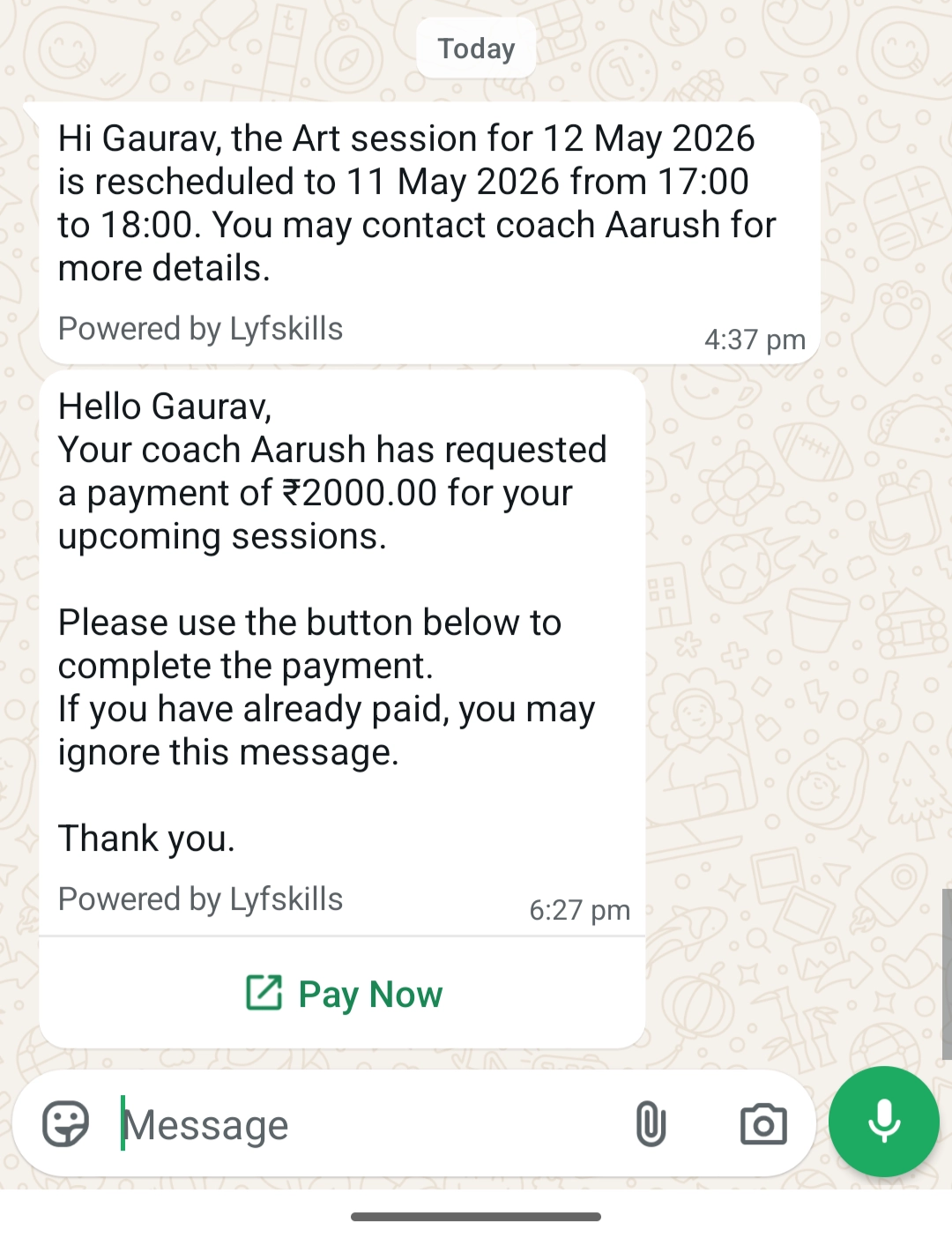
A WhatsApp message
Both messages contain a secure payment link.
The student must tap the Pay Now button or the payment link to begin the payment process.
Important: Payment Link Validity
Each payment link remains active for 24 hours only.
If the student does not complete the payment within this time:
The link expires automatically
Payment can no longer be made using the same request
In such cases, the coach must generate and send a new payment request.
Step 2: Student Chooses Their UPI App
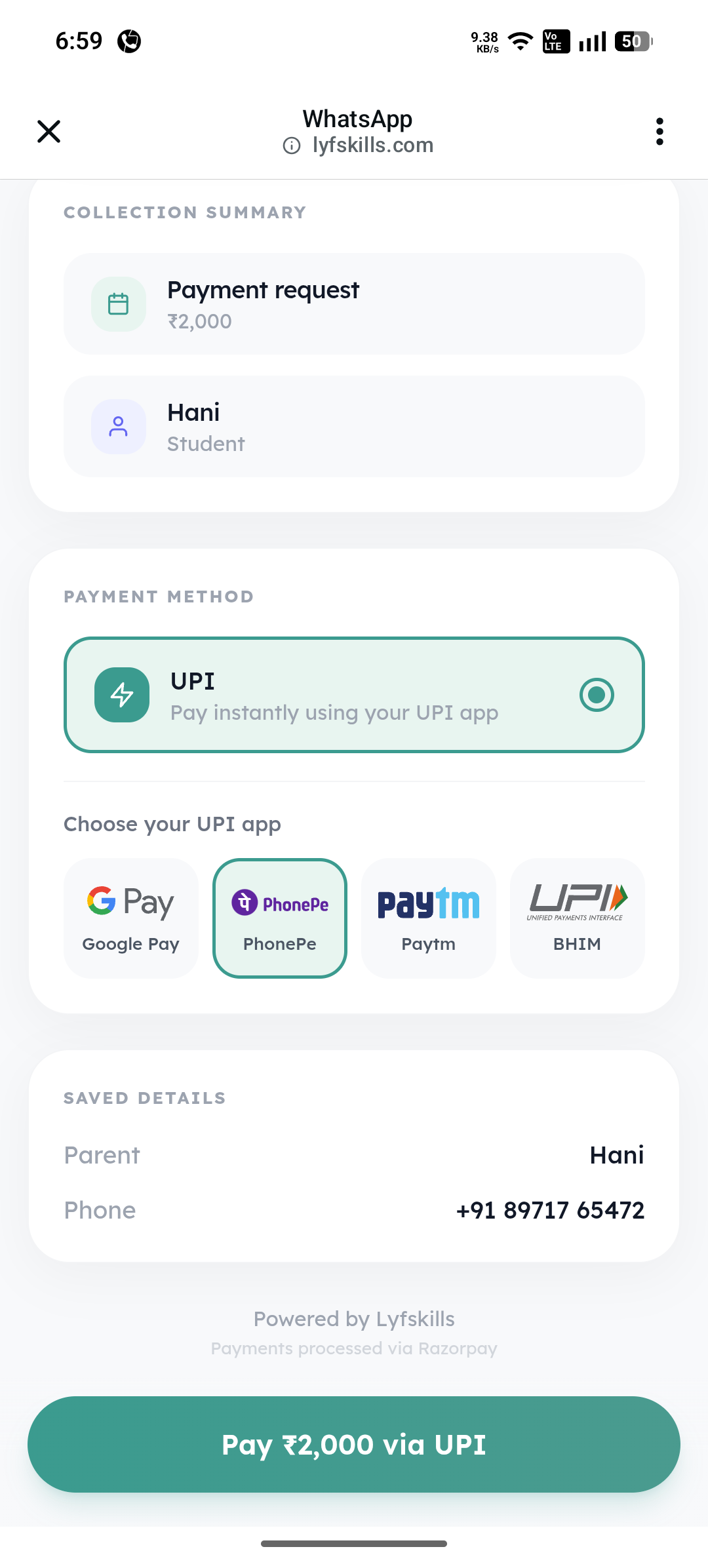
After opening the payment link, the student sees a secure checkout screen containing:
Coach profile details
Payment summary
Requested amount
Under the Choose your UPI app section, students can select their preferred payment app, such as:
Google Pay (GPay)
PhonePe
Paytm
BHIM
Once selected, Lynk automatically opens the chosen UPI app on the student’s phone.
Step 3: Student Completes the Payment
Inside the UPI app, the student:
Reviews the payment amount
Confirms the bank transfer
Enters their secure UPI PIN
Once the transaction is successful, the payment is processed through the UPI network.
Step 4: Student Confirms Payment on Lynk
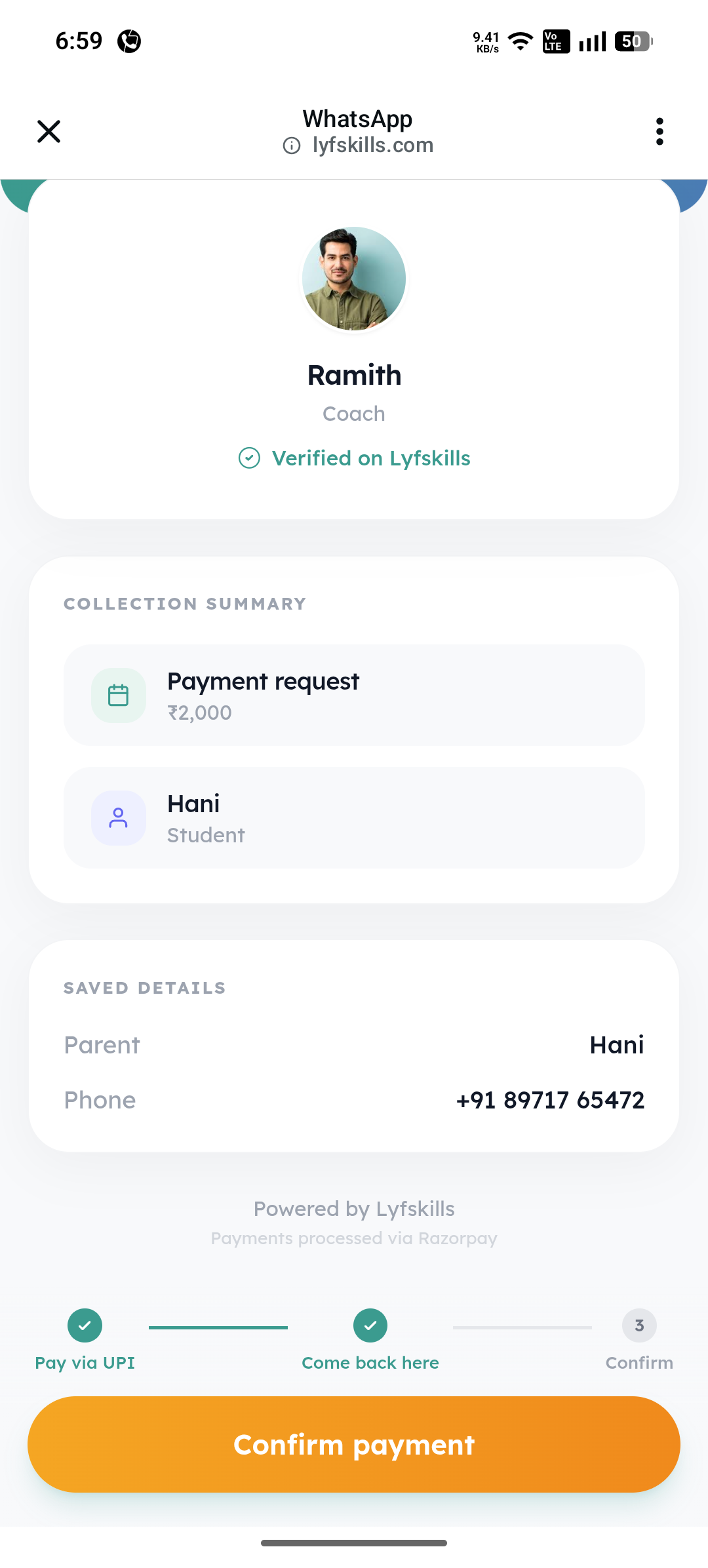
After completing the transfer inside the UPI app, the student is redirected back to Lynk.
This is a critical verification step.
The student must tap:
“I’ve completed the payment” or
“Yes, I have paid”
Once confirmed:
A payment confirmation screen appears
The coach is notified about the completed transfer
Without this confirmation step, the payment request may continue appearing as Pending on the coach dashboard.
What Happens Next for the Coach?
Once the student confirms payment:
The payment status changes to Paid
The coach can verify whether the funds have reached their bank account
The coach then has two options:
Mark as Received → payment moves to Settled
Mark as Not Received → payment moves back to Pending
If no action is taken, Lynk automatically marks the payment as Settled after 7 days.
How Enrollments Are Updated
Once the payment reaches the Settled state:
The payment is finalized
The student’s enrollment records are updated
Renewed or active sessions officially reflect in the system
This ensures enrollments stay synchronized with verified payments.
Why UPI Direct Is Useful
UPI Direct helps simplify fee collection by:
Supporting trusted UPI apps students already use
Allowing direct bank transfers
Eliminating platform transaction fees
Keeping payment tracking transparent for both coaches and parents
Conclusion
UPI Direct provides a simple and secure payment experience for students while giving coaches full visibility into payment tracking and verification. From receiving the payment link to confirming the transaction, the process is designed to keep collections fast, transparent, and easy to manage.