How to permanently delete an organisation
Remove an organisation when it’s no longer needed—quickly and securely
Written by Swathi N
If an organisation is no longer active or required, Lynk Tower allows you to permanently delete it from your account.
Before You Delete an Organisation
Deleting an organisation is a permanent action. Please note:
All associated data (coaches, students, batches) will be removed
All members will lose access to the organisation immediately
This action cannot be undone
You will lose access to all organisation-related records
⚠️ Make sure you really want to delete the organisation before proceeding.
Steps to Delete an Organisation
1. Go to the Organisations Tab
Log in to Lynk Tower
Click on Organisations from the left sidebar
2. Click on “Edit”
Locate the organisation you want to delete
Click on the Edit button on the organisation card
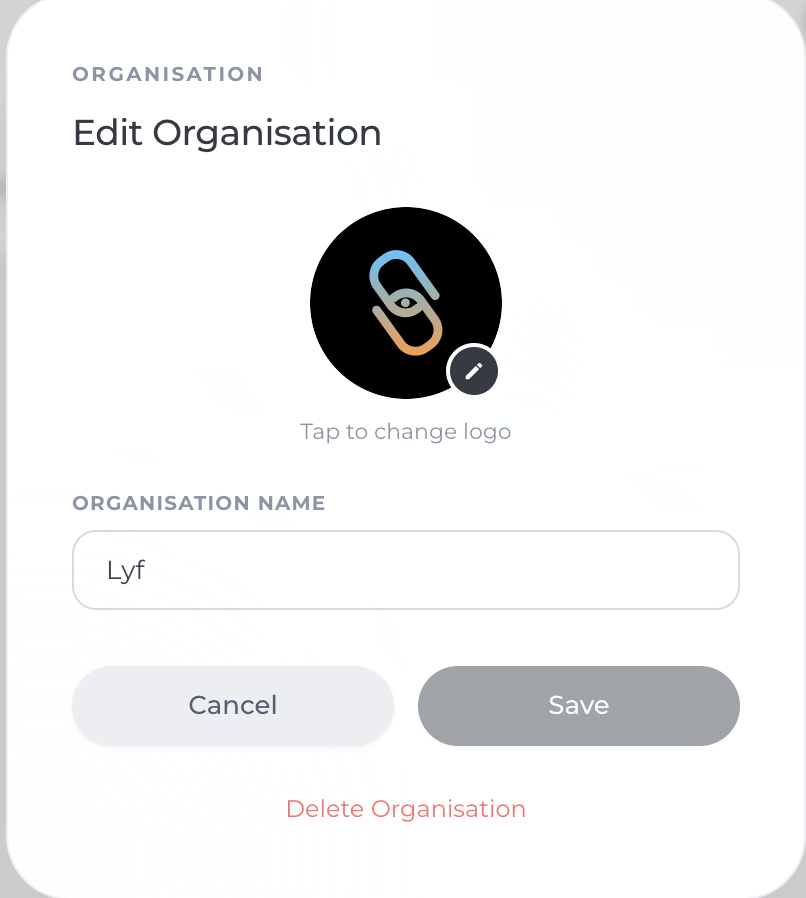
3. Click on “Delete Organisation”
In the edit window, scroll down
Click on Delete Organisation
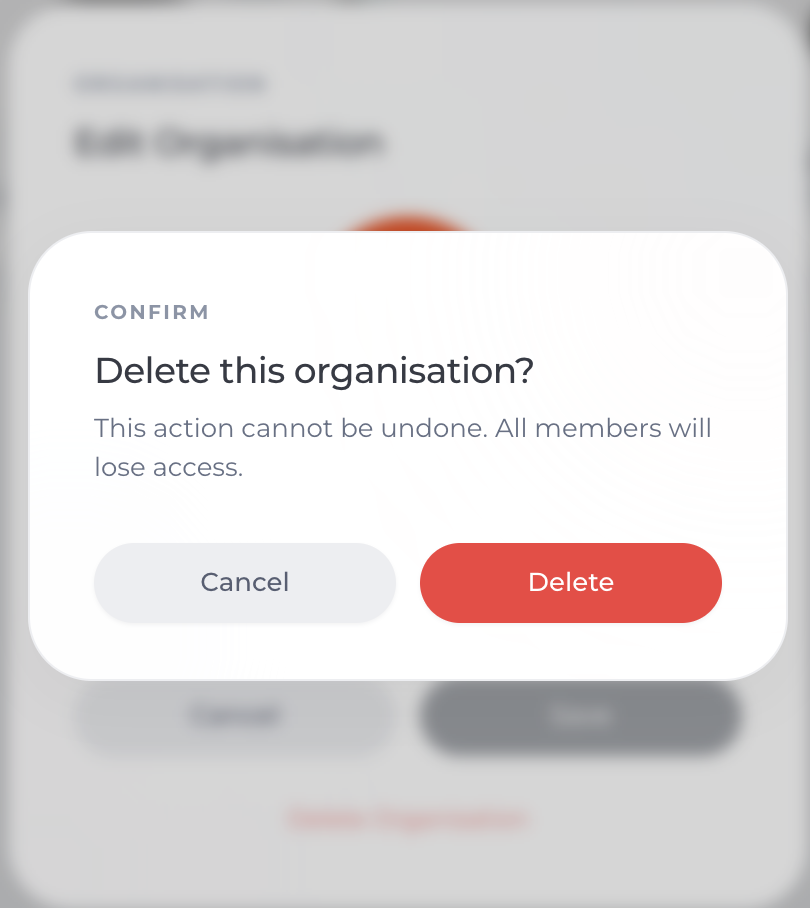
4. Confirm Deletion
Confirm your action when prompted
The organisation will be permanently deleted
What Happens After Deletion?
The organisation will be removed from your dashboard
All associated data will no longer be accessible
All members will lose access immediately
You cannot recover the deleted organisation
Pro Tips
Double-check before deleting to avoid accidental data loss
Consider updating or renaming instead of deleting if unsure
Inform your team before removing an organisation
Conclusion
Deleting an organisation in Lynk Tower is a simple but irreversible action. It’s best used when an organisation is no longer needed or active. Always review your data carefully before proceeding to ensure nothing important is lost for you and your team.