How to set up an Auto Payment Reminder
Automate your payment follow-ups and never miss a collection.
Written by Swathi N
Lynk Tower allows you to set up auto payment reminders so students are notified automatically—reducing manual follow-ups and ensuring timely payments.
Why Use Auto Payment Reminders?
Avoid manual follow-ups
Ensure timely fee collection
Improve payment consistency
Save time on operations
Steps to Set Up Auto Payment Reminder
Go to the Payments tab in Lynk Tower
Click on Auto Pay Reminder
Select the student
Enter the payment details
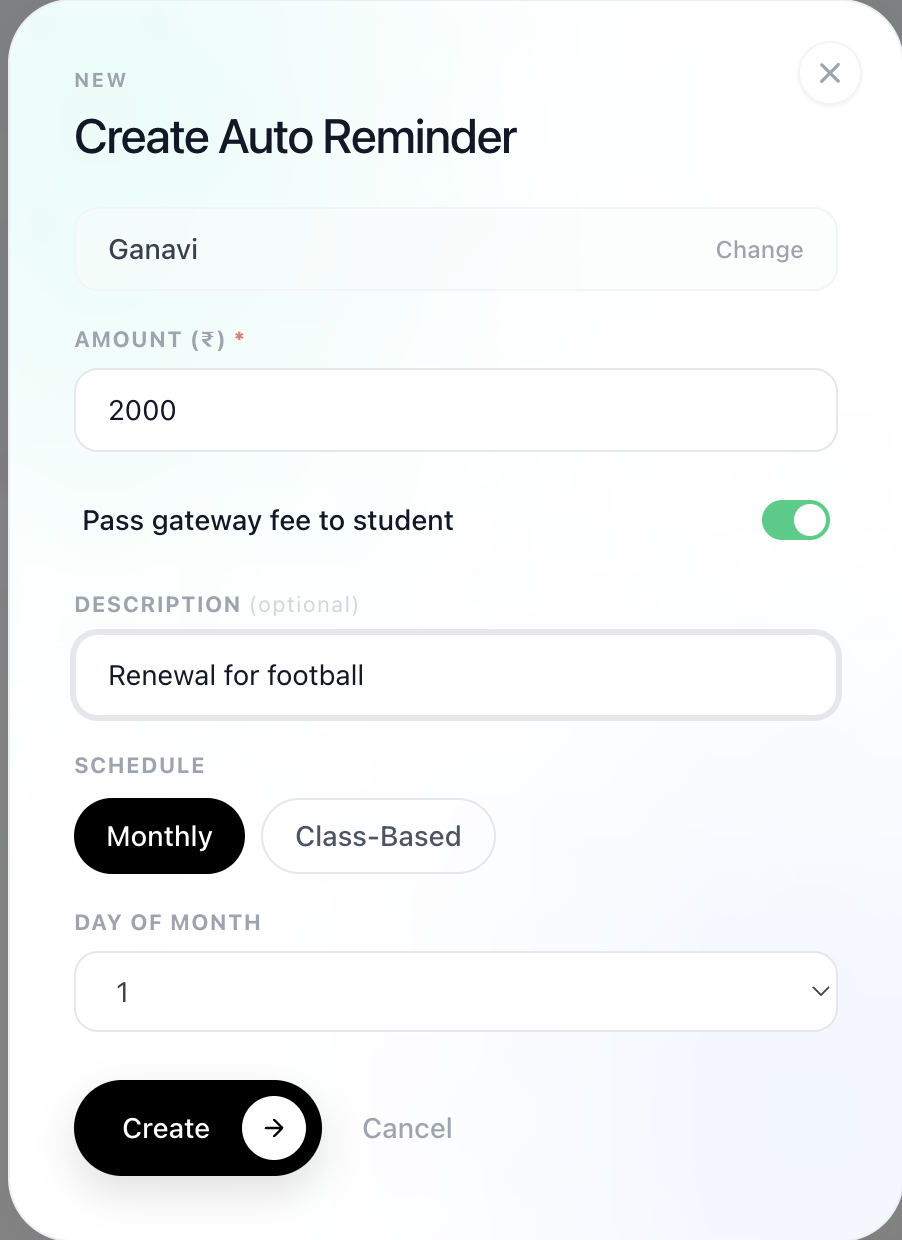
Configure Payment Details
Amount
Enter the amount to be requested
Gateway Fee Option
Choose who pays the gateway fee
You
Student
Description (Optional)
Add details like Monthly fee or Class payment
Set the Reminder Schedule
You can choose how the reminder should be triggered:
Monthly Reminder
Select the day of the month
Payment reminder will be sent every month automatically
Class-Based Reminder
Set the number of classes
Reminder is triggered based on session usage
Activate the Reminder
Review all details
Save the setup
What Happens Next
Reminders are sent automatically based on your schedule
Students receive payment notifications
You can track payments in the Payments tab
Conclusion
Auto payment reminders in Lynk Tower make fee collection effortless. By automating reminders, you ensure consistent payments while saving time and reducing manual effort.