Types of Auto Payment requests
Auto Pay in Lynk supports two reminder types—Monthly and Class-Based—to match different coaching and billing models.
Written by Sumit Kapoor
Introduction
Each type defines when a payment reminder is triggered, while the rest of the payment flow remains the same.
Choosing the right Auto Pay type ensures reminders are sent at the right time, without manual follow-ups.
Monthly Auto Pay
What is Monthly Auto Pay?
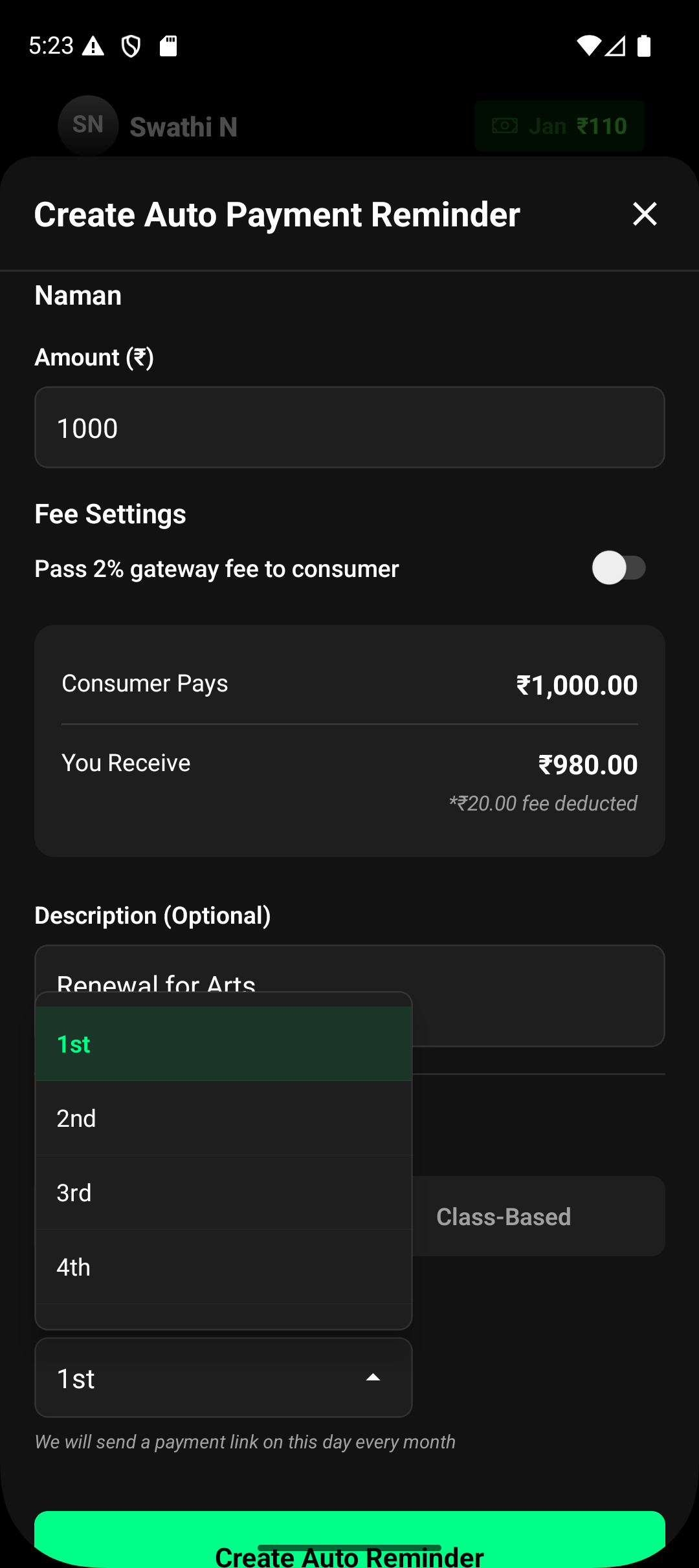
Monthly Auto Pay sends a payment reminder on a fixed date every month.
It is ideal for predictable, recurring fees such as monthly coaching subscriptions or retainers.
How Monthly Auto Pay Works
The coach selects Monthly as the Auto Pay type.
A day of the month is chosen (for example, the 1st or 5th).
On the selected day each month:
Lynk automatically sends a payment link to the student at 10 am
Standard reminder rules and expiry timelines apply.
This process repeats every month until the Auto Pay setup is changed or stopped.
When to Use Monthly Auto Pay
Monthly coaching fees
Fixed subscription plans
Long-term ongoing batches with consistent pricing
Class-Based Auto Pay
What is Class-Based Auto Pay?
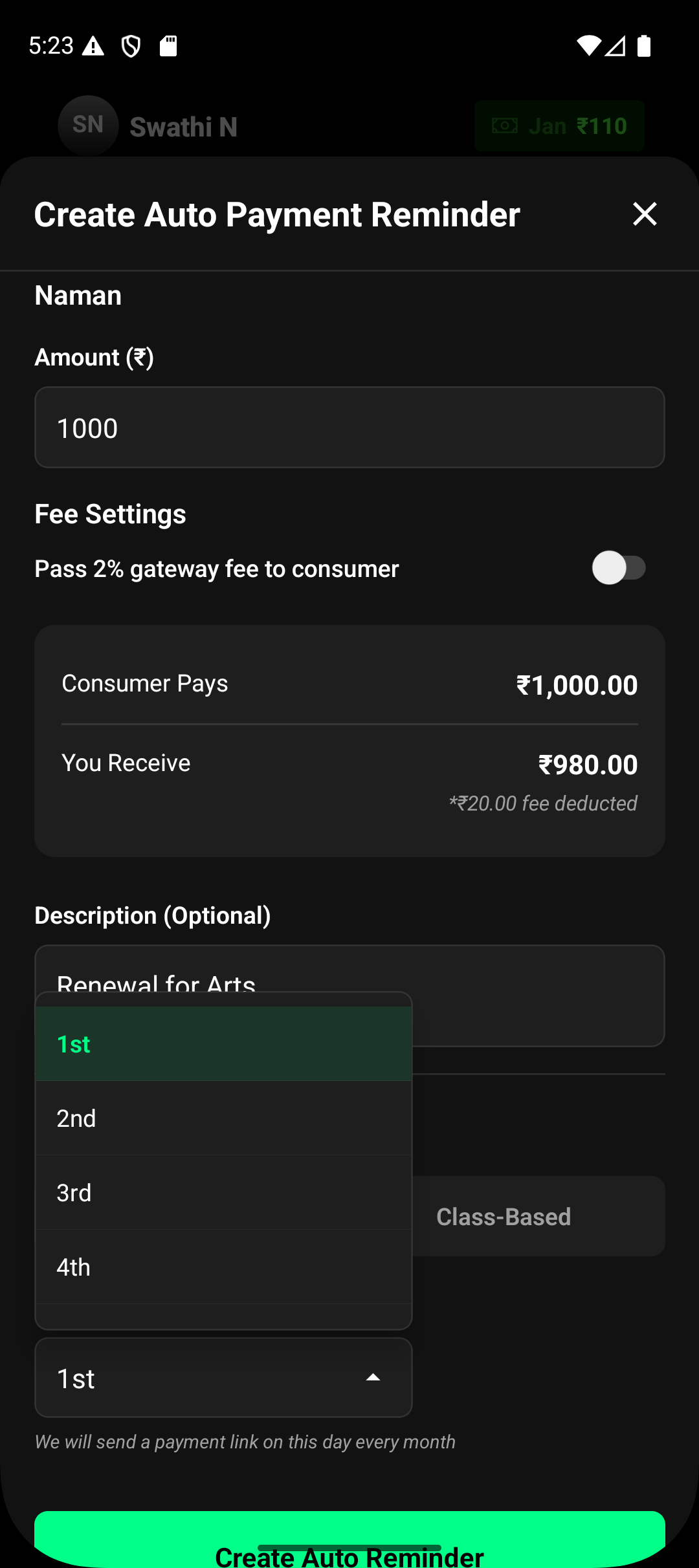
Class-Based Auto Pay sends a payment reminder after a defined number of classes are attended.
Lynk automatically tracks attendance and triggers the payment request once the class count is completed.
How Class-Based Auto Pay Works
The coach selects Class-Based as the Auto Pay type.
A class count is defined (for example, 10 classes).
Lynk tracks the student’s attendance in the batch.
After the final session is attended:
A payment link is automatically generated the following day at 10 am
The student receives the payment reminder without manual action.
The reminder is sent only after the class milestone is reached.
When to Use Class-Based Auto Pay
Pay-per-class or package-based coaching
Flexible attendance models
Batches where fees depend on actual classes consumer
Key Differences Between Monthly and Class-Based Auto Pay
Aspect | Monthly | Class-Based |
Trigger | Fixed calendar date | Completion of N classes |
Attendance tracking | Not required | Required |
Best suited for | Subscriptions | Class packages |
Reminder timing | Predictable monthly | Based on usage |
Summary
Auto Pay types in Lynk let coaches align payment reminders with how they actually charge—by time or by classes.
By choosing Monthly or Class-Based Auto Pay, reminders are sent automatically, accurately, and without manual follow-ups.