Types of communication alerts
Communication Alerts in Lynk keep students informed about class, payment, and progress updates. These system-generated alerts are automatically sent via WhatsApp when actions occur in Lynk, ensuring timely updates without coaches sending manual messages.
Written by Sumit Kapoor
By categorizing alerts, Lynk ensures that:
Communication Alerts in Lynk are grouped by the type of activity they relate to. This structure reflects how day-to-day operations actually happen and helps students clearly understand what an update is about.
Students receive relevant and contextual updates
Communication remains clear and predictable
Each alert is tied to a specific system action
Session Communication Alerts
Session Communication Alerts inform students about the real-time status of their classes.
These alerts are triggered when a coach updates the session status in the Lynk app.
Common Session Alerts
Coach Left for Venue
When the coach marks “Prepare for session” in the Lynk app, students receive a WhatsApp notification informing them that the coach is on the way.
Purpose
Helps students plan arrival time
Reduces uncertainty before the session
Avoids last-minute coordination calls
Example notification

Session started
Why Communication Alerts Are Categorized
When the coach marks the session as Started, Lynk sends a confirmation alert to students. This confirms that the class is live and running as scheduled.
Session rescheduled
When a session is rescheduled in Lynk, students automatically receive a WhatsApp message with the updated date and time.
Purpose
Prevents missed classes
Ensures everyone receives the same updated information
Eliminates manual follow-up messages
Example notification

Session cancelled
If a session is cancelled, Lynk immediately notifies students via WhatsApp.
Purpose
Avoids unnecessary travel
Ensures timely communication
Maintains transparency
What students gain
Clarity on when and where the session is happening
Advance notice of delays or changes
Reduced uncertainty around class timing
Session Alerts ensure students stay informed throughout the entire lifecycle of a session.
Batch Communication Alerts
Batch Communication Alerts notify students when changes occur in their batch association.
Common Batch Alerts
Student enrolled into a batch
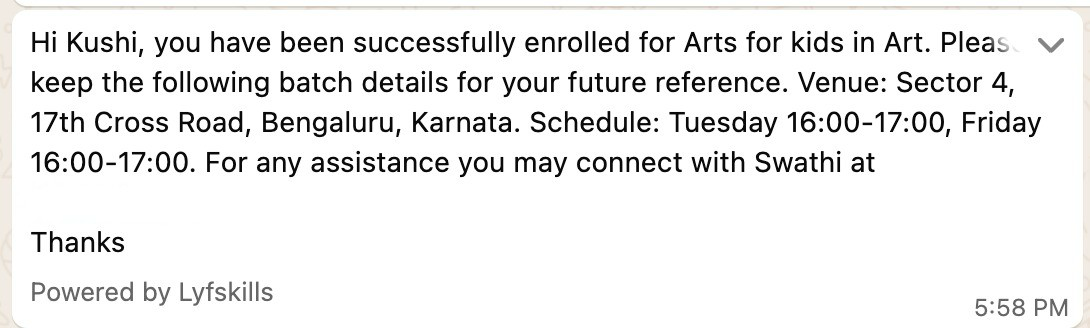
What students gain
Confirmation of batch enrollment
Clear visibility into where their sessions belong
Reduced confusion about batch placement
Batch Alerts are especially useful when students are moved, added, or newly assigned to a batch.
Payment Communication Alerts
Payment Communication Alerts keep students informed about payment-related events.
These alerts help ensure transparency and timely action without repeated reminders from coaches.
Common Payment Alerts
Coach requested a payment
When a coach requests a payment, the student receives a WhatsApp message informing them of the amount due and the purpose of the payment.
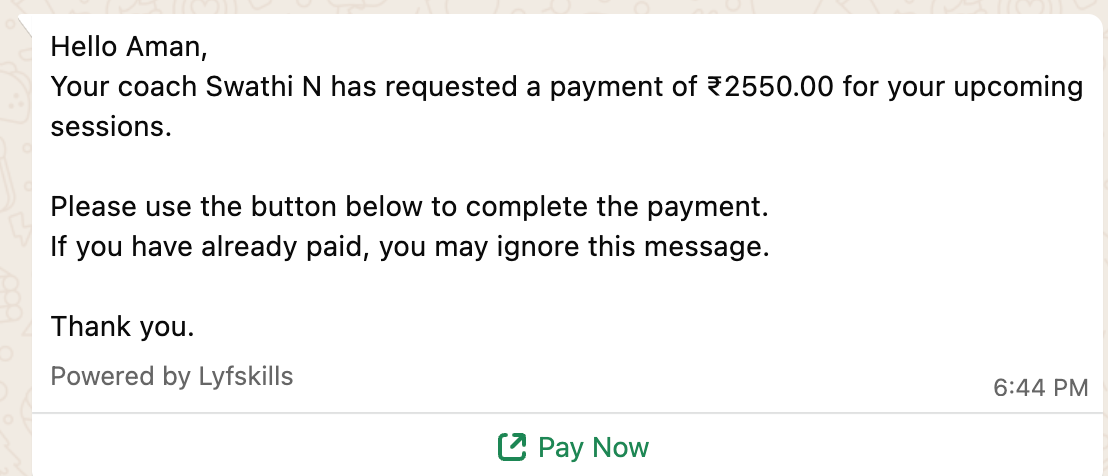
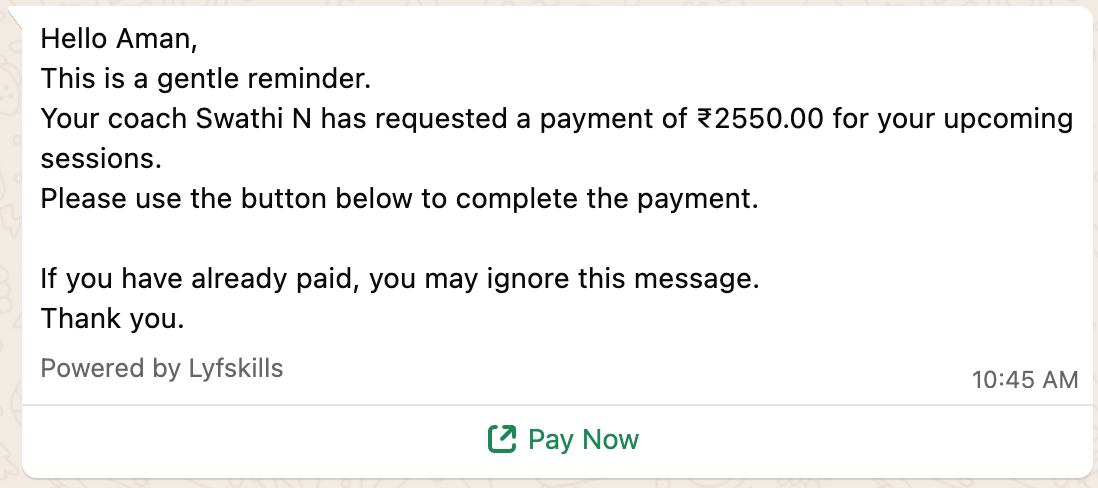
Payment reminder
If a payment remains pending, Lynks send a gentle reminder to the student when the coach triggers it.
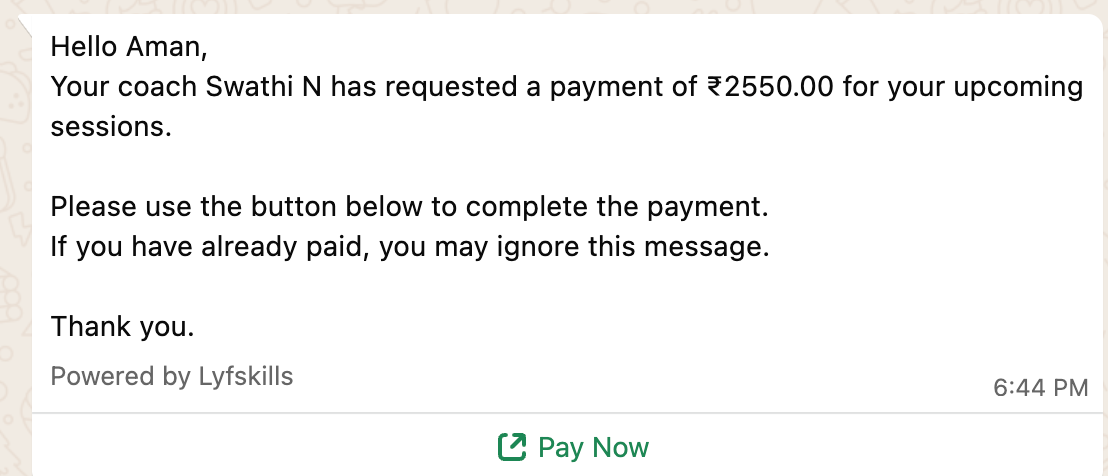
Auto payment reminder
Auto pay reminder alerts are sent to students only when the coach explicitly sets an auto payment reminder for a specific student in Lynk.
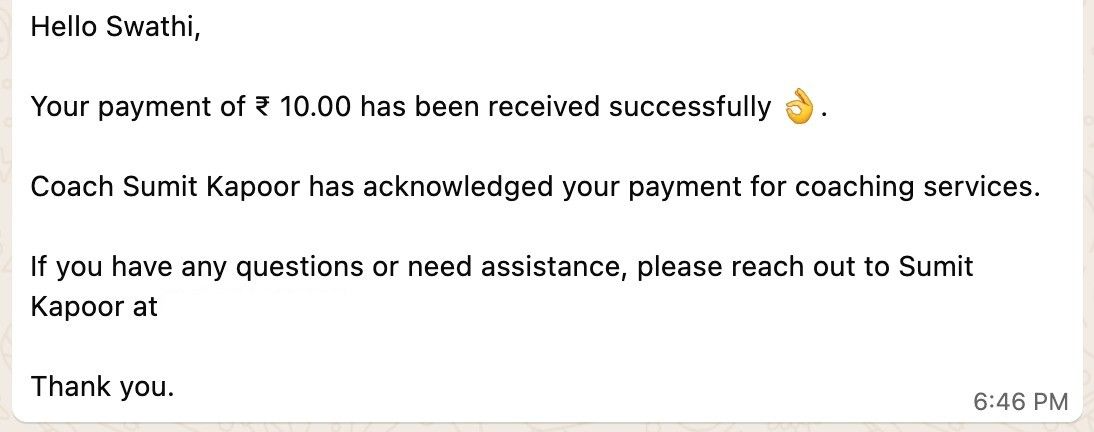
Student payment successful
Once a student completes the payment, Lynk sends a WhatsApp confirmation message.
What students gain
Clear visibility into pending payments
Confirmation when payments are completed
Timely reminders without manual follow-ups
Payment Alerts reduce misunderstandings and make the payment process smoother for students.
Progress Communication Alerts
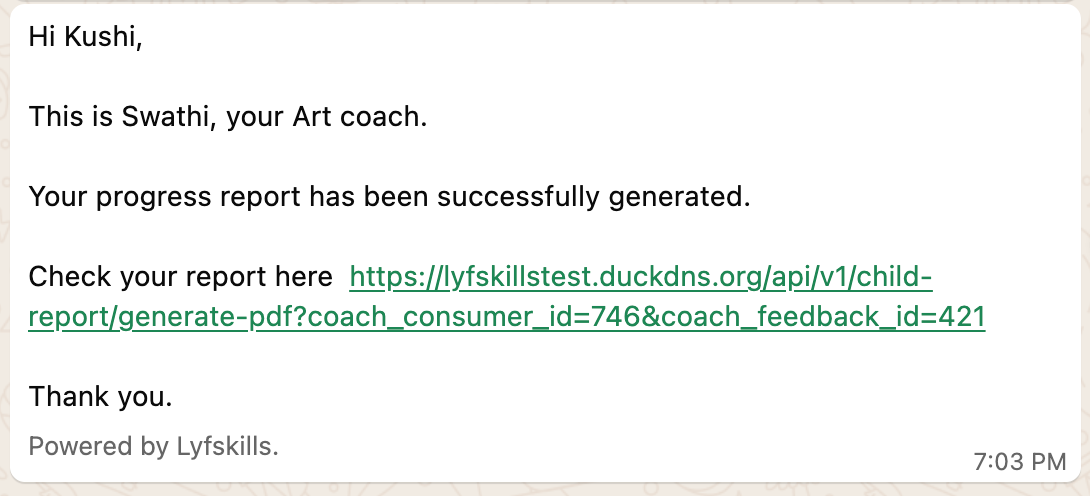
A Progress alert is triggered only when the coach generates and shares a progress report for a specific student inside Lynk.
Common Progress Alerts
Progress report sent
What students gain
Awareness of performance feedback
Timely access to progress information
A clear feedback loop with the coach
These alerts help students stay engaged and informed about their development.
How These Alerts Work Together
Each type of Communication Alert serves a specific purpose, but together they form a complete communication system for students.
Session Alerts handle day-to-day class updates
Batch Alerts clarify group placement
Payment Alerts manage financial communication
Progress Alerts close the learning feedback loop
This ensures students are informed across all key touchpoints of their journey.
Summary
Communication Alerts in Lynk are categorized into clear types based on operational activity. Each alert is automatically triggered by actions inside the system and sent only to students via WhatsApp.
By structuring alerts around sessions, batches, payments, and progress, Lynk ensures students always have the information they need — without relying on manual messages or follow-ups.