How to manage communication alerts
Communication Alerts Are System-Driven — But Coach-Controlled With simple controls, coaches can decide which updates are sent and which stay silent, ensuring communication remains professional, timely, and effortless.
Written by Sumit Kapoor
Where to Manage Communication Alerts
Managing alerts in Lynk is simple and takes less than a minute.
Step 1: Go to the Profile Tab
From the Lynk app:
Tap on the Profile tab in the bottom navigation
This is your personal control center.
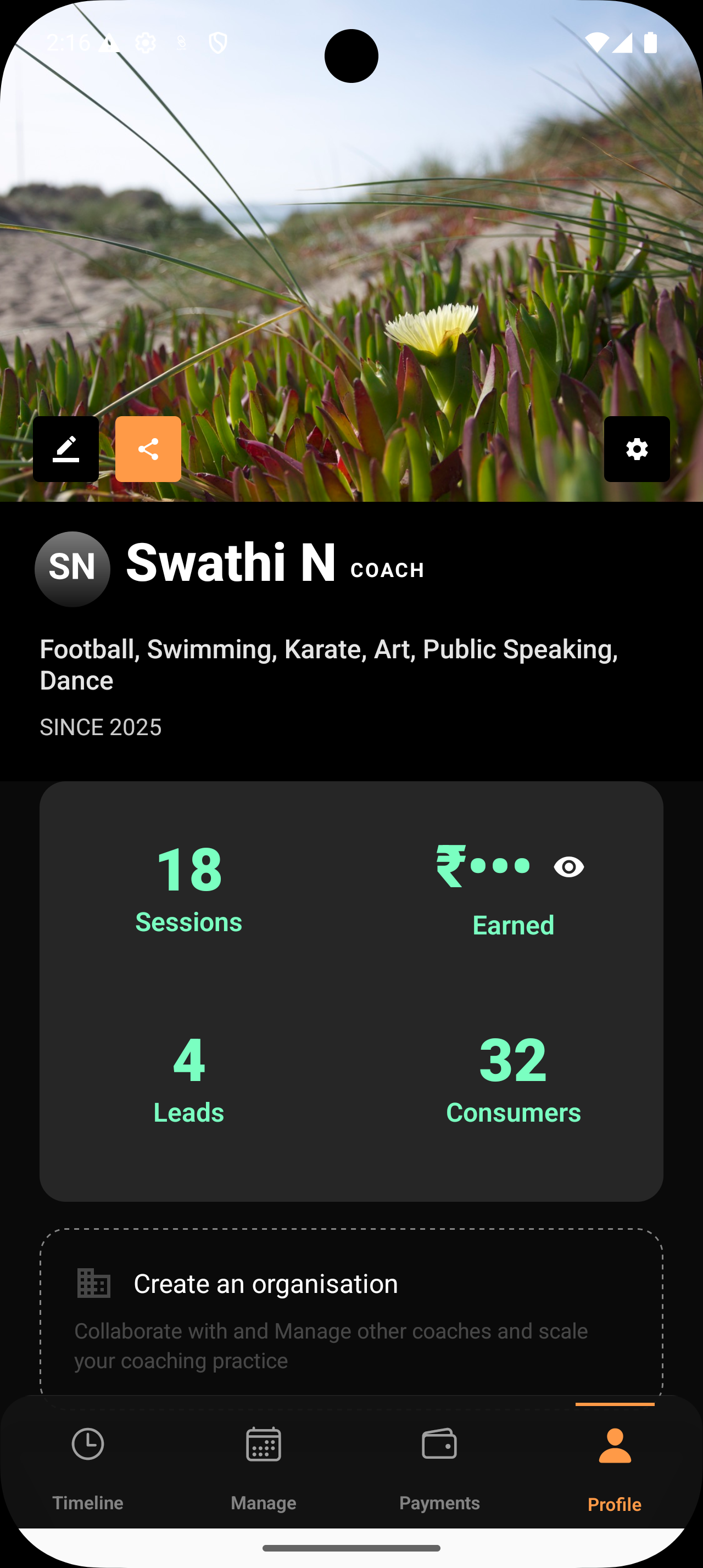
Step 2: Open Settings
At the top of the Profile screen:
Tap on Settings
This is where all communication and integration preferences live.
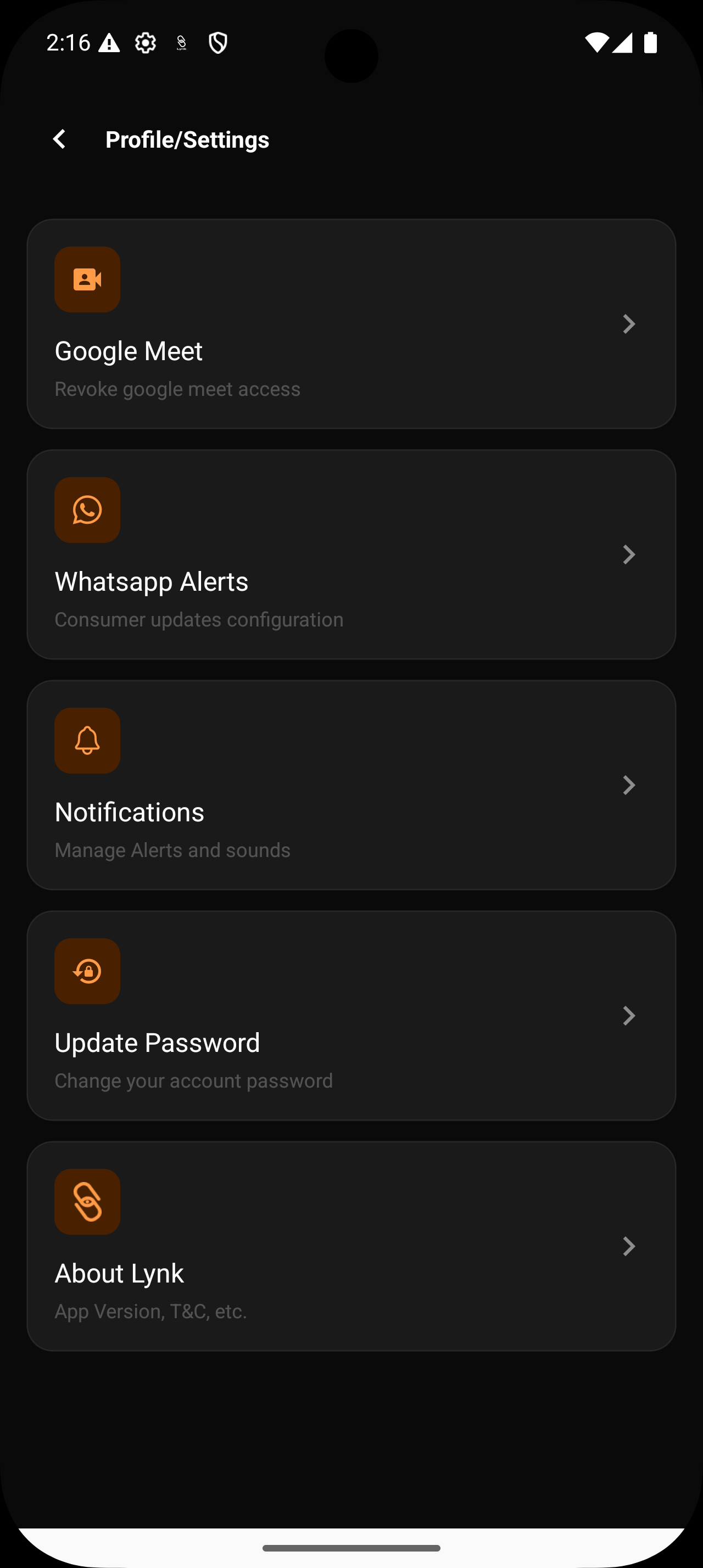
Step 3: Select WhatsApp Alerts
Inside Settings:
Tap on WhatsApp Alerts
This section controls all automatic WhatsApp updates sent to your consumers.
You are not editing messages.
You are simply deciding what triggers communication.
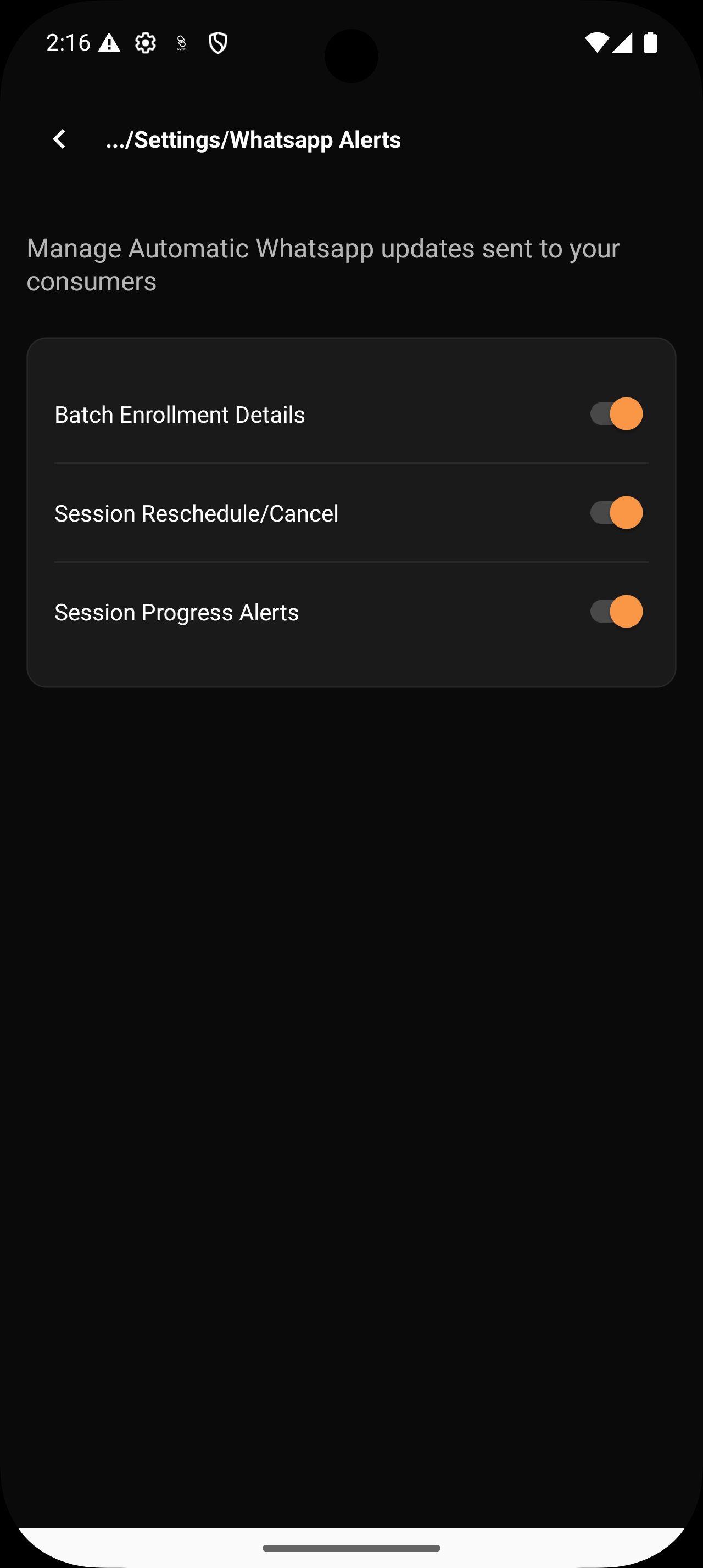
Available Communication Alert Controls
Inside WhatsApp Alerts, you’ll see clear toggle options.
Each toggle controls a specific type of system-generated alert.
Batch Enrollment Details
When enabled:
Learners are notified when they are enrolled into a batch
Batch details and confirmation are shared automatically
When disabled:
Enrollment happens silently without sending updates
Useful when you want:
clear confirmation for new joiners
structured onboarding communication
Session Reschedule / Cancel Alerts
When enabled:
Learners are notified if a session is rescheduled or cancelled
No manual explanations needed
When disabled:
Session changes are reflected internally without alerts
This is ideal when:
sessions change frequently
you want to reduce repeated clarification messages
Session Progress Alerts
When enabled:
Learners receive updates when the coach leaves for the venue
Learners are notified when the coach starts the session
Everyone knows the session is actively in progress
When disabled:
Learners will not receive real-time session movement updates
Session start and coach arrival need to be communicated manually if required
This is helpful if:
learners track sessions closely
you want to avoid “Is the coach coming?” messages
sessions are time-sensitive or location-based
you want real-time clarity without manual communication
Turn Alerts On or Off — Anytime
Each alert type has a simple toggle.
You can:
enable all alerts
disable specific ones
adjust settings anytime as your coaching style evolves
There’s no lock-in.
No permanent configuration.
Your communication adapts as your coaching grows.
Conclusion
Good communication isn’t about saying more.
It’s about saying the right thing at the right time.
By managing communication alerts in Lynk:
updates stay consistent
learners stay informed
coaching stays uninterrupted
Let the system handle routine communication — so you can focus on what matters most: coaching.