How to View and Edit Attendance
Track and manage attendance with complete visibility and control.
Written by Swathi N
Lynk Tower makes it easy to view detailed attendance records for each student and update them whenever needed.
Why Attendance Management Matters
Track student participation
Monitor consistency
Maintain accurate records
Make informed decisions
How to View Attendance
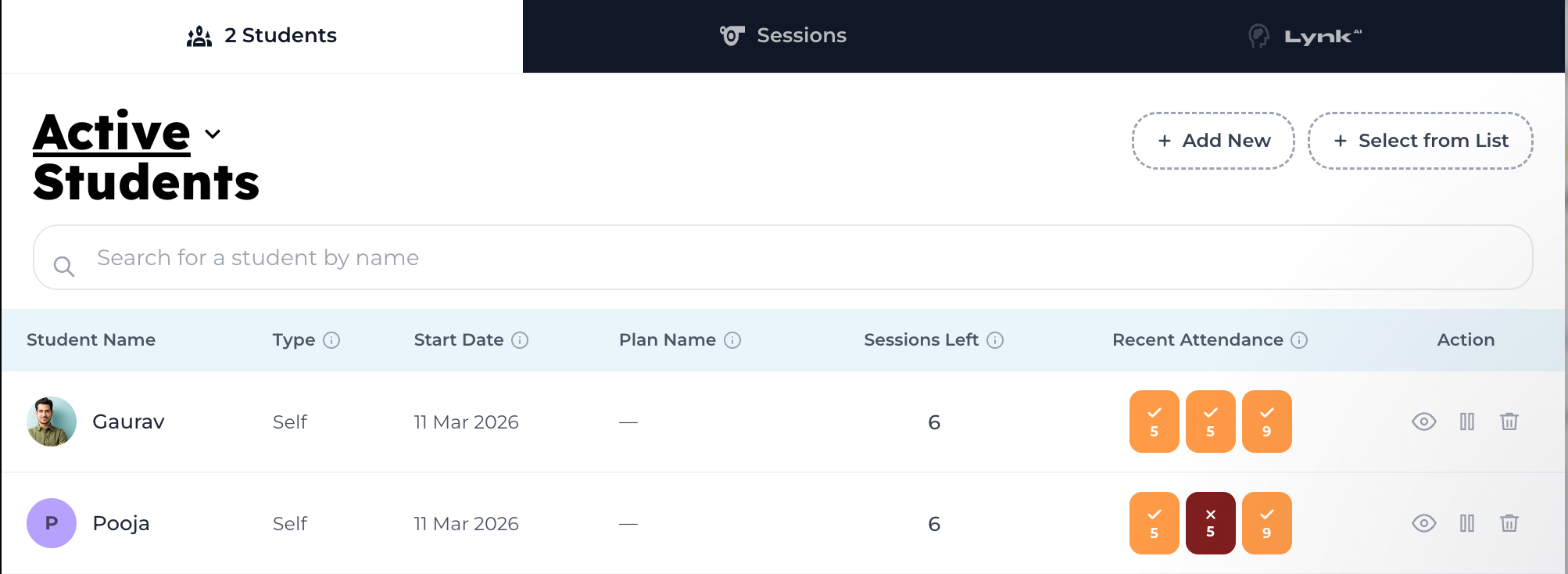
Go to the Batches tab
Open the batch card
Navigate to the Students tab
Find the student
Click the View (eye) icon
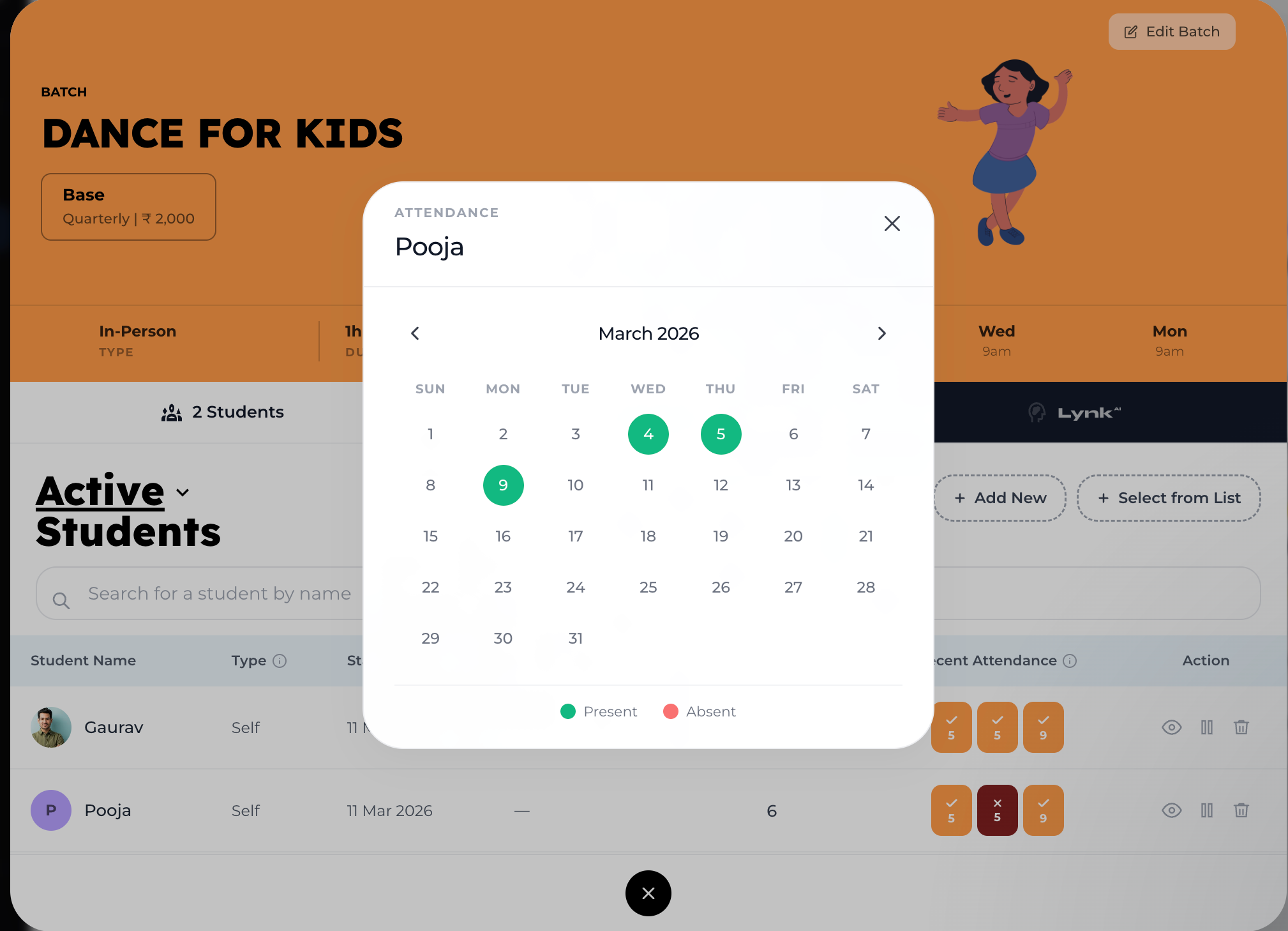
What You Can See
Calendar view of attendance
Recent attendance
How to Edit Attendance
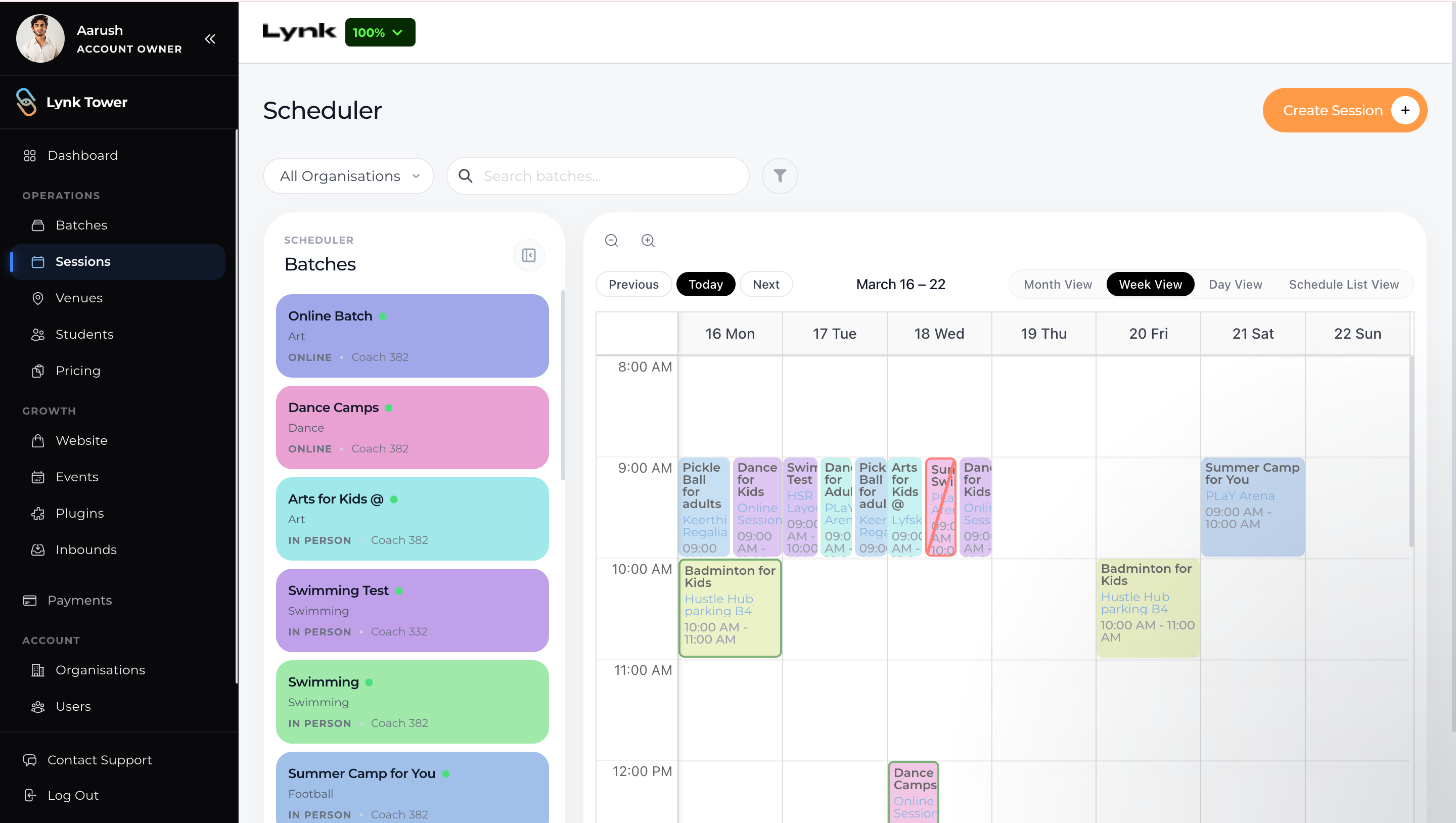
Go to the Sessions tab
Select the session you want to update
3. Under Students, locate the attendance column
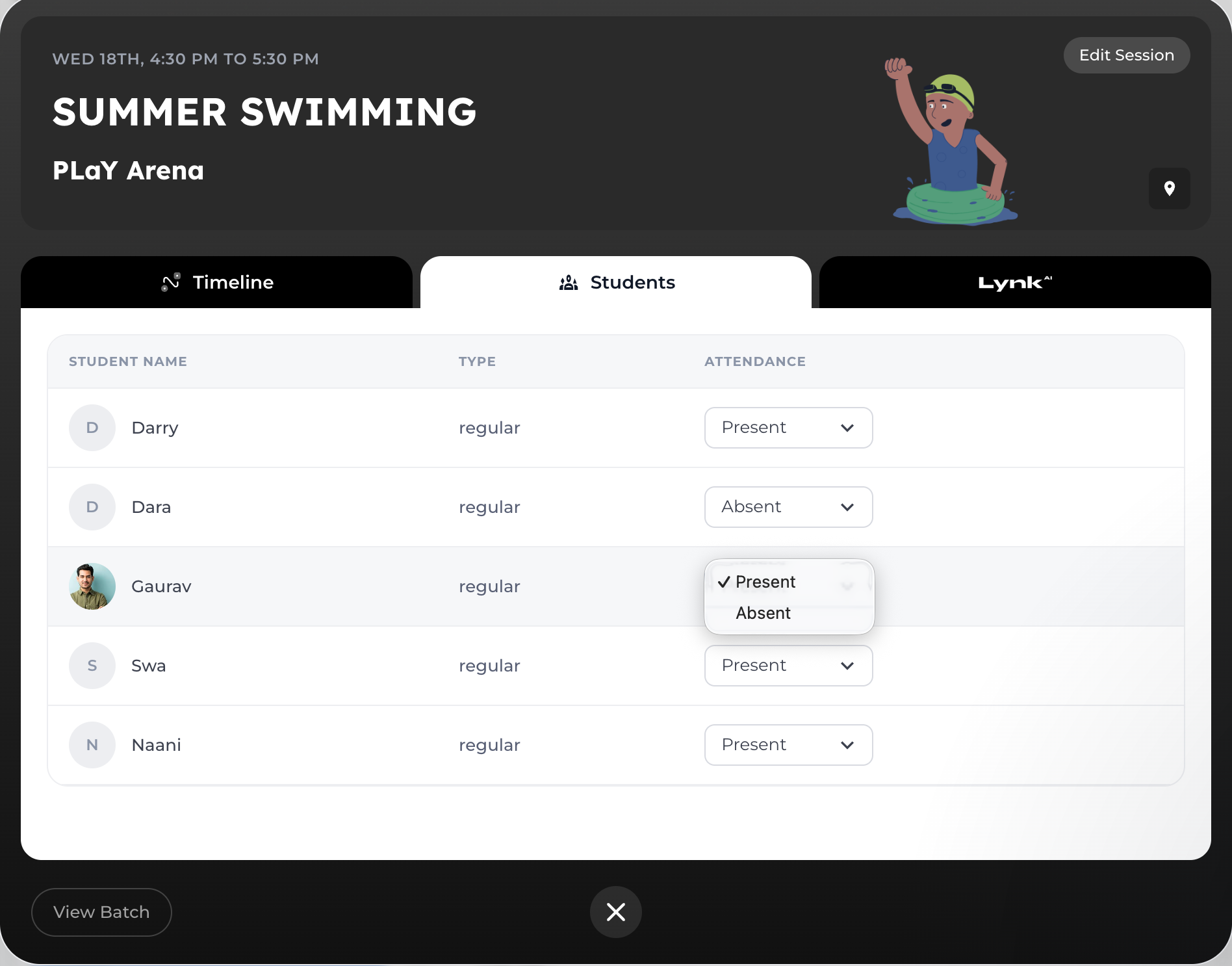
4. Update the attendance status as needed
What Happens After Editing
Attendance updates instantly
Changes reflect across reports and records
Admin and coaches see the updated data
Best Practices
Regularly review attendance for accuracy
Update attendance right after sessions
Use the calendar view for better tracking
Conclusion
Lynk Tower provides a simple yet powerful way to track and manage attendance. With both detailed views and quick editing options, you can ensure your records are always accurate and up to date.