How to View Past Sessions in a Batch
Easily track and review completed sessions for any batch.
Written by Swathi N
Lynk Tower allows you to view all past sessions within a batch, helping you monitor session history, attendance, and performance over time.
Why View Past Sessions?
Viewing past sessions helps you:
Track completed classes
Review attendance and participation
Analyze session history
Maintain accurate records
Steps to View Past Sessions
Go to the Batches tab in Lynk Tower
Open the batch card for which you want to view sessions
Navigate to the Sessions tab
In the top left corner, change the filter from Upcoming to Past
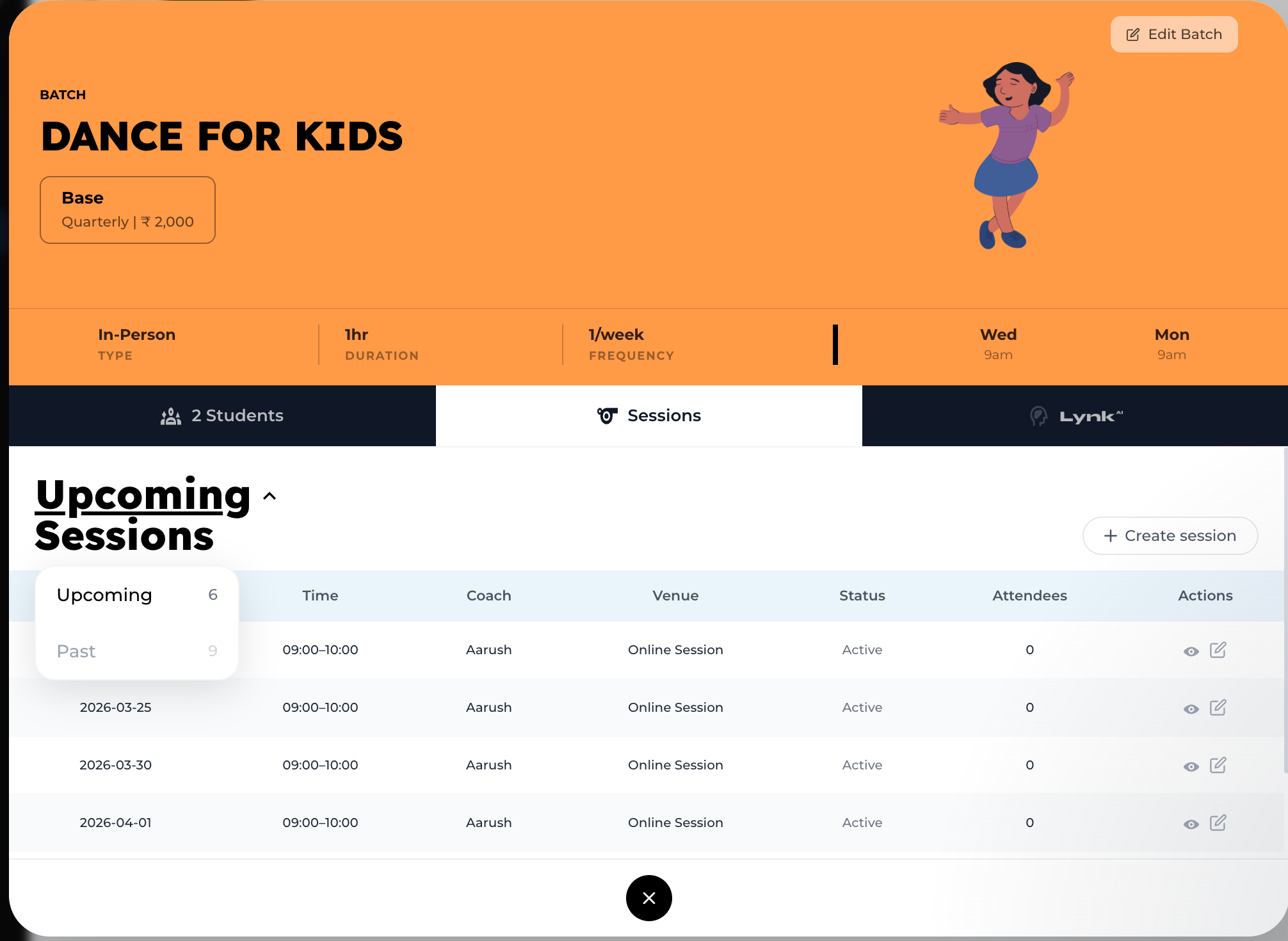
What You Can See
Once you switch to Past, you can view:
Session date and time
Assigned coach
Venue details
Session status (e.g., completed)
Number of attendees
Conclusion
Viewing past sessions in Lynk Tower gives you a clear history of your batch activities, helping you stay organized and make informed decisions based on past performance.