Online vs. In-Person batches
How to choose between online and in-person sessions and link a venue when creating a batch.
Written by Swathi N
When creating a batch in Lynk Tower, you can choose whether the sessions will be conducted online or in-person. This is controlled using the Type toggle during batch setup.
Selecting the correct session type helps define how students will attend the class and whether a physical location needs to be assigned.
Understanding the Type Setting
While creating a batch, you will see the Type toggle with two options:
Online
In-Person
Each option determines how and where the session will take place.
Online Batches
Selecting Online means the coaching sessions will be conducted virtually.
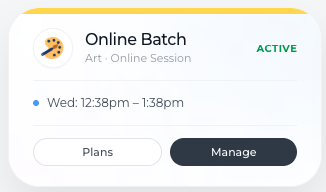
How Online Batches Work
Students join the session remotely.
No physical venue needs to be selected.
Coaches can conduct the session directly from the Lynk by clicking Join Session, which automatically redirects them to a Google Meet meeting.
This makes it easy for coaches to start and manage online sessions without needing to manually create meeting links.
When to Use Online Batches
Online batches are suitable for:
Virtual coaching sessions
Online tutoring or classes
Remote training programs
Students attending from different locations
This option is ideal when classes do not require a physical location.
In-Person Batches
Selecting In-Person means the sessions will take place at a physical venue.
When this option is selected, you will need to link a venue from your Venues list.
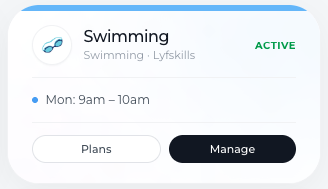
Selecting a Venue
You can either:
Select an existing venue from your saved venues, or
Add a new venue directly while creating the batch.
Venues are managed from the Venues tab, where you can store all your training locations.
Types of Venues
When adding or selecting a venue, you can define the venue type.
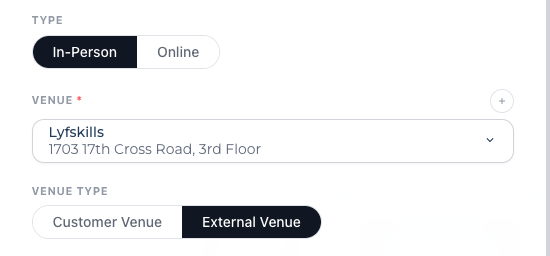
Customer Venue
A Customer Venue means the coach travels to the student’s location.
Examples include:
Home coaching sessions
Personal training at a client’s location
Private tutoring at a student’s residence
External Venue
An External Venue means students travel to the coach’s or academy’s location.
Examples include:
Dance studios
Sports academies
Training centers
Coaching institutes
Choosing the correct venue type helps organize where sessions will take place and how students should attend.
Key Differences Between Online and In-Person Batches
Batch Type | Description |
Online | Sessions are conducted virtually and coaches can start sessions from the Lynk via Google Meet. |
In-Person | Sessions are conducted at a physical venue selected from the Venues tab. |
Conclusion
The Type setting in Lynk Tower allows you to choose whether your sessions will be conducted online or in person. For in-person batches, you can easily link a venue by selecting an existing location or adding a new one.
Choosing the right session type ensures that students clearly understand how and where the sessions will take place, helping your coaching programs run smoothly.