Types of batches
Lynk supports all common batch formats—1:1 or group, online or offline—so you can run classes the way you teach. Each batch type keeps scheduling, attendance, payments, and tracking simple and structured.
Written by Sumit Kapoor
Online vs Offline Batches
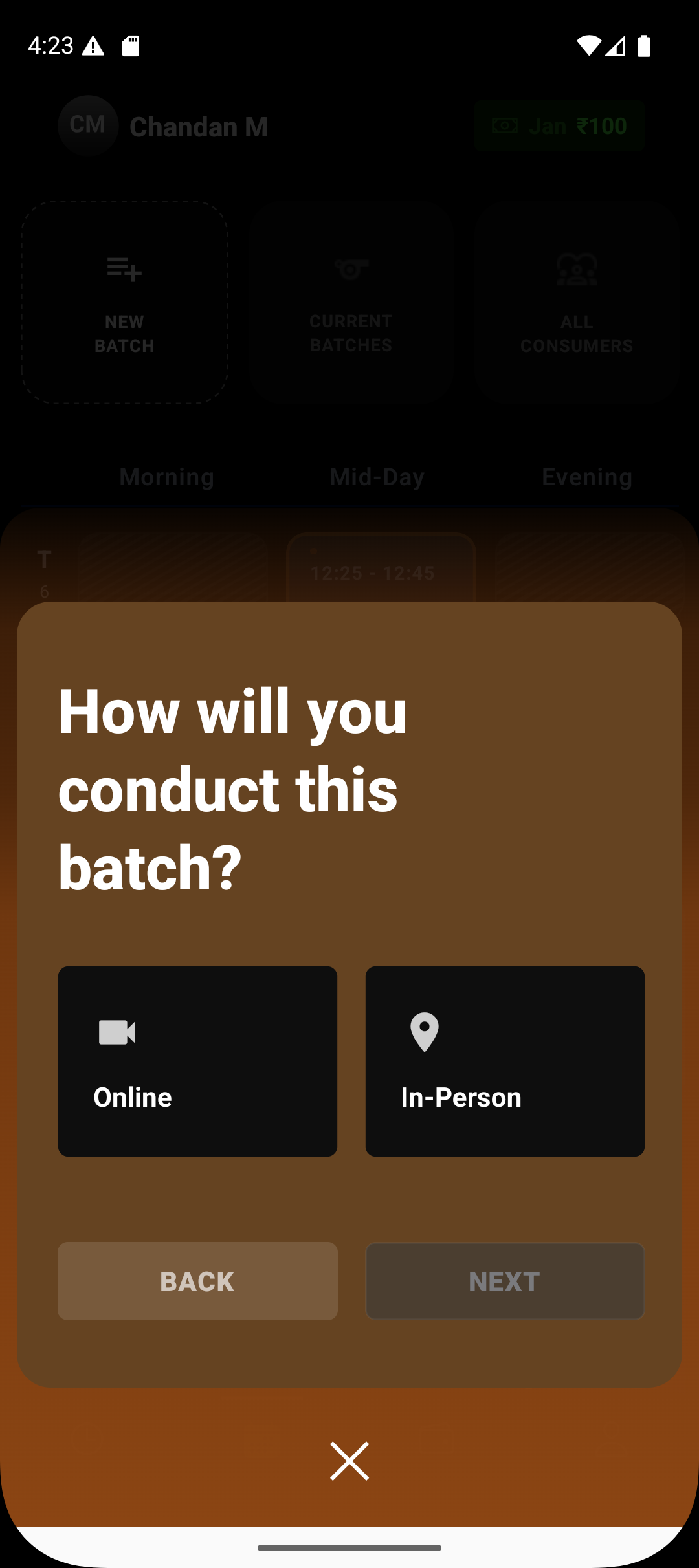
Offline Batch
An offline batch is tied to a physical venue where sessions are conducted in person.
Best suited for:
Academies and coaching centers
Consumer Venue
Society or community spaces
How it works in Lynk:
A venue (academy, address, or location) is linked to the batch
Sessions appear on the timeline with physical context
Attendance is marked on-site per session
Online Batch
An online batch is conducted virtually, without a physical location.
Best suited for:
Google Meet / video-based coaching
Remote or hybrid coaching setups
How it works in Lynk:
Venue is set as Online
Sessions don’t carry a physical location
Coaches focus only on scheduling, attendance, and progress
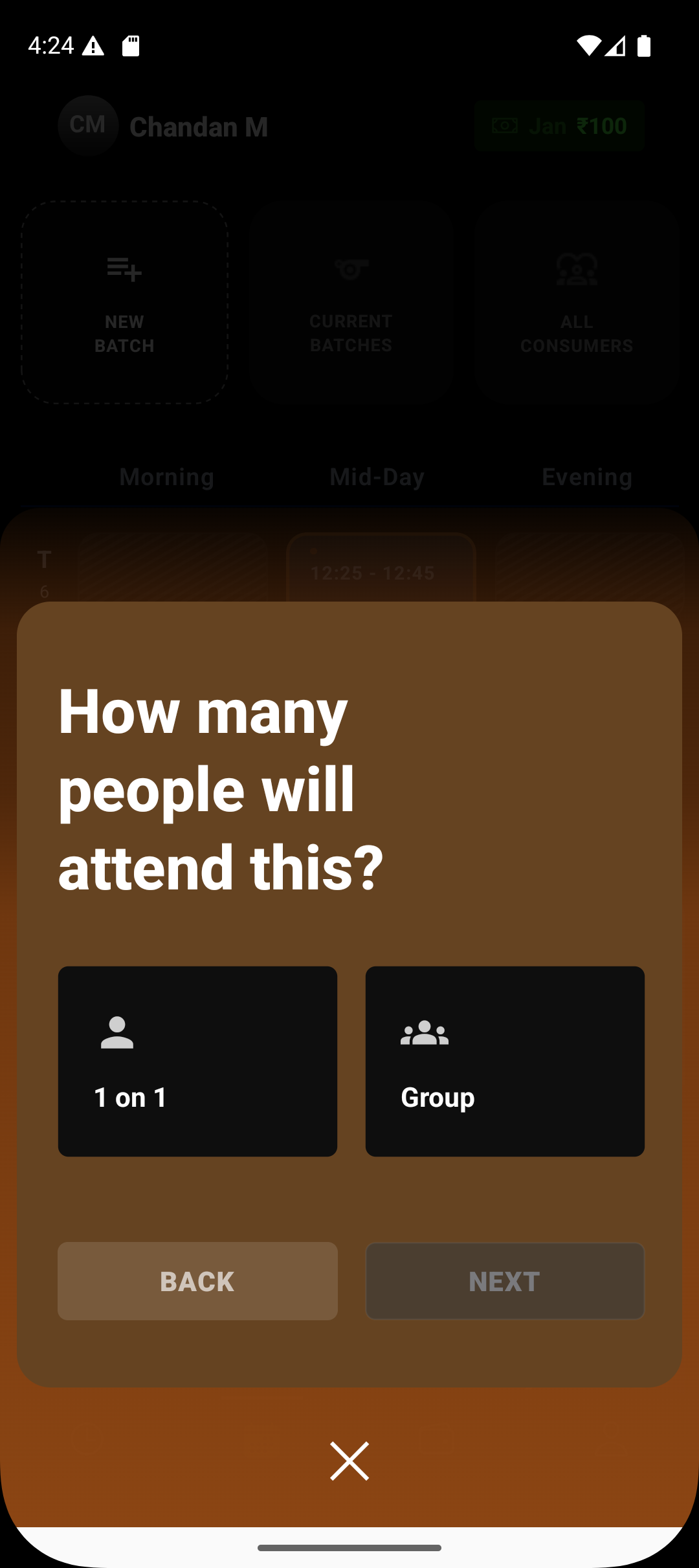
Individual vs Group Batches
Individual (1:1) Batch
An individual batch is designed for one coach and one student.
Best suited for:
Personal training
Private coaching
Customized learning plans
How it works in Lynk:
One student per batch/session
Personalized session planning and notes
Clear progress tracking for a single learner
Group Batch
A group batch allows multiple students to attend the same session.
Best suited for:
Classes, workshops, and group programs
Academies handling multiple learners at once
How it works in Lynk:
Multiple students enrolled in a batch
Attendance is marked per student
Progress, notes, and reports remain individual even in group settings
Why This Matters
By separating how sessions are conducted (online/offline) from how many students attend (individual/group), Lynk gives you full flexibility without complicating operations.
You can:
Run mixed formats effortlessly
Maintain clean records across batch types
Scale your coaching without changing workflows
In Summary
Batch Type | What It Means |
Offline | In-person sessions tied to a physical venue |
Online | Virtual sessions with no physical location |
Individual (1:1) | One student per batch |
Group | Multiple students with individual attendance |