Where do your leads come from? Understanding Lead Types
How different types of inquiries and registrations appear in your Leads dashboard.
Written by Swathi N
In Lynk Tower, incoming inquiries from your website and integrations are organized into different lead types. This helps you understand how a visitor contacted you and what action they took.
Within the Leads section, requests are typically grouped into three categories:
Leads
Event Registrations
Appointments
Each category represents a different way someone interacts with your website or booking tools.
Leads
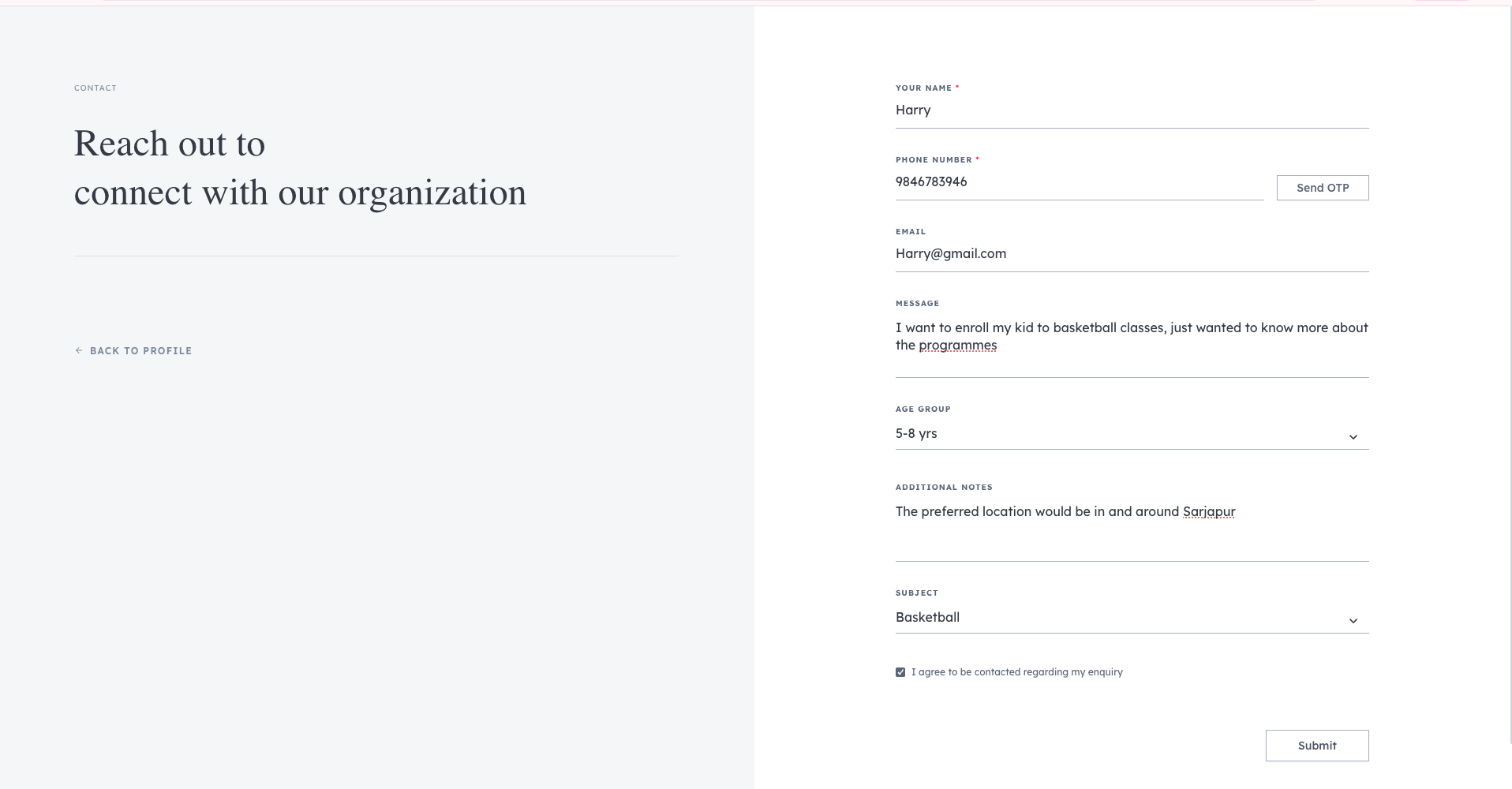
The Leads tab displays general inquiries submitted by visitors through your website.
These usually come from:
The default storefront contact form
The Share Coach Profile link
When someone submits this form, they provide basic information such as:
Name
Phone number
Email (optional)
Message or inquiry details
These leads represent people who are interested in learning more about your coaching services but have not selected a specific class or event.
Event Registrations
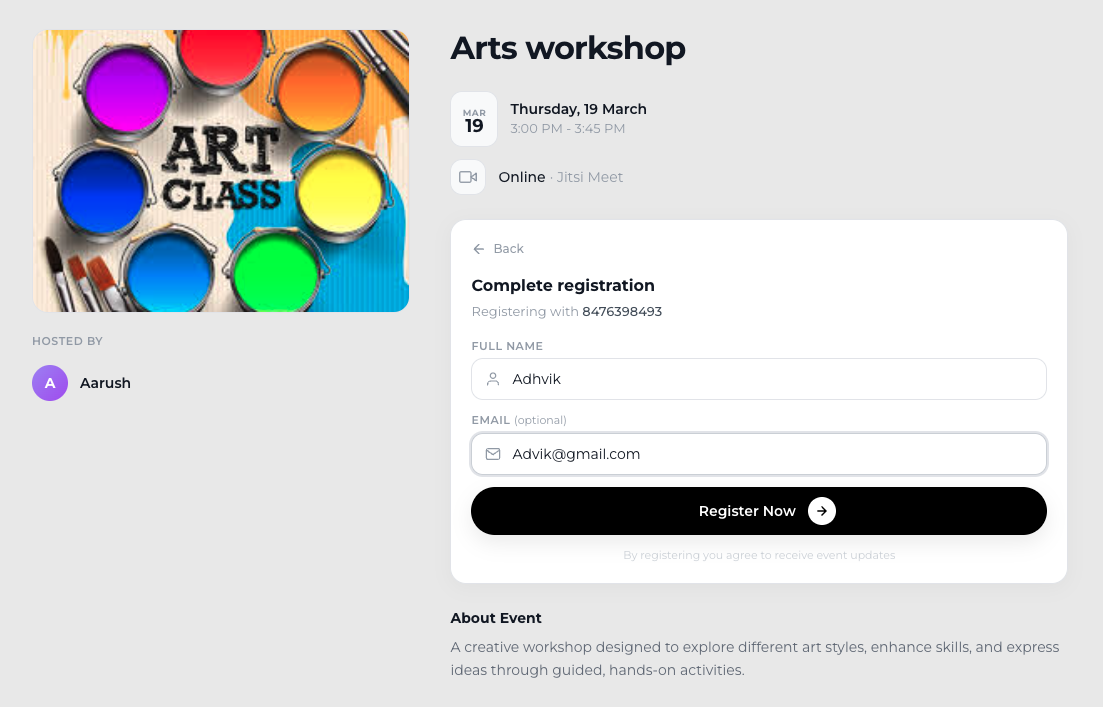
The Event Registrations tab shows who have signed up for an event hosted through Lynk Tower.
Examples of events include:
Webinars
Workshops
Special coaching sessions
Online masterclasses
When a visitor registers for an event from your website, their details automatically appear under Event Registrations in the Leads dashboard.
This allows your team to track all participants who have registered for upcoming events.
Appointments
The Appointments tab shows meetings that have been booked through your Google Calendar Booking integration.
If you have connected your scheduling link to your website, visitors can book a meeting or consultation slot directly.
Once an appointment is booked, the booking details appear in the Appointments section. This typically includes:
Visitor name
Contact details
Scheduled meeting time
This helps you track consultations or one-on-one meetings scheduled through your booking link.
Why Lead Types Are Organized Separately
Separating leads by type makes it easier to understand the intent behind each inquiry.
For example:
A Lead is someone asking about your services.
An Event Registration is someone signing up for a specific event.
A Calendly Appointment is someone scheduling a direct meeting.
This organization allows your team to manage follow-ups and communication more efficiently.
Conclusion
The Leads dashboard in Lynk Tower organizes inquiries into different categories based on how visitors interact with your platform.
Leads – General inquiries from the storefront form or coach profile
Event Registrations – Users who sign up for webinars or events
Calendly Appointments – Meetings scheduled through your Calendly booking link
Understanding these lead types helps you track how potential students and parents are connecting with your coaching services.