Setting up your Contact/Lead Capture Form
Customize the form visitors use to contact your academy or request more information.
Written by Swathi N
The Lead Capture Form in Lynk Tower allows visitors on your storefront to send inquiries or request more details about your programs. This form helps academies collect important contact information from parents or students who are interested in learning more.
Using the Store Builder editor, you can customize which fields appear in the form, add additional questions, and edit the submit button text.
Editing the Lead Capture Form
To configure the lead capture form:
Go to Store Builder in Lynk Tower.
Click Open Editor for the storefront you want to edit.
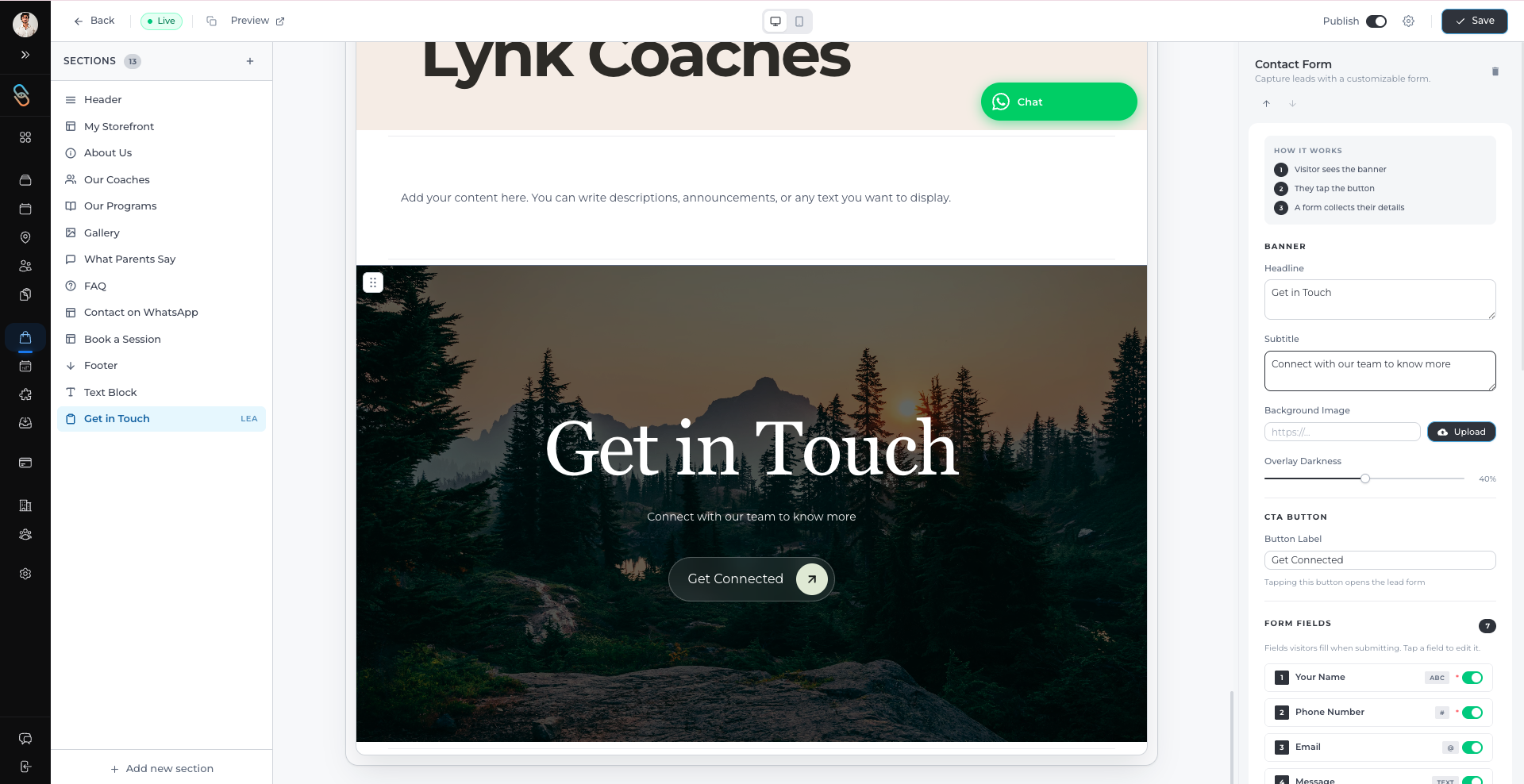
Select the Contact or Lead Capture Form section from the Sections panel.
The form settings will appear in the right-side panel.
From here, you can manage the fields that appear in the form.
Choosing Which Fields to Display
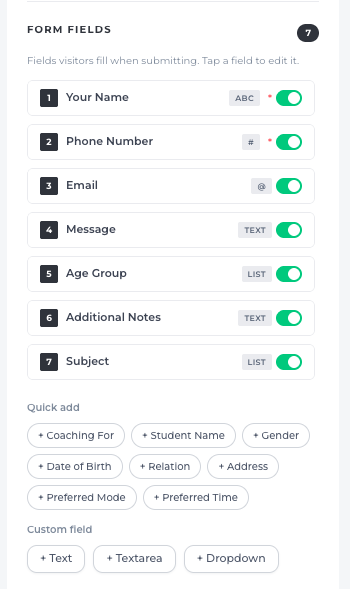
The form allows you to select which information you want to collect from visitors.
Common default fields include:
Your Name
Phone Number
Email
Message
Each field can be toggled on or off, and you can also mark certain fields as required.
This allows you to control the information visitors must provide before submitting the form.
Using Quick Add Fields
The Quick Add section lets you quickly add commonly used form fields such as:
Coaching For
Student Name
Age Group
Gender
Date of Birth
Relation
Address
Preferred Mode
Preferred Time
Subject
Additional Notes
These fields help academies gather more relevant information about the student or program inquiry.
Adding Custom Fields
If you need additional information, you can also create custom fields.
Available custom field types include:
Text – For short answers
Text area – For longer responses
Dropdown – For selecting from predefined options
This gives you flexibility to collect information specific to your academy or programs.
Editing the Submit Button
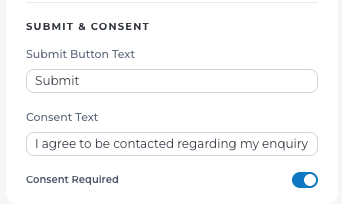
You can customize the form’s submission settings in the Submit & Consent section.
Submit Button Text
You can edit the Submit Button Text to match your preference, such as:
Submit
Send Inquiry
Contact Us
Request Details
Consent Text
You can also add Consent Text to inform visitors that they agree to be contacted after submitting the form.
For example:
“I agree to be contacted regarding my inquiry.”
You can also make this consent required before submission.
Why the Lead Capture Form Matters
The Lead Capture Form in Lynk Tower helps academies:
Collect contact details from interested visitors
Understand student requirements
Follow up with potential students or parents
Generate leads directly from the storefront
Conclusion
By customizing the Lead Capture Form in Lynk Tower, you can collect meaningful information from visitors who are interested in your programs. With flexible field options, quick-add questions, and customizable submission settings, the form becomes an effective tool for generating and managing new leads.