Sharing your event's public registration link
Promote your event effectively by sharing a direct registration link with your audience.
Written by Swathi N
In Lynk Tower, you can quickly share your event with a wider audience using a public registration link. This allows anyone with the link to view and register for your event.
When is the Share Link Available?
The Share Link option is available only when your event visibility is set to Public.
If the event is Public → Share option is enabled
If the event is Invite Only → Share option is not available
This ensures that only events meant for open access can be shared externally.
How to Share the Event Link
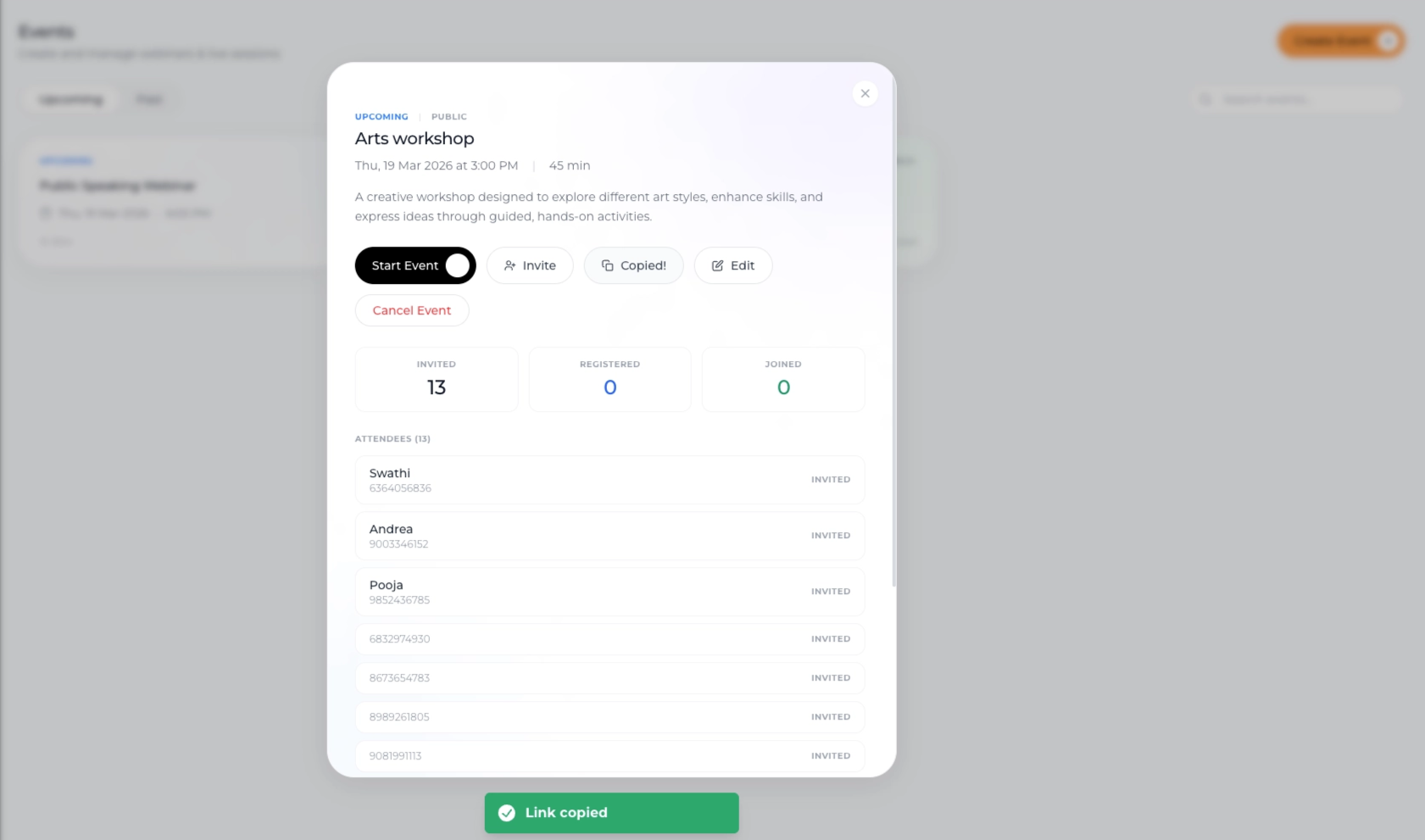
To copy and share your event link:
Go to the Events tab
Open the event you want to promote
Click on the Share Link button
Copy the generated registration URL
Where Can You Use the Link?
Once copied, you can share the link across multiple channels:
WhatsApp
SMS
Social media platforms
Email campaigns
Websites or landing pages
Anyone with the link can directly access the event and register.
What Happens When Users Click the Link?
They are taken to the event registration page
They can view event details
They can complete the registration process
This makes it easy to drive participation without manual invites.
Best Practices
Set visibility correctly
Ensure the event is Public before sharing.
Use in promotions
Add the link to your marketing campaigns for better reach.
Share early and often
Distribute the link across channels to maximize registrations.
Conclusion
The Share Link feature in Lynk Tower helps you promote your events effortlessly. By setting your event to Public and sharing the registration URL, you can reach a larger audience and drive more sign-ups with ease.