How to share your profile
Sharing creates a simple link you can send on WhatsApp or anywhere.
Written by Sumit Kapoor
Your coach profile is designed to be your public-facing presence on Lynk. It allows parents, students, or interested learners to understand who you are, what you teach, and how to get in touch with you.
Sharing your profile is the final step that turns your profile into an active discovery and enquiry channel. With a single shareable link, you can promote your services across messaging apps, social platforms, or personal networks—without manually explaining your offerings every time.
Where Profile Sharing Lives
Profile sharing is available directly inside your Profile section.
Once your profile is created or updated, it can be shared at any time without additional setup.
The link always reflects the latest version of your profile, so you don’t need to regenerate or resend it after making edits.
How to Share Your Profile
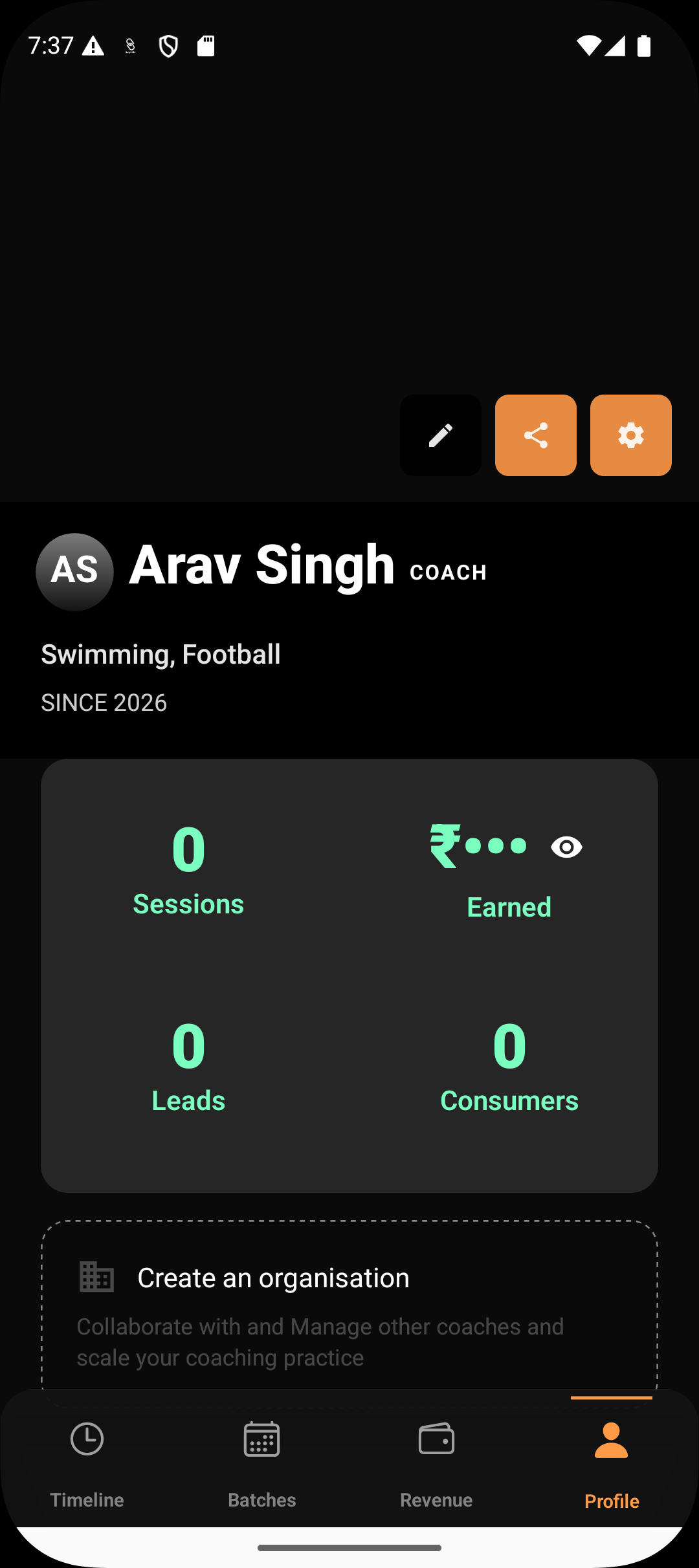
Step 1: Open your Profile
Navigate to the Profile tab from the bottom navigation bar.
Step 2: Tap on Share
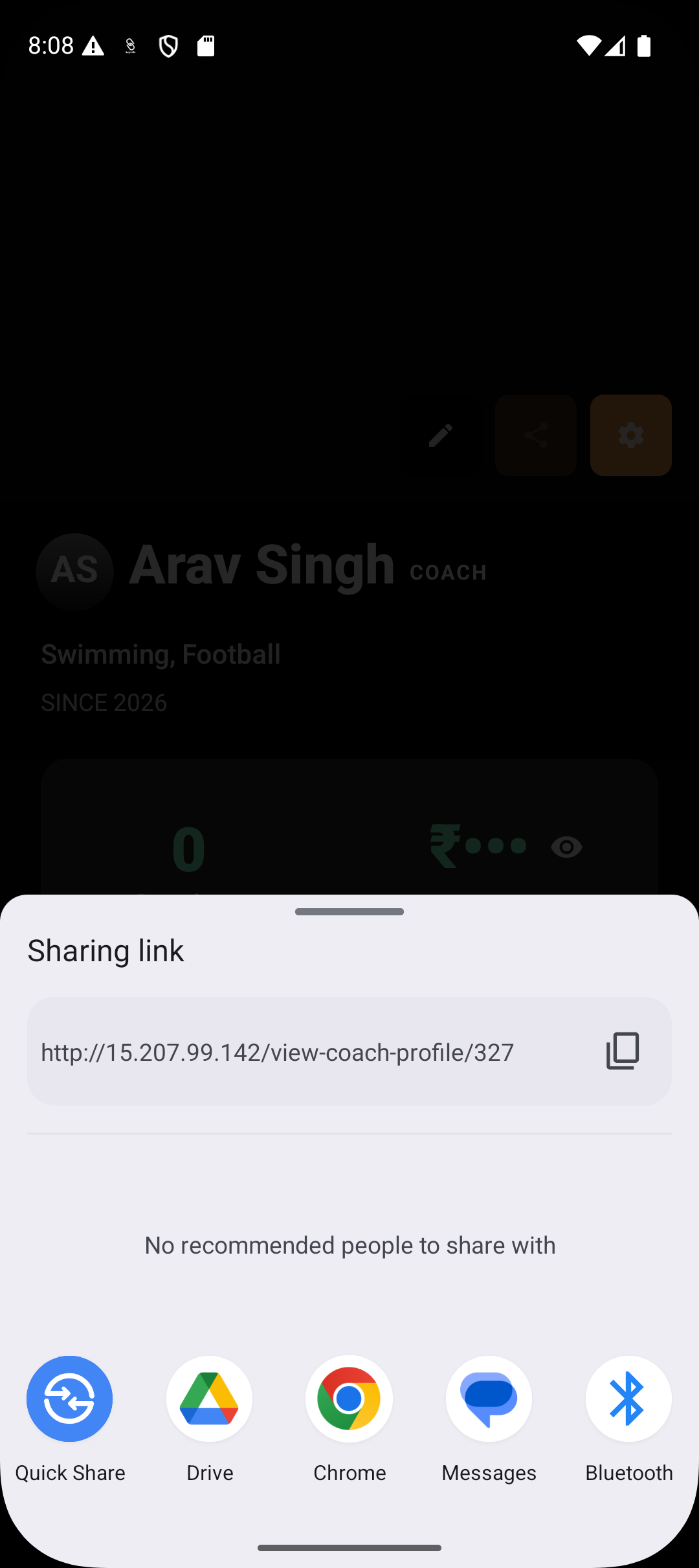
On the profile screen, tap the Share profile option. This opens the system share sheet.
Step 3: Copy or send the link
A public link to your coach profile is generated. You can:
Copy the link and paste it anywhere
Share directly via WhatsApp, Messages, email, or other apps
Step 4: Send to your audience
Share the link with parents, students, leads, or post it on social platforms where people can discover your services.
What Happens After You Share
Anyone opening the link can view your coach profile in a browser.
Viewers can see your identity, expertise, skills, and offerings.
Interested users can submit an enquiry directly through your profile.
Enquiries are captured without requiring manual follow-ups or explanations.
Sharing does not expose private operational data—only the information you’ve chosen to make public on your profile.
When Sharing Is Most Useful
Promoting your coaching services to new leads
Sharing with parents before enrollment
Posting on WhatsApp groups or community forums
Including in social media bios or messages
The same link can be reused multiple times across different channels.
Summary
Sharing your coach profile turns your Lynk presence into a simple, professional outreach tool. By generating a single shareable link from your Profile, you can showcase your expertise, attract enquiries, and grow your coaching practice without friction.
The profile stays editable, the link stays constant, and you stay in control of how and where it’s shared.