How profile sharing works
Profile sharing allows you to share your Lynk profile as a public link that prospects can open, review, and submit an enquiry through. Every submission created through this link automatically enters Lynk as a lead, ready for follow-up.
Written by Sumit Kapoor
What Is Profile Sharing?
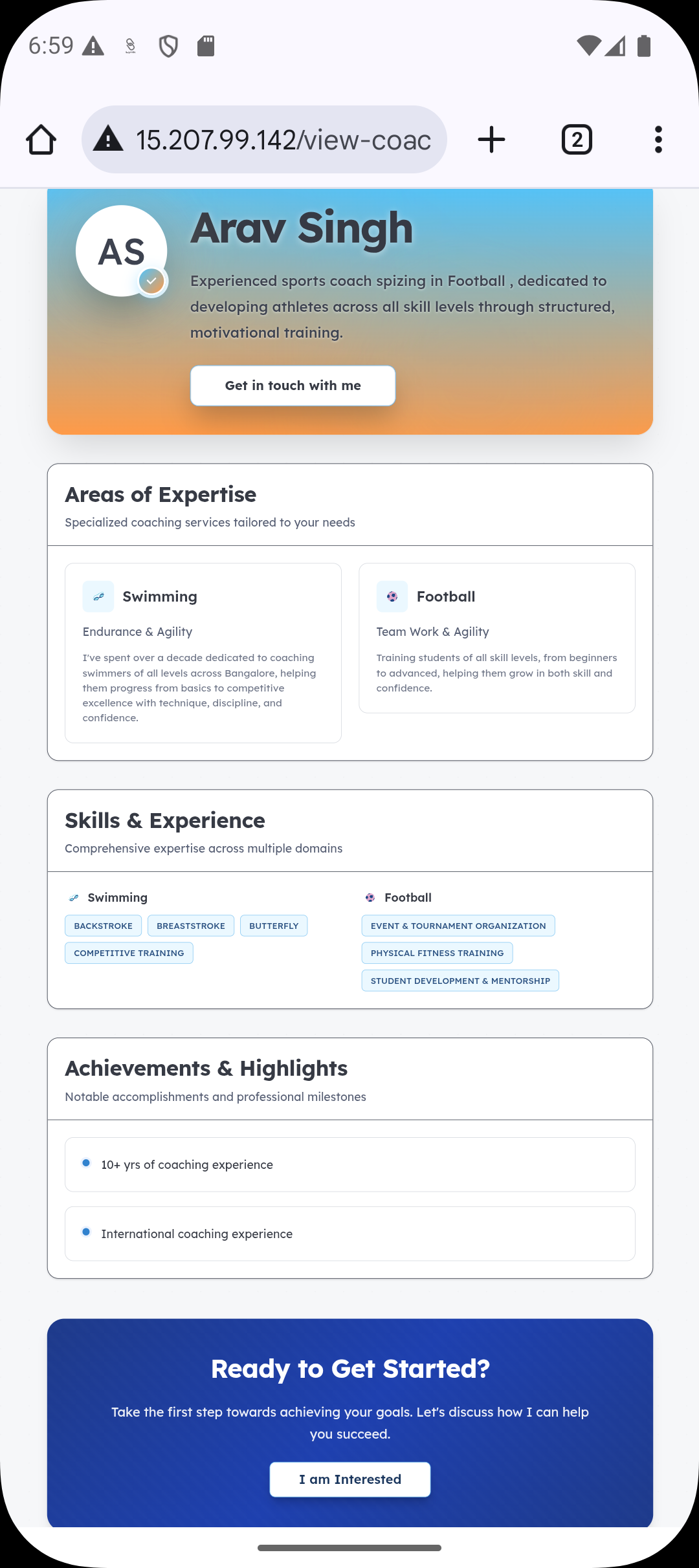
Profile sharing creates a public-facing version of your coach profile that anyone can open using a link.
The shared profile:
Displays your public coaching information
Allows prospects to submit an enquiry
Routes all submissions directly into Lynk as leads
No login is required for the prospect to submit an enquiry.
The End-to-End Flow of Profile Sharing
Profile sharing follows a simple, controlled flow:
Share link → Profile opened → Enquiry form submitted → Lead created
Each step is tracked and handled automatically by Lynk.
Step 1: Sharing Your Profile Link
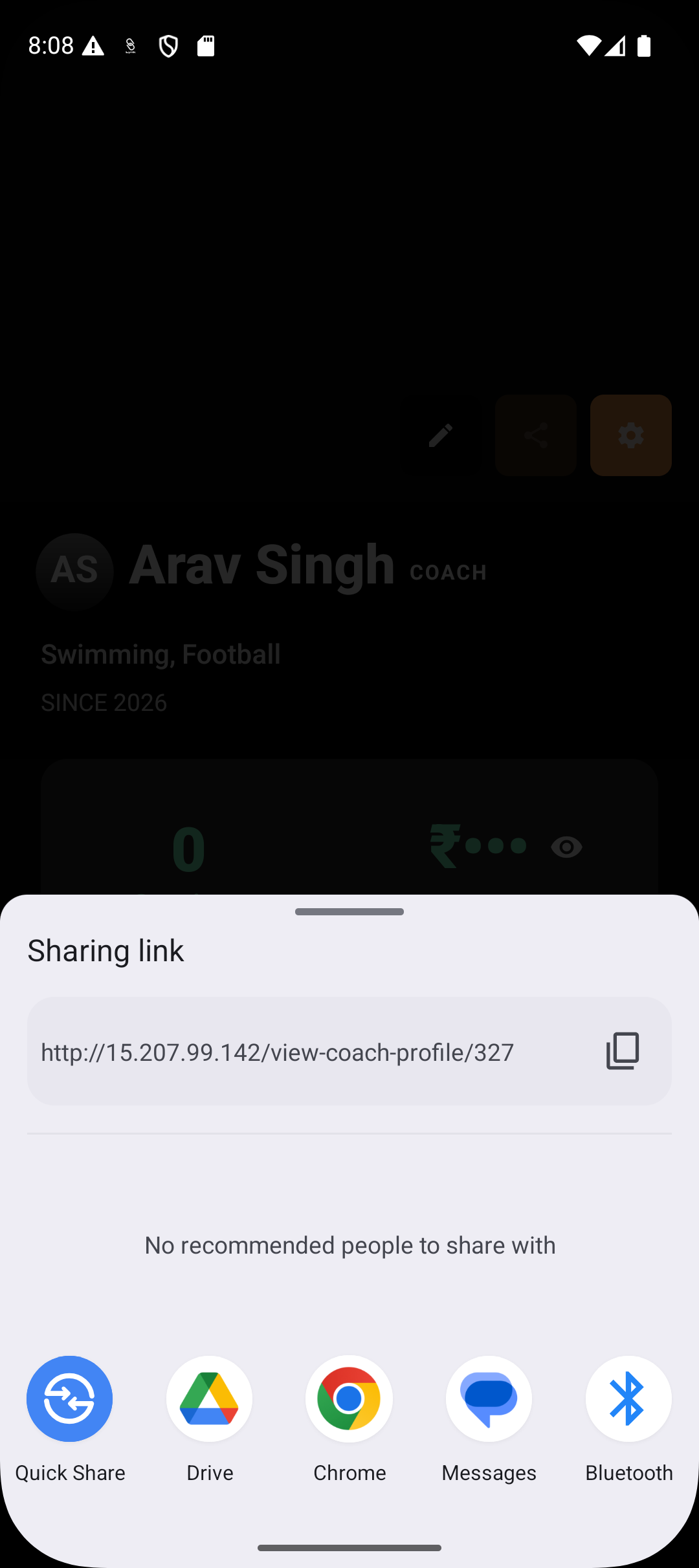
You can share your profile link from within Lynk using:
Messaging apps
Social media
Websites
Direct messages
The same link can be shared multiple times and across channels.
Step 2: Prospect Opens Your Profile
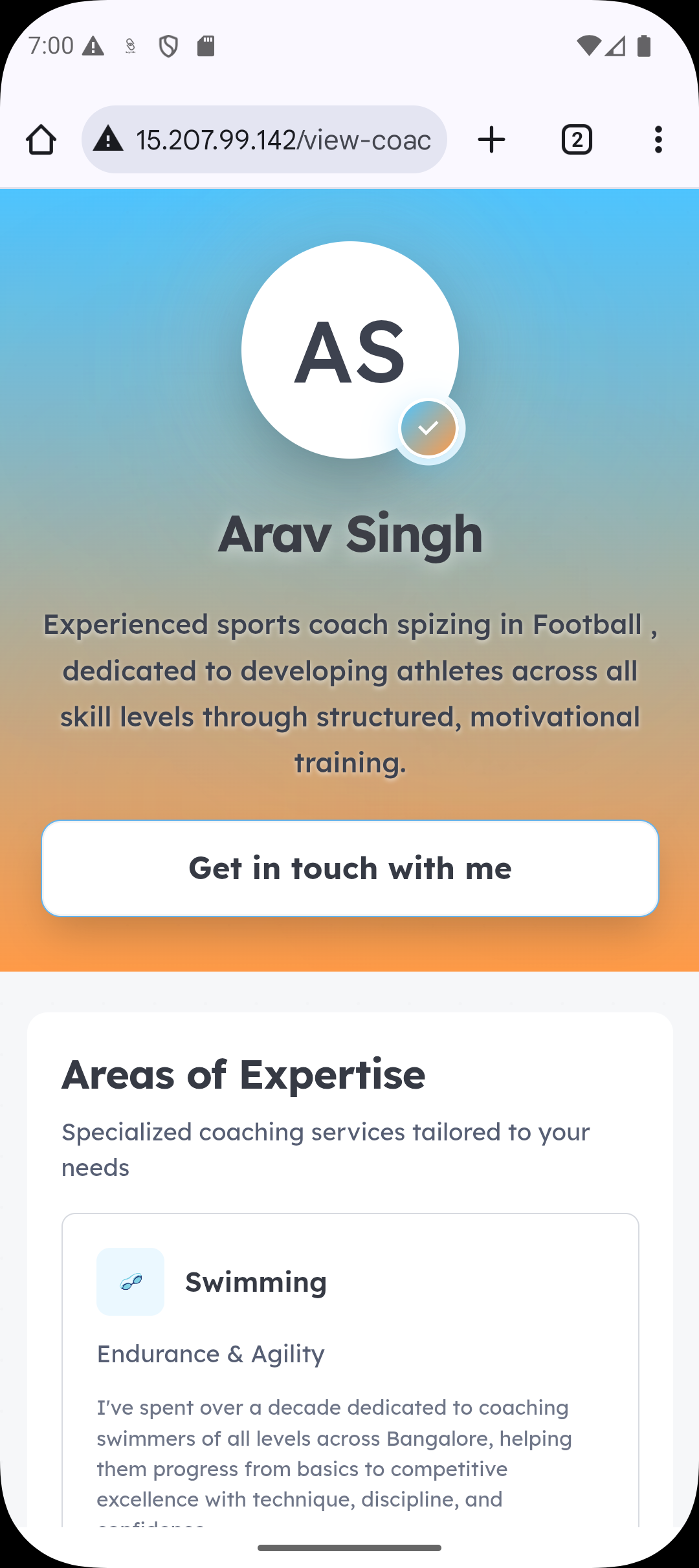
When a prospect opens the link:
They see your public profile details
They can understand your offering
They are prompted to submit an enquiry
The profile always reflects your latest saved information.
Step 3: Prospect Submits the Enquiry Form
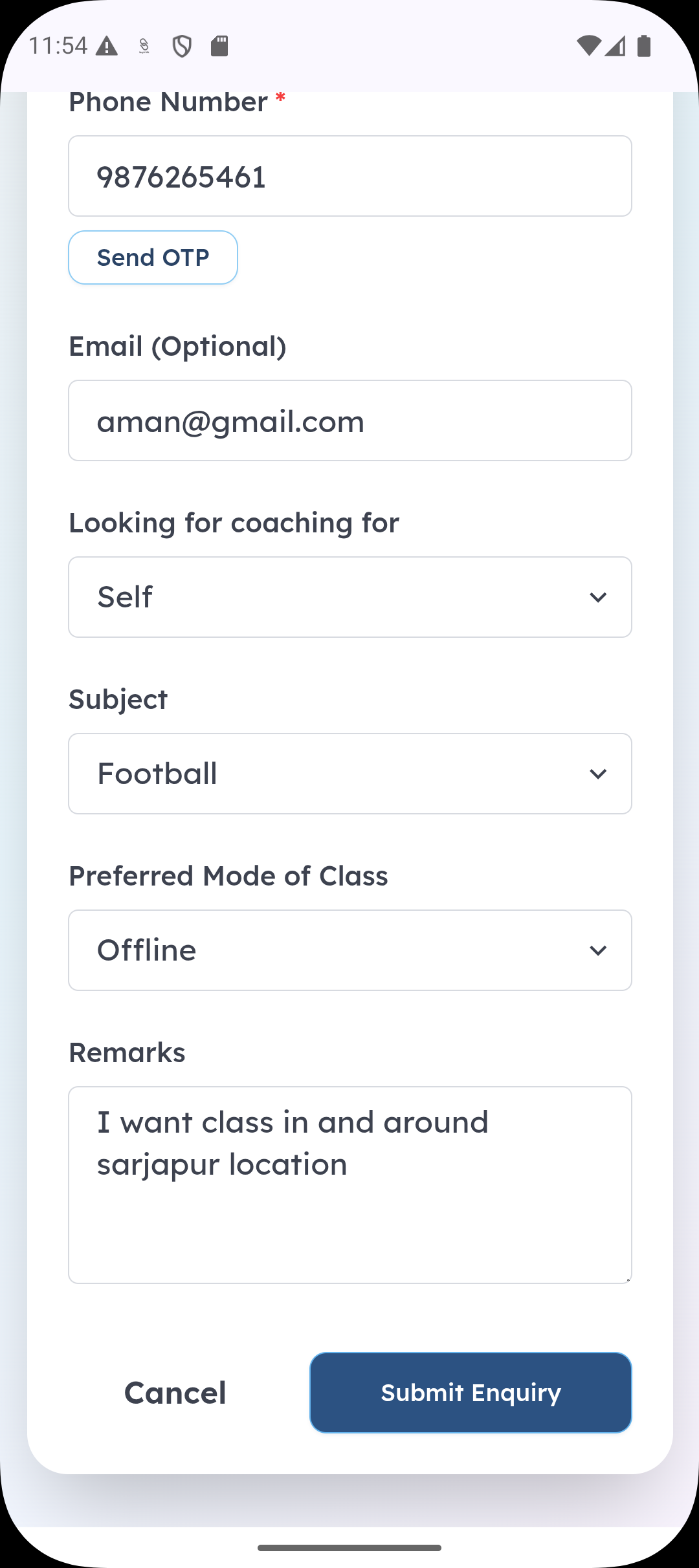
The prospect fills out a simple enquiry form, typically including:
Name
Contact details
Relationship (self / parent / other)
Basic requirement or interest
Once submitted:
The form closes
No further action is required from the prospect
Step 4: Lead Appears in Lynk
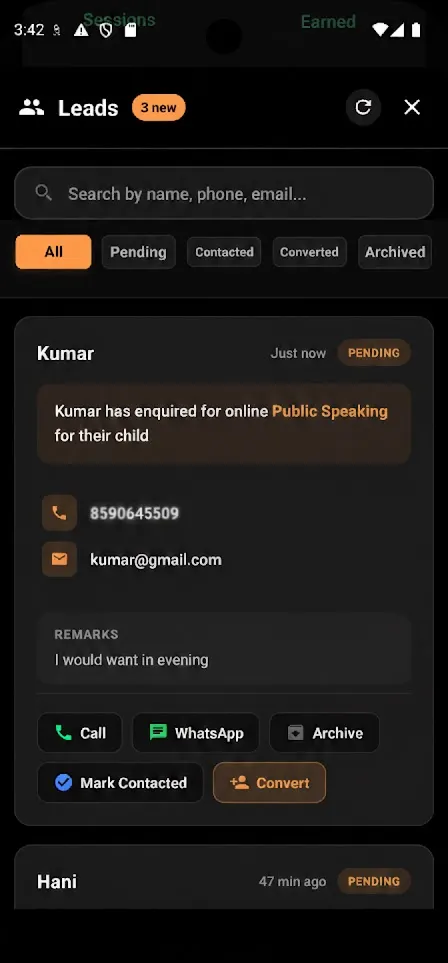
After submission:
A new lead is created instantly
It appears under Profile → Leads
The lead is marked as Pending
Timestamp and source context are recorded
From this point onward, the lead follows the standard lead lifecycle.
What Happens After a Lead Is Created
Once the lead appears:
The coach can contact the lead
The lead can be marked contacted, converted, or archived
Follow-ups and conversion workflows apply
Profile sharing only creates the lead — it does not auto-convert or enroll.
What Profile Sharing Does Not Do
Profile sharing does not:
Auto-enroll prospects into batches
Create consumer records
Trigger payments
Guarantee conversions
Allow editing of submitted data by the prospect
All decisions remain with the coach.
Why Lynk Uses Profile-Based Lead Routing
Routing enquiries through profile sharing ensures:
Leads are tied to the correct coach or organisation
No manual data entry is required
All enquiries enter a single, trackable system
Conversion and follow-up remain structured
This avoids scattered messages and lost enquiries.
Best Practices for Profile Sharing
Keep profile information accurate and updated
Share the link wherever prospects are active
Respond quickly to incoming leads
Use profile sharing instead of direct phone-only outreach
Track lead sources for better understanding of demand
Summary
Step | Outcome |
Profile link shared | Public profile accessible |
Prospect opens link | Profile details visible |
Enquiry submitted | Lead created |
Lead appears in Lynk | Ready for follow-up |