How leads are generated from a profile
Leads are created when someone fills out the enquiry from your circulated. Your coach profile is the main entry point for enquiries. When someone shows interest, Lynk captures it as a lead—so nothing is lost and all leads stay tracked in one place.
Written by Sumit Kapoor
The Profile-to-Lead Flow
The journey from profile view to lead creation follows a structured, traceable flow designed to capture genuine interest without friction.
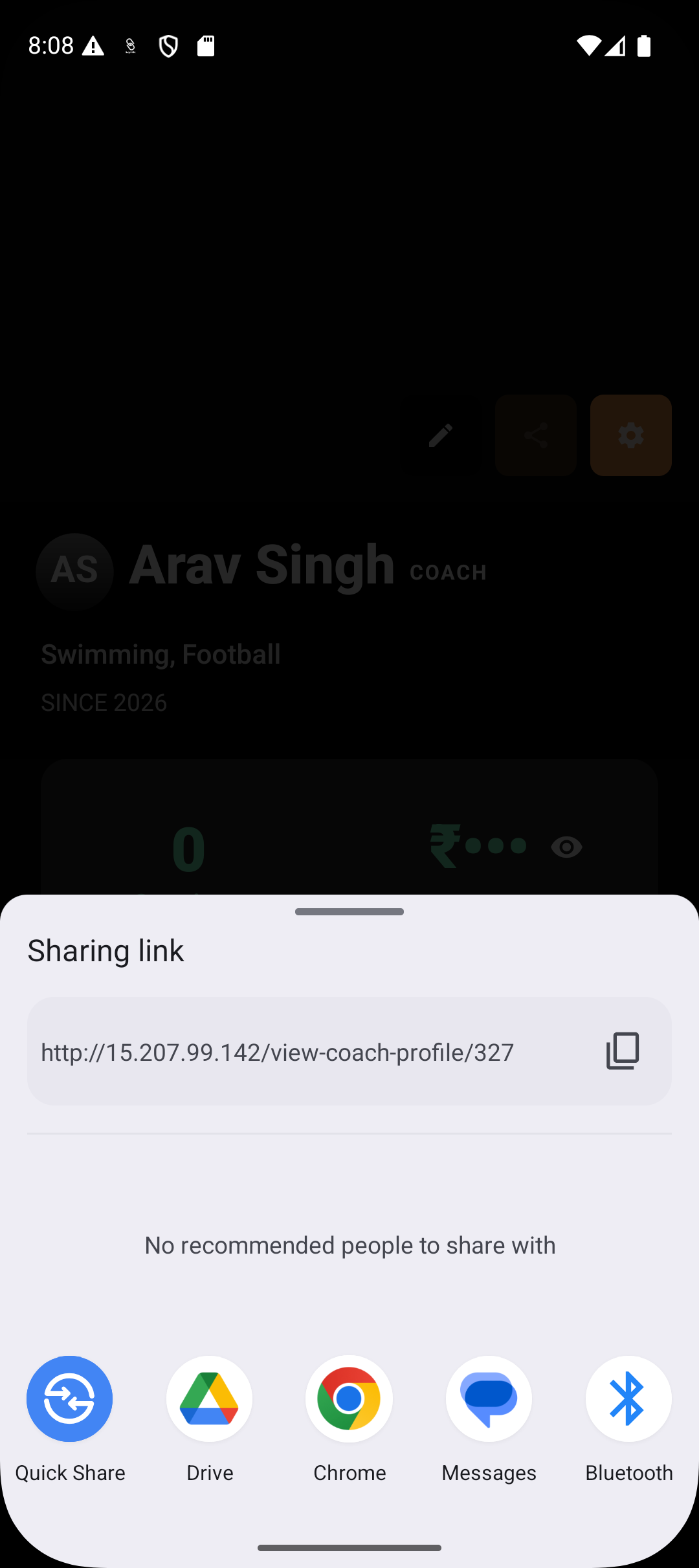
Profile is shared
You share your coach profile link anywhere — WhatsApp, social media, website, or directly with a consumer.
2. Consumer opens the profile
The link opens your public-facing coach profile in a browser, showing your identity, expertise, subjects, skills, and professional highlights.
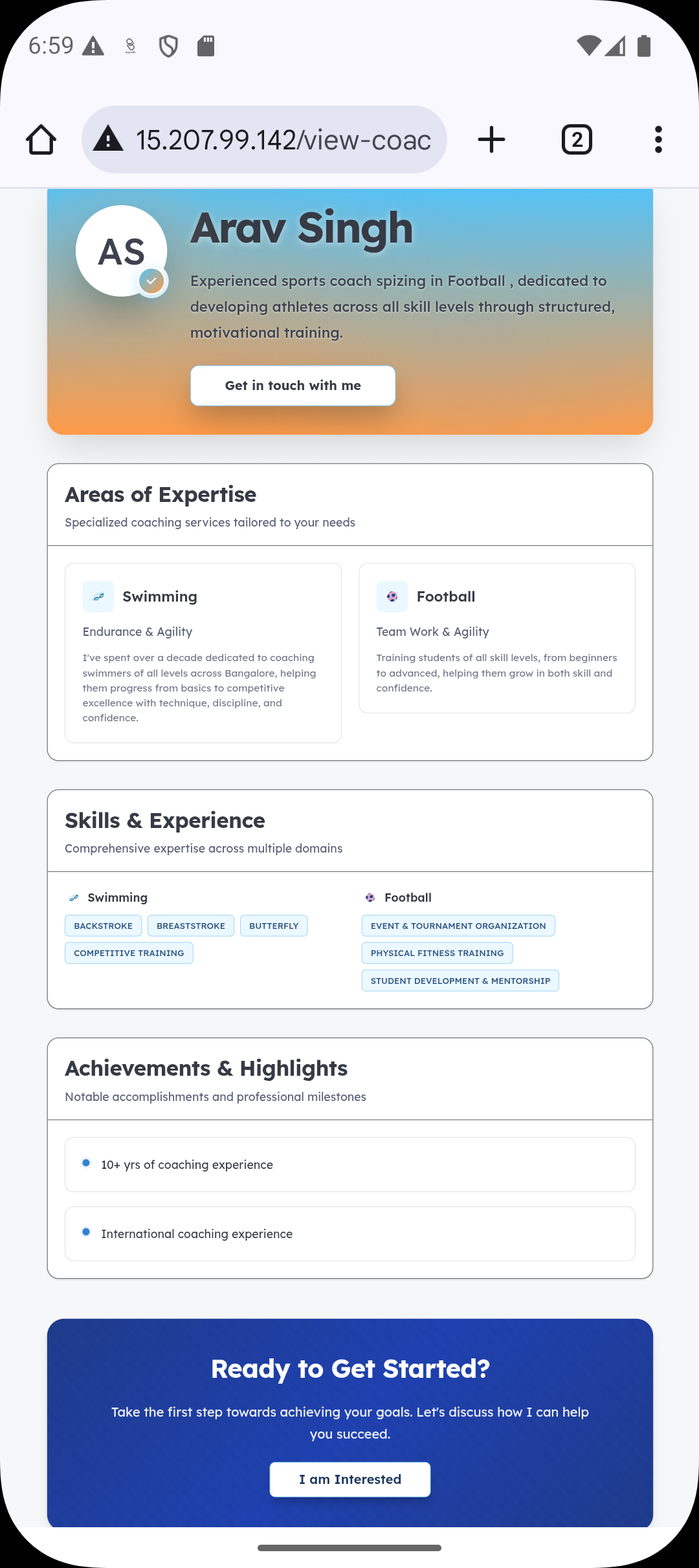
3. Consumer evaluates fit
The consumer reviews your background, focus areas, and offerings to decide whether your coaching matches their needs.
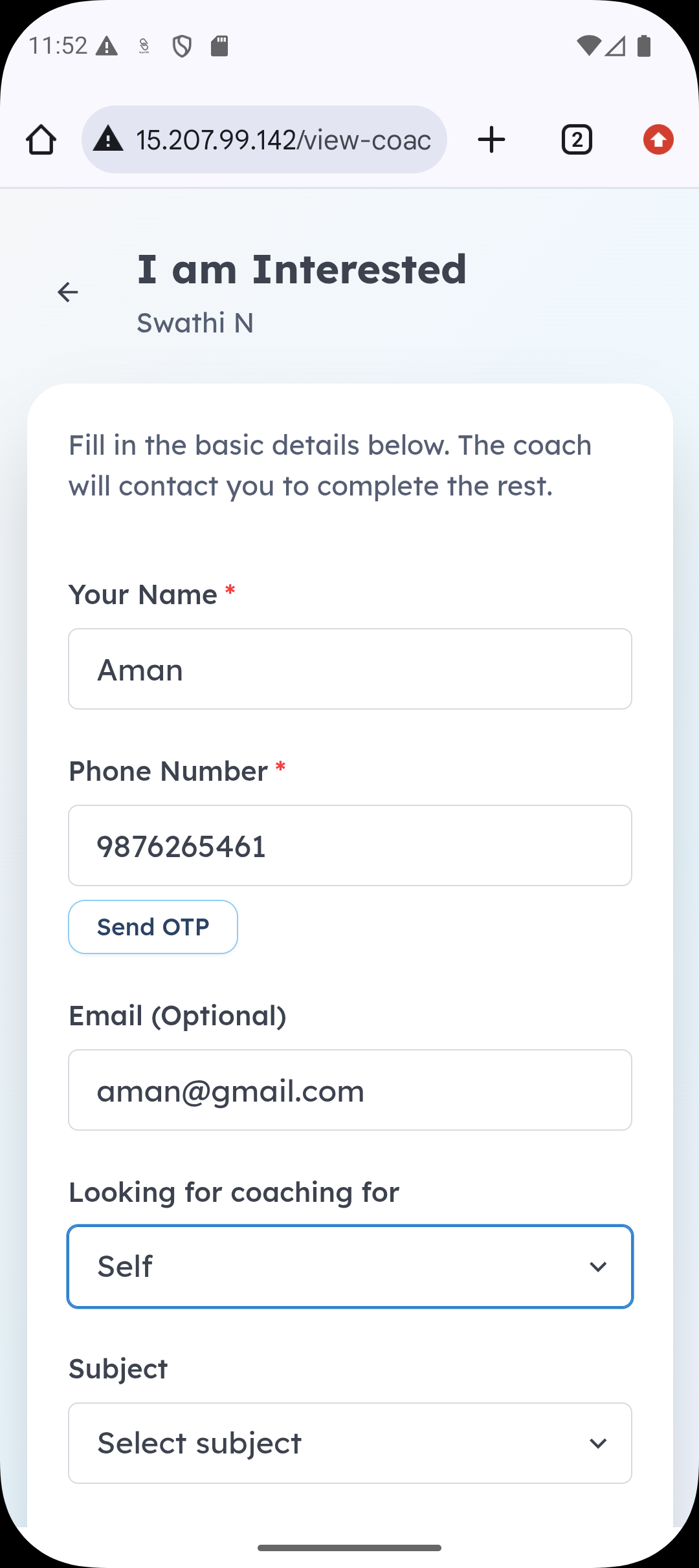
4. Interest is expressed intentionally
If interested, the consumer fills out the enquiry form by providing details such as name, contact information, subject of interest, and any remarks.
5. Submission creates a system record
On submission, Lynk captures this information as a lead record, linking it to:
Your coach profile
The selected activity or subject
The consumer’s contact details
6. Lead appears instantly in Lynk
The newly created lead is added to your Leads list with a default status of Pending, making it ready for follow-up.
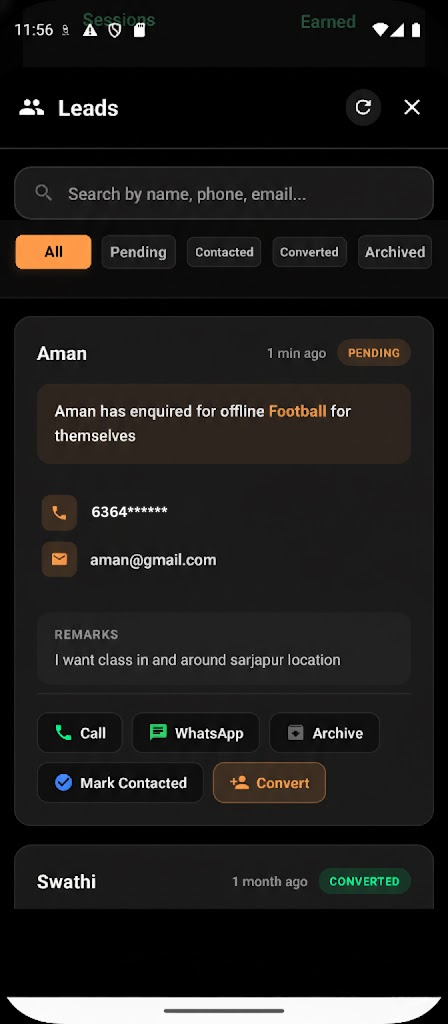
7. Lead is now actionable
From this point, you can contact, qualify, convert, or archive the lead — all from within Lynk.
What Happens After Submission
Once the enquiry form is submitted:
The consumer’s details are captured securely
Their interest is linked to the relevant activity or subject
A new lead instantly appears in your Leads list inside Lynk
The lead is marked as Pending by default
You don’t need to manually add or track enquiries — everything is recorded automatically.
Where You Can Find New Leads
All generated leads are available under the Leads section. From here, you can:
View contact details and remarks
Call or message the consumer directly
Mark the lead as contacted
Convert the lead into an enrolled student
Archive the lead if it’s no longer relevant
This keeps your enquiry management structured and easy to follow.
Why This Matters
Generating leads directly from your profile helps you:
Centralise all enquiries in one system
Avoid missed calls or lost messages
Respond faster and more professionally
Measure interest across activities and subjects
Your profile becomes a reliable lead-generation tool rather than just a static page.
Summary
Leads in Lynk are generated when a consumer opens your shared profile and submits the enquiry form. The moment they submit their details, a lead is automatically created and appears in your Leads list, ready for follow-up and conversion — ensuring every expression of interest is captured and organised.