Where leads appear
When someone enquires via your shared coach profile, Lynk saves it as a lead and lists it under Profile → Leads. All enquiries stay in one place for structured follow-up, separate from active students and sessions, so nothing gets missed.
Written by Sumit Kapoor
Centralized Leads section
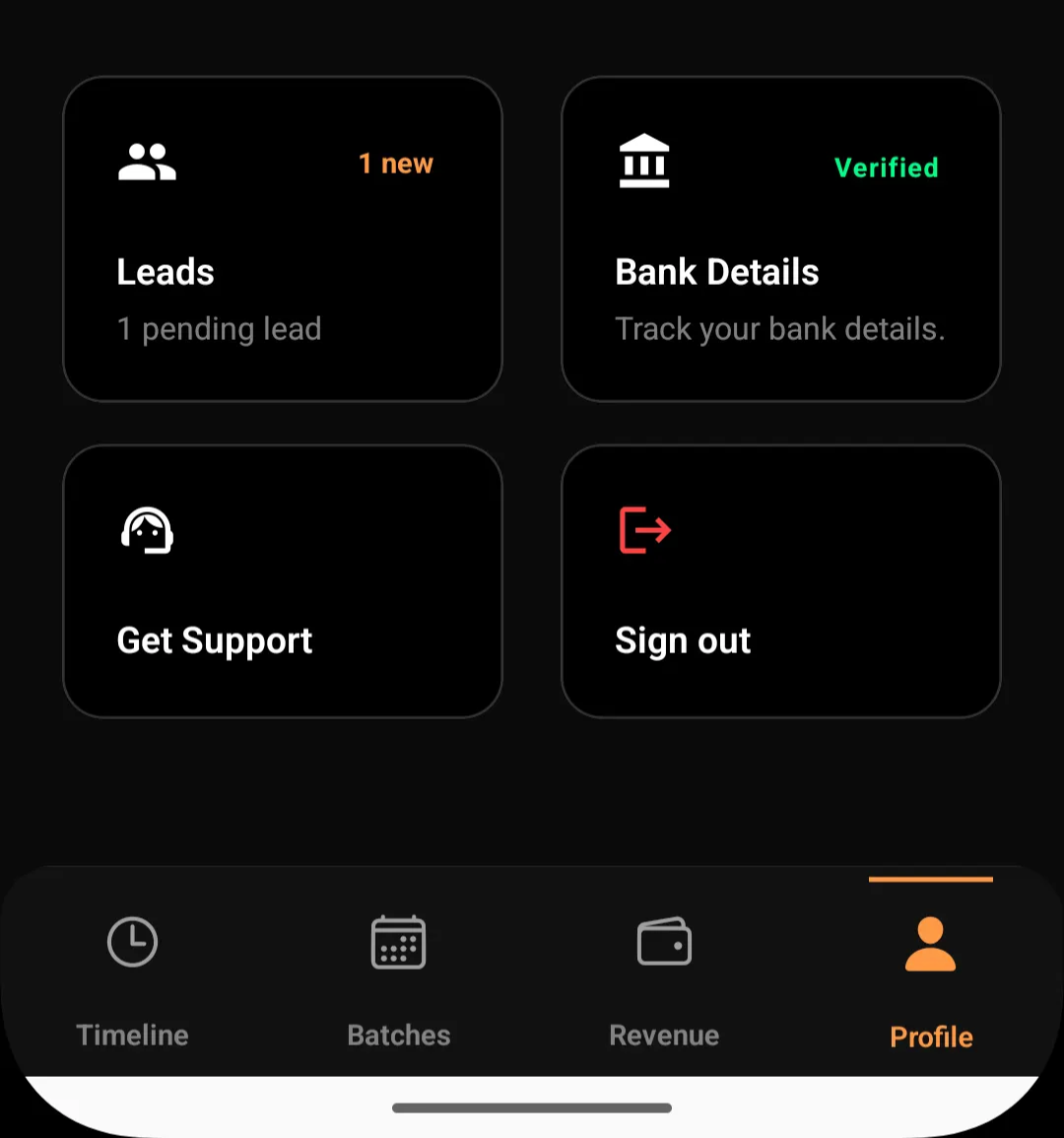
All leads appear under the Profile → Leads section in Lynk. This area acts as your enquiry inbox, showing every consumer who has expressed interest but is not yet enrolled.
Leads are intentionally kept outside batches and sessions until you decide to convert them.
What you see for each lead
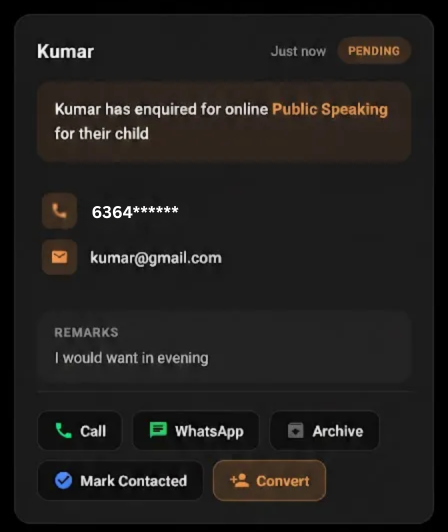
Each lead entry displays:
Consumer name
Contact details (phone and email, if provided)
Subject or activity they enquired about
Time of enquiry
Current lead status
This gives you enough context to respond quickly without needing additional back-and-forth.
Lead status visibility
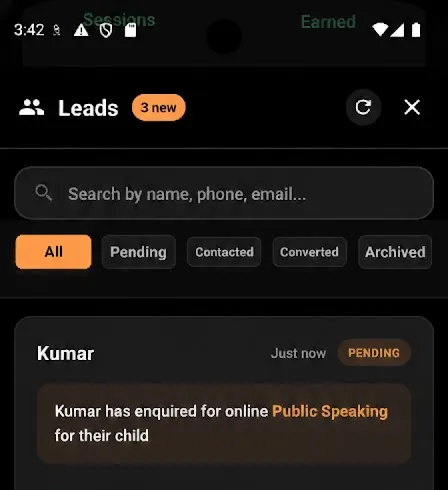
Inside the Leads section, enquiries are organised by status such as:
Pending
Contacted
Converted
Archived
This allows you to track where each enquiry stands and avoid duplicate or forgotten follow-ups.
Actions available from the Leads section
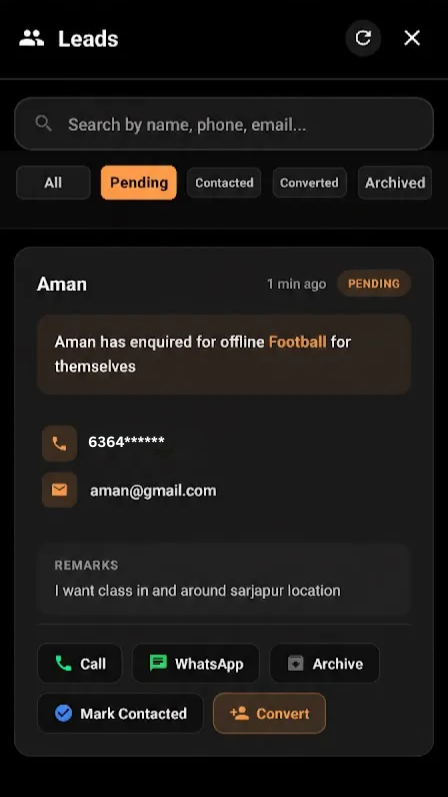
From this screen, coaches can:
Call or message the consumer
Mark the lead as contacted
Convert the lead into a consumer/student when ready
Archive leads that are no longer relevant
All actions are manual, ensuring the coach remains in control of the enrolment flow.
Why leads live under Profile
Leads originate from your public profile, not from batches or sessions. Placing them under Profile reinforces that:
Leads come from shared visibility and discovery
They represent interest, not commitment
Conversion happens only when the coach decides
This keeps operations clean and clearly segmented.
Summary
Leads in Lynk:
Appear under Profile → Leads
Are kept separate from students and sessions
Include all enquiry details submitted by the consumer
Can be tracked, contacted, converted, or archived
This structure ensures every enquiry is visible, manageable, and ready for follow-up—without disrupting your active coaching workflows.