How Lynk tracks leads from shared links
Every enquiry from your shared profile link is automatically saved in Lynk as a lead tied to your profile. This captures inbound interest from any platform in one place, keeps it organized, and makes follow-up easy—so nothing gets missed.
Written by Sumit Kapoor
What Happens When a Prospect Uses Your Link
Whenever a prospect opens your shared profile link and submits the enquiry form:
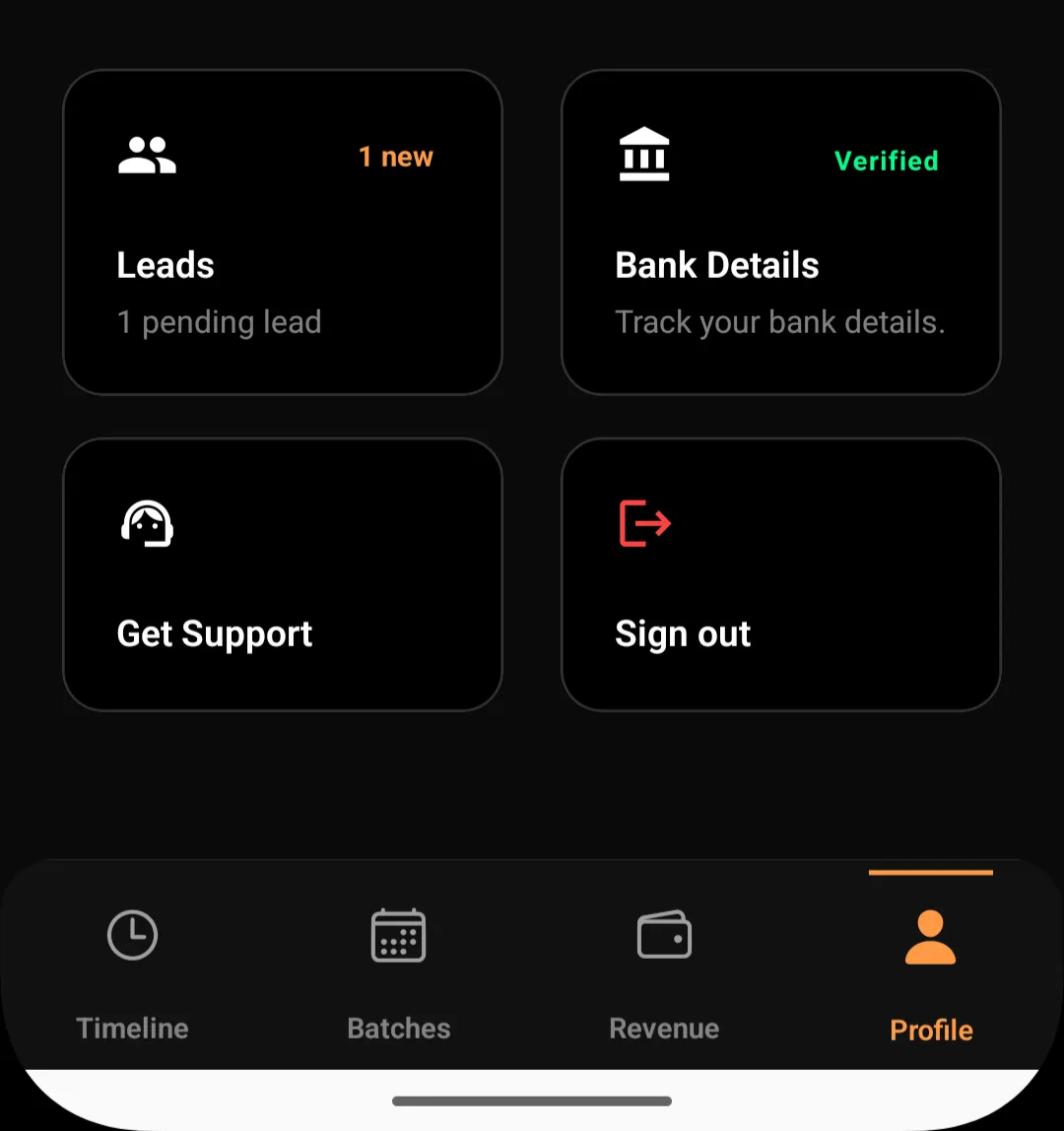
The submission is recorded by the system
A lead record is created automatically
The lead appears in your Profile → Leads section
You can immediately view, contact, or manage the lead
No manual entry is required at any stage.
Centralized Lead Capture
Regardless of where the link is shared—WhatsApp, Instagram, QR codes, posters, or referrals—all submissions flow into the same Leads section inside Lynk.
This means:
No leads are scattered across chats
No enquiries are missed
No duplication across platforms
Everything lives inside the app.
What Information Is Captured
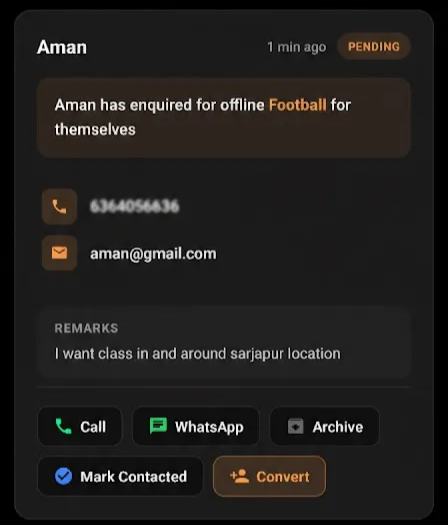
Each lead submission includes:
Prospect name
Phone number
Email address (if provided)
Enquiry type (online/offline, sport, subject, etc.)
Additional remarks shared by the prospect
Timestamp of submission
This gives you full context before making contact.
Lead Status Tracking
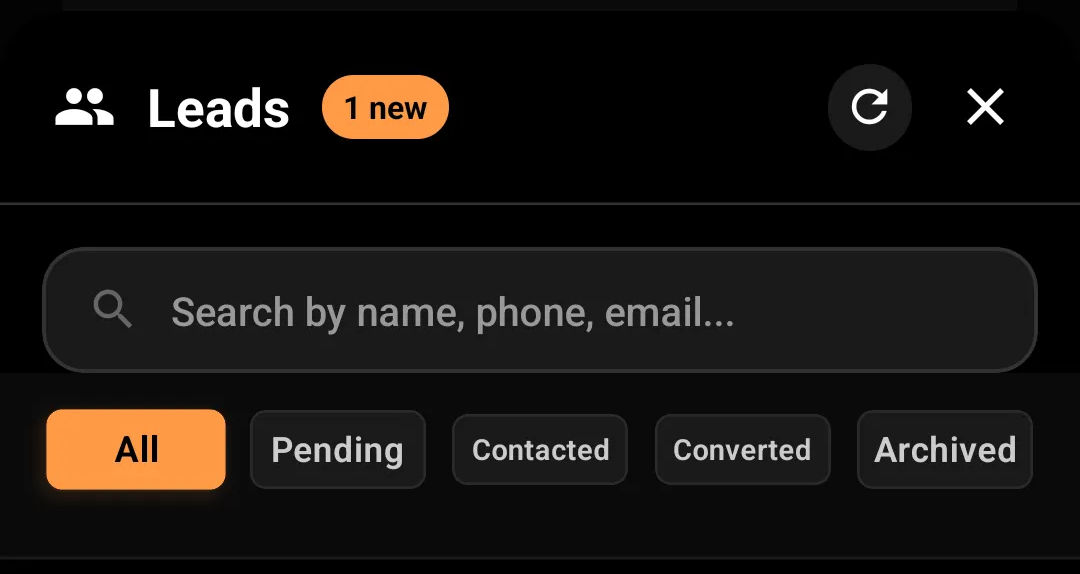
Once recorded, each lead can move through different system states, such as:
Pending
Contacted
Converted
Archived
These statuses help you track progress and avoid duplicate follow-ups.
Visibility Inside the App
All leads are:
Viewable inside the Lynk application
Searchable by name, phone, or email
Filterable by status (Pending, Contacted, Converted, Archived)
Updated in real time as actions are taken
You do not need to switch tools or platforms to manage enquiries.
What Lynk Does Automatically
Lynk handles:
Capturing the enquiry
Creating the lead record
Tagging it to your profile
Making it available for follow-up
You only need to focus on contacting and converting.
Summary
Step | What Happens |
Enquiry submission | Prospect submits via shared profile link |
Lead creation | System automatically creates a lead |
Lead availability | Lead appears inside the Lynk application |
Lead management | Leads are searchable and status-driven |
Conversion | Lead can be converted into a student later |