Understanding Event Visibility: Public vs. Invite Only
Control who can access and register for your events.
Written by Swathi N
When creating an event in Lynk Tower, you can decide who gets access to it using visibility settings. This helps you manage whether your event is open to everyone or limited to a specific group.
There are two types of visibility options: Public and Invite Only.
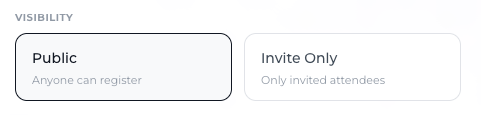
Public Events
A Public event is open to a wider audience.
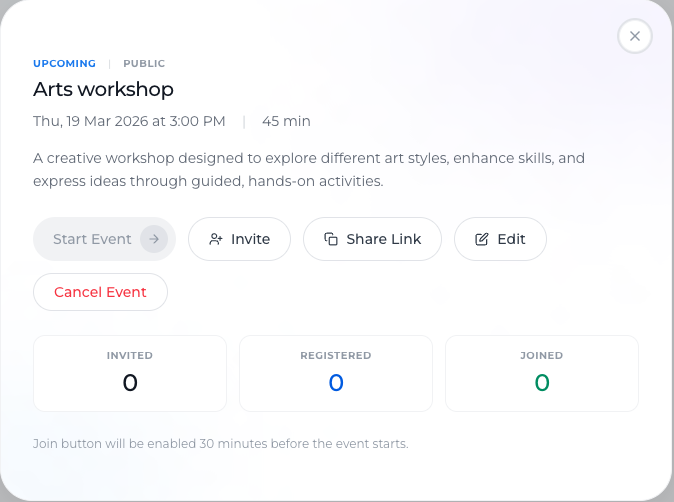
How it Works
Anyone with the event link can register
No restrictions on who can sign up
Ideal for reaching new users or generating leads
Best For
Webinars and workshops
Demo or trial sessions
Marketing and promotional events
Public events are useful when your goal is to maximize reach and participation.
Invite Only Events
An Invite Only event is restricted to selected participants.
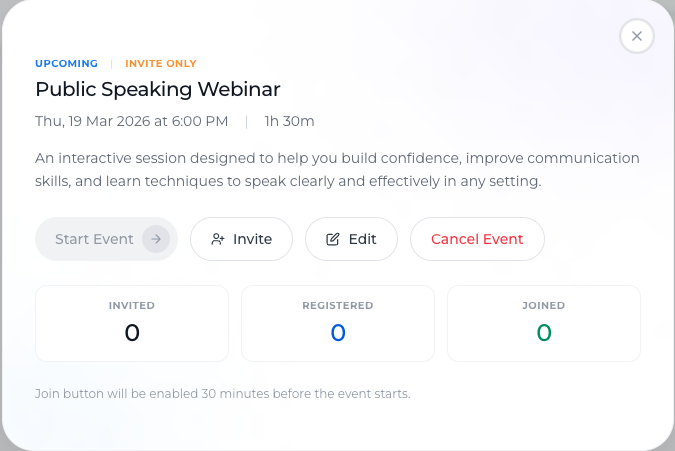
How it Works
Only users who are invited can register
Invitations can be sent:
From your existing student list
By adding phone numbers manually
Others cannot access or register for the event
Best For
Private sessions
Exclusive workshops
Internal or closed group training
Invite-only events give you full control over who attends.
Key Difference
Public | Invite Only |
Anyone with the link can register | Only invited users can register |
Open access | Restricted access |
Ideal for lead generation | Ideal for controlled participation |
Choosing the Right Visibility
Use Public when:
You want more registrations
You are promoting your services
You want to attract new students
Use Invite Only when:
You want a curated audience
The session is limited or exclusive
You are conducting private training
Conclusion
Event visibility in Lynk Tower allows you to control access based on your goals. Whether you choose Public for wider reach or Invite Only for restricted participation, this feature ensures your events are managed effectively and reach the right audience.