How to create a new event or webinar
Set up and manage events with complete control over schedule, visibility, and details.
Written by Swathi N
Events and webinars are a great way to engage your audience, run workshops, or host special sessions. In Lynk Tower, you can easily create and manage events with all the necessary details in one place.
What is an Event?
An event is a one-time session that can be:
A workshop
A demo class
A webinar or seminar
A special training session
Unlike regular batches, events are typically single-time session designed for engagement or lead generation.
Creating a New Event
To create an event:
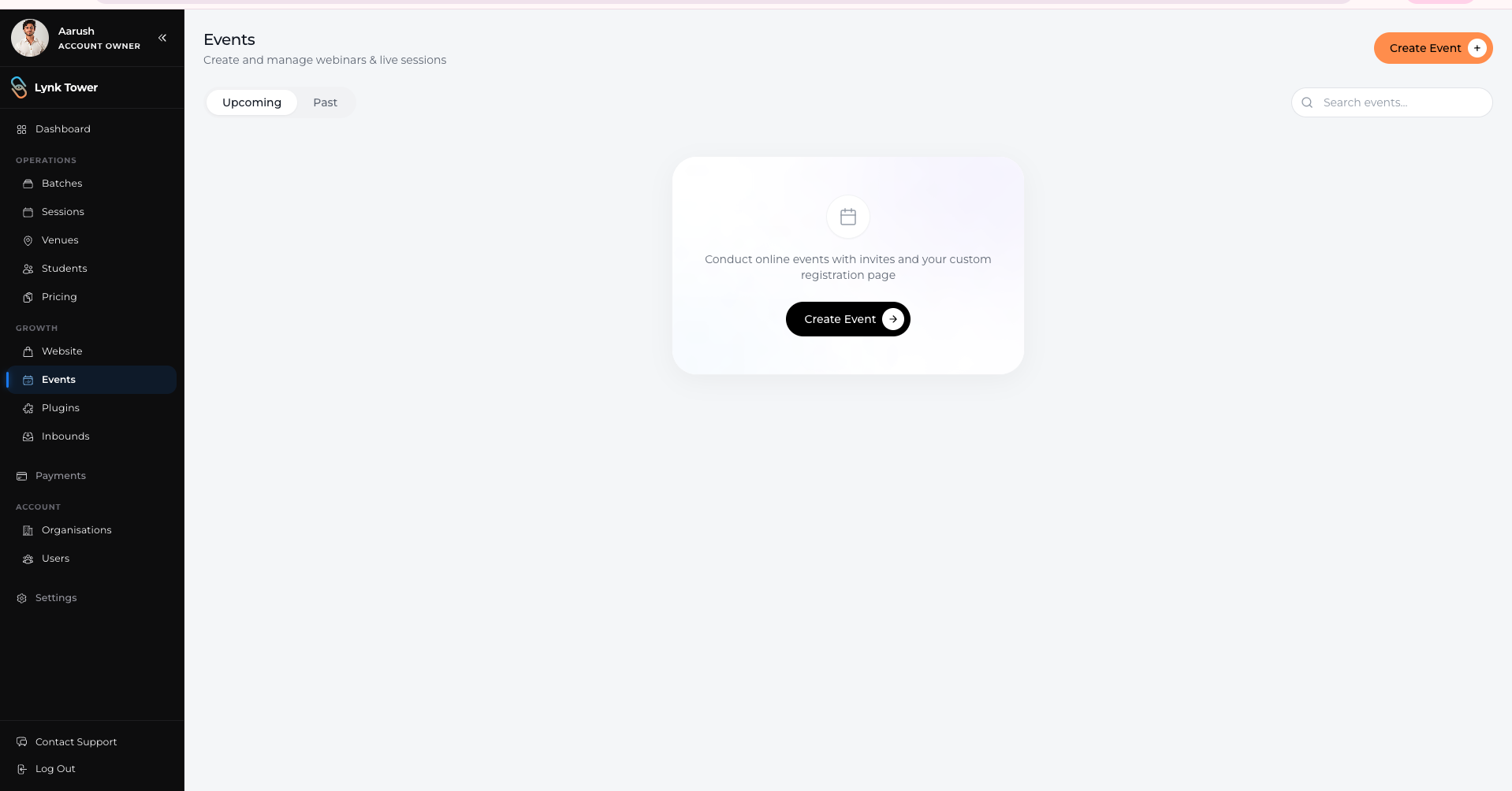
Navigate to the Events section
Click on the Create Event button
This opens the event setup page where you can configure all event details.
Setting Up Event Details
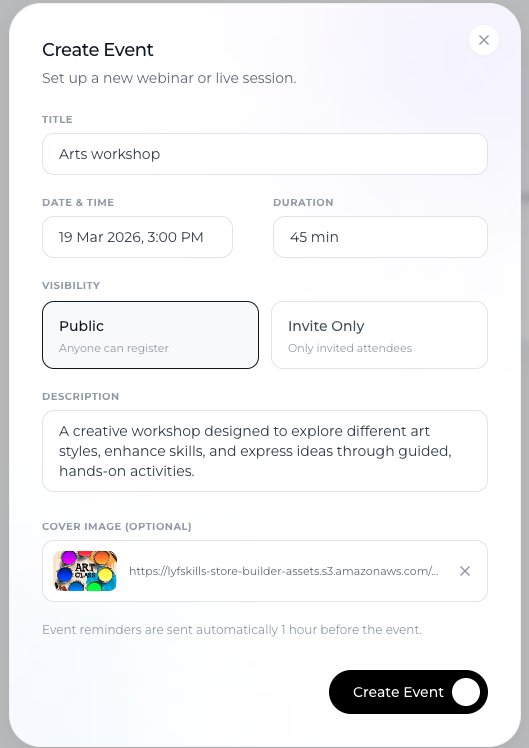
Event Title
Enter a clear and descriptive title
Example: “Beginner Dance Workshop” or “Free Swimming Trial Session”
This is what users will see when browsing or registering.
Date and Time
Select the event date
Set the start time
Make sure the timing aligns with your audience’s availability.
Duration
Define how long the event will run
Example: 60 minutes, 90 minutes
This helps participants understand the session length.
Visibility Settings
You can control who can see and access your event:
Choose the appropriate visibility option
Decide whether the event should be publicly accessible or restricted
This is useful for managing open vs invite-only sessions.
Description
Add a detailed event description
Include what the session covers, who it is for, and any key highlights
This helps users decide whether to register.
Cover Image
Upload a cover image for your event
Use a relevant and high-quality visual
This improves the presentation and attracts more attention.
Saving and Publishing the Event
After entering all details:
Review the information
Click Create Event
Once created:
The event becomes available based on its visibility settings
Users can view and register (if applicable)
It can be managed or edited later if needed
Best Practices
Use clear titles
Make it easy for users to understand what the event is about.
Add detailed descriptions
Provide enough context to encourage sign-ups.
Choose the right timing
Schedule events when your audience is most likely to attend.
Use engaging visuals
A good cover image can improve visibility and interest.
Conclusion
Creating events in Lynk Tower is simple and flexible. By setting clear titles, schedules, visibility, and descriptions, you can effectively organize webinars and workshops that engage your audience and drive participation.