How to display your active classes
Showcase your active batches so visitors can discover and enroll in your programs.
Written by Swathi N
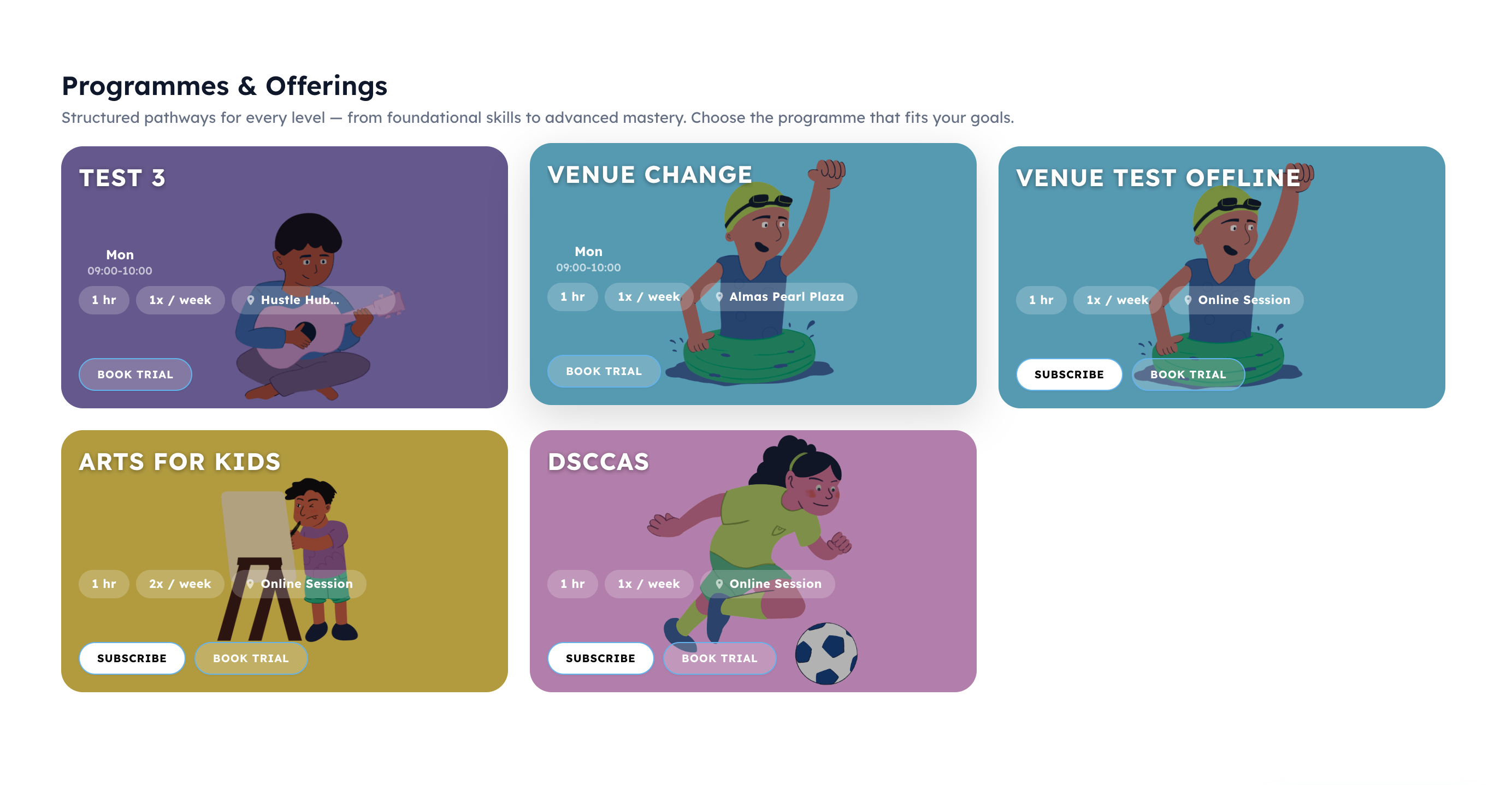
The Our Programs section in Lynk Tower allows you to display the active classes or batches offered by your academy. This section helps visitors quickly see the programs available and encourages them to book a trial or enroll.
Adding Programs to Your Storefront
To display your active classes on the storefront:
Go to Store Builder in Lynk Tower.
Click Open Editor for the storefront you want to update.
In the Sections panel, select Our Programs.
The program configuration options will appear in the right-side settings panel.
From here, you can choose which batches should appear on your storefront.
Selecting Specific Batches
You can select the classes you want to display.
To add batches:
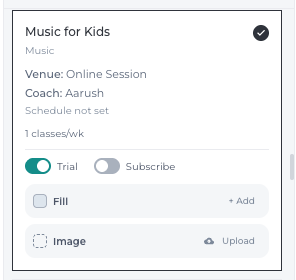
In the Select Batches section, browse through the available batches.
Choose the programs you want to showcase (for example: Summer Swimming, Dance, or Arts for Kids).
The selected batches will appear as program cards on your storefront.
These cards usually display key details such as:
Program name
Subject
Coach name
Venue
Class schedule
Weekly frequency
This allows visitors to quickly understand what each program offers.
Using Quick Group Filters
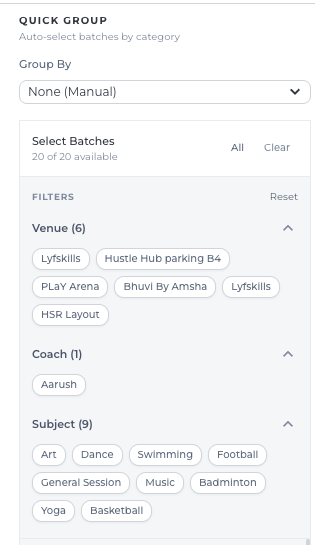
The Quick Group option helps admins easily find and select batches while configuring the storefront.
It groups batches based on categories such as:
Subject – Display programs based on the subject category.
Coach – Show programs handled by specific coaches.
Venue – Display classes conducted at particular venues.
This grouping helps you quickly locate the relevant batches to select.
Conclusion
The Our Programs section in Lynk Tower allows you to promote your academy’s active classes directly on your storefront. By selecting specific batches and using the Quick Group option to easily locate them, you can control which programs are highlighted for visitors while designing your site.