Introducing your staff
Showcase your coaches and staff on your storefront.
Written by Swathi N
The Meet the Team block in Lynk Tower allows you to highlight the coaches and team members who are part of your academy. This section helps visitors learn more about the people behind your programs and builds trust with students and parents.
Using the Store Builder editor, you can add active team members, adjust how they appear on the page, and customize the layout and design.
Adding Team Members to the Page
The Meet the Team section pulls active team members from your workspace so they can be displayed on your storefront.
To add team members:
Go to Store Builder in Lynk Tower.
Click Open Editor for the storefront you want to edit.
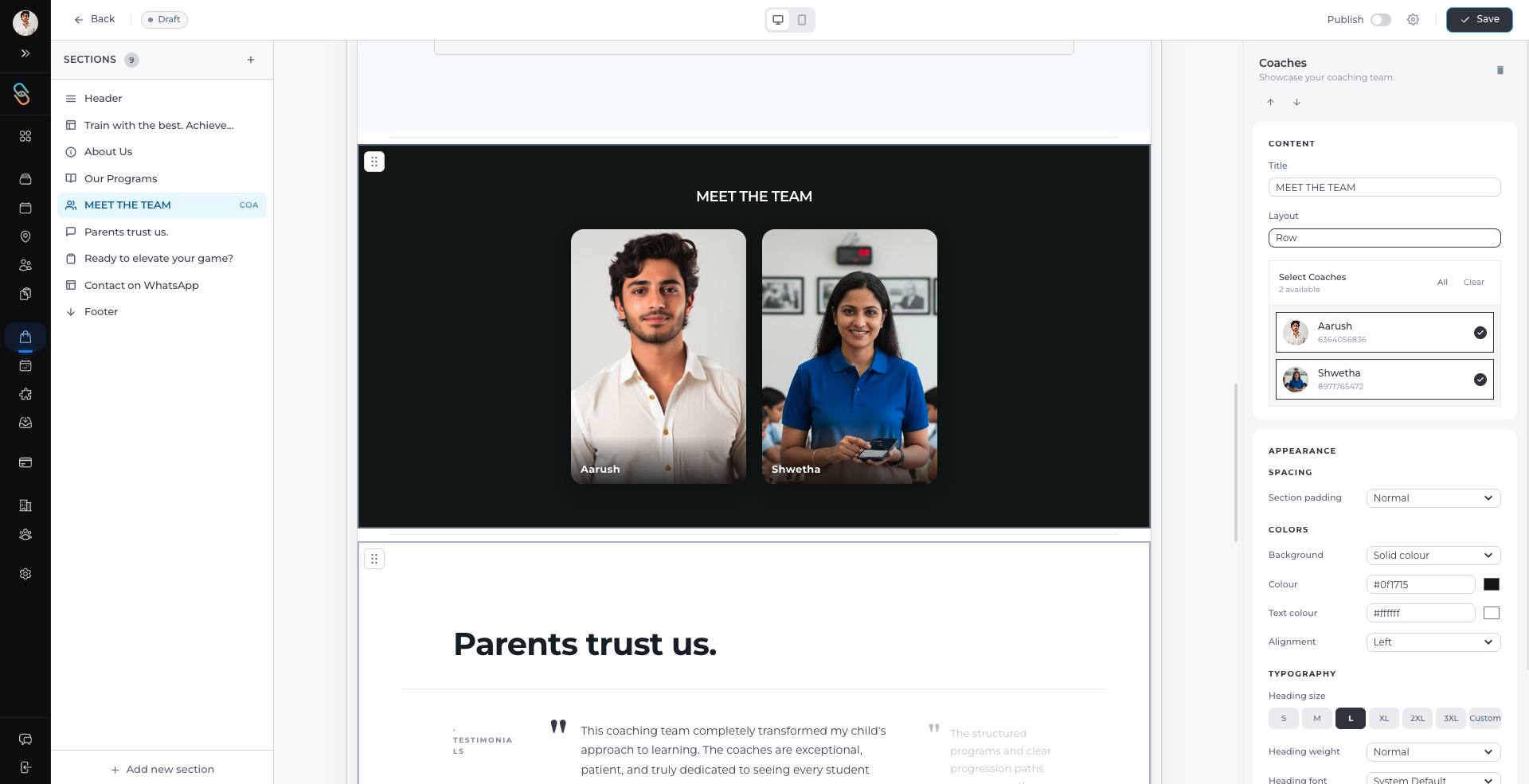
In the Sections panel, select Our Coaches or the Meet the Team block.
In the settings panel, choose the team members you want to display.
Only active team members will appear as options to add to the storefront.
Changing the Display Position
You can control how team members appear on the page by rearranging their order.
To change the display position:
Open the Meet the Team block in the editor.
Use the reorder option to move team members up or down.
The order you set will determine how they appear on the storefront.
This helps you highlight key coaches or staff members at the top.
Switching Layout Modes
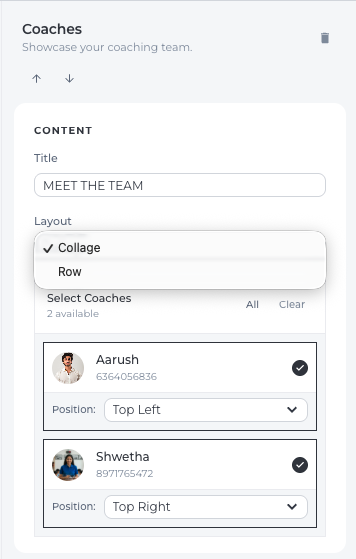
The Meet the Team block supports different layout styles to change how profiles are displayed.
Collage Layout
Displays team members in a visual collage-style grid.
Ideal for showing multiple coaches with images.
Row Layout
Displays team members in a clean horizontal row format.
Useful for a simple and structured appearance.
You can switch between these layouts directly from the layout settings in the section panel.
Customizing the Appearance
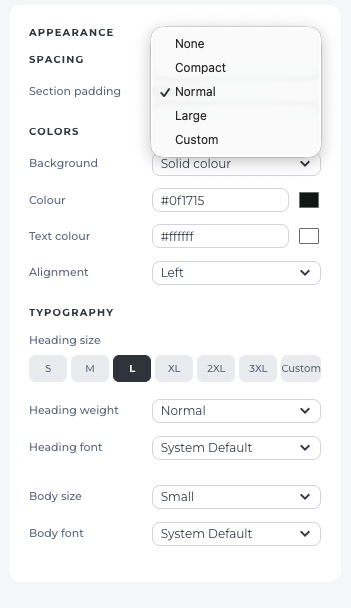
You can also adjust the visual style of the Meet the Team section to match your storefront design.
Spacing
Adjust the spacing between the section margins to improve layout balance.
Colors
Customize colors for elements such as:
Backgrounds
Text
This helps maintain consistency with your academy’s branding.
Typography
You can update typography settings including:
Font size
Font style
Heading appearance
These options help make the section visually clear and professional.
Conclusion
The Meet the Team block in Lynk Tower allows you to present your coaching staff directly on your storefront. By adding team members, adjusting their display order, selecting layout styles, and customizing appearance settings, you can create a professional section that introduces your team to students and parents.