How to see which classes are running at a specific venue
How to view all the batches and programs being conducted at a particular venue.
Written by Swathi N
In Lynk Tower, venues are connected to the batches where your coaching sessions take place. If you want to know which classes are currently running at a specific location, you can quickly view them directly from the venue card.
This helps you track all programs being conducted at a particular venue, making it easier to manage schedules and facility usage.
Why Check Classes by Venue?
Viewing classes by venue is useful when you want to:
See all batches scheduled at a particular location
Track how many programs are running at a venue
Check which classes are active at a facility
Manage venue usage and scheduling conflicts
This is especially helpful for academies that run multiple batches across different locations.
How to View Classes Running at a Venue
Follow these steps to see the batches linked to a venue.
Step 1: Go to the Venues Tab
Open the Venues section in Lynk Tower, where all your coaching locations are listed.
Step 2: Find the Venue
Locate the venue for which you want to check the scheduled classes.
Step 3: Click the “Batches” Button
On the venue card, click the Batches button.
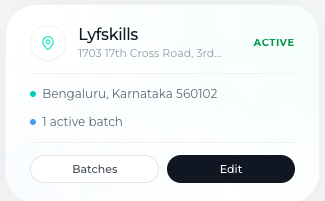
Step 4: View the Venue’s Active Programs
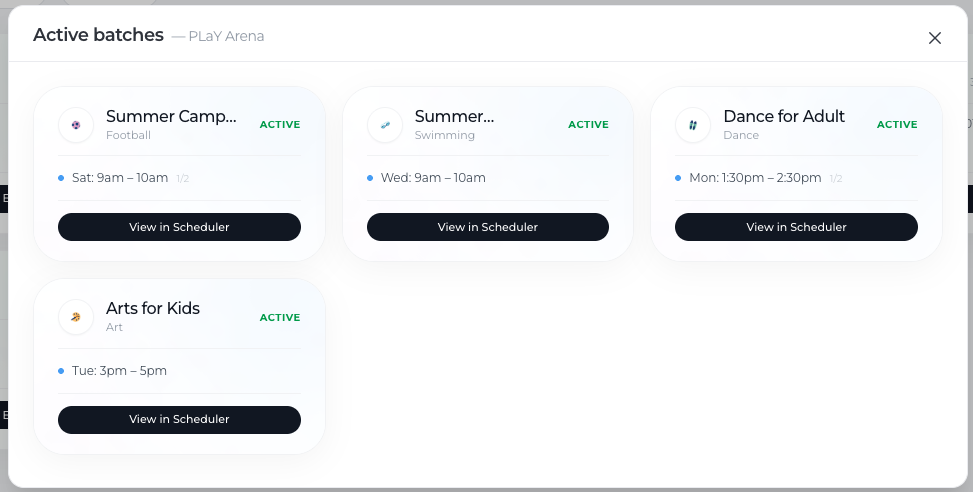
Once selected, you will see a list of batches that are currently running at that venue.
This list helps you understand which programs are taking place at that specific location.
What Information You Can See
When viewing batches linked to a venue, you can typically see:
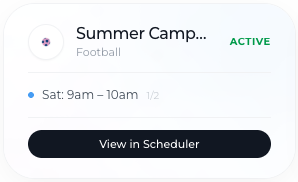
Batch name
Type of class or activity
Session schedule
Program status
This gives you a clear overview of how the venue is being used.
Conclusion
The Batches view within venues in Lynk Tower allows you to quickly see which programs are running at a specific location. By simply clicking the Batches button on a venue card, you can track active classes, manage schedules, and better organize how your venues are used across different coaching programs.