Deactivating a venue
How to mark a venue as inactive when you no longer conduct sessions there and how to find inactive venues using filters.
Written by Swathi N
In Lynk Tower, venues represent the locations where your coaching sessions take place. If a venue is no longer being used for classes, you don’t need to delete it. Instead, you can change its status to Inactive.
Deactivating a venue helps keep your venue list organized while still preserving the location details for future reference.
Why Deactivate a Venue?
You may want to deactivate a venue in situations such as:
You have stopped conducting sessions at that location
The facility is temporarily unavailable
Your academy has moved to a new location
You want to keep the venue record without using it for new batches
By marking the venue as inactive, it will no longer appear as an option when selecting venues for new sessions.
How to Deactivate a Venue
Follow these steps to mark a venue as inactive.
Step 1: Go to the Venues Tab
Open the Venues section in Lynk Tower where all your saved locations are listed.
Step 2: Click Edit on the Venue
Find the venue you want to deactivate and click the Edit button on the venue card.
Step 3: Change the Venue Status
In the venue form, locate the Venue Status field and change it from:
Active → Inactive
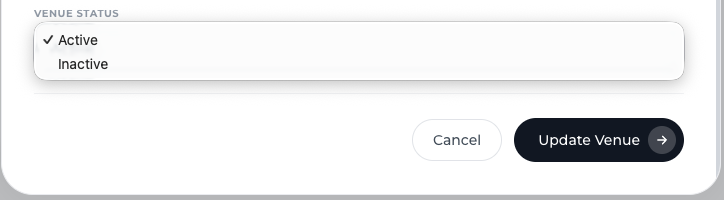
Step 4: Save the Changes
Click Update Venue to save the changes.
The venue will now be marked as inactive.
Finding Inactive Venues
If you want to review venues that are no longer active, you can use the filter options in the Venues dashboard.
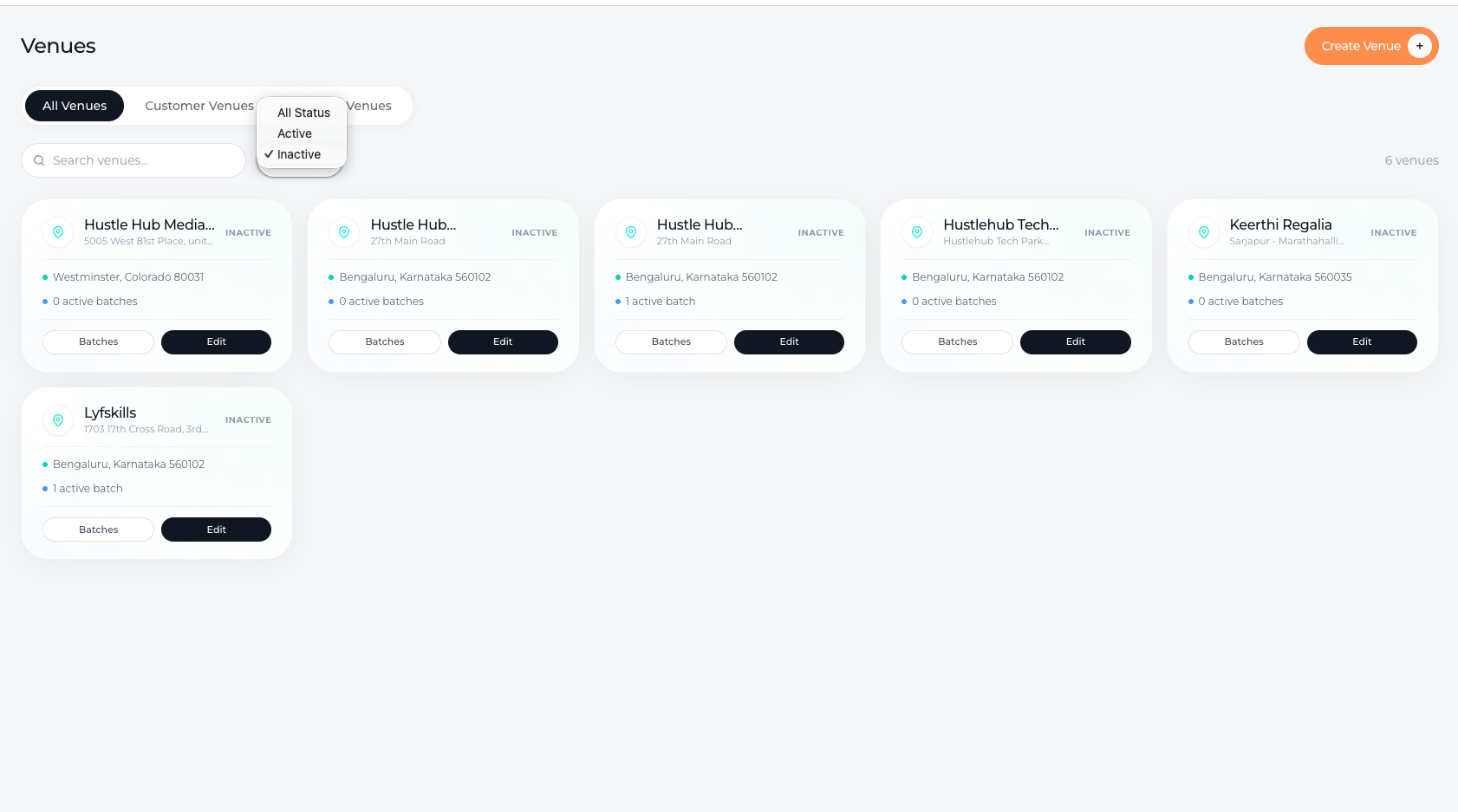
You can filter venues by:
All Status – Displays every venue in the system
Active – Shows locations currently used for sessions
Inactive – Shows venues that have been deactivated
Filtering helps you quickly find and manage previously used locations.
Conclusion
Deactivating a venue in Lynk Tower allows you to stop using a location for new sessions while keeping its details saved in your system. By marking venues as Inactive and using filters to view them when needed, you can keep your venue list clean and well organized without losing important location records.