Setting your batch schedule: Recurring vs. One-time
How to configure your batch schedule by choosing between recurring weekly classes or a one-time session.
Written by Swathi N
When creating a batch in Lynk Tower, you can decide how often the sessions will take place using the Frequency setting. This option allows you to schedule either recurring sessions that repeat weekly or a one-time session for a specific date.
Choosing the correct frequency helps ensure that your sessions are scheduled according to the format of your coaching program.
Understanding the Frequency Setting
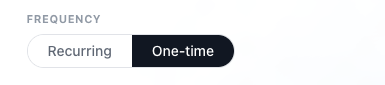
While creating a batch, you will find the Frequency option with two choices:
Recurring
One-time
Each option determines how the sessions are scheduled and how long the batch will run.
Recurring Sessions
Selecting Recurring means that the batch sessions will repeat on a regular schedule based on the days and times you set.
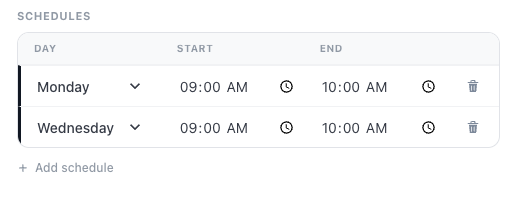
How Recurring Batches Work
Set the day and time for the sessions in the schedule section.
Choose a Start Date for when the batch should begin.
Optionally, set an End Date if the batch should run for a specific duration.
If no end date is selected, the batch will continue running based on the recurring schedule.
When to Use Recurring Batches
Recurring sessions are commonly used for:
Weekly coaching programs
Ongoing training classes
Activity-based learning programs
Long-term coaching batches
This setup is ideal when you want sessions to repeat automatically every week.
One-Time Sessions
Selecting One-time means the batch will have a single session on a specific date.
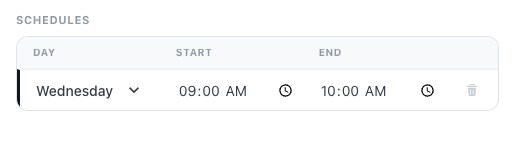
How One-Time Batches Work
Choose One-time in the Frequency setting.
Select the session date for when the class will take place.
Set the start and end time for the session.
Once the session is completed, the batch does not repeat.
When to Use One-Time Sessions
One-time batches are useful for:
Workshops
Trial classes
Special training sessions
Events or seminars
This option works best when the class is intended to happen only once.
Key Differences Between Recurring and One-Time Batches
Frequency Type | Description |
Recurring | Sessions repeat weekly according to the schedule. You can define a start date and optionally an end date. |
One-time | The batch runs only once on a selected session date. |
Conclusion
The Frequency setting in Lynk Tower allows you to control how your batch sessions are scheduled. By choosing between recurring and one-time sessions, you can structure your classes based on the type of program you are offering.
Recurring batches are ideal for ongoing weekly classes, while one-time batches are perfect for workshops, events, or single-session training. Selecting the right option ensures that your sessions are scheduled correctly and that students know when to attend.