How to view monthly payment activity
Monthly view helps reconcile collections and settlements.
Written by Sumit Kapoor
Introduction
As payments accumulate over time, tracking activity month by month becomes essential for clear reconciliation and reporting. Lynk’s monthly payment view allows you to isolate all payment requests created within a specific month, making it easier to review collections, pending amounts, and settlements without mixing data across periods.
This view is especially useful for end-of-month reviews and payout tracking.
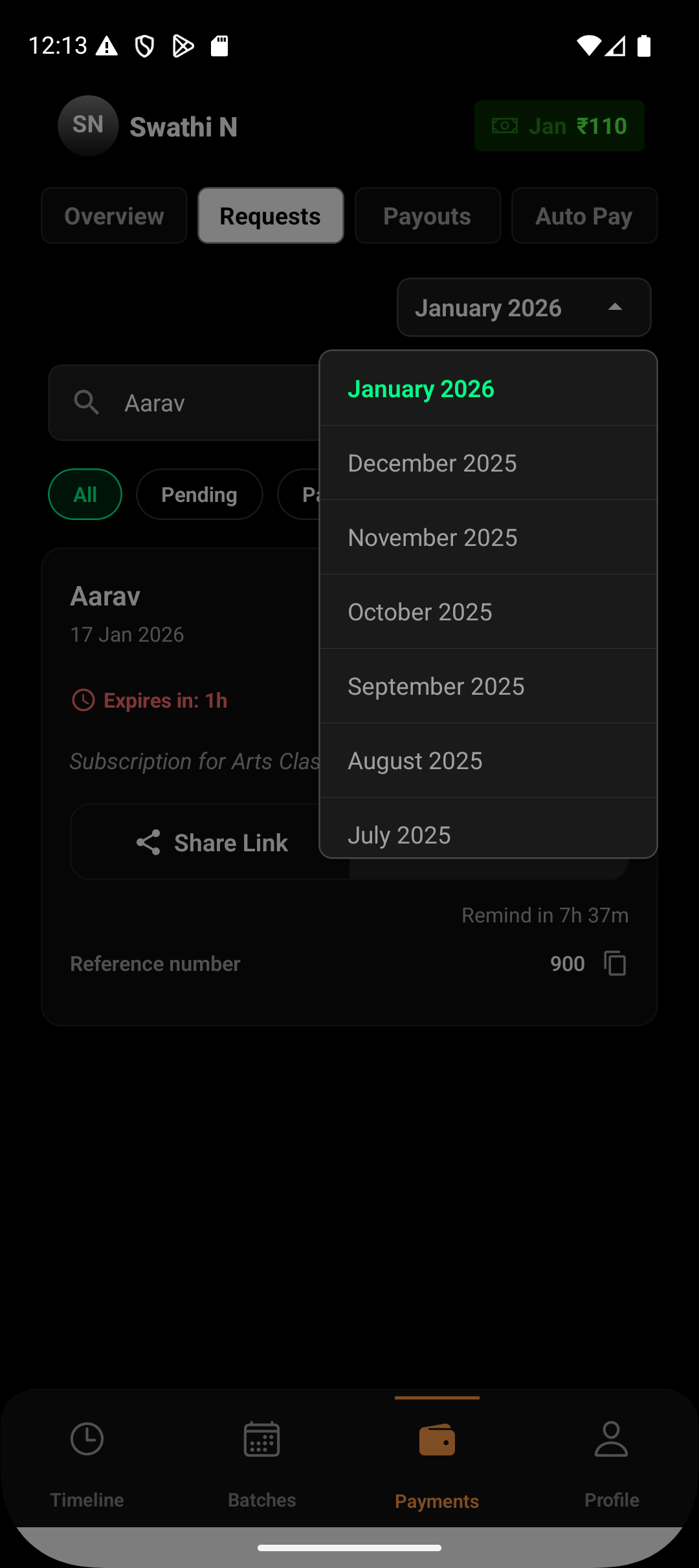
Where Monthly View Is Available
Monthly payment activity can be accessed from:
Payments → Requests
At the top of the Requests screen, you’ll find a month selector dropdown (for example, January 2026).
How the Monthly Filter Works
The month dropdown filters payment requests based on when the request was created.
When you select a month:
Only requests generated during that month are shown
All payment statuses remain visible within that month
Older or future month requests are hidden
This keeps your view focused on a single accounting period.
What You Can Track in Monthly View
Within a selected month, you can review:
Pending payments that are yet to be collected
Paid payments that are processing settlement
Settled payments already deposited to your bank
Expired links that were not paid
This gives you a complete picture of how payments moved through the system during that month.
Using Monthly View with Status Filters
Monthly view works seamlessly with status filters.
For example:
Select January 2026 + Pending to follow up on unpaid requests
Select January 2026 + Settled to confirm deposits
Select January 2026 + Expired to identify missed collections
This combination helps break down monthly activity into actionable segments.
When Monthly View Is Most Useful
The monthly filter is commonly used for:
End-of-month reconciliation
Comparing collections across months
Reviewing settlement timelines
Identifying unpaid or expired requests before closing accounts
It ensures financial clarity without manual sorting.
Summary
The monthly payment view in Lynk helps you stay organized by grouping all payment activity into clear time-based periods. By combining the month selector with status filters, you can easily reconcile collections, track settlements, and maintain accurate financial records — month after month.