How to search and filter payments
Using filters and search to instantly find the exact payment you’re looking for
Written by Sumit Kapoor
Introduction
As the number of payment requests grows, quickly locating the right payment becomes essential. Lynk provides simple but powerful search and filter tools that help you track payments by status and student — without scrolling through long lists.
Whether you’re following up on unpaid requests or reviewing completed payouts, filters ensure you always see what matters.
Where Search and Filters Live
All payment search and filtering is available inside:
Payments → Requests
This section acts as the central log for every payment link you’ve created, along with its current status.
Filtering by Payment Status
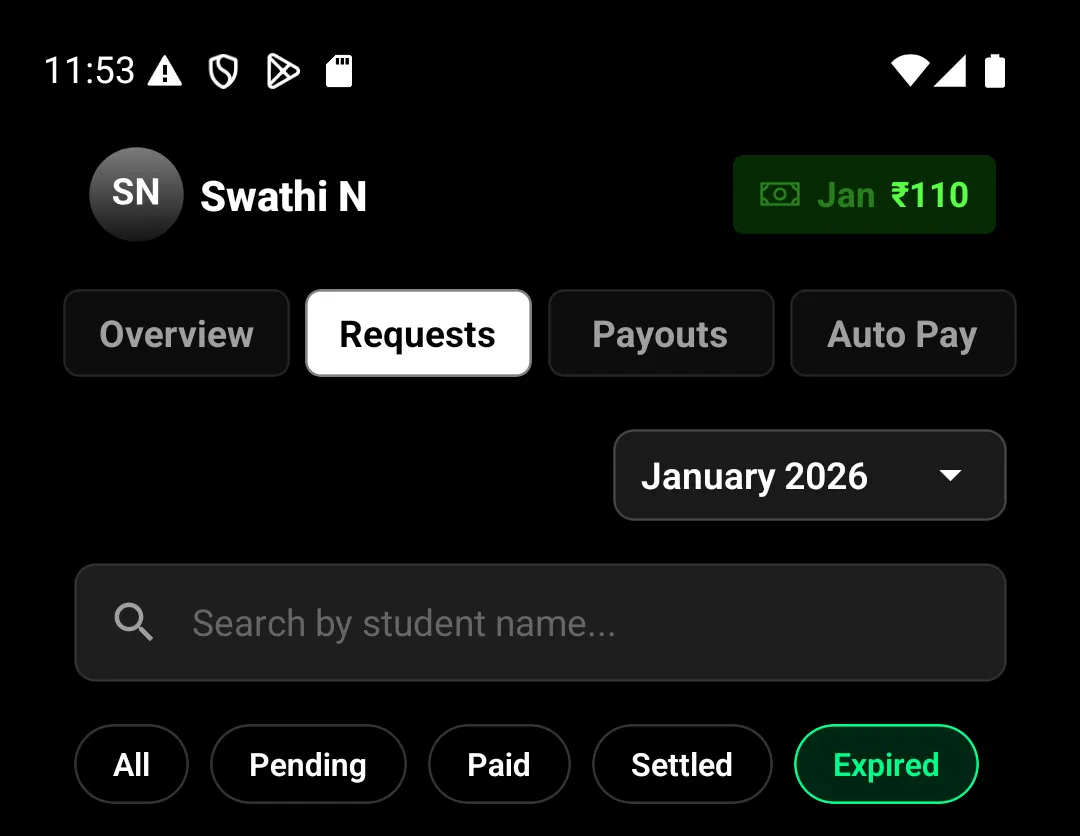
At the top of the Requests screen, you’ll find status chips that let you filter payments instantly.
Available Status Filters
All – Shows every payment request
Pending – Links sent but not yet paid
Paid – Payments collected and processing settlement
Settled – Amount deposited to your bank
Expired – Links that expired without payment
Tapping any status chip immediately narrows the list to only those payments, helping you focus on the next action.
Searching by Student Name
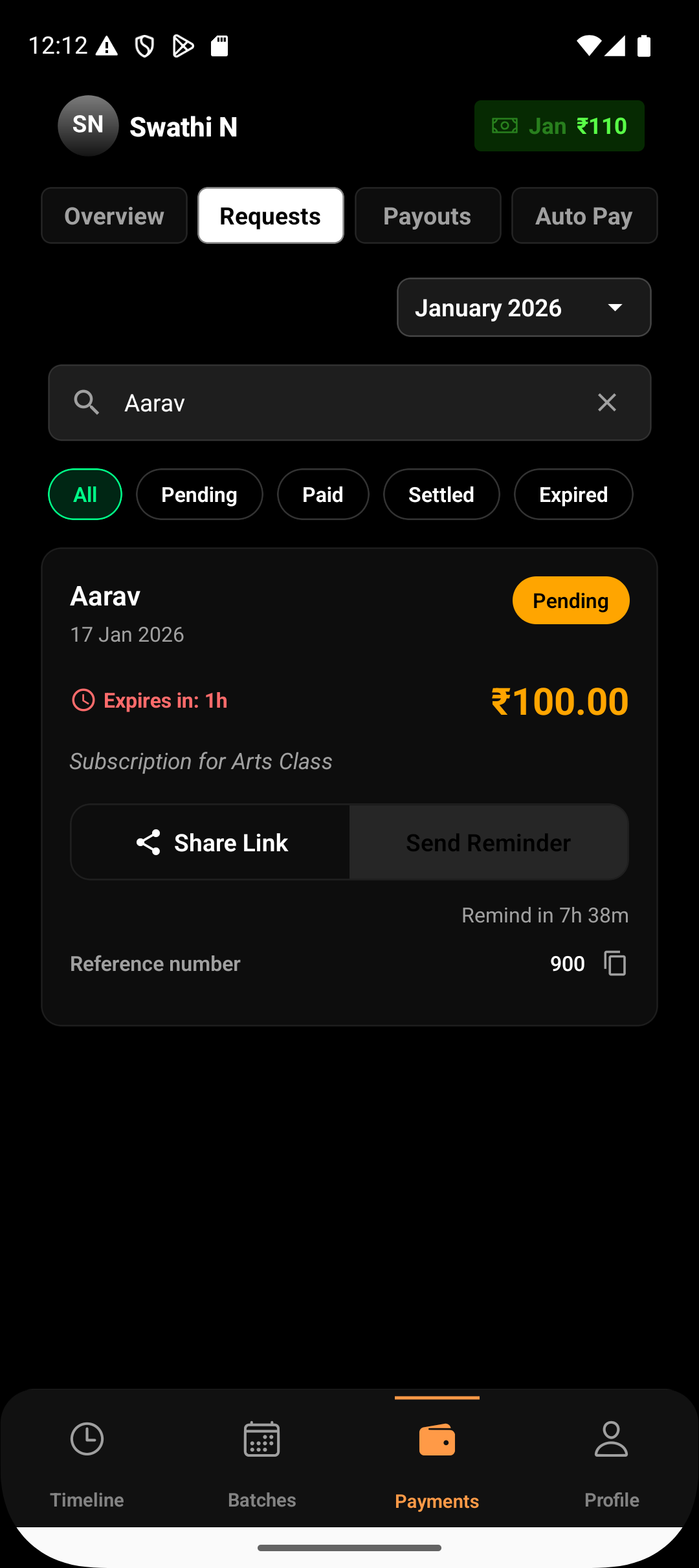
In addition to status filters, Lynk allows you to search payments by student name.
Using the search field:
Start typing the student’s name
Matching payment requests appear instantly
Search works across all statuses or within a selected filter
This makes it easy to locate a specific payment without remembering dates or amounts.
Combining Search and Filters
Search and filters work together for faster results.
For example:
Select Pending and search a student name to find unpaid requests
Select Settled and search to confirm completed payouts
Select Expired to quickly recreate a missed payment
This combination helps reduce follow-up time and avoids missed collections.
When to Use Filters Most
Filters are especially useful when:
Sending reminders for unpaid payments
Reviewing monthly collections
Reconciling settled payouts
Identifying expired links that need re-creation
They turn the Requests screen into a focused working view rather than a static list.
Summary
Search and filter tools in Lynk are designed to keep payment tracking fast and frictionless. By combining status filters with student search, you can instantly locate any payment request and take the right action — without wasting time scrolling or guessing.