What happens when a session is not completed
The session stays in not completed yet editable state for 24 hours post schedule end date. Post 24 hours, the session is considered not completed an no attendance can be marked for the session
Written by Sumit Kapoor
Completing a session is a critical step in a coach's workflow. Sessions that are left open or incomplete can disrupt attendance records, reporting accuracy, and downstream processes like payments and profile metrics.
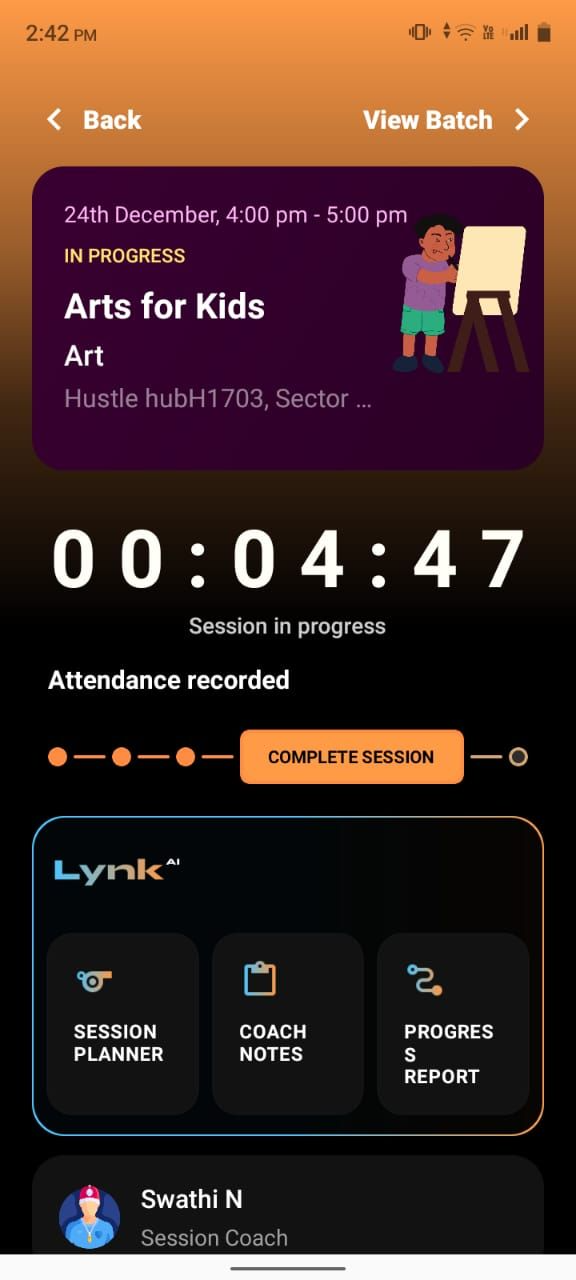
Status Progression
The session may stay in the “In progress” state till scheduled end time
Post end time the session transitions to not completed
The coach can mark the attendance and complete session within 24 hours post end time.
Post the 24 hour window the session is permanently marked Not completed.
Reporting and metrics are affected
The session will not be counted in session conducted count for the batch
It may not reflect correctly in coach or student profiles including their attendance
Payment impact
Incomplete sessions can affect student payment calculations
Sessions that aren’t completed will not be considered for session count for payment reminders.
What you should do
End the session as soon as possible
Once completed, review and correct attendance if needed
This ensures the session is properly recorded and included in reports and payments