What a coach can do inside a session
Sessions are where delivery happens—attendance, notes, and completion.
Written by Sumit Kapoor
Introduction
A session is the moment where planning turns into execution. It is where the coach interacts with students, tracks attendance, captures observations, and completes the official record for that class.
Lynk gives coaches clear, step-by-step controls inside each session to ensure delivery is smooth, consistent, and properly recorded.
Access the Session Plan
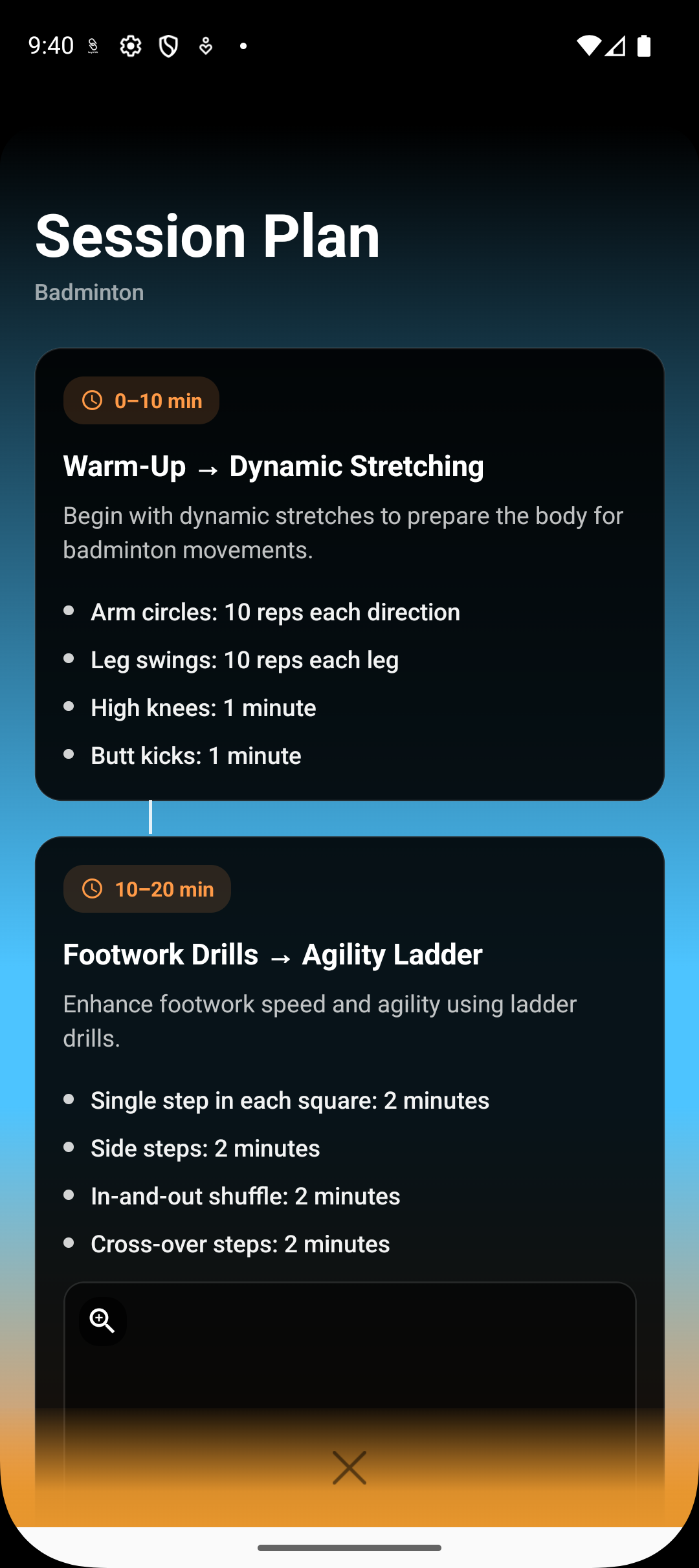
Inside a session, coaches can:
View or generate a session plan using the AI Session Planner
Review planned drills and structure before the class
Adapt the plan live based on student response
The plan acts as a guide, not a constraint.
Start and Run the Session
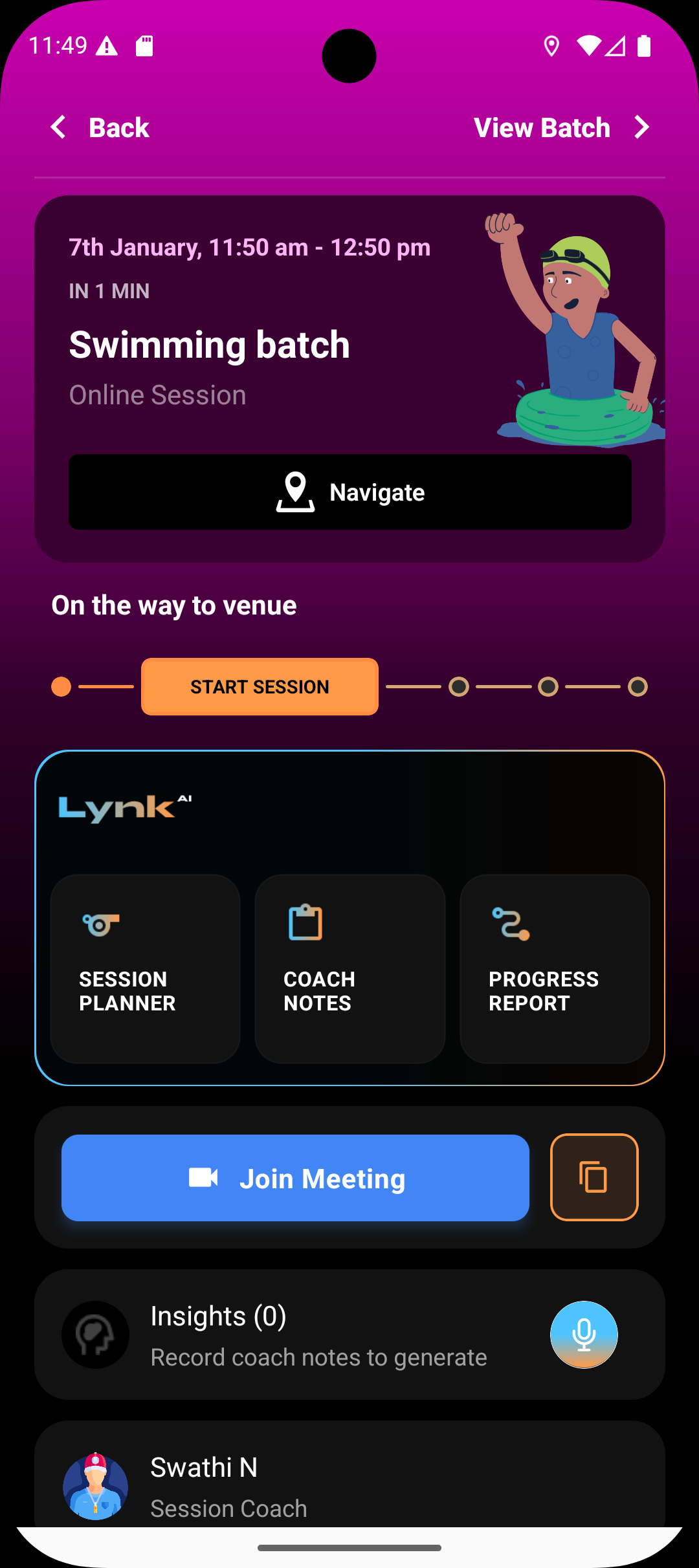
Coaches can:
Start the session when class begins
Move the session into an ongoing state
Follow the session flow for smooth execution
This marks the official start of delivery.
Mark Attendance
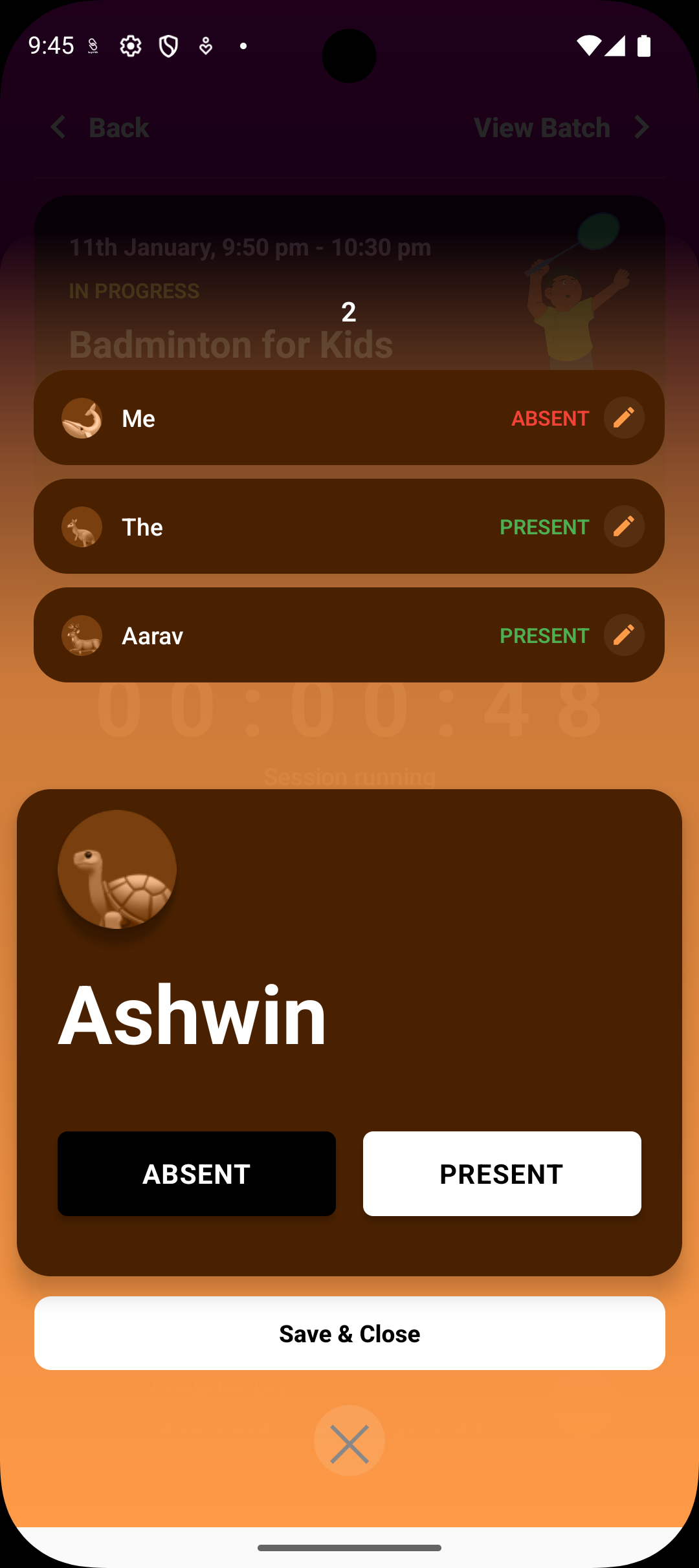
During the session, coaches can:
Mark each student as present or absent
Review attendance before finalizing
Ensure accurate participation records
Attendance must be marked to complete the session.
Add Coach Notes
Coaches can capture qualitative context by:
Recording coach notes inside the session card
Reviewing and editing AI-generated notes before saving
Storing notes for future reference and insights
Notes help maintain continuity across sessions.
Generate Progress Reports
From within a session, coaches can:
Access the progress report flow for enrolled students
Refer attendance and past notes while preparing reports
Share finalized reports with students or parents
Reports summarize learning outcomes.
Review Insights and Student Context
Sessions also allow coaches to:
View AI-generated Insights related to the session or batch
See students participating in the session
Use insights to guide future planning
This keeps decision-making contextual.
Edit Session Details
When operational corrections are needed, coaches can:
Edit future session date, time, or duration
Fix attendance errors after completion of past sessions
Maintain accurate records without rebuilding sessions
End the Session
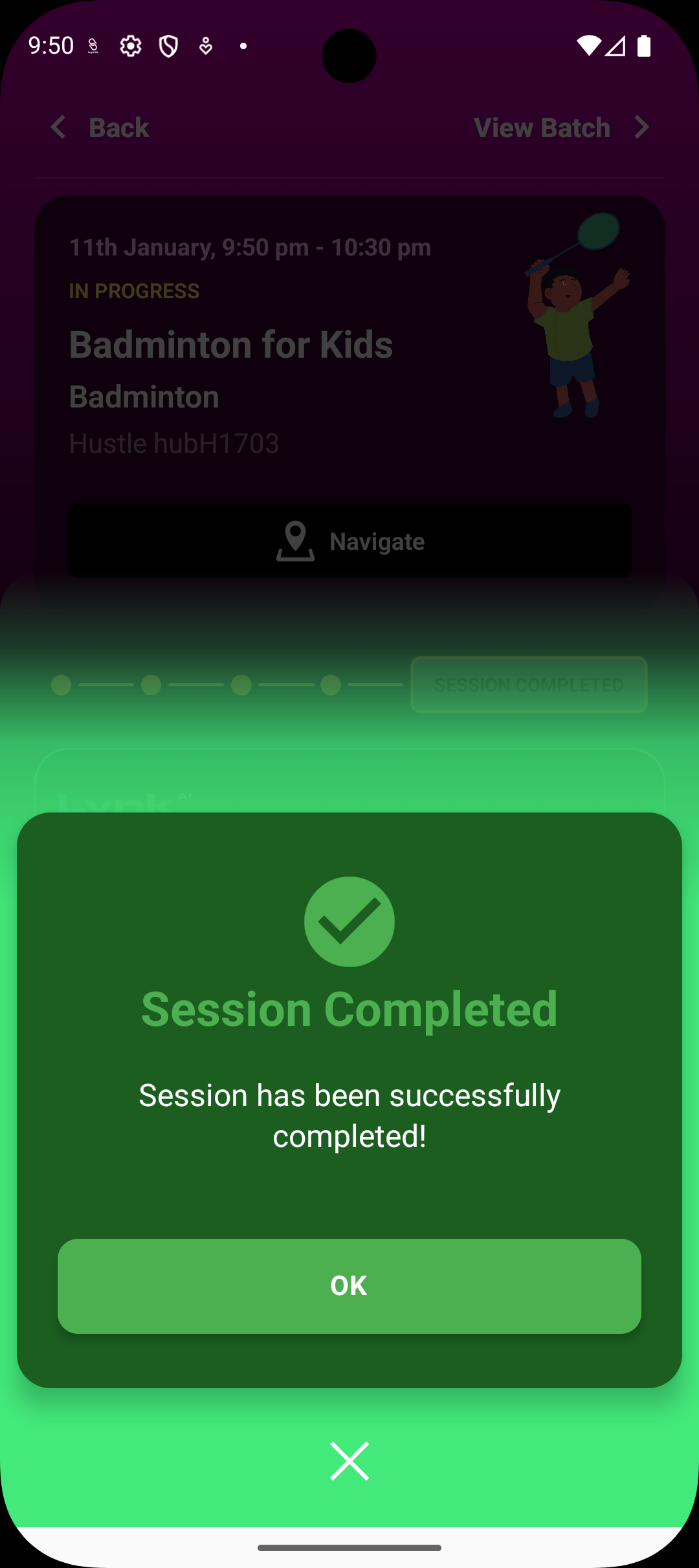
To complete delivery, coaches can:
End the session once attendance and notes are recorded
Move the session into completed status
This finalizes the record.
Summary
Inside a session, coaches can plan, start, mark attendance, add notes, generate reports, review insights, edit session details, and complete delivery. Sessions are the core execution layer in Lynk—where coaching happens and records are created.