How to edit a batch
Edit a batch to change the schedule, venue, or student grouping. Lynk updates the batch without affecting past sessions or attendance records.
Written by Sumit Kapoor
When should you edit a batch?
You should edit a batch if you need to:
Change batch name (for clarity or rebranding)
Update venue (academy, consumer venue, or online setup)
Adjust schedule (days, times, or session duration)
Modify batch configuration without creating a new batch
Change assigned coach in case of organizations
Editing affects future sessions, while existing sessions remain intact unless explicitly changed.
Step-by-step: How to edit a batch
1. Open the batch
Go to the Manage tab
Open Current Batches
Tap the batch you want to update
2. Tap “Edit Batch”
From the Batch Details screen, select Edit Batch.
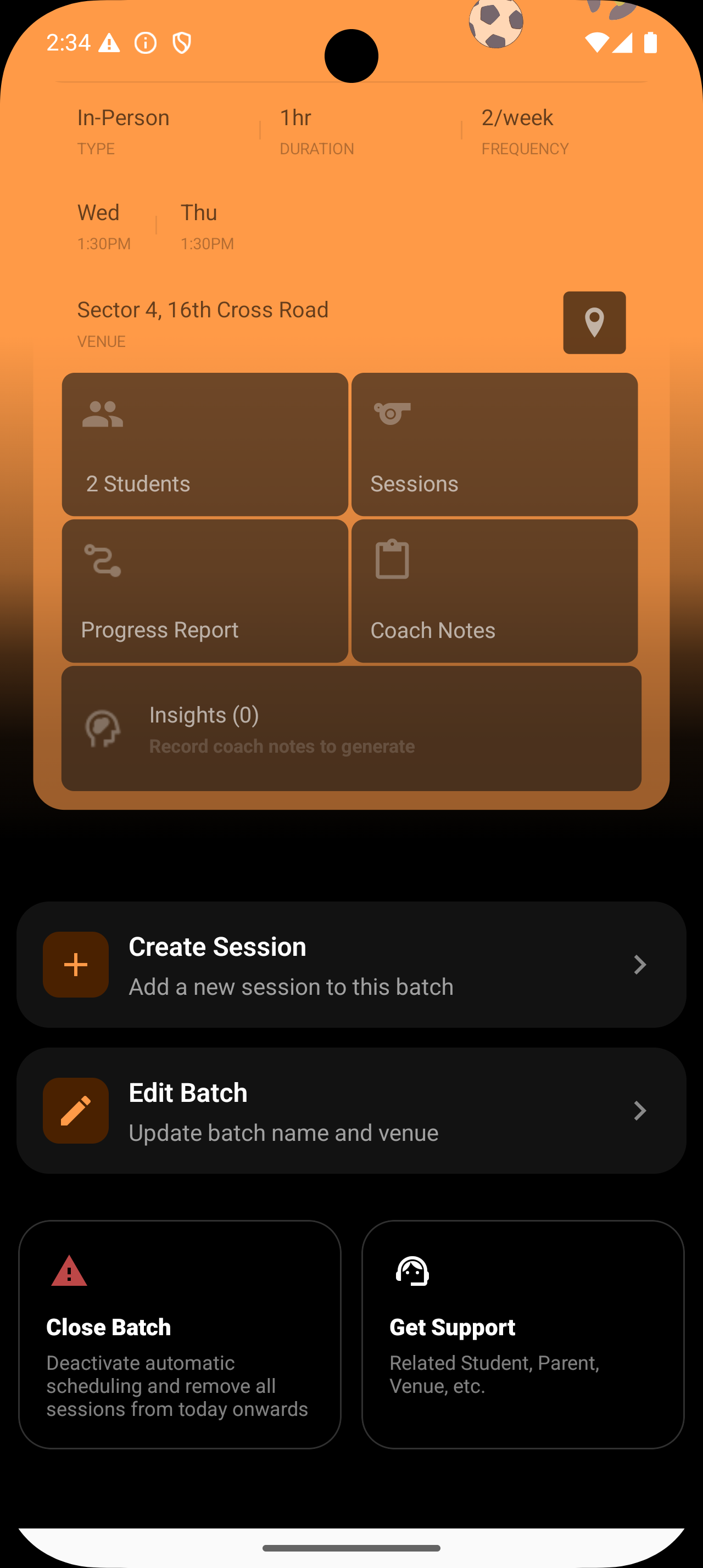
3. Update the required fields
You can edit:
Batch name
Venue(You cannot change an online batch to offline or vice versa)
Schedule
Assigned Coach (in case of organisations)
Only change what’s needed—everything else stays the same.
4. Save changes
Tap Save to apply updates.