What happens after you contact a lead
After you contact a lead, Lynk guides the next step so nothing is lost. Each contacted lead must move into one of three controlled states, reflecting the real outcome, preserving context and data, and keeping your pipeline organized.
Written by Sumit Kapoor
Understanding Lead States After Contact
After you contact a lead using Call or WhatsApp, the lead does not automatically change state. You are expected to explicitly choose what happens next.
Lynk supports three post-contact paths:
Convert to Consumer
Archive Lead
Mark as Contacted (for follow-up)
Each path reflects a different intent and has different system implications.
Convert to Consumer (If the Lead Is Interested)
What This Means
When a lead confirms interest in joining—by agreeing to start classes, requesting onboarding, or confirming enrollment—you should convert the lead into a consumer.
This action formally moves the person from the Leads system into the active consumer ecosystem.
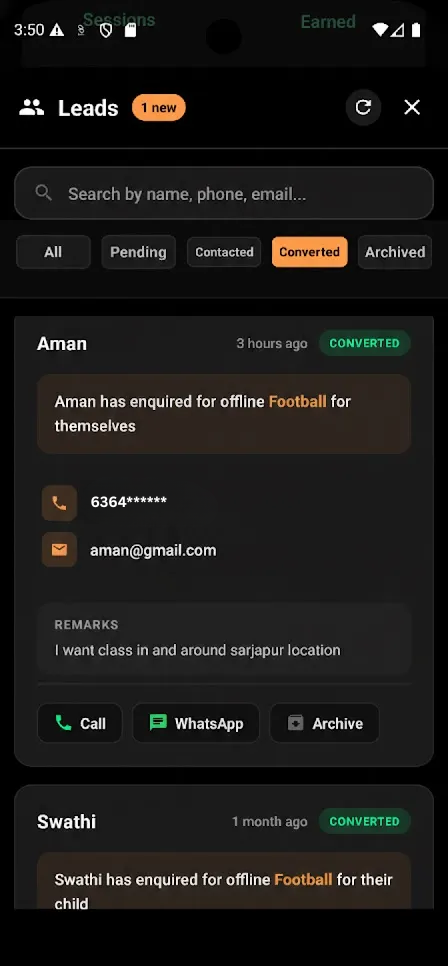
What Happens When You Convert a Lead
The lead is marked as converted in the Leads list
A consumer profile is created using submitted details
The consumer becomes eligible for:
Batch assignment
Session participation
Attendance tracking
Payments and progress reports
Conversion is a forward-only action and cannot be reversed.
When to Use “Convert”
Use this option when:
The lead has confirmed intent to join
Start date, batch, or format is discussed
You are ready to treat them as an active learner
Archive Lead (If the Lead Is Not Interested)
What This Means
If a lead clearly declines—due to timing, pricing, mismatch, or no longer needing the service—you should archive the lead.
Archiving indicates that no further follow-up is expected unless the lead reaches out again independently.
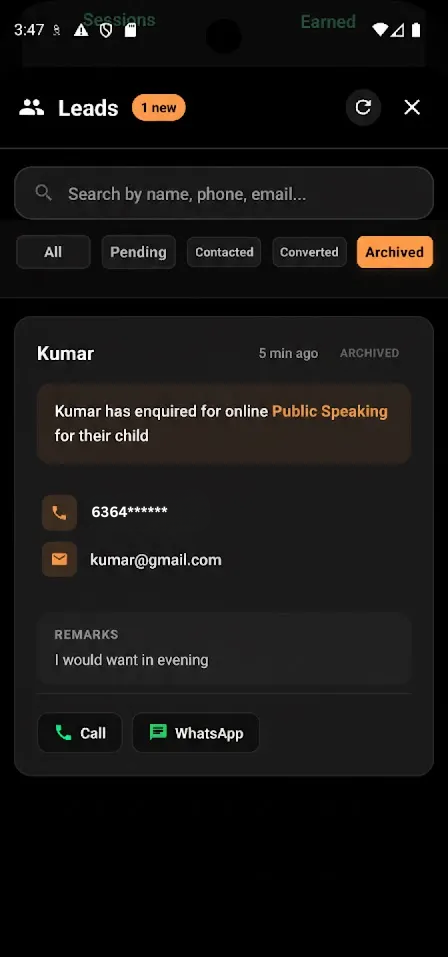
What Happens When You Archive a Lead
The lead is removed from active views
It appears under the Archived filter
No reminders or follow-ups are expected
The lead is not converted into a consumer
Historical record is retained for reference
Archiving helps keep your lead pipeline clean and focused.
When to Use “Archive”
Use this option when:
The lead says “not interested”
The requirement does not match what you offer
The lead is unresponsive after sufficient attempts
You decide not to pursue further communication
Mark as Contacted (For Follow-Up Later)
What This Means
If the lead has been contacted but needs more time—such as checking schedules, discussing with family, or starting later—you should mark the lead as contacted.
This keeps the lead active while clearly indicating that initial contact has already occurred.
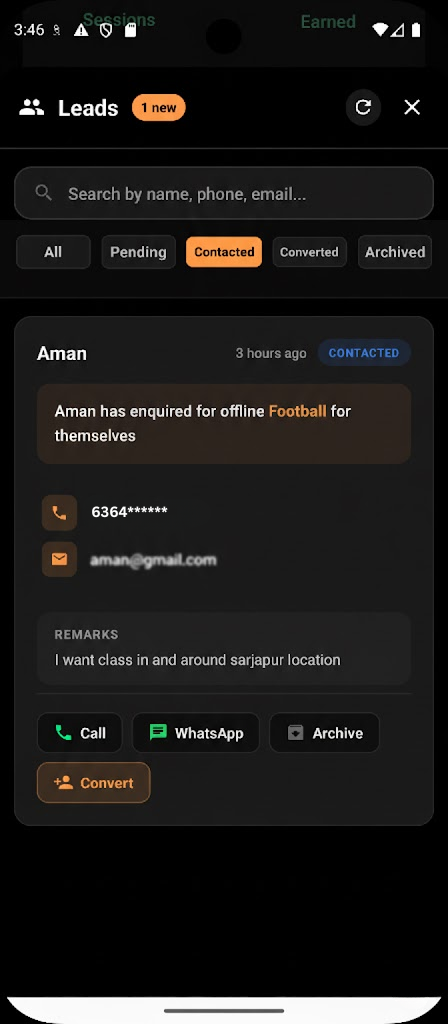
What Happens When You Mark a Lead as Contacted
The lead moves from Pending to Contacted
It remains visible for future follow-ups
No consumer profile is created
The lead can later be:
Converted
Archived
Contact history remains intact
This state supports realistic sales and enrollment cycles.
When to Use “Mark Contacted”
Use this option when:
The lead is interested but undecided
The start date is in the future
The lead asks you to follow up later
You need time to propose batches or pricing
Why Lynk Requires an Explicit Post-Contact Action
Lynk does not auto-assume outcomes after communication. This ensures:
Clear intent is recorded
Leads are not accidentally lost
Follow-ups remain intentional
Conversion data stays accurate
Coaches stay in control of decisions
Every contacted lead should eventually move into one of the three defined outcomes.
Summary: Choosing the Right Action
Situation | Recommended Action |
Lead is ready to join | Convert to Consumer |
Lead is not interested | Archive |
Lead needs time or follow-up | Mark Contacted |