How to preview and share session notes via WhatsApp
Learn how to preview a professional PDF report and share Session Notes instantly with students or parents through WhatsApp.
Written by Swathi N
After recording and refining your Session Notes, Lynk allows you to preview a professional report and instantly share it with students or parents. This ensures your feedback is presented clearly, consistently, and in a structured format.
Why Preview and Share Session Notes?
Previewing helps you verify that your notes are accurate and well-presented, while sharing allows you to communicate session outcomes professionally with just a few taps.
Step 1: Preview the Session Summary
Before sending the report, you can review how it will appear to the recipient.
How to Preview
Open the completed session
Navigate to the Students tab
Locate the specific student
Tap Preview
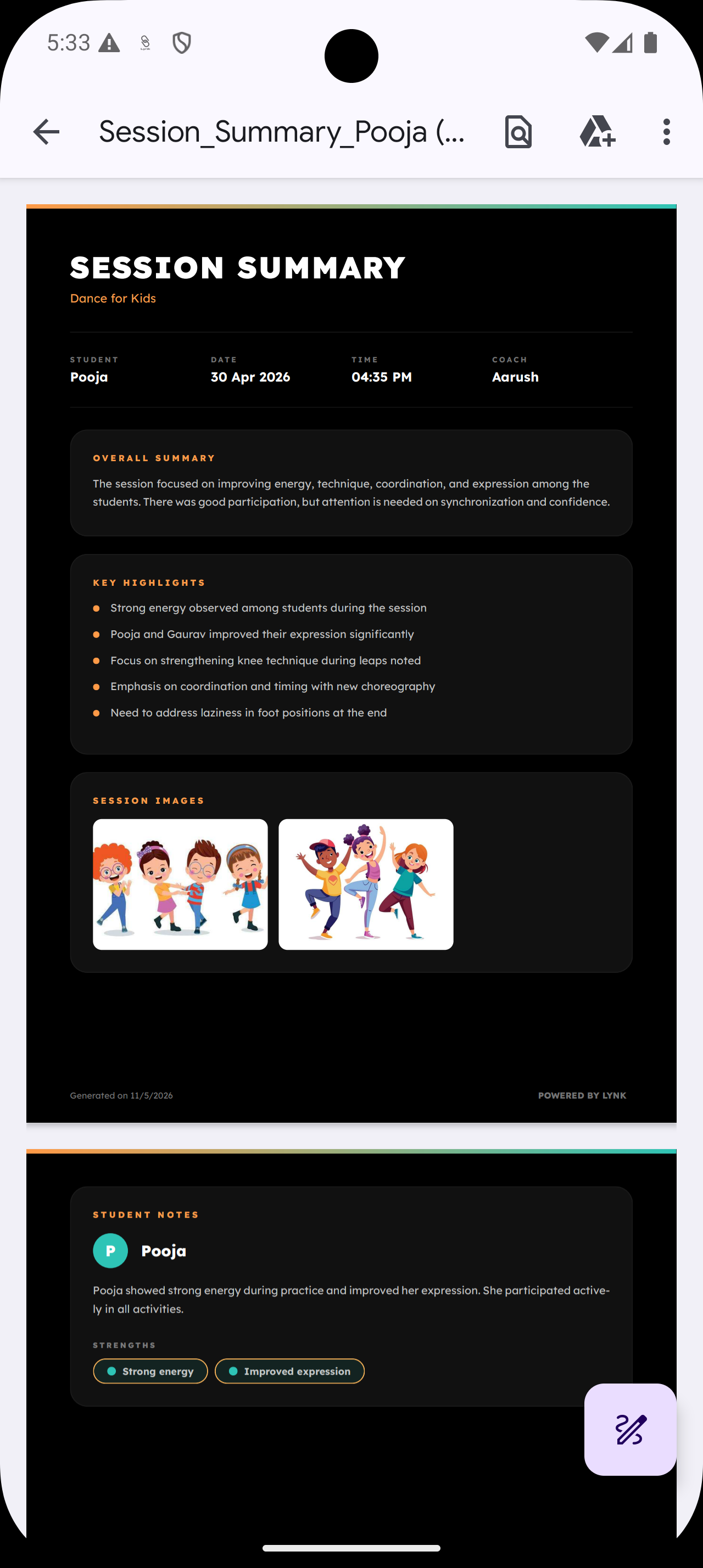
What the Preview Includes
The generated Session Summary (PDF) contains:
Session date and time
Coach name
Overall Summary
Key Highlights
Student-specific strengths and feedback
Tip: Always preview to ensure clarity and accuracy before sharing.
Step 2: Share via WhatsApp
Once you’re satisfied with the preview, you can share the report instantly.
How to Share
In the Students tab, tap Send next to the student’s name
Lynk will automatically:
Check for a registered contact number
Open WhatsApp with a pre-filled message
Tap Send in WhatsApp to deliver the report link
What the Recipient Receives
A secure link to view the Session Summary
A clean, structured report with all key session details
Easy access without needing the Lynk app
Important Notes
Ensure the student or parent has a valid phone number linked
Preview the report before sending to avoid errors
The shared link reflects the latest saved version of your notes
Summary
Previewing and sharing Session Notes follows a simple flow:
Review → Preview PDF → Send via WhatsApp
This process helps you deliver professional, structured feedback quickly—improving communication and building trust with students and parents.